
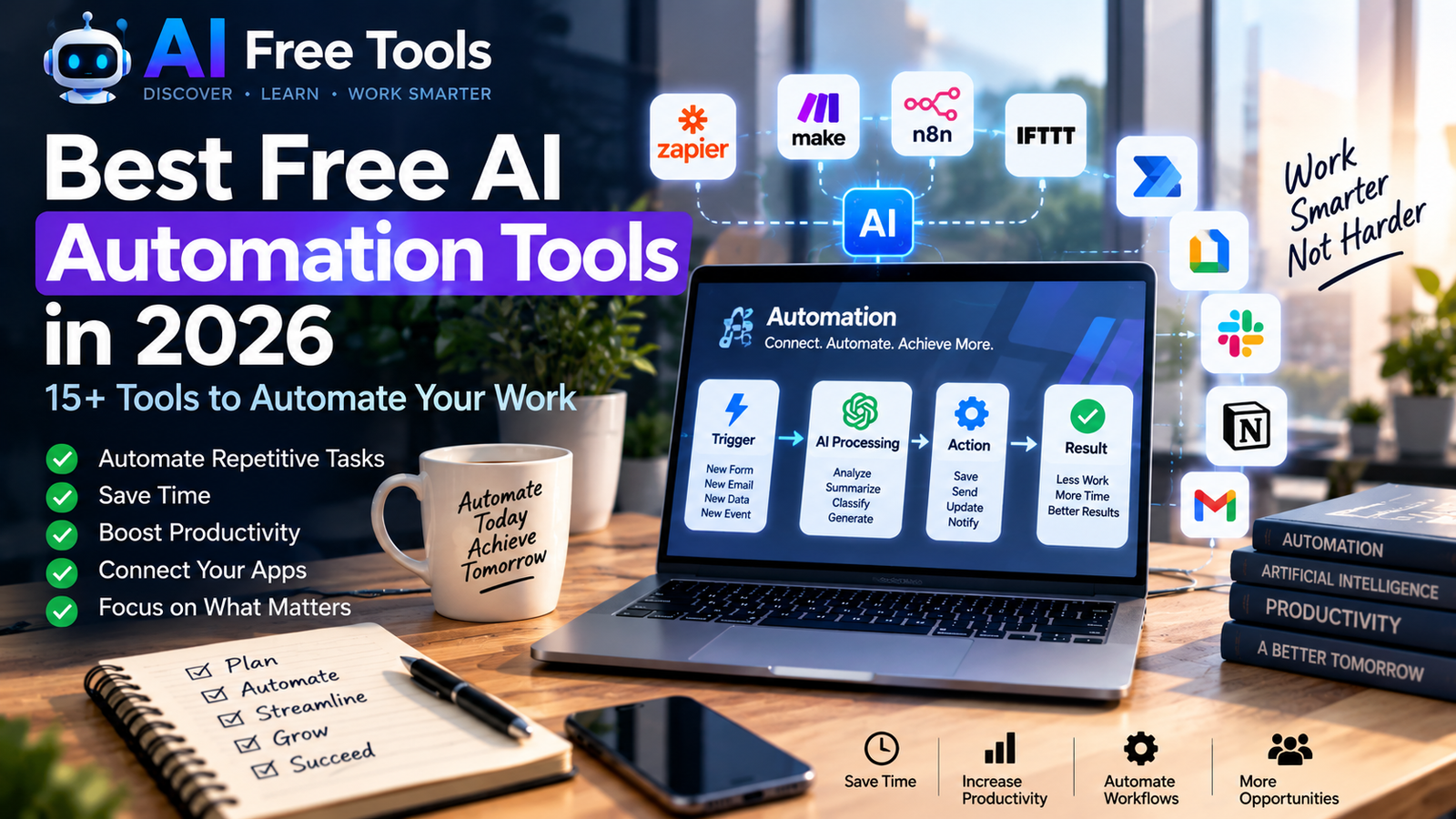
AI automation tools are changing the way people work by reducing repetitive tasks, connecting different applications and helping teams build faster workflows.
Instead of manually moving information between apps, sending repetitive emails or performing the same tasks every day, AI automation can handle many of these processes automatically.
In this guide, we explore 15+ free AI automation tools in 2026 that can help with productivity, marketing, content creation, data, business processes and everyday tasks.
Whether you are a freelancer, student, creator, marketer, developer or business owner, these tools can help you automate repetitive work and spend more time on important tasks.
What Are AI Automation Tools?
AI automation tools combine automation with artificial intelligence to perform tasks that would normally require manual work.
Traditional automation generally follows predefined rules.
For example:
When a new form is submitted → send an email.
AI-powered automation can go further by understanding text, classifying information, generating content, summarizing documents or making decisions based on predefined instructions.
A typical AI automation workflow might look like:
Trigger → AI processing → Action → Result
For example:
New email → AI analyzes the message → extracts important information → saves it to a spreadsheet.
1. Zapier
Zapier is one of the most widely used automation platforms for connecting different applications.
It allows users to create automated workflows called Zaps.
For example:
- New Gmail message → create a task
- New form submission → send an email
- New spreadsheet row → create a notification
- New lead → add the contact to a CRM
Zapier also provides AI-powered features that can help users build and manage automated workflows.
The free plan is useful for testing simple automation workflows, although the number of tasks and available features is limited.
Best for: App integrations and business automation.
2. Make
Make is a visual automation platform that allows users to connect applications and create more complex workflows.
Instead of simply connecting two applications, you can build workflows containing multiple steps, conditions and branches.
For example:
Form submission → AI analysis → database → email → notification
Make is particularly useful when you need more control over the logic of an automation.
Best for: Advanced visual workflows and multi-step automation.
3. n8n
n8n is a workflow automation platform designed for users who want significant control over their automations.
It supports many integrations and can connect APIs, databases, AI services and business applications.
One important feature is that n8n can also be self-hosted, which makes it interesting for technically advanced users.
You can create workflows such as:
Website content → AI processing → database → notification
or:
Customer request → AI classification → appropriate action
Best for: Developers, technical users and advanced automation.
4. IFTTT
IFTTT, which stands for “If This Then That”, allows users to connect different services using simple automation rules.
Its concept is straightforward:
If something happens → perform an action.
Examples include:
- New calendar event → notification
- Weather condition → alert
- New social media activity → save information
- Smart device event → trigger another action
IFTTT is particularly accessible for beginners.
Best for: Simple automations and connected services.
5. Microsoft Power Automate
Microsoft Power Automate is Microsoft’s workflow automation platform.
It can connect Microsoft services such as:
- Outlook
- Excel
- Teams
- SharePoint
- OneDrive
It can also connect with many third-party applications.
For organizations already using Microsoft 365, Power Automate can be useful for automating repetitive administrative workflows.
Best for: Microsoft 365 users and business workflows.
6. Google Apps Script
Google Apps Script allows users to automate tasks inside Google’s ecosystem.
It can work with applications such as:
- Google Sheets
- Google Docs
- Gmail
- Google Drive
- Google Calendar
For example, a script could automatically process information in a spreadsheet, send personalized emails or organize files.
Unlike many no-code automation platforms, Apps Script requires some programming knowledge.
Best for: Google Workspace automation and technical users.
7. Reclaim AI
Reclaim AI focuses on automated scheduling and time management.
It can help users organize tasks, habits, meetings and calendar events.
Instead of manually deciding when every task should be completed, users can provide priorities and let the system help organize their schedule.
This can be useful for people managing multiple projects or meetings.
Best for: Calendar and time management automation.
8. Motion
Motion combines project management, task management, calendar scheduling and AI-assisted planning.
The platform is designed to automatically organize tasks and schedules based on deadlines and priorities.
It can be useful for professionals who need to coordinate multiple tasks and meetings.
Best for: AI-assisted scheduling and project planning.
9. Bardeen
Bardeen focuses on browser-based automation and workflows.
It can automate repetitive actions involving websites and business applications.
For example, users can create workflows for collecting information, processing leads or moving information between applications.
AI features can help users build automation workflows using natural-language instructions.
Best for: Browser automation and repetitive web tasks.
10. Lindy
Lindy is an AI assistant platform designed around automated workflows and AI agents.
Users can create assistants that perform tasks such as handling emails, organizing information, preparing responses and connecting different applications.
The platform is particularly focused on AI agents that can perform multiple steps rather than simply generating text.
Best for: AI assistants and business workflow automation.
11. Relay.app
Relay.app is a workflow automation platform that combines traditional automation with AI steps.
For example, a workflow could:
- Receive a customer request
- Ask AI to classify it
- Extract important information
- Send the information to another application
- Notify a team member
This type of workflow can be useful when automation requires both rules and AI reasoning.
Best for: AI-powered business workflows.
12. Gumloop
Gumloop focuses on AI-powered workflow automation.
It can connect different applications and use AI models to process information inside workflows.
Possible use cases include:
- Research
- Data extraction
- Content workflows
- Lead processing
- Document analysis
Users can create workflows visually instead of building every integration from scratch.
Best for: AI workflows and research automation.
13. Activepieces
Activepieces is an open-source automation platform designed to connect applications and automate workflows.
Its open-source approach can make it attractive to users who want more control over their automation environment.
It can be used to create workflows involving applications, APIs and AI services.
Best for: Open-source automation and technical users.
14. Pipedream
Pipedream is designed for developers who want to build integrations and automated workflows using APIs and code.
It supports many applications and allows developers to combine code with automation steps.
For example, a developer can receive information from an API, process it with AI and send the result to another service.
Best for: Developers and API-based automation.
15. Tally + Automation
Tally is a form-building platform that can become part of automated workflows.
A simple workflow could be:
Tally form → automation platform → AI processing → email/database
This makes it useful for collecting information and triggering actions automatically.
For example, a business could collect customer requests through a form and automatically classify or route them.
Best for: Forms, lead collection and workflow triggers.
16. ChatGPT for Automation Workflows
AI assistants such as ChatGPT can also play an important role inside automation workflows.
Instead of simply generating an answer, an AI model can process information received from another application.
For example:
Customer message → AI analysis → category → automated action
AI can be used to:
- summarize messages
- classify requests
- extract information
- generate responses
- transform text
- analyze documents
For a broader overview of AI assistants and other categories, see our guide to the best free AI tools in 2026.
Best for: AI processing inside automated workflows.
What Can You Automate With AI?
The possibilities are much broader than simply sending automatic emails.
Email automation
AI can help classify messages, summarize conversations and prepare responses.
Content workflows
A workflow can collect information, summarize it and prepare content for review.
Lead management
New leads can be automatically collected, categorized and sent to the appropriate system.
Data processing
AI can extract information from documents, emails or forms and organize it into structured data.
Customer support
Incoming requests can be classified and routed automatically.
Marketing
Automation can help organize campaigns, social media content and customer information.
Research
AI can summarize documents and organize research information into structured workflows.
How to Choose the Right AI Automation Tool
The best tool depends on the type of automation you want to create.
For beginners
Start with simpler platforms such as IFTTT or Zapier.
For visual workflows
Make and similar visual automation platforms can be useful when workflows contain multiple steps.
For technical users
n8n, Pipedream and Google Apps Script provide greater flexibility for users comfortable with code and APIs.
For business automation
Zapier, Make and Microsoft Power Automate can connect many common business applications.
For AI agents
Platforms such as Lindy and other AI workflow systems focus more heavily on AI-driven tasks.
Free vs Paid AI Automation Tools
Many automation platforms provide free plans, but free plans commonly have limitations.
These limitations may include:
- Number of monthly tasks
- Number of workflows
- Available integrations
- Execution frequency
- AI usage limits
- Advanced features
Before building an important workflow, check the provider’s current pricing and free-plan limitations because these can change over time.
A good approach is to start with a small workflow and test whether the free plan is sufficient.
How to Build Your First AI Automation
You do not need to automate your entire business immediately.
Start with one repetitive task.
Step 1 — Identify the repetitive task
Ask yourself:
What do I do manually every day or every week?
Step 2 — Define the trigger
Determine what starts the workflow.
For example:
New email
or
New form submission
Step 3 — Add AI processing
Decide what the AI should do.
For example:
Summarize the email
or
Classify the customer request
Step 4 — Define the action
Decide what happens after the AI finishes.
For example:
Save the result → send notification
Step 5 — Test the workflow
Always test an automation before relying on it for important business processes.
AI Automation Tools FAQ
Are there free AI automation tools?
Yes. Several automation platforms offer free plans or limited free usage. The available features and limits vary by provider.
What is the easiest AI automation tool for beginners?
Platforms with visual workflow builders can be easier for beginners because they allow users to connect applications without writing much code.
Can AI automate repetitive tasks?
Yes. AI can help automate tasks such as classification, summarization, information extraction, content transformation and workflow decisions.
Can I automate my business with AI?
Yes. AI automation can be used for marketing, customer communication, lead management, administration, research and many other business processes.
Do AI automation tools require coding?
Not necessarily. Many platforms provide no-code or low-code interfaces. More advanced platforms may allow users to add code or APIs for greater flexibility.
Final Thoughts
Free AI automation tools can help reduce repetitive work and connect the applications you already use.
The most important step is not to automate everything at once.
Start with one repetitive process, measure the time it saves and gradually build more workflows around it.
If you are interested in improving your overall productivity, also explore our guide to the best free AI productivity tools in 2026.
And if you want to discover more categories, check out our complete guide to the best free AI tools in 2026.
Leave a Reply