
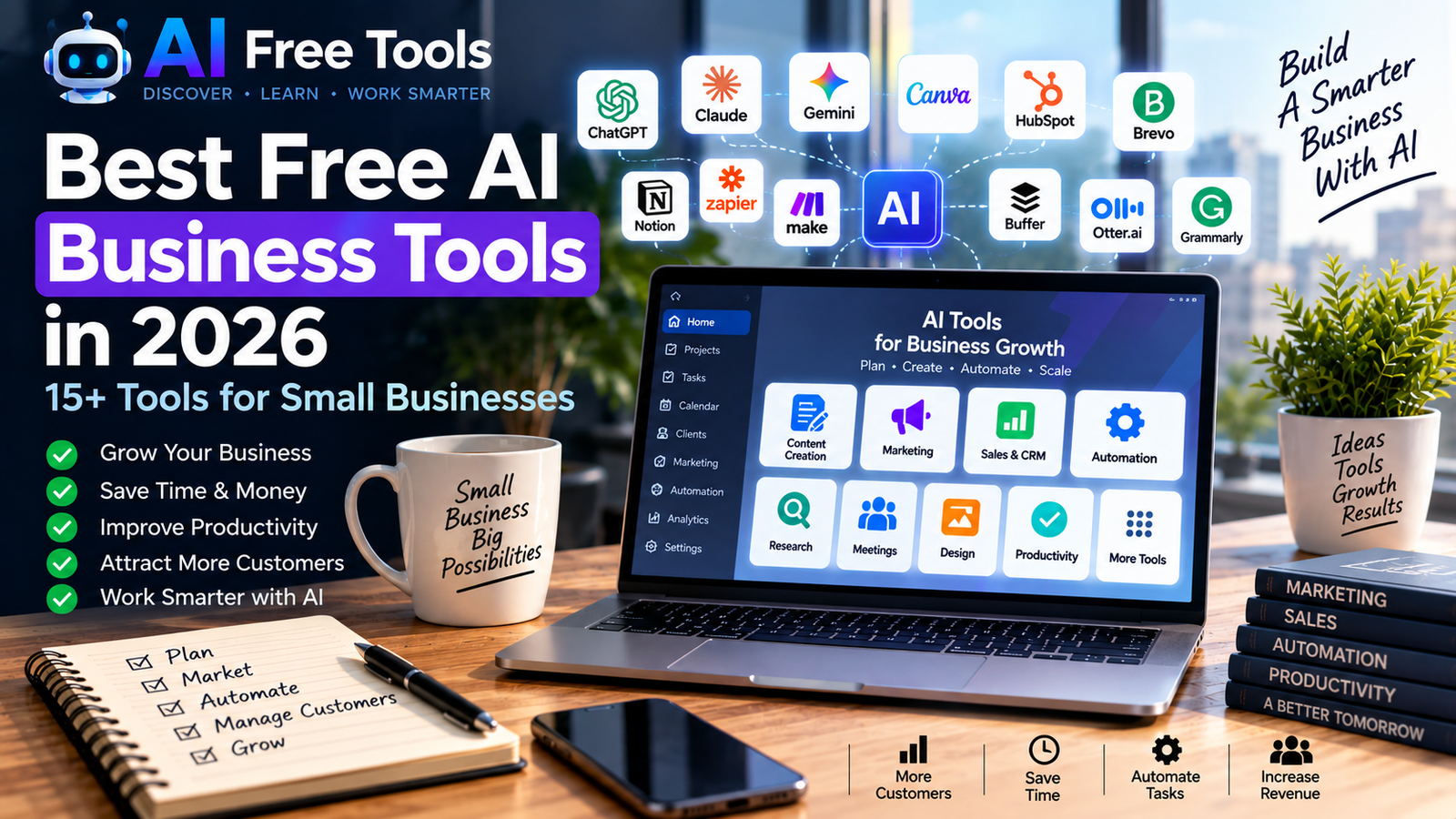
Artificial intelligence is changing the way businesses work. From writing emails and creating marketing content to managing customers, analyzing information and automating repetitive tasks, AI tools can help small businesses save time and improve their daily workflows.
The good news is that many AI business tools offer free plans or free access with certain limitations.
In this guide, we have selected 15+ free AI business tools in 2026 that can help with marketing, sales, customer service, content creation, meetings, research, productivity and automation.
If you are also looking for tools for everyday work and organization, check our guide to the free AI productivity tools available in 2026.
What Are Free AI Business Tools?
Free AI business tools are online applications that use artificial intelligence to help businesses perform specific tasks.
Depending on the tool, they can help you:
- Write emails and business documents
- Create marketing content
- Generate images and presentations
- Research markets and competitors
- Manage customers and leads
- Schedule social media content
- Transcribe meetings
- Automate repetitive tasks
- Organize projects and information
- Analyze documents and data
Most services offer either a completely free plan or a free tier with usage limits. Features and limits can change, so it is always worth checking the provider’s current pricing before building an important workflow around a free plan.
1. ChatGPT
Best for: Business writing, brainstorming, research and analysis
ChatGPT can be used for a wide range of business tasks.
Small businesses can use it to draft emails, write product descriptions, create marketing ideas, summarize documents, brainstorm business strategies and analyze information.
It can also help entrepreneurs prepare meeting agendas, customer responses, social media posts and internal documentation.
Business uses:
- Email writing
- Content creation
- Business brainstorming
- Research assistance
- Document analysis
- Customer communication
- Marketing ideas
ChatGPT is particularly useful as a general-purpose AI assistant because the same tool can support many different business activities.
2. Claude
Best for: Documents, writing and business communication
Claude is an AI assistant designed for writing, analysis and working with information.
Businesses can use it to improve documents, summarize long texts, brainstorm ideas and create professional communication.
Business uses:
- Business documents
- Reports
- Email drafts
- Content creation
- Summaries
- Research
- Brainstorming
For businesses that work with large amounts of written information, an AI assistant can reduce the time required for repetitive writing and analysis.
3. Google Gemini
Best for: Research, brainstorming and planning
Google Gemini is Google’s AI assistant and can be useful for business research, brainstorming and everyday productivity.
It can help entrepreneurs generate ideas, organize information, draft content and explore business topics.
Business uses:
- Market research
- Business planning
- Content ideas
- Email drafts
- Summarization
- Brainstorming
- Research assistance
Gemini can be particularly convenient for people already using Google’s ecosystem.
4. Canva
Best for: Marketing graphics and visual content
Canva is one of the most useful design platforms for small businesses.
Its free plan provides access to a large collection of design tools, templates and some AI features. Canva currently lists AI usage within its free plan, although usage limits apply.
Businesses can use Canva to create social media posts, advertisements, presentations, flyers, posters and other marketing materials.
Business uses:
- Social media graphics
- Advertisements
- Presentations
- Flyers
- Posters
- Business documents
- Marketing visuals
If you are interested specifically in creating AI-generated visuals, see our guide to free AI image generators.
5. Perplexity
Best for: Business research
Perplexity is an AI-powered search and research tool designed to provide answers with supporting sources.
It can be useful when entrepreneurs need to investigate a market, research a company, explore an industry or collect information about a particular topic.
Business uses:
- Market research
- Competitor research
- Industry research
- Product research
- Information discovery
- Research summaries
It can be especially useful during the early stages of business research when you need to quickly explore a topic.
6. HubSpot CRM
Best for: Customer and sales management
HubSpot offers a free CRM designed for startups and small businesses.
The free CRM includes tools for contact management, deals, tasks, reporting and other customer-management functions. HubSpot also integrates AI features into its CRM.
Business uses:
- Customer management
- Lead management
- Sales pipelines
- Contact organization
- Sales activities
- Customer communication
- Reporting
A CRM can be particularly useful when a business starts managing a growing number of prospects and customers.
7. Brevo
Best for: Email marketing and customer communication
Brevo provides email marketing, customer relationship and communication tools.
Its current Free plan is available at $0 and includes email campaigns, transactional email features and other tools, with usage limits. Brevo currently lists a limit of 300 email sends per day on the Free plan.
Business uses:
- Email marketing
- Customer newsletters
- Transactional emails
- Contact management
- Marketing automation
- Customer communication
Brevo can be useful for small businesses that want to start building an email marketing strategy without immediately paying for a subscription.
8. Buffer
Best for: Social media management
Buffer helps businesses schedule and manage social media content.
Its current Free plan allows users to connect up to three social channels and schedule up to 10 posts per channel at a time. It also includes access to Buffer’s AI Assistant.
Business uses:
- Social media scheduling
- Content planning
- Social media ideas
- Post creation
- Content organization
- Publishing workflows
For a small business that manages several social networks, Buffer can simplify content scheduling.
9. Grammarly
Best for: Business writing and editing
Grammarly helps users improve their writing by identifying grammar, spelling, clarity and style issues.
Businesses can use it to improve emails, website content, marketing messages and internal documents.
Business uses:
- Email editing
- Grammar checking
- Content editing
- Professional communication
- Website copy
- Marketing text
It can be especially useful when English is not the writer’s first language.
10. Otter.ai
Best for: Meeting transcription
Otter.ai uses AI to transcribe conversations and meetings.
Instead of taking notes manually, businesses can use an AI transcription service to create searchable meeting records and summaries.
Business uses:
- Meeting transcription
- Meeting notes
- Interviews
- Customer conversations
- Team meetings
- Research interviews
This can save time for businesses that regularly conduct meetings or interviews.
11. Fathom
Best for: AI meeting notes and summaries
Fathom is an AI meeting assistant that can record, transcribe and summarize meetings.
Fathom states that it offers a free version for individual users, while some advanced features and team functionality are available through paid plans.
Business uses:
- Meeting summaries
- Action items
- Call recordings
- Customer meetings
- Sales conversations
- Team meetings
For businesses that spend a lot of time in online meetings, AI meeting assistants can reduce manual note-taking.
12. Notion
Best for: Business organization and knowledge management
Notion is a workspace for organizing projects, documents, databases and business information.
Its Free plan is still available, although some advanced AI and business functionality is tied to paid plans.
Business uses:
- Project management
- Documentation
- Business planning
- Content calendars
- Knowledge bases
- Task management
- Team organization
Notion can serve as a central workspace where a small business keeps its documents, plans and processes.
13. Zapier
Best for: Business automation
Zapier connects applications and automates repetitive tasks.
For example, a business could create workflows that automatically move information between forms, spreadsheets, email platforms, CRM systems and other applications.
Zapier currently offers a Free plan with limited usage, including 100 tasks per month.
Business uses:
- Lead automation
- Email automation
- Form processing
- CRM workflows
- Marketing automation
- Data synchronization
- Repetitive task automation
For a deeper look at automation platforms, see our article about free AI automation tools.
14. Make
Best for: Visual business automation
Make is another automation platform that allows businesses to connect applications and create workflows.
Its visual interface allows users to build automated scenarios using different applications and services.
Make currently offers a Free plan with 1,000 credits per month and access to its visual workflow builder.
Business uses:
- Workflow automation
- Marketing automation
- Data processing
- Lead management
- Notifications
- Application integrations
- Repetitive business tasks
Make can be useful for businesses that want more visual control over complex automation workflows.
15. Gamma
Best for: Presentations and business documents
Gamma uses AI to help users create presentations and other visual documents.
Businesses can use it to transform ideas and written information into structured presentations.
Business uses:
- Sales presentations
- Business proposals
- Pitch decks
- Reports
- Presentations
- Marketing materials
This can reduce the time required to create professional-looking presentation material from scratch.
16. Google AI Studio
Best for: AI experimentation and advanced workflows
Google AI Studio provides an environment for experimenting with Google’s AI models and building AI-powered applications.
It can be useful for entrepreneurs, developers and businesses interested in testing AI capabilities or creating custom workflows.
Business uses:
- AI experimentation
- Prototyping
- Content workflows
- Data analysis
- AI applications
- Custom AI solutions
For users interested in AI development, you can also explore our guide to free AI coding tools.
How to Choose the Right Free AI Business Tool
You don’t need dozens of AI tools to run a small business.
The best approach is to identify the tasks that consume the most time and then select tools that address those specific problems.
For marketing
Consider:
- Canva
- Buffer
- Brevo
- ChatGPT
For sales and customers
Consider:
- HubSpot
- ChatGPT
- Claude
- Brevo
For research
Consider:
- Perplexity
- Gemini
- ChatGPT
- Claude
For meetings
Consider:
- Otter.ai
- Fathom
- ChatGPT
For automation
Consider:
- Zapier
- Make
For business organization
Consider:
- Notion
- HubSpot
- Google Gemini
A Simple Free AI Stack for a Small Business
You don’t need an expensive software stack to start using AI.
A small business could combine several free tools:
Research: Perplexity + Gemini
Writing: ChatGPT + Grammarly
Design: Canva
Social media: Buffer
Email marketing: Brevo
CRM: HubSpot
Meetings: Otter.ai or Fathom
Organization: Notion
Automation: Zapier or Make
This combination can cover many common business activities while keeping initial software costs low.
Remember that free plans usually have usage limits, and those limits can change over time.
Benefits of Using Free AI Business Tools
Free AI tools can provide several practical benefits to small businesses.
1. Reduce repetitive work
AI can help automate tasks such as writing, summarizing, organizing and processing information.
2. Save time
Instead of starting every task from scratch, businesses can use AI to generate an initial draft or structure.
3. Create more content
AI can assist with blog posts, social media content, emails, presentations and marketing materials.
4. Improve organization
CRM systems, project-management platforms and AI assistants can help businesses keep information organized.
5. Experiment with AI without a large budget
Free plans make it possible to test different tools before deciding whether a paid subscription is necessary.
Are Free AI Business Tools Really Free?
Sometimes.
Many services offer a free plan, but it may include restrictions on:
- Number of requests
- AI generations
- Storage
- Automation runs
- Contacts
- Connected applications
- Export options
- Advanced AI features
For this reason, you should always check the provider’s current pricing and limits before depending on a tool for an important business process.
Frequently Asked Questions
What are the best free AI business tools?
There is no single tool that covers every business need. Different tools are designed for different tasks, including writing, research, marketing, CRM, meetings and automation.
Can small businesses use AI tools for free?
Yes. Many platforms offer free plans or free tiers that can be used by individuals and small businesses, although limitations may apply.
Can AI replace business software?
Usually, AI works alongside traditional business software rather than completely replacing it. For example, an AI assistant can help write an email, while a CRM can store the customer information and track the sales process.
Which AI tools are useful for marketing?
Canva, Buffer, Brevo, ChatGPT and other AI-powered platforms can help with content creation, visual design, email marketing and social media management.
Which AI tools can automate business tasks?
Zapier and Make are examples of platforms designed to connect applications and automate workflows.
Should I use multiple AI tools?
Yes, if each tool solves a different problem. However, using too many platforms can make your workflow more complicated. Start with a small number of tools and expand when you identify a real need.
Final Thoughts
AI is becoming increasingly accessible to small businesses.
You don’t necessarily need a large software budget to start using artificial intelligence for writing, research, marketing, customer management, meetings and automation.
The tools in this guide provide different approaches to business productivity. Start by identifying the tasks that take the most time, test a few free options and keep the tools that fit naturally into your workflow.
For a broader list covering many categories, check our guide to the best free AI tools in 2026.
Leave a Reply