
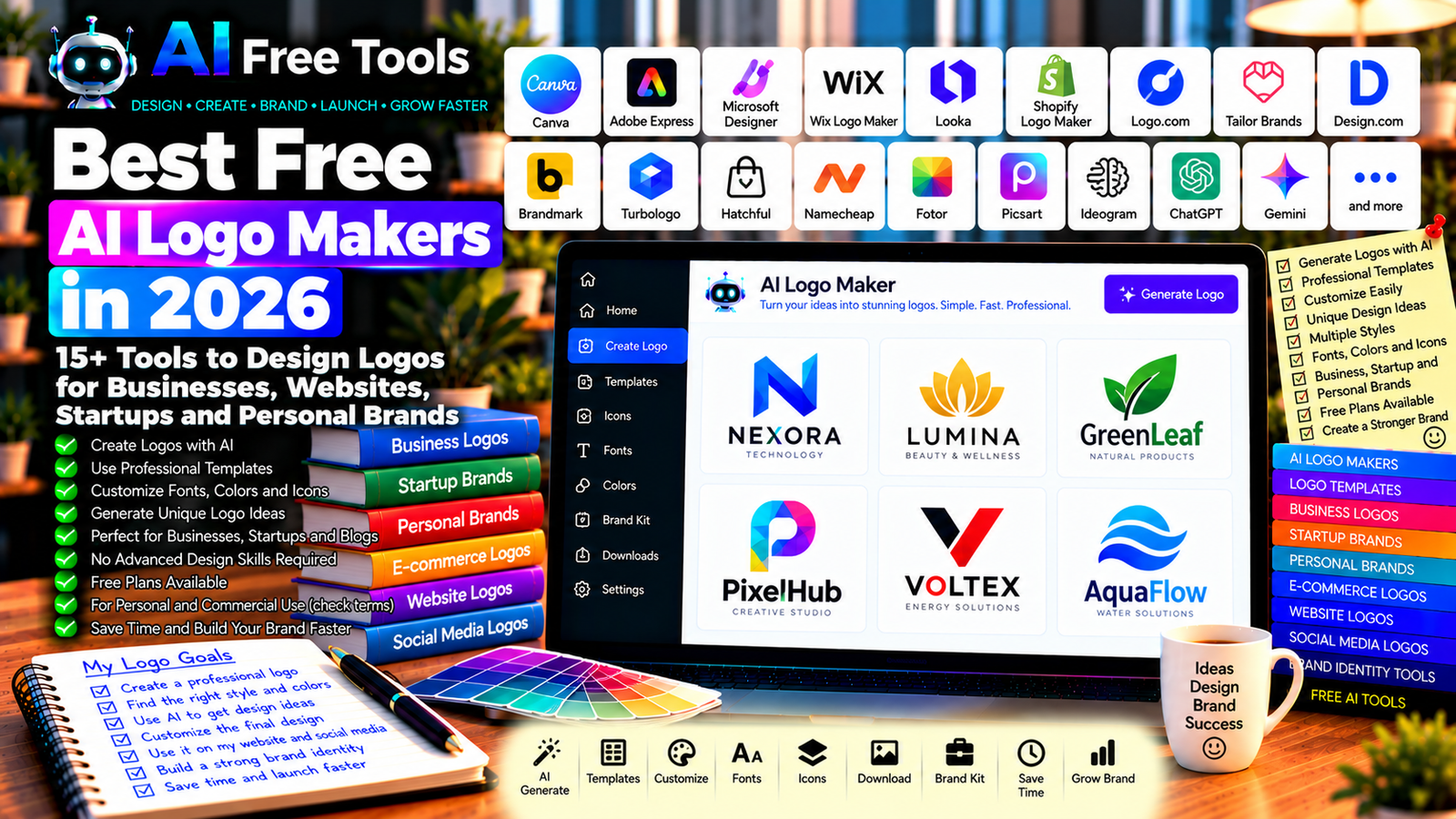
Best Free AI Logo Makers in 2026: 15+ Tools to Design Your Brand
Free AI logo makers can help you create a visual identity for a business, website, online store, startup, or personal brand. Instead of hiring a designer for every early concept, you can use AI-assisted tools to explore logo ideas, generate symbols, test typography, and create a starting point for your brand.
A good logo should be recognizable, readable at small sizes, and suitable for the places where you plan to use it. Some tools generate logo concepts from a text prompt, while others provide templates, icons, fonts, and editing features that help you design a logo manually.
In this guide, we compare 17 logo design tools and AI-assisted design platforms in 2026. You will discover what each tool does best, what to check in its free plan, and how to choose a logo maker for your project.
Important: A tool described as free may allow you to generate or preview a logo without providing free high-resolution downloads or commercial-use rights. Some services charge for transparent PNG files, vector formats, brand kits, or removing watermarks. Always check the current pricing, license, and terms before using a logo commercially.
Quick Comparison: Best Free AI Logo Makers
| Tool | Best For | Free Access |
|---|---|---|
| Canva | Custom logos and templates | Free design features; premium assets may cost |
| Adobe Express | Simple logo design | Free features; some assets and AI tools have limits |
| Microsoft Designer | AI-assisted visual concepts | Availability and usage may vary |
| Wix Logo Maker | Guided logo creation | Preview or generation may be free; downloads may cost |
| Looka | AI-generated brand concepts | Explore concepts; final files generally require payment |
| Shopify Logo Maker | Basic business logos | Free logo creation and downloads may be available |
| Logo.com | Logo concepts and brand assets | Free options and paid features vary |
| Tailor Brands | Logo and brand identity workflows | Preview and access terms may vary |
| Design.com | Logo templates and AI-assisted design | Free features and download terms vary |
| Brandmark | AI-generated logo concepts | Final downloads generally require payment |
| Turbologo | Automated logo concepts | Download and usage terms may require payment |
| Hatchful | Simple business logo creation | Current availability should be checked |
| Namecheap Logo Maker | Basic logo creation | Free logo creation options |
| Fotor | AI-assisted visual design | Free features with possible export restrictions |
| Picsart | Creative logo concepts | Free tools; premium assets may cost |
| Ideogram | AI-generated logo concepts | Free usage may be limited |
| ChatGPT | Logo ideas and design briefs | Free tier with limits |
1. Canva — Best for Custom Logo Design
Canva is a visual design platform with logo templates, icons, typography, shapes, and editing tools. It is a practical choice for beginners who want to create a logo without learning professional design software.
You can start with a template, customize the colors and fonts, and adapt the result for a website, social media profile, business card, or presentation. AI-assisted features may also help with visual ideas, depending on the current plan.
Best features:
- Browse logo templates.
- Customize typography, colors, and icons.
- Create several logo variations.
- Design related social media graphics.
- Export files through supported options.
Free access: Canva offers a free plan, but some templates, elements, and features require a paid subscription. Check the download format and usage rights for any assets you use.
Best for: Small businesses, freelancers, bloggers, creators, and online stores.
Official website: https://www.canva.com/
2. Adobe Express — Best for Simple Logo Design
Adobe Express provides accessible design tools for logos, social media graphics, flyers, and other branded content. Its templates and editing interface can help you create a basic visual identity without advanced design experience.
AI-assisted features may help generate or edit visual concepts, depending on account eligibility and current availability.
Best features:
- Create logo designs from templates.
- Customize colors and typography.
- Combine text and graphic elements.
- Create matching promotional materials.
- Explore eligible AI-assisted design tools.
Free access: Adobe Express offers free features, but premium assets, advanced tools, and some AI capabilities may require payment or have usage limits.
Best for: Freelancers, creators, local businesses, and users who want to design several branded assets together.
Official website: https://www.adobe.com/express/
3. Microsoft Designer — Best for AI-Assisted Visual Ideas
Microsoft Designer is an AI-assisted design tool that can help users develop visual concepts from prompts. It may be useful for exploring a logo direction, generating supporting graphics, or testing a visual style before refining the final logo in a dedicated editor.
It should not automatically be treated as a complete vector logo production tool. Generated images may need cleanup and may not be suitable as final brand assets without editing.
Best features to investigate:
- Generate visual concepts from prompts.
- Explore different brand styles.
- Create supporting graphics.
- Refine eligible designs.
- Check available export options.
Free access: Availability and AI usage limits can change. Check the current account requirements, plan, and licensing terms.
Best for: Entrepreneurs and creators who want to explore brand concepts quickly.
Official website: https://designer.microsoft.com/
4. Wix Logo Maker — Best for Guided Logo Creation
Wix Logo Maker provides a guided workflow for creating logo concepts. It asks about your business and preferred visual style, then presents options that you can customize.
This approach can be useful when you have a business name but are unsure about the symbol, typography, or overall design.
Best features to investigate:
- Generate logo concepts from business details.
- Explore different visual styles.
- Customize colors, fonts, and symbols.
- Create a logo suited to a website brand.
- Check available file formats and brand assets.
Free access: You may be able to explore or preview concepts before paying, but high-resolution downloads and commercial packages may require payment. Check the current terms.
Best for: Small businesses, startups, and website owners who want a guided design process.
Official website: https://www.wix.com/logo/maker
5. Looka — Best for AI-Generated Brand Concepts
Looka focuses on logo generation and brand identity. It can help users explore logo concepts based on a business name, industry, and preferred design style.
It may also provide related brand assets, depending on the package selected.
Best features:
- Generate logo concepts.
- Explore typography and symbol combinations.
- Customize colors and layouts.
- Review brand identity packages.
- Investigate available social media and business assets.
Free access: Logo concepts may be explored before purchase, but downloading usable files and accessing complete brand packages generally requires payment. Verify the current pricing.
Best for: Entrepreneurs who want several logo directions before choosing a final design.
Official website: https://looka.com/
6. Shopify Logo Maker — Best for Online Stores
Shopify’s logo creation tool has been designed to help entrepreneurs create basic logos for businesses and online stores. It can be useful if you need a simple starting logo without a complicated design workflow.
Best features:
- Create logo concepts from business information.
- Explore templates and styles.
- Customize basic visual elements.
- Create a logo for an online brand.
- Check the available download formats.
Free access: Shopify has offered free logo creation options. Confirm current availability, file formats, and usage terms before using the logo commercially.
Best for: E-commerce businesses, new online stores, and entrepreneurs testing a business idea.
Official website: https://www.shopify.com/tools/logo-maker
7. Logo.com — Best for Logo Concepts and Brand Assets
Logo.com provides logo creation tools and related brand assets. It can help you explore different visual directions and create a logo for a business, website, or personal brand.
Best features to investigate:
- Generate logo concepts.
- Customize fonts, colors, and symbols.
- Explore business branding options.
- Review supported file formats.
- Check available brand asset packages.
Free access: Logo.com has offered free logo options, but available downloads, premium assets, and commercial features can vary. Verify the current conditions before choosing a design.
Best for: Startups, small businesses, and creators looking for an accessible logo workflow.
Official website: https://logo.com/
8. Tailor Brands — Best for Logo and Brand Identity Workflows
Tailor Brands provides business branding tools that can include logo creation and other identity-related services. It may be useful if you want to consider a broader brand package rather than a single graphic.
Best features to investigate:
- Explore logo concepts.
- Customize branding styles.
- Review available brand assets.
- Investigate business-related services.
- Check file formats and usage rights.
Free access: Logo previews, downloads, and related services may have different pricing conditions. Review the current offer carefully before purchasing.
Best for: Entrepreneurs who want to explore logo creation alongside broader branding services.
Official website: https://www.tailorbrands.com/
9. Design.com — Best for Template-Based Logo Creation
Design.com offers design resources and logo creation workflows. Depending on the current product features, it may provide templates or AI-assisted ways to develop visual concepts for a business.
Best features to investigate:
- Browse logo designs.
- Customize visual elements.
- Explore industry-related concepts.
- Review related brand assets.
- Check download options and commercial licensing.
Free access: Availability, free downloads, and premium design options may change. Confirm the current pricing and license terms.
Best for: Small businesses and users who want to compare several visual styles.
Official website: https://www.design.com/
10. Brandmark — Best for AI-Generated Logo Ideas
Brandmark focuses on automated logo and brand design. It can generate visual concepts based on a business name and other inputs, helping you explore symbol, color, and typography combinations.
Best features to investigate:
- Generate logo concepts.
- Explore brand color combinations.
- Review typography and symbol options.
- Preview related identity assets.
- Check available file packages.
Free access: You may be able to explore concepts, but final logo files and brand packages generally require payment. Verify current pricing before using the service.
Best for: Startups and business owners who want automated logo concepts.
Official website: https://brandmark.io/
11. Turbologo — Best for Automated Logo Concepts
Turbologo provides a guided logo creation workflow that helps users generate and customize logo ideas. It can be useful when you need a quick concept for a new business or project.
Best features to investigate:
- Generate logo ideas from a business name.
- Explore different styles and layouts.
- Customize colors and typography.
- Preview brand applications.
- Check final download formats and licensing.
Free access: Previewing concepts may be possible without purchase, while final downloads and advanced options may cost money. Check current conditions.
Best for: Small businesses, freelancers, and people testing a new brand.
Official website: https://turbologo.com/
12. Hatchful — Best to Investigate for Basic Business Logos
Hatchful became known as a simple logo creation tool for entrepreneurs. Its current availability and supported workflows should be checked directly before selecting it for a new project.
What to check:
- Whether the tool is currently accessible.
- Whether logo creation is available in your region.
- Which file formats can be downloaded.
- Whether commercial use is permitted.
- Whether the service has been replaced or integrated into another product.
Free access: Do not assume older tutorials reflect the current service. Verify the official website and available features.
Best for: Users researching simple logo makers for small businesses and online stores.
Official website: https://www.shopify.com/tools/logo-maker
13. Namecheap Logo Maker — Best for Basic Logo Creation
Namecheap offers online tools for creating logo concepts. It can be useful for small businesses that need a straightforward logo without starting with professional design software.
Best features to investigate:
- Create logo concepts based on your preferences.
- Explore different fonts and visual styles.
- Customize colors and symbols.
- Review downloadable formats.
- Check licensing and commercial-use conditions.
Free access: Namecheap has offered free logo creation options. Confirm the current tool availability and the conditions for downloading and using the resulting files.
Best for: Entrepreneurs, website owners, and small businesses.
Official website: https://www.namecheap.com/
14. Fotor — Best for AI-Assisted Creative Design
Fotor offers online photo editing and graphic design tools, including AI-assisted creative features. It may help you explore logo concepts or create supporting graphics for a brand.
Best features to investigate:
- Explore AI-assisted image creation.
- Customize visual designs.
- Edit graphics and images.
- Create supporting branded content.
- Check export quality and file formats.
Free access: Fotor offers free features, but some AI credits, premium assets, and high-quality exports may require payment.
Best for: Creators and small businesses that need both logo concepts and general graphic design.
Official website: https://www.fotor.com/
15. Picsart — Best for Creative Logo Concepts
Picsart provides visual editing and creative design tools. It can be useful for experimenting with symbols, typography, and graphic elements, particularly when you want a distinctive visual direction.
Best features to investigate:
- Create and edit graphics.
- Explore AI-assisted visual tools.
- Combine text and visual elements.
- Develop assets for social media.
- Check export formats and usage rights.
Free access: Picsart offers free features, but premium tools, assets, and some AI functions may require payment.
Best for: Content creators, social media managers, and small businesses exploring visual styles.
Official website: https://picsart.com/
16. Ideogram — Best for AI-Generated Logo Concepts
Ideogram is an AI image generation tool known for visual design workflows that can include text-based graphics. It may be useful for exploring logo directions, although generated designs can still contain errors or require refinement.
Best features to investigate:
- Generate visual concepts from text prompts.
- Explore different design directions.
- Experiment with typography and symbols.
- Create inspiration for a brand identity.
- Check available editing and download options.
Free access: Ideogram has offered free usage with limits. Current generation quotas, licensing terms, and commercial-use conditions should be checked before use.
Best for: Entrepreneurs and designers looking for visual inspiration.
Official website: https://ideogram.ai/
Example prompt:
“Create a clean, original logo concept for a company named [BRAND NAME] in the [INDUSTRY] sector. Use a simple, recognizable symbol and readable typography. Limit the design to two main colors. Use a plain background and avoid mockups, extra slogans, decorative clutter, and references to existing brands. The result is a concept for further editing, not a guarantee of trademark availability.”
17. ChatGPT — Best for Logo Ideas and Design Briefs
ChatGPT can help you define a brand identity before creating a logo. You can use it to brainstorm names, identify visual themes, choose a color palette, write a design brief, or prepare prompts for an image generation tool.
A generated concept should be reviewed and refined before becoming a final business logo.
Best features:
- Brainstorm logo concepts.
- Suggest color palettes and typography directions.
- Prepare prompts for visual generation.
- Develop a brand style guide.
- Compare design ideas against a target audience.
Free access: ChatGPT offers a free tier with usage and feature limits. Image generation availability and limits can vary.
Best for: Entrepreneurs, bloggers, freelancers, and businesses planning a new visual identity.
Official website: https://chatgpt.com/
Example prompt:
“Act as a brand strategist. Prepare three distinct logo concepts for a company named [BRAND NAME] in [INDUSTRY]. For each concept, explain the symbol, typography style, two-color palette, target audience, and how the logo would work on a website, social media profile, and business card. Avoid copying existing brands and keep the concepts simple enough to reproduce at small sizes.”
How to Choose the Best Free AI Logo Maker
The right tool depends on whether you want a completely guided logo generator, a flexible design editor, or AI-generated inspiration that you can refine yourself.
| Your Main Goal | Recommended Starting Tools |
|---|---|
| Create and customize a logo manually | Canva or Adobe Express |
| Generate logo concepts automatically | Looka, Brandmark, or Wix Logo Maker |
| Create a basic logo for an online store | Shopify Logo Maker |
| Explore AI-generated visual concepts | Ideogram or Microsoft Designer |
| Create a logo and related graphics | Canva or Adobe Express |
| Prepare a brand design brief | ChatGPT or Gemini |
| Compare logo packages and brand assets | Logo.com or Tailor Brands |
Best Free AI Logo Makers for Small Businesses
Small businesses often need a logo for a website, invoices, business cards, packaging, and social media. Canva and Adobe Express are practical starting points because they also provide tools for creating matching marketing materials.
If you prefer automated suggestions, investigate guided logo generators such as Looka or Wix Logo Maker. Before paying, confirm that the package includes the formats you need and the right to use the logo commercially.
Best AI Logo Makers for E-Commerce
An online store may need a logo for its website header, favicon, product packaging, social media accounts, and advertisements.
Start with a simple design that remains recognizable on both desktop and mobile screens. Use a transparent PNG for supported digital applications and consider a vector file such as SVG or PDF when you need a scalable logo for printing. Check that the chosen service actually includes those formats in its plan.
For an online business, the logo should complement the product range rather than compete with product images. Keep the colors, typography, and spacing consistent across the store.
Best AI Logo Makers for Bloggers and Website Owners
Bloggers often need a logo that fits the website header, favicon, author branding, and social media profile.
Canva and Adobe Express can help create a logo and related graphics in the same workspace. An AI assistant can also suggest brand colors, a visual style, and a short design brief before you begin.
For your website, export a version that stays readable at small sizes. Avoid thin details and long text that become difficult to see on mobile devices.
How to Create a Professional Logo with AI in Five Steps
Step 1: Define Your Brand
Write down your business name, industry, target audience, and main values. Decide whether your brand should feel modern, premium, playful, technical, traditional, or minimalist.
Step 2: Choose a Simple Concept
Select one main idea for the logo. A recognizable symbol and readable wordmark are usually easier to use consistently than a design containing many unrelated elements.
Step 3: Generate Several Options
Use an AI logo generator or a design tool to explore different directions. Compare typography, symbol shape, colors, and how each concept looks at small sizes.
Step 4: Refine the Best Design
Correct spelling, improve spacing, simplify details, and check contrast. AI-generated logos can contain imperfect letters or unnecessary visual elements, so review the result carefully.
Step 5: Check Rights and Export the Files
Review the service’s license, commercial-use terms, and any restrictions on generated assets. Download the required file formats and test the logo on a website header, a mobile screen, a light background, and a dark background.
Example AI Prompt for a Business Logo
Copy and adapt this prompt:
“Create a professional logo design brief for [BRAND NAME], a business in the [INDUSTRY] sector. The target audience is [AUDIENCE], and the brand should communicate [VALUES]. Suggest three different visual directions. For each direction, describe the symbol, typography, color palette, and layout. Prioritize readability, simplicity, originality, and use across websites, social media, and print. Do not imitate existing brands or claim that the design is legally available for trademark registration.”
Are Free AI Logo Makers Worth Using?
Yes. They can help you explore brand ideas quickly and create a starting logo without advanced design skills. They are particularly useful for new websites, small businesses, personal projects, and early-stage startups.
For flexible editing, start with Canva or Adobe Express. For guided logo concepts, explore Looka or Wix Logo Maker. For visual inspiration, investigate Ideogram or Microsoft Designer. ChatGPT can help define your brand direction before you create the final design.
However, the first AI-generated result is rarely the only option worth considering. Test multiple concepts, check readability, verify the license, and make sure the final design is suitable for your intended use.
Are AI-Generated Logos Safe for Commercial Use?
Commercial use depends on the specific tool, its license, the assets included in the design, and applicable law. A tool allowing commercial use does not automatically guarantee that a logo is unique or eligible for trademark registration.
Before using a logo commercially:
- Read the current licensing terms.
- Check whether icons, fonts, and templates have separate restrictions.
- Avoid copying a competitor’s logo or a well-known brand.
- Search for similar marks in the relevant markets.
- Seek professional legal advice if trademark protection is important.
A generated logo should not be treated as automatically exclusive simply because it was created by AI.
Frequently Asked Questions
What is the best free AI logo maker in 2026?
The best choice depends on your needs. Canva and Adobe Express offer flexible design tools, while Looka and Wix Logo Maker provide guided logo concepts. Shopify Logo Maker and Namecheap are worth investigating for basic logo creation. Check current download and licensing terms before deciding.
Can I create a professional logo for free?
Yes, you can create a usable logo with free design tools or free logo-making options. However, some services charge for high-resolution files, transparent backgrounds, vector formats, or commercial brand packages. Confirm the deliverables before starting.
Can AI-generated logos be used commercially?
Sometimes, but commercial rights depend on the service’s terms and the assets used. Review the license carefully and do not assume that a generated logo is exclusive or automatically eligible for trademark protection.
What file format is best for a logo?
For many website and social media uses, PNG can be practical, especially when a transparent background is needed. SVG and other vector formats are useful for scalable designs and professional printing when available. Keep a high-resolution master file whenever possible.
Are AI logos unique?
Not necessarily. Different users may receive similar concepts, and common symbols or typography can appear across many designs. Search for similar logos and consider professional review before investing in a long-term brand identity.
Can I create a logo from a text prompt?
Some AI tools generate visual concepts from prompts, while dedicated logo makers may ask questions about your business and style preferences. The result may still require editing to correct typography, simplify details, and prepare usable file formats.
Do I need a designer if I use an AI logo maker?
Not always. For a simple personal project or an early-stage website, a free tool may be enough. For a major business, trademark-sensitive brand, complex identity system, or professional print work, a designer can help refine the concept and prepare reliable production files.
Final Verdict
The best free AI logo makers in 2026 can help you explore visual concepts and build a starting identity for a website, online store, startup, or personal brand.
For flexible editing, start with Canva or Adobe Express. For guided logo concepts, investigate Looka or Wix Logo Maker. For basic online-store branding, explore Shopify Logo Maker. For AI-generated visual inspiration, consider Ideogram, and use ChatGPT to prepare a clear design brief.
Before using a logo commercially, verify the license, check the available file formats, and review similar existing brands. A good logo should be simple, recognizable, readable at small sizes, and consistent with the identity you want to build.
Explore more guides on AI Free Tools:
Leave a Reply