
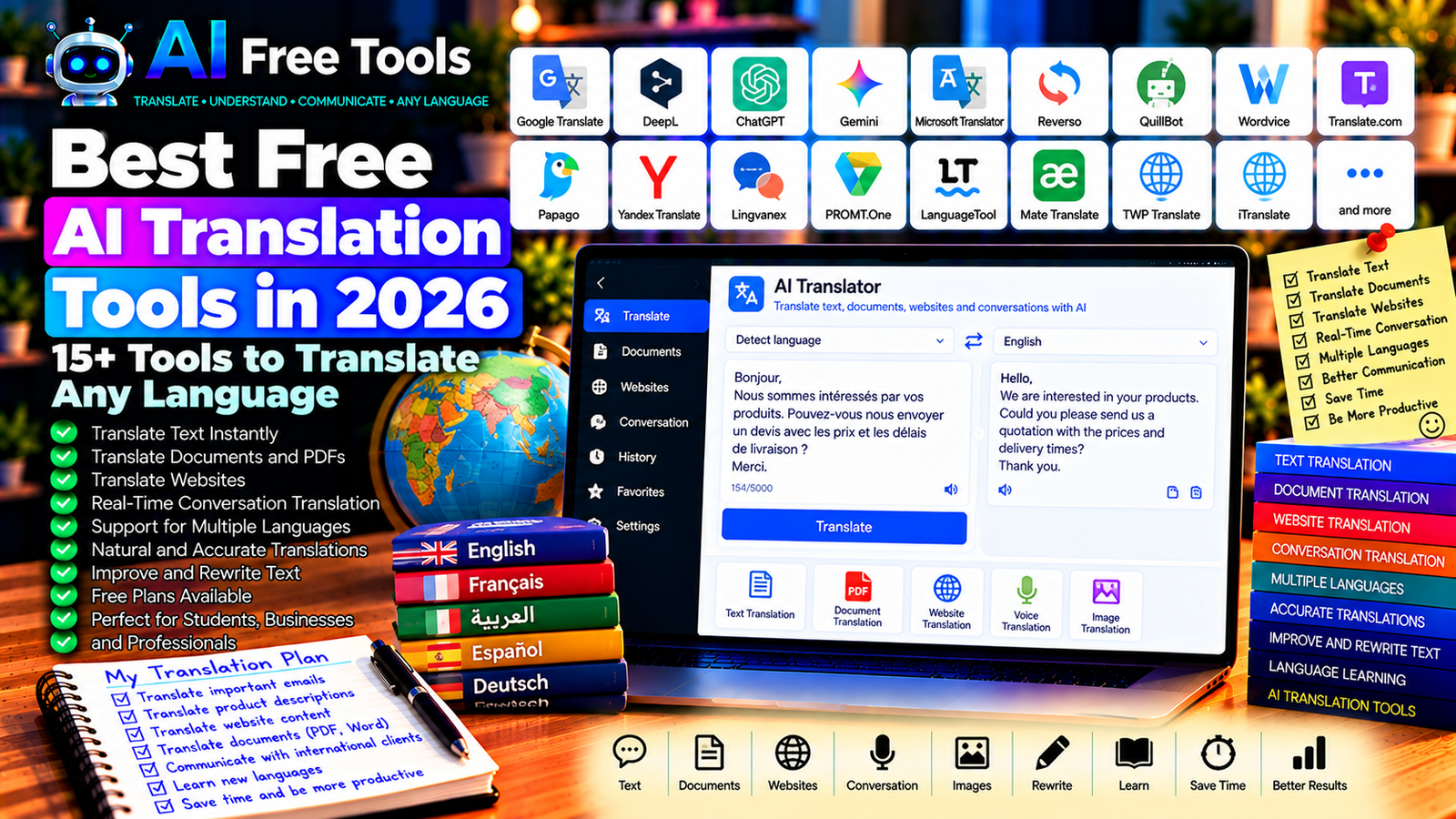
Best Free AI Translation Tools in 2026: 15+ Tools to Translate Any Language
Translating text between languages is easier than ever, thanks to artificial intelligence. Whether you need to translate an email, understand a foreign website, prepare a business document, or communicate with international customers, AI translation tools can save time and help you understand unfamiliar languages.
However, not every translation tool is suitable for every situation. Some focus on natural-sounding text, while others support dozens or hundreds of languages, translate documents, or help users communicate in real time.
In this guide, we compare 17 AI translation tools in 2026. You will discover their main features, free-access options, and the situations in which each tool can be useful.
Important: Language coverage, document limits, and free features can change. Translation quality also varies by language pair, subject, and context. Always review important translations, especially legal, medical, technical, and commercial documents.
Quick Comparison: Best Free AI Translation Tools
| Tool | Best For | Free Access |
|---|---|---|
| Google Translate | Everyday translations across many languages | Free core service |
| DeepL Translator | Natural-sounding text translations | Free access with limits |
| ChatGPT | Context-aware translations and rewriting | Free tier with limits |
| Google Gemini | Translation and language assistance | Free tier with limits |
| Microsoft Translator | Text and supported conversation translation | Free core features |
| Reverso | Contextual examples and language learning | Free tools with limits |
| QuillBot Translator | Quick text translation | Free access; limits may apply |
| Wordvice AI Translator | Academic and professional text | Free access may be limited |
| Translate.com | Text and document translation services | Free and paid options vary |
| Papago | Supported Asian language pairs | Free core service |
| Yandex Translate | Text, websites, and supported files | Free features; limits may apply |
| Lingvanex | Text and document translation | Free access and limits vary |
| PROMT.One | Translation and contextual examples | Free tools with restrictions |
| LanguageTool | Improving translated writing | Free plan with limits |
| Mate Translate | Browser and device translation workflows | Free and paid features vary |
| TWP Translate | Translating websites in a browser | Free extension; features vary |
| iTranslate | Mobile translation and supported voice features | Free features; some require payment |
1. Google Translate — Best for Everyday Translation
Google Translate is one of the most widely used translation services. It supports a large range of languages and offers several ways to translate information, including text and supported website or document workflows.
It is a practical starting point when you need to understand a message, read a foreign-language webpage, or translate a short passage quickly.
Best features:
- Translate text between supported languages.
- Translate supported documents and websites.
- Access mobile translation features.
- Use supported camera and conversation features.
- Listen to pronunciation for supported languages.
Free access: Google Translate’s core service is available free. Availability varies by feature, language, and platform.
Best for: Students, travelers, online shoppers, freelancers, and business owners.
Official website: https://translate.google.com/
2. DeepL Translator — Best for Natural-Sounding Translations
DeepL focuses on producing fluent translations that preserve meaning and context. It is particularly useful when translating emails, professional messages, and longer passages where natural wording matters.
DeepL also offers writing assistance through DeepL Write, which can help refine the wording after translation.
Best features:
- Translate supported languages.
- Produce natural-sounding text.
- Translate supported documents.
- Adjust wording with related writing tools.
- Support professional communication workflows.
Free access: DeepL offers free translation with restrictions that can include text length, document processing, and usage. Advanced features may require a paid plan.
Best for: Professionals, students, translators, and people writing international business emails.
Official website: https://www.deepl.com/translator
3. ChatGPT — Best for Context-Aware Translation
ChatGPT can translate text while taking the surrounding context, audience, and desired tone into account. Instead of requesting a literal translation, you can ask for a formal business version, a friendly message, or a translation that preserves technical terminology.
This flexibility is particularly useful for communication where tone matters.
Best features:
- Translate text with context.
- Adapt tone for formal or informal situations.
- Explain ambiguous expressions.
- Preserve specified terminology.
- Help rewrite translations for clarity.
Free access: ChatGPT offers a free tier with usage and feature limits.
Best for: Business owners, freelancers, students, content creators, and multilingual professionals.
Official website: https://chatgpt.com/
Example prompt:
“Translate this French email into professional English. Preserve the original meaning, use a polite business tone, and keep all product names, prices, dates, and technical specifications unchanged. If a sentence is ambiguous, identify it instead of guessing.”
4. Google Gemini — Best for Translation and Language Assistance
Google Gemini can translate text, explain expressions, and help adapt messages to different audiences. It can also assist with rewriting and summarizing content in supported languages.
Best features:
- Translate and rewrite text.
- Explain expressions and cultural context.
- Adapt messages to a requested tone.
- Help compare alternative translations.
- Support eligible Google productivity workflows.
Free access: Gemini offers a free tier with usage limits. Advanced capabilities and integrations may require an eligible plan.
Best for: Students, professionals, writers, and users who work with Google tools.
Official website: https://gemini.google.com/
5. Microsoft Translator — Best for Everyday and Conversation Translation
Microsoft Translator provides translation services for supported languages and platforms. Depending on the application, it can help translate text or facilitate conversations between people speaking different languages.
Best features:
- Translate supported text.
- Support selected conversation workflows.
- Offer mobile translation features.
- Help users understand multilingual messages.
- Integrate with supported Microsoft products.
Free access: Core Microsoft Translator services are available free in supported experiences. Specific integrations and features may vary.
Best for: Travelers, students, international teams, and users of Microsoft products.
Official website: https://www.microsoft.com/translator/
6. Reverso — Best for Contextual Examples
Reverso combines translation with contextual examples that show how words and expressions are used in real sentences. This makes it useful for language learners who want to understand not only the translation but also the way a phrase works in context.
Best features:
- Translate supported text.
- Explore contextual sentence examples.
- Review vocabulary and expressions.
- Use pronunciation and language-learning features.
- Improve understanding of idiomatic language.
Free access: Reverso offers free tools with limits. Advanced features and some learning capabilities may require payment.
Best for: Students, language learners, translators, and writers.
Official website: https://www.reverso.net/
7. QuillBot Translator — Best for Quick Text Translation
QuillBot offers writing tools, including translation capabilities for supported language pairs. It can be useful when you want a quick translation and may then need to improve the wording of the result.
Best features:
- Translate supported text.
- Work alongside paraphrasing tools.
- Improve readability after translation.
- Support writing and editing workflows.
- Offer a browser-based experience.
Free access: Free translation and writing features may have restrictions. Check the current service for language availability and usage limits.
Best for: Students, writers, freelancers, and people who regularly edit translated content.
Official website: https://quillbot.com/translate
8. Wordvice AI Translator — Best for Academic and Professional Writing
Wordvice AI provides language and writing tools aimed at helping users improve text quality. Its translation service may be useful for academic or professional content, depending on the supported language pairs and current availability.
Best features to investigate:
- Translate supported text.
- Refine academic wording.
- Improve grammar and readability.
- Support professional writing workflows.
- Combine translation with other writing tools.
Free access: Availability and usage limits depend on the current service and plan.
Best for: Students, researchers, academics, and professionals preparing written documents.
Official website: https://wordvice.ai/
9. Translate.com — Best for Translation Services and Documents
Translate.com provides online translation services and related language solutions. Available options may include automated translation and additional services depending on the content and plan.
Best features to investigate:
- Translate supported text.
- Explore document translation options.
- Review available language services.
- Choose workflows based on document needs.
- Access additional professional services where offered.
Free access: Free and paid options vary by service, document type, and current plan. Verify the exact conditions before submitting large files.
Best for: Individuals and businesses that need translation options for different types of content.
Official website: https://www.translate.com/
10. Papago — Best for Supported Asian Languages
Papago is a translation service from Naver that focuses on supported language pairs, including several Asian languages. It can be useful when translating messages or content involving languages for which its service is designed.
Best features:
- Translate supported languages.
- Use supported text and image translation features.
- Access mobile translation workflows.
- Review alternative translations where available.
- Support everyday multilingual communication.
Free access: Core Papago features are available free in supported regions and applications. Availability varies by language and feature.
Best for: Travelers, students, and users translating supported Asian languages.
Official website: https://papago.naver.com/
11. Yandex Translate — Best for Text and Website Translation
Yandex Translate provides translation tools for supported languages and content types. Depending on the feature, it can help translate text, webpages, and supported documents.
Best features:
- Translate text between supported languages.
- Translate supported webpages.
- Work with available file translation features.
- Use language-learning or dictionary-related tools where available.
- Access translation through a browser.
Free access: Core translation features are available free, although limits and availability may vary by service and region.
Best for: Students, travelers, and people working with supported languages.
Official website: https://translate.yandex.com/
12. Lingvanex — Best for Text and Document Translation Workflows
Lingvanex offers translation products for text and other supported content types. Its services may include online translation, document processing, and business-oriented language solutions.
Best features to investigate:
- Translate supported text.
- Explore document translation.
- Review available language coverage.
- Use supported desktop or mobile workflows.
- Investigate business translation options.
Free access: Free usage, supported file types, and feature limits depend on the current product and plan.
Best for: Professionals and businesses that need translation across different workflows.
Official website: https://lingvanex.com/
13. PROMT.One — Best for Context and Specialized Vocabulary
PROMT.One provides translation and language resources for supported languages. Its contextual and dictionary-related features can help users investigate terminology and compare possible translations.
Best features to investigate:
- Translate supported text.
- Review alternative word choices.
- Explore contextual translation resources.
- Investigate terminology for specific subjects.
- Use available language-learning tools.
Free access: PROMT.One provides free translation tools with possible restrictions. Check the current language coverage and feature limits.
Best for: Students, professionals, and users working with specialized terminology.
Official website: https://www.online-translator.com/
14. LanguageTool — Best for Correcting Translated Text
LanguageTool is primarily a grammar, spelling, and style checker rather than a full translation service. It is useful after translating a message, when you want to identify writing problems in supported languages.
Best features:
- Check spelling and grammar.
- Improve punctuation.
- Identify selected style issues.
- Support multiple languages.
- Complement translation and editing workflows.
Free access: LanguageTool offers a free plan with restrictions. Advanced corrections and additional features may require payment.
Best for: Students, multilingual professionals, writers, and business users.
Official website: https://languagetool.org/
15. Mate Translate — Best for Browser-Based Translation
Mate Translate is associated with translation workflows across supported browsers and devices. Depending on the current version, it can help translate selected text and understand foreign-language webpages.
Best features to investigate:
- Translate selected text.
- Access translation from supported browsers.
- Look up words and expressions.
- Support available device integrations.
- Use translation tools while browsing.
Free access: Free and paid capabilities may vary by platform and current plan.
Best for: People who frequently read foreign-language websites, researchers, and online shoppers.
Official website: https://www.matetranslate.com/
16. TWP Translate — Best for Translating Websites in a Browser
TWP Translate is a browser extension designed to help users translate webpage content through supported translation services.
It can be useful when you regularly read websites in languages you do not understand.
Best features to investigate:
- Translate webpage content.
- Work within supported browsers.
- Help compare original and translated text where available.
- Use supported translation services.
- Simplify foreign-language browsing.
Free access: The extension offers free functionality, but supported services and features can change.
Best for: Researchers, international shoppers, travelers, and users who browse foreign-language websites.
Official website: https://github.com/FilipePS/Traduzir-paginas-web
17. iTranslate — Best for Mobile Translation Workflows
iTranslate offers translation applications and language-related features for supported devices. Depending on the product and plan, it may support text, voice, and other translation workflows.
Best features to investigate:
- Translate supported text.
- Use supported voice translation features.
- Look up words and phrases.
- Access mobile translation tools.
- Explore offline capabilities where supported.
Free access: Some features may be available free, while voice, offline, and advanced capabilities may require payment.
Best for: Travelers, students, and users who need translation on mobile devices.
Official website: https://itranslate.com/
How to Choose the Best Free AI Translation Tool
The best tool depends on the language pair, the type of content, and the level of accuracy you need.
| Your Main Goal | Recommended Starting Tools |
|---|---|
| Translate everyday text | Google Translate or Microsoft Translator |
| Translate professional emails | DeepL or ChatGPT |
| Adapt tone and preserve context | ChatGPT or Gemini |
| Translate and study expressions | Reverso |
| Translate supported Asian languages | Papago |
| Translate websites while browsing | Google Translate or a compatible browser extension |
| Improve grammar after translation | LanguageTool or DeepL Write |
| Translate academic material | DeepL, Wordvice AI, or ChatGPT, followed by review |
| Translate documents | Compare DeepL, Google Translate, and the document tools available in your region |
Best Free AI Translation Tools for Business
Businesses often need to translate supplier emails, product descriptions, quotations, invoices, technical specifications, and customer messages.
Google Translate is useful for quick understanding, while DeepL and ChatGPT can help produce more natural professional messages. For important communications, provide the original context and ask the tool to preserve names, prices, quantities, dates, and technical terminology exactly.
Always review translated contracts, financial terms, delivery conditions, and legal documents before relying on them.
Best AI Translation Tools for Students
Students can use translation tools to understand foreign-language articles, study terminology, and compare different expressions.
Google Translate and DeepL are practical starting points, while Reverso can help explain how phrases are used in context. ChatGPT can explain why a translation works or provide alternative wording.
Use translation as a learning aid rather than a substitute for understanding the original material. Verify important academic terminology and follow your institution’s rules on translation and AI assistance.
Best Free AI Translators for French, English, and Arabic
For everyday translations between French and English, Google Translate and DeepL are useful starting points, with language availability and quality varying by pair.
For Arabic, including formal Arabic, dialects, or specialized terminology, compare multiple translations when accuracy matters. General-purpose AI assistants can help explain context, but dialectal expressions and culturally specific phrases may be interpreted incorrectly.
If the content will be published or sent to a customer, have a fluent speaker review important wording.
How to Translate Text with AI in Five Steps
Step 1: Identify the Language Pair
Choose the original and target languages. If the source contains mixed languages or dialects, mention that in your instructions.
Step 2: Choose the Right Tool
Use a dedicated translator for quick translations or a conversational AI assistant when context, tone, and rewriting matter.
Step 3: Provide Context
Explain who will read the translation and why it is needed. A supplier email, academic abstract, marketing slogan, and casual message may require different wording.
Step 4: Request a Faithful Translation
Try this prompt:
“Translate the following text from [source language] into [target language]. Preserve the original meaning, names, numbers, dates, prices, units, and technical terminology. Use a [formal, neutral, or friendly] tone. Do not add information or omit important details. Flag any ambiguous expression instead of guessing.”
Step 5: Review the Result
Check names, figures, dates, units, technical terms, and culturally specific expressions. For important documents, use a qualified human reviewer.
Are Free AI Translation Tools Worth Using?
Yes. They can help you understand foreign-language content, communicate with international customers, and produce first drafts in another language.
For everyday translations, Google Translate and Microsoft Translator are practical choices. DeepL can be useful when natural wording is important, while ChatGPT and Gemini offer more control over tone and context.
However, no translation system is perfect. Quality depends on the language pair, the subject, and the source text. Important translations should always be reviewed.
Are AI Translation Tools Safe for Confidential Documents?
Translation tools may process the text you submit. Before uploading contracts, customer information, financial records, or internal business documents, review the provider’s privacy terms and data-handling practices.
Avoid submitting confidential information to a service that has not been approved for that purpose. For sensitive legal or commercial content, consider an appropriately qualified professional translation service.
Frequently Asked Questions
What is the best free AI translation tool in 2026?
Google Translate is a practical starting point for everyday translation. DeepL is worth comparing for natural wording, while ChatGPT and Gemini can help adapt translations to a particular context or tone.
Is DeepL better than Google Translate?
It depends on the language pair and content. DeepL can produce natural-sounding results for supported languages, while Google Translate offers broad language coverage and convenient translation features. Compare both for your specific text.
Can AI translate a PDF?
Some translation services support document translation, including selected PDF workflows. File limits, formatting preservation, and language support vary. Check the tool’s current capabilities before uploading a large document.
Can AI translate French into professional English?
Yes. Dedicated translators and general-purpose AI assistants can help. Explain the intended audience and tone, and verify names, figures, and technical terms before sending or publishing the result.
Can AI translate Arabic dialects accurately?
Accuracy varies significantly between dialects and tools. For Tunisian Arabic and other dialects, provide context and compare alternatives when necessary. A fluent speaker should review important messages.
Are free AI translation tools suitable for business documents?
They can help with initial translations and everyday correspondence. Contracts, legal documents, technical specifications, and financial terms should receive careful human review before being used.
Do I need to install software to use AI translation tools?
No. Many services work directly in a browser. Browser extensions and mobile applications can provide additional convenience, but installation requirements depend on the tool.
Final Verdict
The best free AI translation tools in 2026 can help you understand foreign-language content, communicate across borders, and prepare multilingual documents more efficiently.
Start with Google Translate for everyday translations, compare DeepL for natural wording, and use ChatGPT or Gemini when context and tone matter. Reverso is useful for language learning, while LanguageTool can help polish translated text.
Choose the tool that best supports your languages and workflow. Review important translations carefully, and never rely on an unchecked AI translation for a critical legal, medical, financial, or commercial decision.
Explore more guides on AI Free Tools:
Leave a Reply