
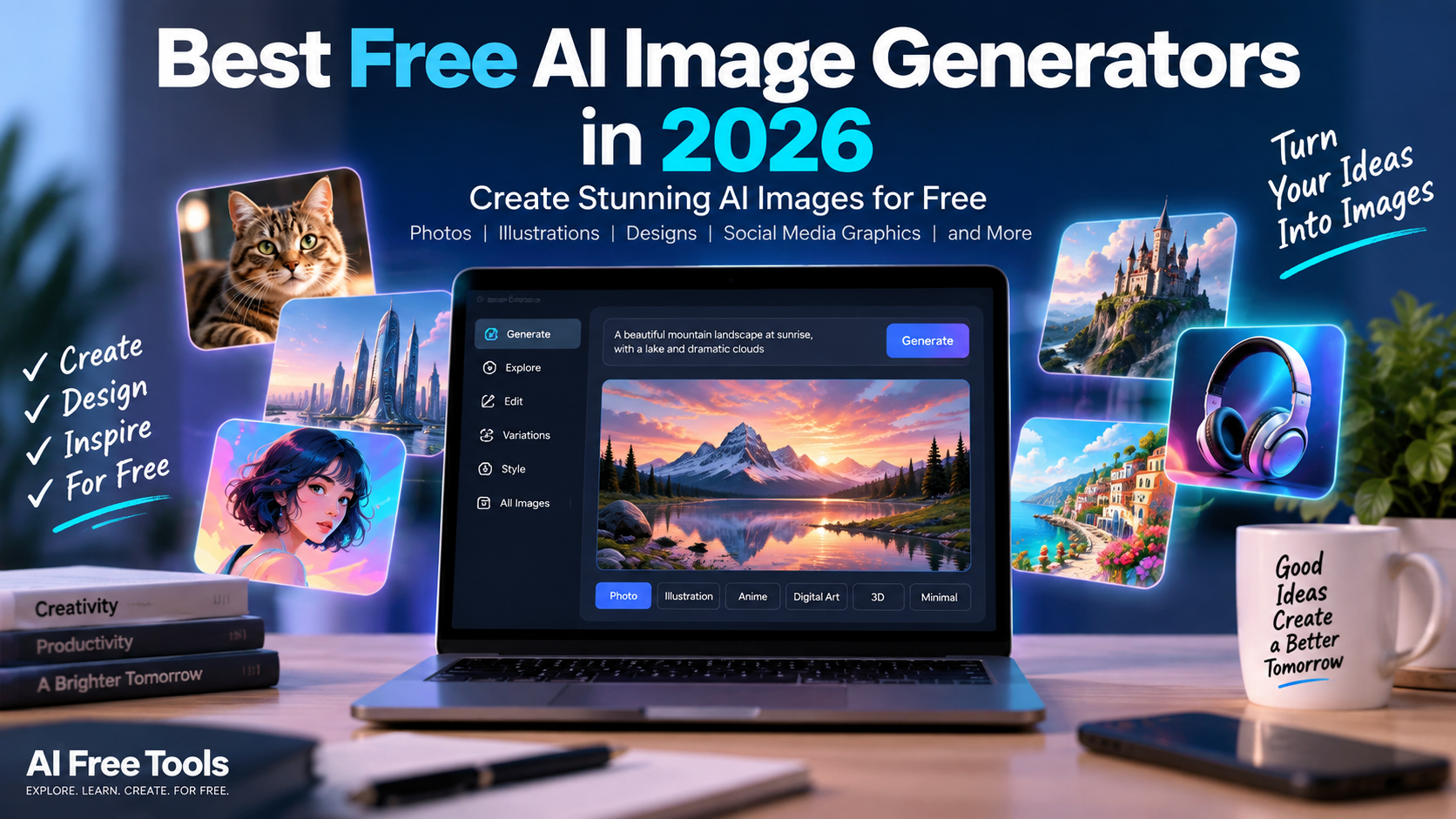
AI image generators have changed the way people create visual content.
Instead of spending hours designing an image from scratch, you can now describe what you want in natural language and let an AI system generate an image based on your prompt.
In 2026, many AI image generators offer free access, free plans or limited free credits. These tools can be useful for bloggers, students, marketers, designers, businesses, social media creators and anyone who needs visual content.
In this guide, we explore more than 15 AI image generators that you can try for free or with free access.
Because AI platforms frequently change their pricing, models and usage limits, always check the provider’s current terms before using a tool for important commercial projects.
What Are AI Image Generators?
AI image generators are software tools that use artificial intelligence to create images from text prompts, reference images or other instructions.
For example, you could enter a prompt such as:
“Create a modern office with a laptop, plants, natural lighting and a futuristic AI atmosphere.”
The AI then generates an image based on your description.
Depending on the platform, you may be able to create:
- Photorealistic images
- Illustrations
- Product images
- Social media graphics
- Posters
- Logos and concepts
- Characters
- Landscapes
- Marketing visuals
- Blog images
- Backgrounds
- Concept art
Some tools also provide image editing, background removal, image-to-image generation and other creative features.
Best Free AI Image Generators in 2026
1. ChatGPT
ChatGPT can be used to create and edit images through natural-language instructions.
Instead of learning a complicated image-generation interface, users can describe what they want and refine the result through conversation.
This makes it useful for creating blog illustrations, marketing concepts, social media visuals, product ideas and creative images.
The free version provides access to image-generation capabilities with usage limits that can vary over time.
For people who already use ChatGPT for writing and research, having image creation in the same workflow can be particularly convenient.
2. Google Gemini
Google Gemini provides AI-powered image generation and editing capabilities.
Users can describe an image they want to create and then refine the result through additional instructions.
Gemini can be useful for brainstorming visual concepts, creating illustrations, generating marketing ideas and experimenting with different styles.
Availability and usage limits can depend on the user’s Google account and current plan.
3. Microsoft Designer
Microsoft Designer combines AI image generation with graphic design features.
It can be useful for creating social media graphics, posters, invitations, marketing visuals and other designs.
Users can start with a text description and then modify the generated design.
Microsoft Designer is particularly useful for people who want to generate an image and continue editing it rather than simply downloading a standalone AI image.
4. Canva AI
Canva is one of the most accessible platforms for people who want to combine AI image generation with graphic design.
Canva AI can generate images from text prompts and integrate them directly into Canva designs.
This makes it useful for:
- Social media posts
- Presentations
- Blog graphics
- Advertisements
- Posters
- Marketing materials
- Thumbnails
Canva confirms that AI features are available on its Free plan, although usage is subject to an AI allowance and some advanced features require paid access. :contentReference[oaicite:1]{index=1}
5. Adobe Firefly
Adobe Firefly is Adobe’s generative AI platform for creating and editing visual content.
It can generate images from text prompts and provides tools for modifying existing images.
Firefly is particularly interesting for designers and businesses that already use Adobe’s creative ecosystem.
Adobe provides free access options, but generative usage is subject to the current credit system and plan conditions.
Because licensing and commercial use are important considerations for businesses, users should review Adobe’s current terms before using generated content commercially.
6. Leonardo AI
Leonardo AI provides image-generation and creative tools for users who want more control over visual styles.
It can be used for illustrations, concept art, characters, environments, product concepts and other creative projects.
The platform provides free access options, although usage limits and available features can change.
Leonardo can be particularly interesting for creators who want to experiment with different models and visual styles.
7. Ideogram
Ideogram is an AI image-generation platform that is especially known for generating images containing text.
This makes it useful for:
- Posters
- Logos and concepts
- Advertisements
- Social media graphics
- Typography experiments
- Signs and labels
Text inside AI-generated images has historically been difficult for many image models, so tools specifically designed to handle typography can be valuable.
Ideogram offers free access with limitations, and users should check the current plan details before relying on a particular generation allowance.
8. Playground
Playground provides AI-powered image creation and editing tools.
It can be useful for experimenting with different visual styles, creating social media graphics and producing creative concepts.
The platform is designed to make AI image generation accessible through a web interface without requiring advanced technical knowledge.
Free access may be subject to current usage limits and feature restrictions.
9. Craiyon
Craiyon is an AI image generator designed for simple text-to-image experimentation.
It can be useful when you want to quickly turn an idea into several visual concepts.
The platform is particularly suitable for brainstorming and casual experimentation rather than professional production workflows.
Because free services can have limitations in quality, speed or output options, users should review the current conditions before using Craiyon for professional work.
10. NightCafe
NightCafe is an AI art platform that allows users to experiment with different image-generation models and creative styles.
It has a large community component where users can explore creations and discover prompts.
NightCafe can be useful for experimenting with digital art, fantasy images, landscapes, characters and artistic concepts.
Free access is available through the platform’s current credit and participation system.
11. Recraft
Recraft focuses on AI-powered visual creation and is particularly interesting for designers.
It can be used to create illustrations, graphics and vector-style visual assets.
Vector-oriented workflows can be especially useful for branding, icons and design projects where scalability matters.
Recraft offers limited free access, while some commercial and advanced capabilities depend on the current plan.
Always check the current licensing conditions before using generated assets in commercial projects.
12. Freepik AI
Freepik has expanded beyond stock images by providing AI-powered creative tools.
Its AI features can help generate images and other visual assets for design and marketing projects.
For users who already use Freepik for stock resources, having AI generation available within the same ecosystem can make the workflow more convenient.
Free access and generation limits depend on the current Freepik plan and tool.
13. Mage
Mage provides access to AI image-generation models through a web-based interface.
It can be used to experiment with different styles and models and create images from text prompts.
The platform is useful for people who want to explore generative AI without setting up their own local image-generation environment.
Available models, credits and usage conditions can change over time.
14. Stable Diffusion
Stable Diffusion is an important part of the open generative AI ecosystem.
Unlike many hosted services, Stable Diffusion can be installed and run locally on compatible computer hardware.
This provides more control over models, settings, workflows and generation.
However, local installation requires more technical knowledge and suitable hardware.
Users can also access Stable Diffusion through various third-party platforms, but the pricing and usage limits depend on the provider.
15. FLUX
FLUX is a family of image-generation models developed by Black Forest Labs and made available through different platforms.
Some FLUX models and implementations can be accessed through third-party services or local workflows.
The ecosystem is particularly interesting for users who want more control over image generation and model selection.
The exact availability, license and commercial-use conditions depend on the specific FLUX model and the platform through which it is used.
16. Google ImageFX
Google’s ImageFX is another image-generation option available through Google’s AI ecosystem.
It is designed to let users experiment with creating images from natural-language descriptions.
ImageFX can be useful for quickly generating visual concepts, illustrations and creative ideas.
Availability may vary by country and account, so users should check Google’s current access conditions.
Best Free AI Image Generators for Different Needs
There is no single AI image generator that is perfect for every situation.
The right tool depends on what you want to create.
For beginners
ChatGPT, Gemini, Microsoft Designer and Canva are relatively accessible options because users can describe what they want without learning complicated technical workflows.
For graphic design
Canva and Microsoft Designer are useful when you want to combine AI-generated images with layouts, text and other design elements.
For text inside images
Ideogram is worth exploring when the image needs to contain readable words, titles, signs or other typography.
For creative experimentation
Leonardo AI, NightCafe and Playground provide tools and workflows for exploring different styles.
For professional creative workflows
Adobe Firefly, Canva, Recraft and other design-focused platforms can be useful depending on the project and licensing requirements.
For technical users
Stable Diffusion and FLUX can provide more control for users who are comfortable with models, settings and local or advanced workflows.
AI Image Generators for Social Media
AI image generators can make it much easier to create visual content for social media.
You can generate:
- Instagram posts
- Facebook graphics
- YouTube thumbnails
- Pinterest images
- LinkedIn graphics
- Promotional banners
- Product concepts
A practical workflow is to generate the main visual with an AI image tool and then use Canva or another design platform to add text, branding and formatting.
AI Image Generators for Bloggers
Bloggers can use AI-generated images to create:
- Featured images
- Article illustrations
- Infographics
- Background images
- Concept images
- Tutorial graphics
For example, a blog about AI tools could generate a futuristic workspace illustration and use it as the featured image of an article.
However, generated images should support the article rather than replace useful original content.
AI Image Generators for Businesses
Businesses can use AI image generators to experiment with marketing concepts before investing in professional photography or design.
Potential applications include:
- Product concepts
- Advertising ideas
- Social media content
- Website banners
- Presentation visuals
- Packaging concepts
- Interior design concepts
- Campaign mockups
For commercial use, always verify the provider’s current licensing terms.
A free AI plan does not automatically mean that every generated image can be used for every commercial purpose.
How to Write Better AI Image Prompts
The quality of an AI-generated image depends heavily on the instructions you provide.
Instead of writing:
“modern office”
try something more specific:
“Create a modern minimalist office with a large wooden desk, laptop, indoor plants, warm natural sunlight, large windows, realistic photography, premium architectural interior design, wide-angle composition.”
A useful prompt can describe:
- Subject
- Environment
- Style
- Lighting
- Camera angle
- Colors
- Composition
- Materials
- Mood
- Aspect ratio
Example prompt for a blog image
“Create a professional futuristic AI workspace for a technology blog, laptop on a modern desk, floating AI interface elements, blue and purple lighting, clean premium design, realistic photography, wide horizontal composition, no people, suitable for a website featured image.”
Example prompt for a product image
“Create a premium studio product photograph of a modern wireless headphone on a clean white pedestal, soft shadows, professional commercial photography, subtle blue background, high detail, realistic materials.”
AI Image Generation and Copyright
Copyright and licensing are important when using AI-generated images.
The rules can differ depending on:
- The country
- The AI platform
- The model
- The user’s plan
- The way the image was generated
- Whether copyrighted material was used in the prompt
- Whether the image is used commercially
Some platforms provide specific commercial-use terms, while others impose restrictions on free-plan content.
Before using an AI-generated image in advertising, products, client work or other commercial projects, read the provider’s current licensing terms.
Do not assume that an image is automatically free of all copyright or trademark issues simply because an AI generated it.
Are Free AI Image Generators Really Free?
Most cloud-based AI image generators use some form of limitation.
A free plan may include:
- Limited generations
- Monthly or weekly credits
- Daily usage limits
- Slower generation
- Fewer models
- Lower output resolution
- Public images
- Watermarks
- Limited commercial rights
- Access to only selected features
For example, Canva states that its Free plan provides access to AI features but that usage is subject to an AI allowance. :contentReference[oaicite:2]{index=2}
This is why it is better to think of most services as offering “free access” rather than unlimited free image generation.
Free AI Image Generators vs Paid Tools
Free tools are excellent for experimentation, learning and occasional projects.
Paid plans can become useful when you need:
- More generations
- Higher limits
- Faster processing
- Private generations
- Higher resolution
- Advanced editing
- Commercial features
- Additional models
You do not necessarily need a paid subscription when starting.
A good strategy is to test several free tools first and only pay when you identify a feature that you genuinely need.
How to Choose an AI Image Generator
Before choosing a tool, ask yourself a few questions:
What type of image do I need?
A realistic photograph, illustration, logo concept and social media graphic may require different tools.
Do I need text inside the image?
If yes, consider platforms that specialize in typography and text rendering.
Do I need to edit the image afterward?
If yes, a platform with an integrated design or editing workflow may be more convenient.
Will I use the image commercially?
If yes, carefully review the current licensing and commercial-use conditions.
Do I need many images?
If you generate images frequently, examine the free-plan limits before choosing a platform.
Do I need maximum control?
Technical users may prefer local or advanced workflows such as Stable Diffusion or FLUX.
AI Image Generators for Students
Students can use AI image generators for:
- Presentations
- Visual explanations
- Creative projects
- Study materials
- Concept illustrations
- Posters
- Design experiments
Students should follow their school’s or university’s rules regarding AI-generated content.
AI Image Generators for Content Creators
Content creators can use AI image generators to speed up visual production.
A simple workflow could be:
AI image generator → Canva → Social media
Generate the main visual, add your title and branding, resize it for different platforms and then publish it.
This can significantly reduce the time needed to create simple promotional graphics.
How AI Free Tools Can Help You
If you are exploring AI for the first time, you do not need to subscribe to dozens of services.
Start with one general-purpose AI assistant and one image generator.
For a broader list of AI tools, you can also read our guide:
Best Free AI Tools in 2026: 50+ AI Tools You Can Use for Free
And if your main goal is writing content, see:
Best Free AI Writing Tools in 2026: 15+ Tools for Writing, Editing and Paraphrasing
These guides cover other categories of AI tools that can complement image generation.
Frequently Asked Questions
What is the best free AI image generator?
The answer depends on what you need. Different tools specialize in different workflows, including general image generation, text in images, graphic design, creative experimentation and advanced local generation.
Can I generate AI images for free?
Yes. Many AI image platforms offer free access, free plans or limited credits. However, completely unlimited cloud-based generation is uncommon, and free plans often have restrictions.
Can I use AI-generated images commercially?
It depends on the specific platform, model and plan. Always check the provider’s current licensing and commercial-use terms before using an image commercially.
Are AI-generated images copyright-free?
Not necessarily. Copyright laws vary by jurisdiction, and the terms of the AI platform also matter. AI generation does not automatically eliminate copyright, trademark or other legal considerations.
Can AI generate images with text?
Yes. Some modern AI image generators are specifically designed to produce better text inside images. Ideogram is one example of a platform worth exploring for typography-focused image generation.
Can I use AI images on my website?
In many cases, yes, but you should check the platform’s terms and licensing conditions before publishing images on a commercial website.
Final Thoughts
AI image generators have become accessible to almost everyone.
You can now create illustrations, marketing graphics, product concepts, social media visuals and blog images using simple text prompts.
The important thing is not to choose a tool simply because it claims to be free.
Look at the actual workflow, image quality, available features, usage limits, privacy conditions and commercial-use rules.
Start with a few free platforms, experiment with different prompts and choose the tools that fit your needs.
AI Free Tools will continue to explore new AI image generators and other useful AI services so you can discover practical tools without paying for unnecessary subscriptions.
Bookmark AI Free Tools and return regularly for new guides, comparisons and practical AI resources.
Leave a Reply