
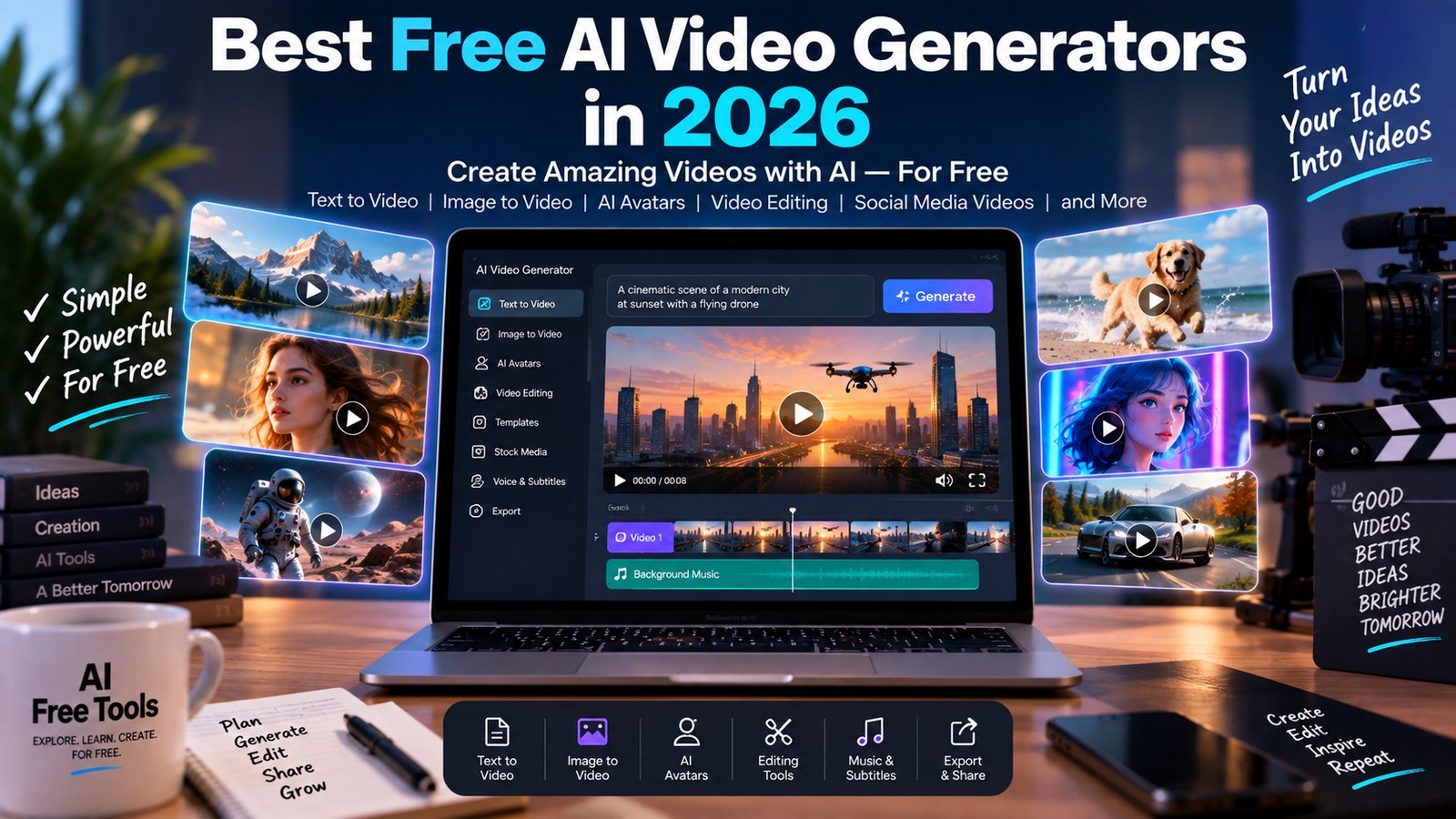
AI video generation has become one of the fastest-growing areas of artificial intelligence.
Today, you can use AI to create videos from text prompts, animate images, generate short cinematic scenes, create social media content, produce marketing videos and speed up video editing.
In 2026, many AI video platforms offer free access, free plans or limited credits that allow users to experiment without paying immediately.
In this guide, we explore more than 15 AI video generators and video creation tools that you can try for free or with free access.
Because AI video platforms frequently change their models, pricing and usage limits, always check the provider’s current terms before using a tool for an important project.
What Are AI Video Generators?
AI video generators are tools that use artificial intelligence to create or modify video content.
Depending on the platform, you may be able to create videos from:
- Text prompts
- Images
- Existing videos
- Scripts
- Product photos
- Presentations
- Audio
- Other video clips
AI video tools can be used for social media, advertising, education, entertainment, marketing, storytelling and many other applications.
Some platforms specialize in text-to-video generation, while others focus on video editing, avatars, subtitles or turning existing images into animated videos.
Best Free AI Video Generators in 2026
1. ChatGPT
ChatGPT can be useful during several stages of AI video creation.
You can use it to develop video ideas, write scripts, create scene descriptions, generate storyboards and prepare prompts for video-generation platforms.
Depending on the available features of your account, ChatGPT can also work with images and other creative content.
For creators, it can therefore serve as the planning and scripting assistant before moving the project into a dedicated video generator.
Free access is available, although feature availability and usage limits can vary.
2. Google Gemini
Google Gemini can help with video-production workflows by generating ideas, scripts, storyboards and creative concepts.
It can be particularly useful when you want to transform an idea into a structured video plan before generating the actual footage.
Depending on the account and current Google services available to the user, Gemini can also work with multimedia content.
A free access option is available, while some advanced capabilities depend on the current Google plan.
3. Adobe Firefly
Adobe Firefly includes AI video-generation capabilities that can create video clips from text prompts or images.
Adobe currently offers a Firefly Free option with limited daily generations. The available models and limits can change over time. :contentReference[oaicite:1]{index=1}
Firefly can be useful for:
- Social media clips
- Product videos
- B-roll
- Marketing concepts
- Storyboards
- Cinematic scenes
- Image-to-video animation
One advantage is that Firefly brings generation and editing into the same Adobe ecosystem.
Adobe also states that videos generated with the Firefly Video Model are designed to be commercially safe, although users should always check the current terms for the specific model and workflow they use. :contentReference[oaicite:2]{index=2}
4. Runway
Runway is a major AI video-generation platform designed for creators and filmmakers.
It provides tools for generating and editing video and experimenting with AI-powered visual effects.
Runway’s current Free plan includes a limited one-time allocation of credits and access to a selection of generative tools. Free-plan videos include a Runway watermark. :contentReference[oaicite:3]{index=3}
This makes the free plan useful for learning the platform and testing its capabilities before paying for additional usage.
5. Pika
Pika is an AI video platform focused on creative video generation and transformation.
Users can create videos from prompts and images and experiment with different visual effects.
Pika can be useful for social media creators, marketers and people who want to turn static ideas into short animated clips.
Free access may be subject to credits and other usage restrictions, so check the current plan before starting a large project.
6. Kling AI
Kling AI provides generative video capabilities for creating videos from text and images.
It is designed for users who want to experiment with cinematic scenes, animation and other AI-generated video content.
Kling can be useful for:
- Short videos
- Creative concepts
- Product scenes
- Storytelling
- Image-to-video animation
Free access and generation limits can change, so users should check the current conditions of their account.
7. Hailuo AI
Hailuo AI is an AI video-generation platform that can create video content from text and image inputs.
It can be used for creative experiments, short clips and social media content.
The platform is particularly interesting for users who want to explore different AI video-generation models without installing complex software.
Free usage may be limited by credits or current service conditions.
8. InVideo AI
InVideo AI focuses on turning ideas and text into complete video projects.
It can help users create videos from scripts, generate scenes, add voiceovers and assemble content into a finished project.
The platform is useful for:
- YouTube videos
- Social media videos
- Marketing videos
- Educational content
- Promotional videos
InVideo currently provides a Free plan with limited credits. The company states that users can use the free plan without entering card details, although usage is limited. :contentReference[oaicite:4]{index=4}
9. VEED
VEED is an online video editor that combines traditional editing with AI-powered features.
It can help with:
- Subtitles
- Transcription
- Video editing
- Background removal
- AI-generated content
- Voiceovers
- Social media videos
VEED is particularly useful when you want to create a video and edit it in the same browser-based workspace.
Free access is available with limitations, while additional features depend on the current plan.
10. CapCut
CapCut is a popular video-editing platform that includes a growing collection of AI-powered features.
It can be used for:
- Automatic subtitles
- Video editing
- Background removal
- Effects
- Text-to-speech
- AI-assisted content creation
- Social media videos
CapCut is particularly useful for creators producing short-form content for platforms such as TikTok, Instagram and YouTube.
Availability of specific AI features can vary by country, account and current CapCut plan.
11. Canva
Canva is best known as a graphic-design platform, but it also provides AI-assisted video creation and editing tools.
You can combine generated images, text, animations, music and video clips in a single design.
This makes Canva useful for:
- Social media videos
- Presentations
- Advertisements
- Promotional videos
- YouTube thumbnails and video assets
- Simple marketing projects
Some AI and video features are available through the Free plan, while additional capabilities require paid access.
12. Luma AI
Luma AI provides generative AI tools for creating and transforming visual content.
Its video-generation capabilities can be useful for turning concepts or images into animated scenes.
Creators can experiment with cinematic movement, camera effects and other visual transformations.
Free access or trial usage may be available depending on the current Luma plan.
13. PixVerse
PixVerse is an AI video-generation platform that lets users create and transform short videos.
It can be used with text and images and provides creative effects designed for short-form content.
PixVerse can be useful for social media creators and people experimenting with generative video.
Available credits, models and features can change over time.
14. Vidu AI
Vidu AI is particularly relevant for users interested in text-to-video and image-to-video generation.
It can create short AI-generated scenes from descriptive prompts and can be used to animate still images.
Possible applications include:
- Storytelling
- Social media
- Product concepts
- Creative advertising
- Visual experiments
Users should check the current free-access conditions because generation limits and available models can change.
15. Haiper
Haiper is an AI video platform that provides tools for generating and transforming video content.
It can be used to experiment with text-to-video and image-to-video workflows.
The platform is aimed at creators who want to explore AI-generated motion without using a traditional video-production workflow.
Free availability and generation limits may change over time.
16. OpusClip
OpusClip focuses on a different part of the AI video workflow: transforming longer videos into shorter clips.
It can help identify potentially interesting sections of a video and create short-form content suitable for social platforms.
This makes it useful for:
- YouTube creators
- Podcasters
- Educators
- Businesses
- Social media managers
A free access option is available with usage limitations.
AI Video Generators for Different Needs
Different AI video tools are designed for different purposes.
For text-to-video generation
Runway, Adobe Firefly, Kling AI, Pika, Hailuo AI and other generative video platforms can be used to experiment with creating video from text descriptions.
For image-to-video generation
Adobe Firefly, Kling AI, Pika and other platforms can animate still images and turn them into moving scenes.
For social media videos
CapCut, Canva, VEED and InVideo AI are useful when the goal is to create, edit and format videos for social platforms.
For turning long videos into short clips
OpusClip can help transform longer videos into shorter pieces of content.
For professional creative workflows
Runway and Adobe Firefly provide more advanced creative workflows for users who want greater control over generated video.
How to Create a Video With AI
A simple AI video workflow can look like this:
Step 1: Choose the idea
Decide what the video should communicate.
For example:
“Create a 30-second promotional video explaining why businesses should use AI tools.”
Step 2: Write the script
Use an AI writing assistant such as ChatGPT, Claude or Gemini to create a structured script.
Step 3: Create the visual plan
Break the script into scenes.
For example:
Scene 1: Introduction
Scene 2: Problem
Scene 3: AI solution
Scene 4: Examples
Scene 5: Call to action
Step 4: Generate the visuals
Use an AI video generator to create individual scenes.
Step 5: Edit the video
Combine the generated clips, add subtitles, music, transitions and branding.
Step 6: Review everything
Check the video carefully for:
- Incorrect text
- Visual inconsistencies
- Strange movements
- Audio problems
- Incorrect facts
- Copyright issues
Step 7: Export
Choose the appropriate format for the platform where the video will be published.
AI Video Generators for YouTube
AI video tools can help YouTube creators accelerate several parts of production.
They can assist with:
- Ideas
- Scripts
- Storyboards
- B-roll
- Intro animations
- Voiceovers
- Subtitles
- Short clips
- Thumbnails
However, AI-generated video does not automatically make a YouTube channel successful.
The most important factors remain the quality of the idea, useful information, storytelling, originality and audience engagement.
AI Video Generators for Social Media
Short-form video has become an important content format.
AI tools can help create:
- Instagram Reels
- TikTok videos
- YouTube Shorts
- Facebook videos
- LinkedIn videos
- Promotional clips
Tools such as CapCut, Canva, VEED and InVideo can be useful because they combine AI features with editing and formatting.
AI Video for Marketing
Businesses can use AI video tools to create marketing concepts faster.
Potential applications include:
- Product demonstrations
- Promotional videos
- Social media advertisements
- Website videos
- Explainer videos
- Presentation clips
- Product concepts
AI can reduce the time required to create an initial concept, but businesses should still review the final content carefully before publishing.
AI Video for Product Marketing
AI video can be particularly useful for products that are difficult or expensive to film.
For example, a business could start with a product image and use an image-to-video tool to create a short animated scene.
A simple workflow could be:
Product photo → AI animation → Video editing → Branding → Publication
This can be useful for social media advertisements and product presentations.
How to Write Better AI Video Prompts
A detailed prompt can help an AI video model understand the scene you want.
Instead of:
“Luxury car driving.”
Try:
“Create a cinematic commercial shot of a modern black sports car driving along a coastal road at sunset, realistic reflections, warm golden light, smooth tracking camera movement, shallow depth of field, premium automotive advertising style, 16:9.”
A useful video prompt can describe:
- Subject
- Location
- Action
- Camera movement
- Lighting
- Visual style
- Time of day
- Composition
- Mood
- Aspect ratio
Example image-to-video prompt
“Animate this product image with a slow cinematic camera push-in, subtle reflections, soft studio lighting and gentle movement in the background. Keep the product shape and colors consistent.”
Are Free AI Video Generators Really Free?
Most AI video platforms use some form of limitation.
A free plan may include:
- Limited credits
- Daily or weekly limits
- Shorter videos
- Lower resolution
- Watermarks
- Fewer models
- Slower processing
- Limited exports
- Restricted commercial features
For example, Runway currently provides a one-time allocation of 125 credits on its Free plan and adds a watermark to videos generated on that plan. :contentReference[oaicite:5]{index=5}
Adobe Firefly currently offers free daily generations, while additional usage requires a paid plan. :contentReference[oaicite:6]{index=6}
InVideo AI also offers free access with limited credits. :contentReference[oaicite:7]{index=7}
Because these plans change regularly, always check the provider’s current pricing page.
Can AI-Generated Videos Be Used Commercially?
Commercial use depends on the specific AI platform, model and plan.
Before using an AI-generated video for advertising or a commercial project, check:
- The platform’s license
- The specific AI model used
- Free-plan restrictions
- Commercial-use permissions
- Copyright requirements
- Trademark considerations
- Music and voice licenses
Do not assume that a free AI video automatically has unrestricted commercial rights.
Adobe, for example, states that video generated with its Firefly Video Model is designed to be commercially safe, but different partner models can have their own conditions. :contentReference[oaicite:8]{index=8}
AI Video Generators vs Traditional Video Editing
AI video generation and traditional video editing are not necessarily competing technologies.
They can work together.
For example:
AI generator → creates video clips
CapCut / VEED / Canva → edits clips
AI writing tool → creates script
AI voice tool → creates narration
YouTube / TikTok / Instagram → distribution
This combined workflow can be much more flexible than relying on one tool for everything.
AI Video Tools for Beginners
If you are completely new to AI video, start with a simple workflow.
You do not need to learn ten different platforms.
Try:
- One AI assistant for ideas and scripts
- One image or video generator
- One simple video editor
Once you understand the process, you can experiment with more advanced tools.
AI Video Tools for Content Creators
Content creators can use AI throughout the production process.
A practical workflow is:
Idea → Script → Images → AI video → Voice → Editing → Subtitles → Publication
For example, ChatGPT can help with the script, an image generator can create visuals, an AI video platform can animate them, and CapCut can assemble the final video.
AI Video Tools for Businesses
Businesses can use AI video tools to produce content for:
- Social media
- Websites
- Product presentations
- Advertising
- Internal training
- Tutorials
- Customer education
The biggest advantage is often speed during the first stages of production.
Instead of starting from a blank editing timeline, a business can generate a concept quickly and then improve it.
How to Choose an AI Video Generator
Before choosing a platform, consider what you actually need.
Do you need text-to-video?
Look for a platform focused on generative video.
Do you want to animate an image?
Choose a platform with image-to-video capabilities.
Do you need complete videos from scripts?
Consider tools designed around script-to-video workflows.
Do you need subtitles and editing?
A browser-based video editor may be more useful.
Do you need commercial use?
Read the licensing conditions carefully before choosing a free plan.
Do you need many videos?
Check the current credit and generation limits.
Frequently Asked Questions
What is a free AI video generator?
A free AI video generator is a platform that allows users to create or transform video content without immediately paying, usually with limits on credits, duration, quality or features.
Can I create videos from text for free?
Yes. Several platforms provide free access to text-to-video generation, although the amount of free usage varies.
Can AI turn an image into a video?
Yes. Many modern AI video platforms can animate an image and add camera movement, motion or other effects.
Can AI create YouTube videos?
AI can help with many parts of YouTube production, including ideas, scripts, visuals, voiceovers, editing and short clips. Human review and creative direction remain important.
Can I use AI-generated videos commercially?
Sometimes. Commercial rights depend on the platform, model and plan. Always check the current terms before using generated content in advertising or other commercial projects.
Are AI video generators free without limits?
Usually not. Most cloud-based platforms impose some type of credit, generation or feature limit on free accounts.
Related AI Free Tools Guides
If you are exploring AI tools, you may also want to read:
Best Free AI Tools in 2026: 50+ AI Tools You Can Use for Free
Our complete guide covers AI assistants, writing, image generation, video, coding, research, productivity and automation.
If you need help writing scripts or articles, see:
Best Free AI Writing Tools in 2026: 15+ Tools for Writing, Editing and Paraphrasing
For creating images before turning them into videos, see:
Best Free AI Image Generators in 2026: 15+ Tools to Create AI Images
These guides can help you build a complete AI content-creation workflow.
Final Thoughts
AI video generators are making video creation more accessible to beginners, creators, marketers and businesses.
You can now experiment with text-to-video, image-to-video, AI editing, subtitles and other automated workflows without immediately paying for expensive software.
The best approach is to start with free access, test several platforms and identify the workflow that fits your needs.
Remember that free plans can change. Credits, models, watermarks and commercial-use conditions should always be checked before starting an important project.
AI Free Tools will continue to explore new AI video generators and practical AI tools so you can discover useful technology without subscribing to unnecessary services.
Bookmark AI Free Tools and return regularly for new AI tool guides, comparisons and practical resources.
Leave a Reply