
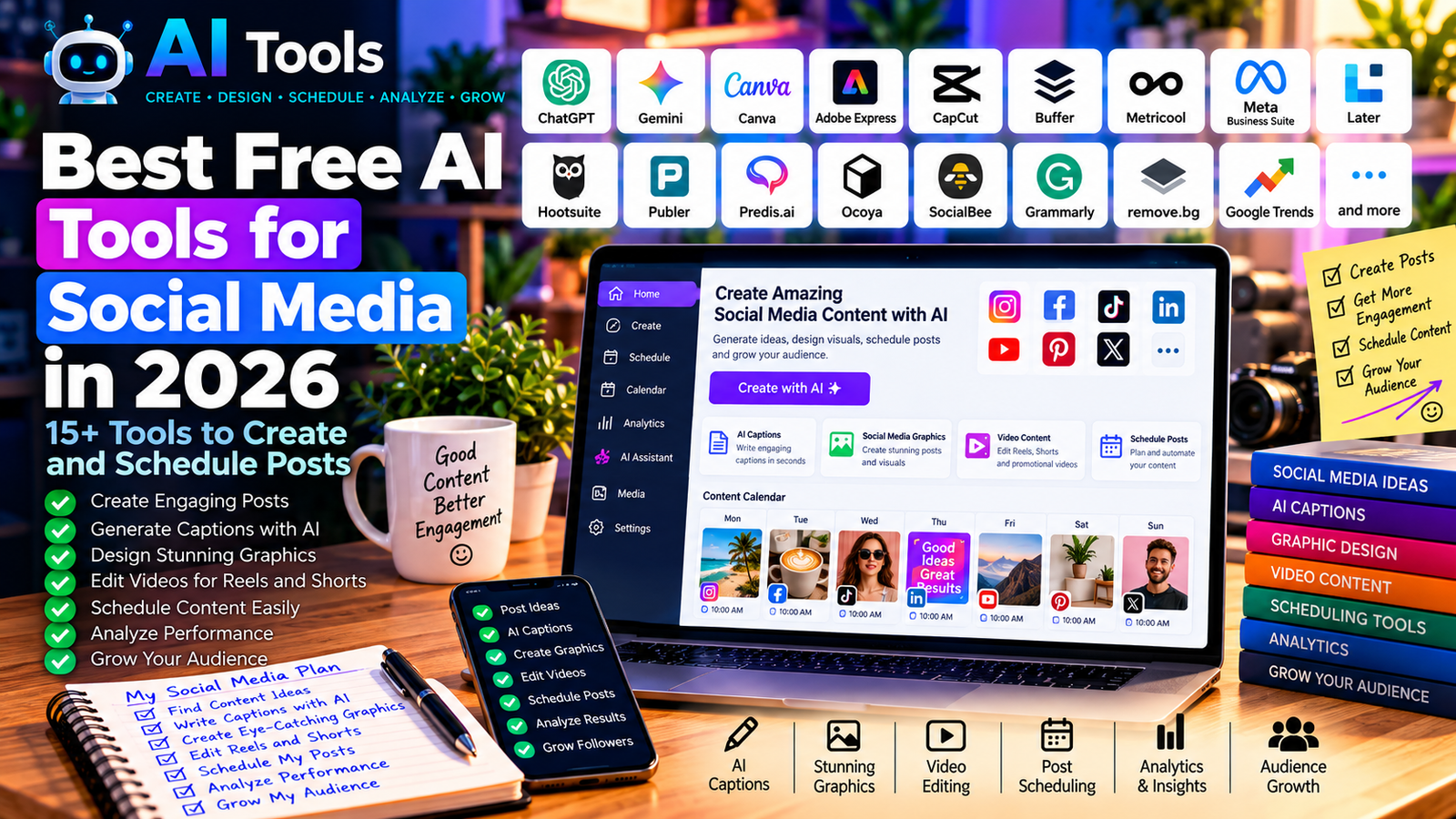
Best Free AI Tools for Social Media in 2026: 15+ Tools to Create and Schedule Posts
Social media marketing takes time. You need to create attractive visuals, write engaging captions, plan publications, respond to comments, and analyze performance across multiple platforms. Fortunately, free AI tools for social media can help simplify many of these tasks.
Whether you manage an Instagram account, a Facebook page, a TikTok profile, a LinkedIn page, or a YouTube channel, the right tools can help you create content faster and maintain a more consistent publishing schedule.
In this guide, we explore 17 AI-powered and AI-assisted tools for social media in 2026. You will discover tools for writing captions, designing graphics, editing videos, scheduling posts, researching trends, and measuring results.
Important: Free plans and usage limits can change. Some tools offer permanent free plans, while others provide limited free features or trials. Always check the official website before choosing a tool for your workflow.
Quick Comparison: Best Free AI Tools for Social Media
| Tool | Best For | Free Access |
|---|---|---|
| ChatGPT | Captions and content ideas | Free tier available |
| Google Gemini | Ideas and content planning | Free tier available |
| Canva | Social media graphics | Free plan available |
| Adobe Express | Visual content creation | Free plan available |
| CapCut | Short videos and Reels | Free version available |
| Buffer | Scheduling and publishing | Free plan available |
| Metricool | Analytics and planning | Free plan available |
| Meta Business Suite | Facebook and Instagram | Free Meta management tools |
| Later | Visual planning and scheduling | Check current plan |
| Hootsuite | Social media management | Trial or paid access; check current offer |
| Publer | Post scheduling | Free plan available |
| Predis.ai | AI-assisted social content | Limited free access or trial; check current offer |
| Ocoya | AI content and marketing | Check current plan |
| SocialBee | Content scheduling | Trial or paid access; check current offer |
| Grammarly | Caption proofreading | Free tier available |
| remove.bg | Background removal | Limited free access |
| Google Trends | Trending topics and research | Free |
1. ChatGPT — Best for Social Media Captions and Ideas
ChatGPT is a versatile AI assistant that can help you plan and write social media content for different audiences and platforms.
You can use it to generate Instagram captions, Facebook posts, LinkedIn updates, TikTok video scripts, promotional messages, content calendars, and responses to common customer questions.
For example, a small business can ask ChatGPT to create a week’s worth of Facebook posts promoting its products. You can then adapt the tone, length, language, and call to action for each publication.
Best features:
- Generate captions and post ideas.
- Create weekly and monthly content calendars.
- Write promotional messages and calls to action.
- Adapt one idea for multiple social networks.
- Brainstorm hashtags and short-video scripts.
Free plan: ChatGPT offers free access with usage limits that may vary.
Best for: Small businesses, freelancers, content creators, and social media managers.
Official website: https://chatgpt.com/
2. Google Gemini — Best for Content Planning and Brainstorming
Google Gemini is another useful AI assistant for social media planning. It can help you brainstorm campaigns, develop content themes, rewrite captions, and generate ideas for seasonal promotions.
For example, an online store can use Gemini to brainstorm product-launch posts, prepare a list of frequently asked questions, or create different versions of a promotional message.
You should review its suggestions carefully and add your own brand knowledge before publishing.
Best features:
- Generate content ideas and campaign themes.
- Rewrite captions in different tones.
- Create outlines for social media campaigns.
- Summarize information and support research.
- Brainstorm video topics and audience questions.
Free plan: A free version is available, subject to current usage limits and feature availability.
Best for: Businesses that need fresh ideas and help organizing content.
Official website: https://gemini.google.com/
3. Canva — Best for Social Media Graphics
Canva is one of the most practical tools for creating attractive social media visuals without advanced graphic design skills.
It provides templates for Instagram posts, Facebook covers, Stories, YouTube thumbnails, Pinterest graphics, and many other formats. Its AI-assisted features can help with selected design and content tasks.
For example, a construction company can create a promotional image for a renovation service, add its logo, highlight a price, and export the design for Facebook and Instagram.
Best features:
- Ready-made social media templates.
- Drag-and-drop graphic design.
- Brand colors, fonts, and logos.
- Selected AI-assisted design tools.
- Resizing and exporting content for different formats.
Free plan: Canva has a free plan, but some templates, assets, and AI features require a paid subscription.
Best for: Businesses, marketers, creators, and beginners.
Official website: https://www.canva.com/
Related guide: Best Free AI Image Generators in 2026
4. Adobe Express — Best for Branded Visual Content
Adobe Express helps users create social media graphics, promotional materials, short videos, and other visual content.
It offers templates and accessible editing tools for people who want professional-looking designs without using complex desktop software.
You can use it to create campaign graphics, announcements, product promotions, and branded posts. Selected AI features can also assist with creative tasks.
Best features:
- Social media templates.
- Text and image editing.
- Promotional graphics and branded designs.
- Short-form visual content.
- Selected generative AI features.
Free plan: A free plan is available, although premium assets and certain AI features may require payment.
Best for: Businesses that want consistent branding across social media platforms.
Official website: https://www.adobe.com/express/
5. CapCut — Best for Reels, TikTok, and Short Videos
CapCut is a popular video editor for creating short-form content. It is especially useful for TikTok videos, Instagram Reels, YouTube Shorts, and promotional clips.
Depending on the version and region, CapCut includes features such as automatic captions, templates, background removal, effects, and AI-assisted editing.
A business can use CapCut to transform product footage into a short promotional video, add subtitles, and prepare a vertical video for social media.
Best features:
- Short-video editing.
- Automatic captions in supported languages.
- Video templates and transitions.
- Music, effects, and text overlays.
- Selected AI-assisted editing features.
Free plan: Core editing tools are available for free, but some features, effects, exports, and AI functions may be restricted to paid plans.
Best for: TikTok creators, Instagram marketers, and businesses producing short videos.
Official website: https://www.capcut.com/
Related guide: Best Free AI Video Editing Tools in 2026
6. Buffer — Best for Scheduling Social Media Posts
Buffer helps you organize social media publications and schedule content in advance.
Instead of manually publishing every post, you can prepare content and arrange it according to a publishing calendar. This makes it easier to maintain a consistent presence when you manage several accounts.
You can combine Buffer with an AI writing assistant to draft captions, improve messages, and prepare different versions of the same content.
Best features:
- Schedule social media posts.
- Organize a publishing calendar.
- Manage supported social channels.
- Review available performance analytics.
- Collaborate through supported workflows and plans.
Free plan: Buffer offers a free plan with limitations on channels and scheduled posts. Confirm the current limits on its pricing page.
Best for: Freelancers, small businesses, and creators who want a simple publishing workflow.
Official website: https://buffer.com/
7. Metricool — Best for Social Media Analytics
Metricool combines social media planning, publishing, and analytics in one platform. It can help you understand which content performs well and how your audience interacts with your publications.
This is particularly useful when you want to move beyond simply posting content and start measuring results.
For example, you can compare the performance of different posts, review engagement metrics, and use the findings to plan future content.
Best features:
- Social media planning and scheduling.
- Performance dashboards.
- Audience and engagement metrics.
- Supported advertising analytics.
- Reporting features, depending on the plan.
Free plan: Metricool offers free access with restrictions that may apply to brands, history, channels, or features.
Best for: Businesses and marketers who want to measure social media performance.
Official website: https://metricool.com/
8. Meta Business Suite — Best for Facebook and Instagram
Meta Business Suite is an official Meta platform for managing eligible Facebook Pages and Instagram professional accounts.
It allows businesses to manage many everyday activities from one place, including creating posts, scheduling publications, viewing insights, and responding to messages and comments.
For a business that mainly uses Facebook and Instagram, this is an excellent starting point before paying for an additional social media management platform.
Best features:
- Create and schedule Facebook and Instagram posts.
- Manage supported messages and comments.
- View account and content insights.
- Organize publishing activities.
- Manage eligible business accounts.
Free access: Meta Business Suite is available without a separate subscription fee for its standard management tools. Some advertising activities still require an advertising budget.
Best for: Small businesses, local companies, online stores, and Facebook Page administrators.
Official website: https://business.facebook.com/
9. Later — Best for Visual Content Planning
Later is designed for planning and managing social media content, particularly for visual platforms.
Its workflow can help you organize images, prepare captions, and schedule publications for supported channels. This can be useful when your content depends on product photography, lifestyle images, or a consistent visual identity.
For example, a fashion brand can organize upcoming product photos and plan a series of posts before a new collection launches.
Best features:
- Visual content planning.
- Social media scheduling.
- Media organization.
- Supported performance analytics.
- Workflow features for creators and brands.
Free access: Availability of a free plan or trial can change. Check the official pricing page for current options and limitations.
Best for: Visual brands, creators, and businesses with image-heavy content.
Official website: https://later.com/
10. Hootsuite — Best for Managing Multiple Social Accounts
Hootsuite is a social media management platform for organizing content and monitoring multiple accounts.
Depending on the subscription, it provides publishing, scheduling, analytics, monitoring, and team management capabilities. It may be useful for agencies or businesses with more complex social media operations.
However, it is important to compare its pricing with simpler alternatives if you only manage one or two accounts.
Best features:
- Manage supported social accounts.
- Schedule publications.
- Monitor selected conversations and mentions.
- Review analytics and reports.
- Support team-based social media workflows.
Free access: Hootsuite’s free access and trial offers may change. Do not assume that a permanent free plan is available; verify current pricing before signing up.
Best for: Agencies, marketing teams, and businesses managing multiple accounts.
Official website: https://www.hootsuite.com/
11. Publer — Best for Affordable Content Scheduling
Publer helps users prepare, schedule, and manage social media publications across supported platforms.
It is worth considering if you want to organize posts in advance without building a complicated workflow. You can draft captions with an AI assistant and then organize the resulting content in your publishing calendar.
Best features:
- Schedule supported social media posts.
- Manage a publishing calendar.
- Organize drafts and media.
- Access supported analytics.
- Use available AI-assisted writing features.
Free plan: Publer offers a free plan with limitations. Channel availability, scheduled posts, and advanced features depend on the current plan.
Best for: Freelancers, small businesses, and creators seeking a straightforward scheduler.
Official website: https://publer.io/
12. Predis.ai — Best for AI-Assisted Social Media Content
Predis.ai focuses on helping users create social media content with AI. Depending on the current feature set, it can assist with post ideas, captions, creative assets, and promotional content.
This can be helpful when you need to create several content variations for a campaign. Nevertheless, AI-generated visuals and copy should be checked before publication to ensure accuracy, brand consistency, and appropriate image usage rights.
Best features:
- Generate content ideas.
- Assist with captions and creative concepts.
- Produce social media-oriented visual content.
- Support selected publishing workflows.
- Help create variations for marketing campaigns.
Free access: Free usage, credits, and trial conditions may change. Check the current offer before relying on it for regular production.
Best for: Small brands and marketers who want to accelerate content creation.
Official website: https://predis.ai/
13. Ocoya — Best for AI-Assisted Marketing Workflows
Ocoya is a marketing-oriented platform associated with AI content creation and social media workflows.
Tools in this category aim to bring content generation and publishing activities closer together, potentially reducing the number of separate applications required for a campaign.
Before committing to a subscription, check which social networks, AI features, integrations, and scheduling options are included in the current plan.
Best features to investigate:
- AI-assisted marketing copy.
- Social media content creation.
- Campaign planning workflows.
- Publishing and scheduling capabilities.
- Content management features available under the selected plan.
Free access: Current free-plan availability and limits should be verified on the official website.
Best for: Marketers looking for a more integrated content workflow.
Official website: https://www.ocoya.com/
14. SocialBee — Best for Organizing Recurring Content
SocialBee is a social media management platform built around content organization and publishing workflows.
A useful approach is to separate your posts into categories such as educational content, product promotions, customer stories, tips, and announcements. This helps prevent your feed from becoming a continuous stream of advertisements.
SocialBee can help structure this process through its content and scheduling features, depending on the plan.
Best features:
- Organize posts into content categories.
- Schedule supported publications.
- Plan recurring content.
- Manage supported social accounts.
- Coordinate publishing workflows.
Free access: Check the official website for current trial and subscription options; a permanent free plan should not be assumed.
Best for: Businesses that publish regularly and want a structured content calendar.
Official website: https://socialbee.com/
15. Grammarly — Best for Improving Captions and Post Quality
Grammarly helps improve written content by identifying grammar, spelling, punctuation, and clarity issues in supported languages.
It can be useful when preparing LinkedIn posts, longer captions, professional announcements, and marketing messages in English.
If you publish in French, Arabic, Tunisian Arabic, or several languages, always review the suggestions carefully because language support and the quality of corrections vary.
Best features:
- Grammar and spelling assistance.
- Clarity and readability suggestions.
- Support for professional writing.
- Selected AI writing features.
- Improvements to captions before publication.
Free plan: Grammarly offers a free tier, with advanced features available through paid plans.
Best for: Professionals, businesses, and creators who want cleaner written content.
Official website: https://www.grammarly.com/
16. remove.bg — Best for Removing Image Backgrounds
Product images and promotional graphics often look better when their backgrounds are clean and consistent. remove.bg can automatically remove backgrounds from supported images.
For example, an online shop can isolate a product from a photograph and place it on a new background before creating a promotional post.
Always make sure that you have permission to use the original photograph and any additional visual assets.
Best features:
- Automatic background removal.
- Transparent image backgrounds.
- Preparation of product images.
- Faster image editing for promotional graphics.
Free access: Free previews or limited downloads may be available. Higher-resolution exports and additional usage can require payment.
Best for: Online stores, product marketers, and creators who frequently edit images.
Official website: https://www.remove.bg/
17. Google Trends — Best for Finding Trending Topics
Google Trends helps you explore search interest over time and compare the popularity of topics across regions.
Although it is not a dedicated social media scheduler, it can help you identify subjects worth turning into posts, videos, or educational content.
For example, a business can compare interest in different product categories and use the results to develop relevant content ideas. Search trends do not automatically predict social media engagement, so combine this research with your own audience analytics.
Best features:
- Explore search interest over time.
- Compare topics and search terms.
- Investigate geographic interest.
- Discover related and rising queries where available.
- Support content and campaign research.
Free access: Google Trends is free to use.
Best for: Content strategists, bloggers, creators, and businesses researching audience interests.
Official website: https://trends.google.com/
How to Choose the Best Free AI Tools for Social Media
You do not need to use all 17 tools. Start with the tasks that consume the most time and select a small combination of tools that work well together.
| Your Main Goal | Recommended Starting Tools |
|---|---|
| Write captions and generate ideas | ChatGPT or Google Gemini |
| Design professional posts | Canva or Adobe Express |
| Edit Reels and short videos | CapCut |
| Schedule Facebook and Instagram posts | Meta Business Suite |
| Schedule posts across supported networks | Buffer or Publer |
| Analyze performance | Metricool |
| Remove image backgrounds | remove.bg |
| Improve English captions | Grammarly |
| Research topics and trends | Google Trends |
Best Combination for a Small Business
For a small business with a limited marketing budget, start with these five tools:
- ChatGPT: Generate content ideas, captions, and promotional messages.
- Canva: Create branded images and campaign graphics.
- CapCut: Edit short videos and add captions.
- Meta Business Suite: Schedule and manage Facebook and Instagram publications.
- Google Trends: Research topics and explore customer interests.
This combination covers much of the basic social media workflow without requiring five separate paid subscriptions.
You can add Metricool or Buffer later if you need more advanced reporting or scheduling across several platforms.
A Simple AI Social Media Workflow
Here is a practical workflow you can repeat every week.
Step 1: Research Topics
Use Google Trends, customer questions, competitor observations, and your own analytics to identify subjects relevant to your audience.
Step 2: Generate Content Ideas
Ask ChatGPT or Gemini to prepare a list of educational posts, product promotions, frequently asked questions, and short-video ideas.
Step 3: Write Captions
Create an initial caption for each post. Adapt the tone and length to the target platform rather than copying the same message everywhere.
Step 4: Create Visuals
Use Canva or Adobe Express for graphics and CapCut for video content. Keep your logo, colors, and overall style consistent.
Step 5: Review Everything
Check facts, spelling, prices, links, image rights, and any AI-generated claims. Do not publish unverified information simply because an AI tool produced it.
Step 6: Schedule Publications
Use Meta Business Suite for eligible Facebook and Instagram accounts, or consider Buffer and Publer for supported cross-platform workflows.
Step 7: Measure Results
Review reach, engagement, clicks, and conversions where those metrics are available. Use the results to improve next week’s content.
Can You Manage Social Media with Free AI Tools?
Yes. Free tools can support a large part of the social media process, especially for individuals, freelancers, and small businesses.
However, free access does not always mean unlimited usage. Some platforms limit the number of scheduled posts, social accounts, AI credits, exports, or analytics features.
The most effective approach is to begin with free tiers, identify which tools genuinely save time, and upgrade only when a specific limitation affects your work.
Remember that AI should support your creativity rather than replace your judgment. Original ideas, useful information, genuine customer interaction, and consistent quality remain essential.
Frequently Asked Questions
What is the best free AI tool for social media?
There is no single best tool for every task. ChatGPT is useful for captions and ideas, Canva for graphics, CapCut for short videos, and Meta Business Suite for managing eligible Facebook and Instagram accounts.
Can AI create social media posts automatically?
Yes. Some tools can generate captions, graphics, or video drafts and help schedule publications. You should still review the content, check facts and rights, and approve posts before they go live.
What is the best free tool for scheduling social media posts?
Meta Business Suite is a practical starting point for Facebook and Instagram. Buffer and Publer are worth comparing if you need scheduling for additional supported platforms.
Can I use free AI tools for Instagram marketing?
Yes. You can combine an AI writing assistant with Canva, CapCut, and a scheduling tool to prepare captions, Stories, Reels, graphics, and a publishing calendar.
Are free AI social media tools enough for a small business?
Often, yes. A small business can begin with a writing assistant, a design tool, a video editor, and a free scheduling solution. Paid plans become more useful when you need more accounts, advanced analytics, collaboration, or higher usage limits.
Do AI-generated posts guarantee more followers?
No. AI tools can make content creation faster, but they do not guarantee reach, engagement, or follower growth. Results depend on content quality, audience relevance, consistency, and how well you respond to your audience.
Final Verdict
The best free AI tools for social media in 2026 help you spend less time on repetitive tasks and more time creating useful content for your audience.
For most beginners, ChatGPT, Canva, CapCut, Meta Business Suite, and Google Trends are a sensible starting combination. As your needs grow, consider adding a scheduling platform such as Buffer or Publer and an analytics tool such as Metricool.
Choose tools based on your actual workflow, verify the current free-plan limitations, and focus on publishing content that genuinely helps your audience.
Explore more guides on AI Free Tools:
Leave a Reply