
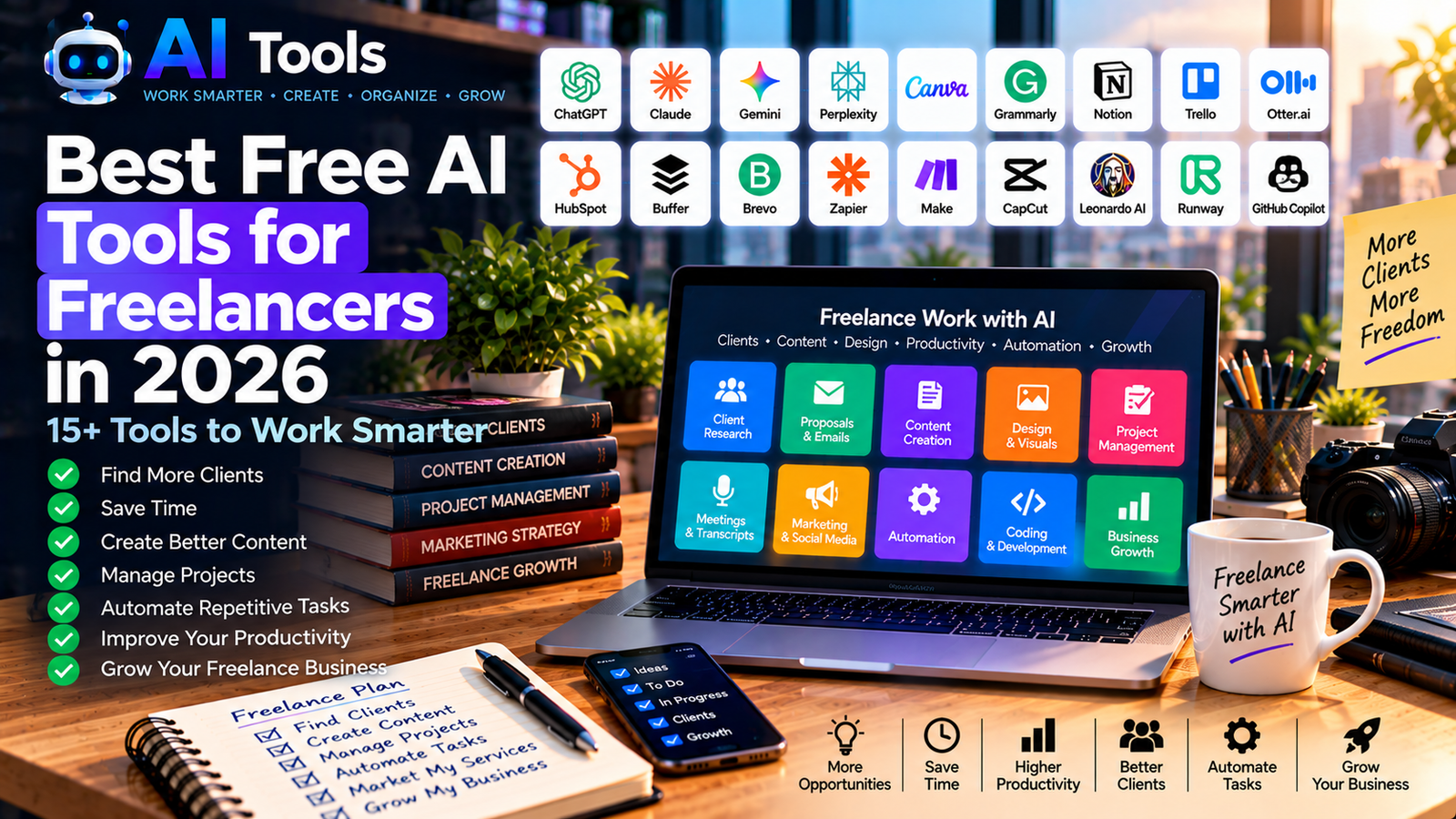
Best Free AI Tools for Freelancers in 2026
Freelancers have to manage much more than the work they deliver to clients.
They also need to find customers, write proposals, communicate with clients, organize projects, create content, manage meetings, promote their services and handle repetitive administrative tasks.
AI can help freelancers reduce the amount of time spent on these activities.
In this guide, we have selected 15+ free AI tools for freelancers in 2026 covering writing, research, design, productivity, meetings, marketing, proposals and automation.
Whether you are a designer, developer, writer, marketer, consultant, translator or virtual assistant, these tools can help you build a more efficient freelance workflow.
What Can AI Do for Freelancers?
AI can assist freelancers with many parts of their business:
- Finding ideas
- Writing proposals
- Creating emails
- Researching clients
- Creating content
- Designing graphics
- Managing projects
- Taking meeting notes
- Creating presentations
- Marketing services
- Automating repetitive tasks
- Analyzing documents
- Writing code
- Organizing work
The goal is not to automate everything.
Instead, freelancers can use AI to reduce repetitive work and spend more time on the activities that require their expertise.
1. ChatGPT
Best for: General freelance assistance
ChatGPT can help freelancers with almost every stage of their workflow.
You can use it to write emails, prepare proposals, brainstorm ideas, create content and organize projects.
Freelance uses:
- Client emails
- Proposals
- Content creation
- Brainstorming
- Research
- Business planning
- Customer communication
It can also help freelancers create reusable templates for repetitive tasks.
2. Claude
Best for: Writing and document work
Claude is useful for freelancers who regularly work with large documents or substantial amounts of written information.
Freelance uses:
- Proposals
- Reports
- Editing
- Document analysis
- Research
- Client communication
- Long-form writing
It can be particularly useful when a project requires analyzing a large amount of information before producing a final deliverable.
3. Google Gemini
Best for: Research and planning
Gemini can help freelancers research industries, brainstorm ideas and organize projects.
Freelance uses:
- Client research
- Brainstorming
- Planning
- Writing
- Research
- Content ideas
- Summarization
It can also be useful for freelancers who already work extensively with Google’s ecosystem.
4. Perplexity
Best for: Client and market research
Before starting a freelance project, research can help you understand the client’s industry and target audience.
Perplexity can help explore topics and discover relevant online sources.
Freelance uses:
- Industry research
- Competitor research
- Client research
- Market research
- Content research
- Source discovery
Important information should always be verified against the original source.
5. Canva
Best for: Freelance design and marketing
Canva is useful even for freelancers who are not professional designers.
You can create proposals, presentations, social media graphics, promotional materials and portfolio visuals.
Freelance uses:
- Client presentations
- Portfolio graphics
- Social media
- Proposals
- Marketing materials
- Presentations
- Infographics
Its AI features can also speed up some creative tasks.
6. Grammarly
Best for: Professional communication
Freelancers communicate with clients constantly.
Grammarly can help improve grammar, spelling, clarity and writing style.
Freelance uses:
- Client emails
- Proposals
- Reports
- Website copy
- Portfolio descriptions
- Social media posts
Professional communication can have a direct impact on how a freelancer presents their services.
7. Notion
Best for: Project and business organization
Notion can serve as a central workspace for freelance projects.
You can organize client information, project tasks, deadlines, notes and content ideas.
Freelance uses:
- Project management
- Client notes
- Task lists
- Content calendars
- Business planning
- Knowledge management
A structured workspace can make it easier to manage several clients simultaneously.
8. Trello
Best for: Simple project management
Trello uses boards, lists and cards to organize projects.
Freelancers can create separate boards for different clients or projects.
Freelance uses:
- Project tracking
- Client tasks
- Deadlines
- Content planning
- Workflows
- Task management
AI features and integrations can vary depending on the current plan.
9. Otter.ai
Best for: Meeting transcription
Freelancers often have meetings with clients.
Otter.ai can transcribe supported conversations and help create meeting notes.
Freelance uses:
- Client meetings
- Interviews
- Meeting notes
- Research
- Action items
- Project discussions
Always make sure recording is permitted before recording another person.
10. Gamma
Best for: Client presentations and proposals
Gamma can help freelancers turn ideas and information into presentations and visual documents.
Freelance uses:
- Client proposals
- Presentations
- Pitch decks
- Project reports
- Portfolio presentations
- Business documents
This can reduce the time required to create a professional presentation from scratch.
11. HubSpot CRM
Best for: Managing leads and clients
Freelancers can use a CRM to organize potential customers and existing clients.
HubSpot offers a free CRM that can be used to manage contacts, deals and sales activities.
Freelance uses:
- Lead management
- Client information
- Sales pipeline
- Follow-ups
- Contact organization
- Customer management
A CRM becomes particularly useful as the number of clients and prospects increases.
12. Buffer
Best for: Freelance social media marketing
Freelancers can use Buffer to schedule content promoting their services.
For example, a freelance designer could schedule portfolio posts while a consultant could prepare educational content.
Freelance uses:
- Social media
- Content scheduling
- Portfolio promotion
- Personal branding
- Marketing
- Content planning
A consistent publishing schedule can make it easier to maintain an online presence.
13. Brevo
Best for: Email marketing
Freelancers can use email marketing to stay connected with prospects, clients and subscribers.
Brevo provides tools for email campaigns and customer communication.
Freelance uses:
- Newsletters
- Client communication
- Lead nurturing
- Promotional emails
- Email campaigns
Free plans may have sending and feature limits, so check the current plan before building a large campaign.
14. Zapier
Best for: Automating freelance workflows
Freelancers often repeat the same administrative tasks.
Zapier can connect different applications and automate some of these processes.
For example:
Client form
→
Spreadsheet
→
CRM
→
Email notification
This can reduce manual data entry.
Freelance uses:
- Lead collection
- Client onboarding
- Notifications
- Email automation
- Project workflows
- Administrative tasks
For more automation platforms, see our article about free AI automation tools.
15. Make
Best for: Advanced freelance automation
Make provides visual workflows for connecting different applications.
It can be useful when a freelancer wants to build multi-step processes.
Freelance uses:
- Client onboarding
- Lead management
- Data synchronization
- Email workflows
- Project automation
- Marketing automation
Its visual workflow builder can make complex processes easier to understand.
16. CapCut
Best for: Freelance video content
Freelancers who promote their services on social media can use CapCut to create short videos.
Freelance uses:
- Portfolio videos
- Reels
- YouTube Shorts
- Client demonstrations
- Promotional videos
- Social media content
For more video-focused tools, see our guide to free AI video editing tools.
17. GitHub Copilot
Best for: Freelance developers
Freelance developers can use AI coding assistants to accelerate certain development tasks.
GitHub Copilot can provide coding suggestions and help developers understand or work with code.
Freelance uses:
- Code completion
- Debugging
- Code explanations
- Software development
- Prototyping
- Programming
AI-generated code should always be reviewed, tested and understood before being delivered to a client.
For more options, see our guide to free AI coding tools.
Best Free AI Tools for Different Freelancers
For freelance writers
Consider:
- ChatGPT
- Claude
- Grammarly
- Gemini
For freelance designers
Consider:
- Canva
- ChatGPT
- Leonardo AI
- Ideogram
For freelance developers
Consider:
- GitHub Copilot
- ChatGPT
- Claude
- DeepSeek
For freelance marketers
Consider:
- ChatGPT
- Canva
- Buffer
- Brevo
- Perplexity
For consultants
Consider:
- ChatGPT
- Claude
- Perplexity
- Gamma
- Notion
For virtual assistants
Consider:
- ChatGPT
- Notion
- Trello
- Zapier
- Make
How to Build a Free AI Freelance Stack
A freelancer doesn’t need 20 subscriptions.
A simple stack could include:
AI assistant: ChatGPT
Research: Perplexity
Writing: Grammarly
Design: Canva
Organization: Notion
Meetings: Otter.ai
CRM: HubSpot
Social media: Buffer
Automation: Zapier
This can cover many common freelance activities.
AI Workflow for Finding New Clients
AI can help freelancers improve their prospecting process.
Step 1 — Identify your target market
Define the type of clients you want to work with.
For example:
- Small businesses
- Startups
- Agencies
- E-commerce companies
- Local businesses
Step 2 — Research potential clients
Use online research tools to understand their business and industry.
Step 3 — Identify problems
Look for areas where your service could provide value.
Step 4 — Prepare a personalized message
Use an AI assistant to help draft an initial message.
Don’t send identical AI-generated messages to hundreds of people.
Personalization is important.
Step 5 — Track prospects
Use a CRM or spreadsheet to track:
- Company
- Contact
- Date contacted
- Response
- Follow-up
- Status
Step 6 — Follow up
Create reminders so promising leads don’t get forgotten.
AI Workflow for Client Projects
AI can also help after you win a project.
Before starting
Create:
- Project scope
- Timeline
- Deliverables
- Client questions
During the project
Use AI for:
- Research
- Brainstorming
- Drafting
- Documentation
- Meeting notes
Before delivery
Review:
- Quality
- Accuracy
- Formatting
- Client requirements
- Errors
After delivery
Ask for:
- Feedback
- Testimonial
- Referral
- Future work
AI can support the workflow, but the freelancer remains responsible for the final result.
How AI Can Help Freelancers Save Time
Imagine a freelancer spends several hours each week on:
- Writing emails
- Creating proposals
- Research
- Meeting notes
- Social media
- Data entry
- Project organization
AI can help reduce the time spent on some of these repetitive activities.
The objective isn’t simply to work faster.
The real benefit is being able to use the saved time for:
- Client work
- Sales
- Learning
- Business development
- Rest
- Creative work
AI for Freelance Proposals
AI can help structure proposals containing:
Introduction
Explain your understanding of the client’s project.
Problem
Describe the client’s needs.
Solution
Explain how you will address them.
Deliverables
List exactly what the client will receive.
Timeline
Provide realistic milestones.
Pricing
Present your price clearly.
Next steps
Explain what the client should do to begin.
AI can help create the first draft, but freelancers should personalize every proposal.
AI for Freelance Marketing
Freelancers need to market themselves continuously.
AI can help generate:
- LinkedIn posts
- Portfolio descriptions
- Blog ideas
- Social media content
- Newsletter ideas
- Video scripts
- Case-study outlines
You can also repurpose one piece of content into multiple formats.
For example:
One case study
→ LinkedIn post
→ Instagram post
→ Newsletter
→ Short video
→ Portfolio page
AI and Freelance Pricing
AI can help freelancers organize pricing information and compare different service packages.
For example:
Basic
One service with limited deliverables.
Professional
More deliverables and additional support.
Premium
A larger project with advanced services and ongoing support.
However, pricing should be based on your market, expertise, costs, project complexity and client requirements rather than blindly following AI-generated recommendations.
Important: Protect Client Information
Freelancers often work with confidential client information.
Before uploading client documents or sensitive information to an AI service, check:
- The platform’s privacy policy
- Data handling practices
- Your client agreement
- Confidentiality requirements
- Applicable laws
Avoid putting sensitive client information into an AI tool unless you have an appropriate reason and the necessary permissions.
Are Free AI Tools Enough for Freelancers?
For many freelancers, free tools are enough to build an initial workflow.
They can cover:
- Writing
- Research
- Design
- Project management
- Meetings
- Marketing
- CRM
- Automation
However, free plans often have limitations.
These may include:
- AI usage limits
- Storage limits
- Number of projects
- Number of contacts
- Automation limits
- Export restrictions
- Advanced features
Start with free plans and upgrade only when a paid feature provides enough value to justify the cost.
Frequently Asked Questions
What are the best free AI tools for freelancers?
Different freelancers need different tools. ChatGPT and Claude are useful general assistants, Canva is useful for visual content, Perplexity for research, Notion for organization and Zapier or Make for automation.
Can AI help freelancers find clients?
AI can help with research, prospecting, personalized outreach drafts and organization. It cannot guarantee that you will find clients.
Can AI write freelance proposals?
Yes. AI can create a first draft of a proposal, but you should personalize it to the client’s actual requirements.
Can freelancers use AI for client work?
Yes, when appropriate and permitted. Always check client agreements, confidentiality requirements and the terms of the AI service.
Can AI replace freelancers?
AI can automate or accelerate some tasks, but many freelance projects still require human expertise, communication, creativity, judgment and accountability.
How many AI tools does a freelancer need?
You don’t need many. Start with a small set that solves your biggest problems and add tools only when they provide a clear benefit.
Final Thoughts
Freelancing requires much more than delivering work.
You also need to communicate with clients, find new opportunities, manage projects, market your services and organize your business.
AI can help reduce the time spent on many repetitive activities.
The best approach is to create a simple workflow where every tool has a specific purpose.
Start with free tools, test them on real projects and keep the ones that genuinely improve your workflow.
For more business-focused AI resources, explore our guides to free AI business tools and free AI marketing tools.
Leave a Reply