
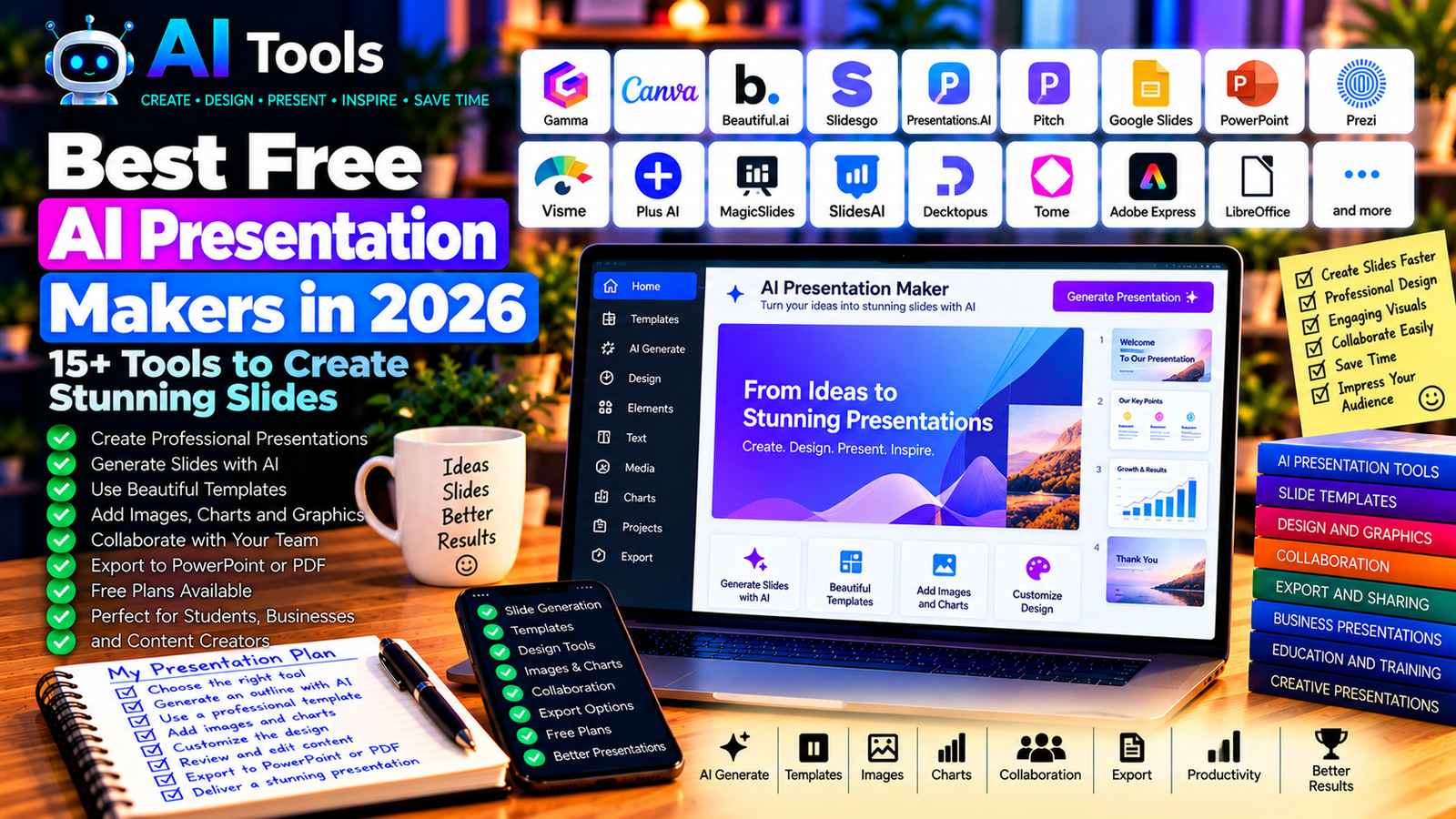
Best Free AI Presentation Makers in 2026: 15+ Tools to Create Stunning Slides
Creating a professional presentation can take hours. You need to organize your ideas, write concise text, select images, design slides, and make sure everything looks consistent.
Free AI presentation makers can simplify this process by helping you generate slide outlines, suggest layouts, create visuals, and transform written content into presentations. Some tools generate complete presentations from a prompt, while others help you improve slides inside an existing editor.
Whether you are a student, teacher, entrepreneur, marketer, or business professional, the right tool can help you create presentations more efficiently.
In this guide, we compare 17 AI presentation tools and related platforms in 2026, including their main features, free-access options, and ideal use cases.
Important: Free plans, AI credits, export formats, and presentation limits change frequently. Some tools offer free editing but restrict AI generation, downloads, or branding removal. Check the current terms on each official website before choosing a tool.
Quick Comparison: Best Free AI Presentation Makers
| Tool | Best For | Free Access |
|---|---|---|
| Gamma | Generating presentations from prompts | Free plan with limits |
| Canva | Visually attractive presentations | Free plan; AI limits apply |
| Google Slides | Collaborative presentations | Free core features |
| Microsoft PowerPoint | Traditional slide presentations | Access and AI features depend on plan |
| Beautiful.ai | Professionally designed slides | Trial or paid-plan conditions may apply |
| Slidesgo | Presentation templates and AI-assisted creation | Free options with restrictions |
| Presentations.AI | AI-generated business presentations | Current free access may be limited |
| Pitch | Team presentations and collaboration | Free plan with restrictions |
| Prezi | Dynamic, non-linear presentations | Free access and privacy limits vary |
| Visme | Presentations and visual communication | Free plan with restrictions |
| Plus AI | AI-assisted Google Slides and PowerPoint workflows | Trial or paid-plan conditions may apply |
| MagicSlides | Generating slides from existing content | Free usage may be limited |
| SlidesAI | Creating slides from text | Free or limited plans; verify current terms |
| Decktopus | AI-assisted presentation creation | Current free access may be limited |
| Tome | AI-assisted storytelling and presentations | Product availability and features may change |
| Adobe Express | Visual slides and presentation assets | Free plan; premium features vary |
| LibreOffice Impress | Free desktop presentations | Free and open source |
1. Gamma — Best for Generating Presentations from Prompts
Gamma is an AI-powered content and presentation platform designed to turn ideas, outlines, or written prompts into structured visual presentations.
Instead of starting with an empty slide, you can describe your topic and let the tool help organize the content into sections. You can then review the structure, edit the wording, and adjust the visual design.
Gamma is useful when you need a quick first draft, but generated content should still be checked for accuracy and relevance.
Best features:
- Generate presentation drafts from prompts.
- Organize information into structured sections.
- Adjust layouts and visual styles.
- Add images and supporting content.
- Share presentations using supported options.
Free access: Gamma offers a free plan with limits that may apply to AI credits, generation, or other features.
Best for: Entrepreneurs, students, educators, marketers, and professionals who need a fast first draft.
Official website: https://gamma.app/
2. Canva — Best for Visually Attractive Presentations
Canva is a visual design platform that includes presentation templates, graphics, images, and AI-assisted design features.
It is particularly useful when appearance matters. You can start from a template, create slides manually, or use eligible AI features to help develop a presentation.
Canva is also useful for producing supporting visuals, social media graphics, and other marketing materials from the same design workflow.
Best features:
- Access presentation templates.
- Customize fonts, colors, layouts, and graphics.
- Create visual assets.
- Collaborate on supported projects.
- Use eligible AI design and writing features.
Free access: Canva offers a free plan. Some AI features, premium assets, and advanced tools have separate limits or require payment.
Best for: Students, teachers, small businesses, marketers, and content creators.
Official website: https://www.canva.com/
3. Google Slides — Best for Free Online Collaboration
Google Slides is a browser-based presentation application that lets you create, edit, and share slide decks.
It is not exclusively an AI presentation generator, but it works well with AI assistants. You can ask an assistant to prepare an outline, summarize research, suggest slide titles, or draft speaker notes, then transfer the material into Google Slides.
AI features integrated into Google Workspace depend on the account and plan.
Best features:
- Create and edit presentations online.
- Collaborate with other users.
- Add charts, images, and diagrams.
- Present from a browser.
- Import and export supported presentation formats.
Free access: Core Google Slides features are available with a Google account. Certain AI integrations and advanced business features may require a paid plan.
Best for: Students, teachers, teams, and anyone who wants a straightforward collaborative editor.
Official website: https://slides.google.com/
4. Microsoft PowerPoint — Best for Traditional Business Presentations
Microsoft PowerPoint remains a popular choice for business presentations, training materials, academic work, and client proposals.
You can use an AI assistant to prepare slide content, summarize a document, suggest a structure, or help write speaker notes. Integrated Copilot functionality depends on the specific Microsoft product and subscription.
Best features:
- Create and edit professional slide decks.
- Use layouts, themes, animations, and transitions.
- Insert charts and diagrams.
- Present and export supported formats.
- Use eligible AI assistance in supported versions.
Free access: PowerPoint availability varies by platform and account. Web access may be available with limitations, while desktop features and advanced AI assistance may require a paid plan.
Best for: Businesses, teachers, consultants, and professionals who exchange PowerPoint files.
Official website: https://www.microsoft.com/microsoft-365/powerpoint
5. Beautiful.ai — Best for Consistent Slide Design
Beautiful.ai focuses on presentation design and layouts that adapt as you add content. Its goal is to help users create polished slides without manually adjusting every element.
It can be useful for business proposals, company presentations, reports, and sales decks where visual consistency matters.
Best features to investigate:
- Smart slide layouts.
- Consistent visual formatting.
- Business-oriented presentation templates.
- Team and brand-related features.
- AI-assisted presentation workflows where available.
Free access: Access may depend on a trial or paid plan. Verify current pricing and export restrictions before building a large project.
Best for: Business professionals, consultants, sales teams, and founders.
Official website: https://www.beautiful.ai/
6. Slidesgo — Best for Presentation Templates
Slidesgo provides presentation templates and design resources for educational and professional use. It has also offered AI-assisted presentation creation features.
It can be a practical choice if you want a structured template rather than a fully automated presentation generator.
Best features:
- Browse presentation templates.
- Find designs for different topics.
- Customize slide layouts.
- Use supported AI-assisted creation features.
- Build educational and business presentations.
Free access: Free templates and features are subject to usage, attribution, and download conditions. AI generation may have separate limits.
Best for: Students, teachers, trainers, and professionals who want a ready-made design.
Official website: https://slidesgo.com/
7. Presentations.AI — Best for AI-Generated Business Slides
Presentations.AI is designed to help users create presentation drafts from a description or business idea.
This can be useful for preparing a first version of a company overview, pitch deck, proposal, or project presentation without manually designing every slide.
Review the generated text and visuals carefully, particularly when the presentation contains financial figures, market statistics, or business claims.
Best features to investigate:
- Generate presentation drafts from prompts.
- Structure business presentations.
- Apply consistent design styles.
- Edit generated content.
- Export or share using supported options.
Free access: Check current generation limits, trial conditions, and export availability on the official website.
Best for: Entrepreneurs, consultants, business teams, and startup founders.
Official website: https://www.presentations.ai/
8. Pitch — Best for Team Presentations
Pitch is a presentation platform built around slide design, collaboration, and sharing.
It can be useful when multiple people need to contribute to a presentation, review drafts, or maintain consistent business communication.
AI features and access to specific templates or exports depend on the current product and plan.
Best features:
- Create presentations collaboratively.
- Use presentation templates.
- Share and review decks.
- Maintain consistent visual styles.
- Explore AI-assisted presentation creation where available.
Free access: Pitch offers a free plan with restrictions that may apply to collaboration, exports, and advanced features.
Best for: Startups, marketing teams, agencies, and remote teams.
Official website: https://pitch.com/
9. Prezi — Best for Dynamic Presentations
Prezi offers a presentation style that can move between related ideas using zooming and spatial layouts. It can be useful when you want to communicate how different concepts connect rather than presenting information as a simple sequence of slides.
It is not identical to a conventional PowerPoint deck, so consider whether its visual style suits your audience.
Best features:
- Create dynamic visual presentations.
- Show relationships between ideas.
- Use templates and visual elements.
- Support supported online presentation workflows.
- Explore AI-assisted features where available.
Free access: Prezi’s current free access, privacy settings, and export options may be restricted by plan.
Best for: Educators, presenters, trainers, and people explaining complex relationships.
Official website: https://prezi.com/
10. Visme — Best for Presentations and Visual Communication
Visme is a visual content platform for creating presentations, infographics, reports, and other business materials.
It is useful when your presentation requires more than text and bullet points, such as charts, visual explanations, branded graphics, or infographics.
Best features:
- Create presentation slides.
- Build infographics and visual reports.
- Customize graphics and templates.
- Work with charts and diagrams.
- Explore AI-assisted content features where available.
Free access: Visme offers limited free access, while certain downloads, assets, and advanced capabilities may require a paid plan.
Best for: Marketers, educators, businesses, and content creators.
Official website: https://www.visme.co/
11. Plus AI — Best for AI-Assisted Slides in Existing Tools
Plus AI is designed to help users create or modify presentations within supported presentation environments, including Google Slides and PowerPoint workflows.
It may be useful if you already use one of these applications and want AI assistance without adopting an entirely separate presentation editor.
Best features to investigate:
- Generate presentation drafts.
- Convert written content into slides.
- Edit or revise slide content.
- Work within supported presentation applications.
- Adapt existing presentation workflows.
Free access: Trial availability and paid-plan requirements can change. Confirm current eligibility and feature limits.
Best for: Professionals who already use Google Slides or PowerPoint.
Official website: https://plusai.com/
12. MagicSlides — Best for Turning Existing Content into Slides
MagicSlides is associated with tools that transform text and other supported content into presentation drafts.
This approach can be useful when you already have notes, a document, or source material and want to turn it into a slide outline more quickly.
Always check whether the source material is suitable for uploading and review the resulting slides before presenting them.
Best features to investigate:
- Convert supported content into slide drafts.
- Generate structured presentation outlines.
- Summarize source material.
- Edit generated slides.
- Export or integrate through supported workflows.
Free access: Usage limits and available integrations depend on the current plan.
Best for: Students, teachers, trainers, and professionals working from existing documents.
Official website: https://www.magicslides.app/
13. SlidesAI — Best for Creating Slides from Text
SlidesAI is a presentation assistant associated with generating slides from written prompts or content in supported presentation workflows.
It can help users transform an outline into a first draft and then refine the slides in their chosen editor.
Best features to investigate:
- Generate slides from text.
- Organize content into presentation sections.
- Use supported presentation integrations.
- Edit generated content.
- Create drafts for educational or business topics.
Free access: Free usage and generation limits may apply. Check the current pricing and supported integrations.
Best for: Students, teachers, and professionals who already have the content but need help structuring slides.
Official website: https://www.slidesai.io/
14. Decktopus — Best for Guided Presentation Creation
Decktopus is a presentation platform designed to guide users through creating slide decks. Its workflow can help organize a topic into a presentation and apply a consistent design.
It may be useful if you prefer a guided process instead of starting with a blank slide editor.
Best features to investigate:
- Build structured presentation drafts.
- Use presentation templates.
- Organize content into sections.
- Apply consistent visual design.
- Explore available AI-assisted features.
Free access: Check current free-plan availability, trial terms, and export options.
Best for: Business users, presenters, and people preparing structured slide decks.
Official website: https://www.decktopus.com/
15. Tome — Best for Exploring AI Storytelling Workflows
Tome became known for AI-assisted storytelling and presentation-style content. Its product focus and feature availability have changed over time, so users should verify the current service before relying on it as a presentation maker.
If you are evaluating a tool based on older recommendations, make sure it still supports the exact slide creation and export workflow you need.
What to verify:
- Whether presentation creation is currently supported.
- Whether the required AI features are available.
- Whether your work can be exported.
- Whether free access is offered.
- Whether the tool fits your intended presentation format.
Free access: Do not assume that older descriptions of Tome’s free presentation features remain valid. Check the official service for current information.
Best for: Users researching AI storytelling tools who are willing to verify current availability.
Official website: https://tome.app/
16. Adobe Express — Best for Visual Presentation Assets
Adobe Express is a design platform for creating graphics and other visual content. It can help prepare slide visuals, titles, illustrations, and supporting assets for a presentation.
It is not always a direct replacement for a dedicated AI slide generator, but it can be useful as part of a presentation workflow.
Best features:
- Create graphics and visual assets.
- Use templates for different content types.
- Edit text and images.
- Prepare branded presentation materials.
- Access eligible AI-powered design features.
Free access: Adobe Express offers a free plan, while some assets and advanced AI features may require a paid subscription or credits.
Best for: Marketers, students, creators, and businesses that need polished visuals.
Official website: https://www.adobe.com/express/
17. LibreOffice Impress — Best Free Desktop Presentation Software
LibreOffice Impress is an open-source presentation application. It is not an AI presentation generator, but it provides a free way to create and edit slide decks without a recurring software subscription.
You can use an AI assistant to prepare the outline, slide text, or speaker notes, then build the presentation in Impress.
Best features:
- Create and edit slide presentations.
- Use layouts and presentation themes.
- Add charts, images, and diagrams.
- Work offline on a desktop computer.
- Open and save supported presentation formats.
Free access: LibreOffice is free and open source.
Best for: Students, small businesses, and users who want desktop presentation software without a subscription.
Official website: https://www.libreoffice.org/
How to Choose the Best Free AI Presentation Maker
The best choice depends on whether you want an entire presentation generated automatically, a visual editor, a collaborative tool, or a traditional slide application.
| Your Main Goal | Recommended Starting Tools |
|---|---|
| Generate a presentation from a prompt | Gamma |
| Design attractive slides | Canva |
| Collaborate online | Google Slides or Pitch |
| Prepare a traditional business deck | PowerPoint |
| Create visual reports and infographics | Visme |
| Convert existing text into slides | SlidesAI or MagicSlides |
| Build dynamic presentations | Prezi |
| Work without a software subscription | LibreOffice Impress |
Best Free AI Presentation Makers for Students
Students can start with Google Slides, Canva, or Gamma, depending on the assignment and the features available on their free plans.
Use an AI assistant to create an outline, identify the main arguments, and suggest slide titles. Then verify the facts, cite original sources, and rewrite the material in your own words where appropriate.
A presentation should demonstrate your understanding of the subject, not simply reproduce unverified AI-generated text.
Best AI Presentation Tools for Businesses
Businesses often need company profiles, sales decks, proposals, project updates, and investor presentations.
Gamma and Canva are useful starting points for quickly developing a visual draft. PowerPoint and Google Slides are practical when colleagues need to edit or present the final file.
Before using a generated deck with clients, verify all prices, statistics, financial projections, product details, and claims.
Best AI Tools for PowerPoint Presentations
If you specifically need a PowerPoint file, check the export formats before creating your presentation.
PowerPoint itself is the natural choice for editing PPTX files. Gamma, Canva, and other presentation platforms may offer export options, but formatting and feature compatibility can vary by tool and plan.
Always open the exported file and check fonts, images, spacing, charts, and slide transitions before presenting it.
How to Create a Professional Presentation with AI in Five Steps
Step 1: Define Your Objective
Decide what the audience should understand or do after viewing the presentation. A sales pitch, school presentation, training session, and investor deck require different structures.
Step 2: Prepare a Clear Prompt
Give the AI tool the topic, audience, number of slides, desired tone, and important points.
For example:
“Create a 10-slide presentation for small business owners about using AI tools to improve productivity. Include a title slide, an introduction, five practical use cases, a comparison table, implementation tips, and a conclusion. Use concise text, suggest suitable visuals, and do not invent statistics.”
Step 3: Review the Outline
Check that the presentation has a logical beginning, middle, and end. Remove repetitive sections and ensure each slide communicates one main idea.
Step 4: Improve the Design
Use consistent typography, readable text, appropriate contrast, and relevant visuals. Avoid filling every slide with paragraphs.
Step 5: Verify and Rehearse
Check all facts, figures, quotations, and references. Open any exported file in the intended application and rehearse the presentation before sharing it.
Are Free AI Presentation Makers Worth Using?
Yes. They can reduce the time needed to structure a presentation, prepare an initial draft, and select a visual style.
However, an AI-generated presentation is a starting point, not a finished product. Some tools restrict exports or add branding to free presentations. Others generate slides quickly but require substantial editing to improve accuracy and storytelling.
For most users, a practical approach is to start with a free plan, build one small presentation, and test whether the output quality and export options meet their needs.
Frequently Asked Questions
What is the best free AI presentation maker in 2026?
Gamma is worth testing for generating a presentation from a prompt, while Canva is useful for visual design and Google Slides for collaboration. The best choice depends on your desired format and the limits of each free plan.
Can AI create a PowerPoint presentation automatically?
Some AI tools can generate slide drafts from prompts or existing text. Depending on the tool, you may be able to export the result to PowerPoint format. Always verify the current export options and inspect the file before using it.
Are there completely free AI presentation makers?
Some tools provide free AI credits or limited presentation generation, while others offer free editors without unlimited AI creation. Completely unlimited AI generation is not something you should assume; check the current terms.
Can I use AI to create presentations for school?
Yes, subject to your school’s academic integrity rules. Use AI to help organize ideas and improve slide design, but verify information, cite sources, and make sure the presentation reflects your own understanding.
How can I make AI-generated slides look more professional?
Use a clear structure, concise text, consistent fonts, and relevant visuals. Review each slide manually, remove repetitive content, and check contrast and readability.
Can AI create presentations in languages other than English?
Many tools support multilingual prompts or content, but language quality and layout support vary. Test the desired language, especially if your presentation includes Arabic text, right-to-left layouts, or specialized terminology.
Final Verdict
The best free AI presentation makers in 2026 can help you turn ideas and documents into organized, visually appealing slides.
For most users, start with Gamma for AI-generated drafts, Canva for visual design, and Google Slides for collaboration. Use PowerPoint when you need a traditional editable presentation, and consider LibreOffice Impress if you want free desktop software.
Compare free-plan limits, verify export formats, and always review the generated content before presenting it.
Explore more guides on AI Free Tools:
Leave a Reply