
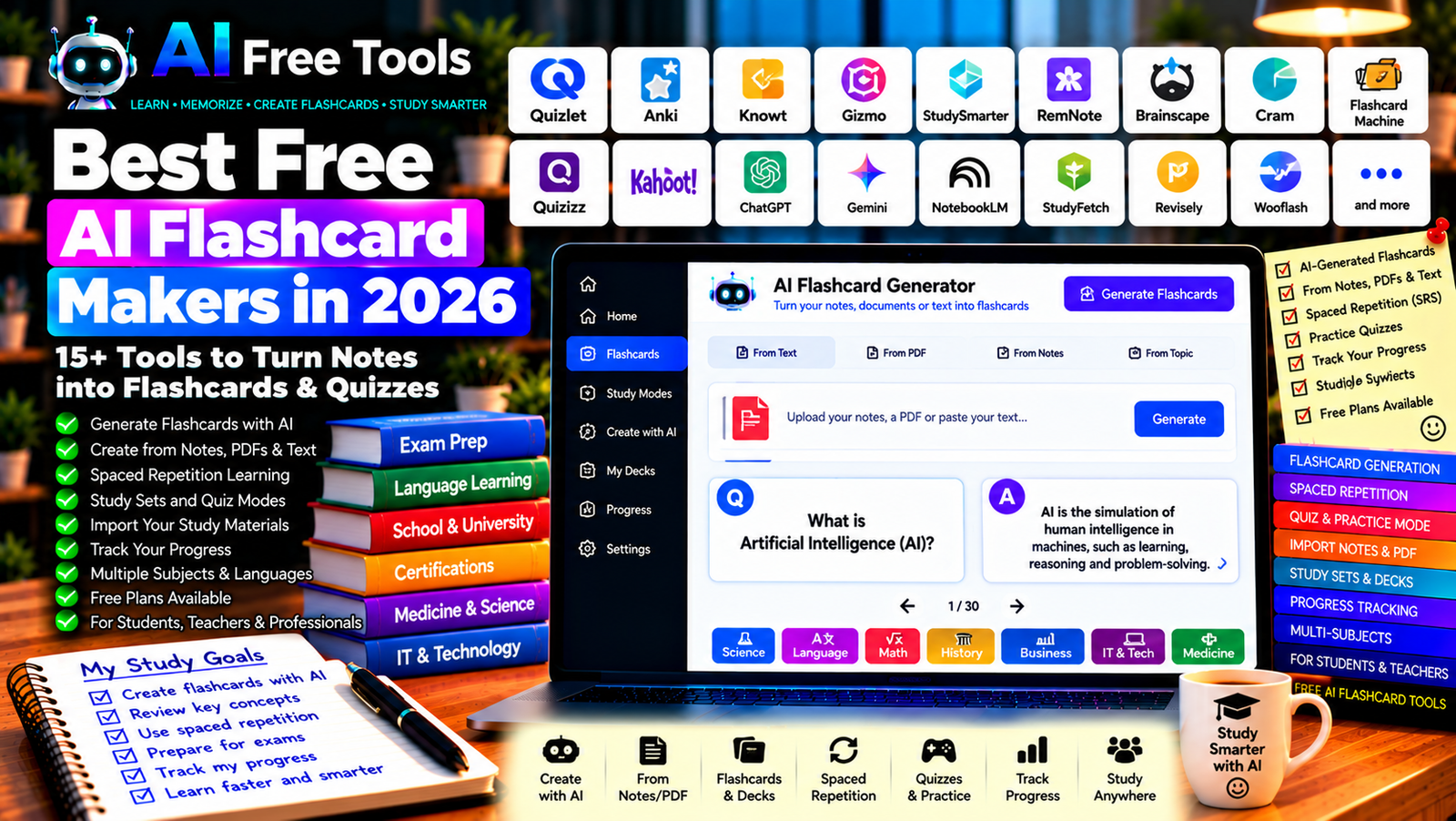
Best Free AI Flashcard Makers in 2026: 15+ Tools for Smarter Studying
Free AI flashcard makers can help you turn study notes, textbooks, lecture summaries, and other learning materials into question-and-answer cards. Instead of writing every card manually, you can use AI to identify important concepts, generate practice questions, and organize information into revision sets.
These tools can be useful for school students, university students, language learners, professionals preparing for certifications, and anyone who wants to remember information more effectively. Some platforms specialize in flashcards and spaced repetition, while others generate cards from notes, documents, or pasted text.
In this guide, we compare 17 flashcard platforms and AI study tools in 2026. You will discover their main features, what to check in their free plans, and how to choose the best option for your learning style.
Important: Not every tool listed here includes AI flashcard generation in its free plan. Some provide traditional flashcards, while others offer AI-generated cards, quizzes, or document-based study features with usage limits. Pricing, file limits, and supported features can change, so verify the current terms before creating a large study collection.
Quick Comparison: Best Free AI Flashcard Makers
| Tool | Best For | Free Access |
|---|---|---|
| Quizlet | Flashcards and study activities | Free features with restrictions |
| Anki | Spaced repetition and long-term memory | Core desktop app is free |
| Knowt | AI-assisted study sets and flashcards | Free features with limits |
| Gizmo | AI-assisted flashcards and revision | Current limits may vary |
| StudySmarter | Study notes and flashcards | Free features with restrictions |
| RemNote | Notes connected to flashcards | Free plan with limits |
| Brainscape | Confidence-based flashcard practice | Free features with restrictions |
| Cram | Traditional digital flashcards | Free features available |
| Flashcard Machine | Creating and sharing flashcard sets | Free access options |
| Quizizz | Quizzes and classroom learning | Features and plans vary |
| Kahoot! | Interactive quizzes and review | Free features with restrictions |
| ChatGPT | Generating cards from notes | Free tier with limits |
| Google Gemini | Creating questions from study material | Free tier with limits |
| Google NotebookLM | Study questions from source documents | Free access with limits |
| StudyFetch | AI-assisted study materials | Free access or limits may vary |
| Revisely | AI-generated study materials | Current free limits should be checked |
| Wooflash | Digital flashcards and active recall | Free access and features may vary |
1. Quizlet — Best for Flashcards and Study Activities
Quizlet is a well-known study platform that lets users create, review, and share digital flashcards. It also offers learning activities designed to help students practise information and test their knowledge.
AI-related study features may be available depending on the product version, region, and plan.
Best features:
- Create digital flashcard sets.
- Review terms and definitions.
- Practise using available study modes.
- Explore shared learning materials.
- Investigate eligible AI study features.
Free access: Quizlet offers free features, but some study modes, AI tools, and advanced capabilities may require a subscription.
Best for: School students, university students, and language learners.
Official website: https://quizlet.com/
2. Anki — Best for Long-Term Memory
Anki is a flashcard application built around spaced repetition. It schedules reviews according to how well you remember each card, helping you revisit difficult material more frequently.
Anki is not primarily an AI flashcard generator, but you can create cards with an AI assistant and import them into your collection.
Best features:
- Schedule reviews using spaced repetition.
- Create custom flashcards.
- Add images, audio, and other supported media.
- Organize large collections into decks.
- Sync collections through supported services.
Free access: The desktop version and AnkiWeb are available free. The official iOS application has a separate purchase price, while Android access is available through AnkiDroid.
Best for: Medical students, language learners, exam candidates, and anyone memorizing large amounts of information.
Official website: https://apps.ankiweb.net/
3. Knowt — Best for AI-Assisted Study Sets
Knowt offers digital flashcards and study tools, with AI-assisted features designed to help learners transform study materials into revision resources.
Depending on the current features and plan, students may be able to work from notes or other supported materials to create flashcards and practise questions.
Best features to investigate:
- Create and review flashcards.
- Explore AI-generated study materials.
- Practise with available quizzes.
- Organize study sets.
- Check supported document and note-import options.
Free access: Knowt offers free features, but AI usage and advanced study tools may have limits.
Best for: Students who want flashcards and practice activities in one platform.
Official website: https://knowt.com/
4. Gizmo — Best for AI-Assisted Revision
Gizmo focuses on helping students learn and review information using flashcards and other study activities. Its AI-assisted workflows may help convert learning materials into revision resources.
Best features to investigate:
- Generate flashcards from supported material.
- Practise active recall.
- Review information through study sessions.
- Organize topics for revision.
- Check supported import options and learning modes.
Free access: Availability, usage limits, and premium features can change. Check the current plan before relying on it for a large exam-preparation project.
Best for: Students who want to turn existing study material into interactive revision sessions.
Official website: https://gizmo.ai/
5. StudySmarter — Best for Notes and Flashcards Together
StudySmarter combines study organization with digital flashcards and revision resources. It can help learners keep course notes, learning materials, and practice activities in one place.
Best features:
- Create digital flashcards.
- Organize study materials by subject.
- Review notes and revision resources.
- Explore learning plans and progress tracking.
- Investigate available AI-assisted features.
Free access: StudySmarter offers free features, although advanced functionality and available resources may vary by account or plan.
Best for: Students managing several subjects and preparing for exams.
Official website: https://www.studysmarter.co.uk/
6. RemNote — Best for Notes Linked to Flashcards
RemNote combines note-taking, knowledge management, and flashcards. It is useful when you want to create revision cards directly from your notes instead of maintaining two separate systems.
Best features:
- Organize notes and learning material.
- Connect concepts through linked notes.
- Create flashcards from supported note formats.
- Use spaced repetition.
- Explore available AI study features.
Free access: RemNote offers a free plan with restrictions. AI features, storage, and advanced tools may depend on the current subscription.
Best for: University students, researchers, and people studying complex subjects.
Official website: https://www.remnote.com/
7. Brainscape — Best for Confidence-Based Review
Brainscape uses confidence-based repetition to help learners review flashcards. Users assess how well they know each answer, and the review process prioritizes material that needs more practice.
Best features:
- Create custom flashcard decks.
- Review cards repeatedly.
- Rate confidence in answers.
- Explore shared study materials.
- Track learning progress through available features.
Free access: Brainscape provides free features, while some content, advanced options, and study resources may require payment.
Best for: Students, language learners, and professionals preparing for exams or certifications.
Official website: https://www.brainscape.com/
8. Cram — Best for Simple Digital Flashcards
Cram is a flashcard platform where users can create, study, and share flashcard sets. It can be a straightforward option when you want to practise definitions, vocabulary, dates, or key facts.
Best features:
- Create flashcard sets.
- Review terms and definitions.
- Explore shared decks.
- Practise with available study modes.
- Access flashcards through supported devices.
Free access: Cram offers free flashcard functionality. AI generation and advanced features may not be available as part of the core service.
Best for: Learners who prefer simple, traditional flashcards.
Official website: https://www.cram.com/
9. Flashcard Machine — Best for Creating and Sharing Study Sets
Flashcard Machine is a digital flashcard service that lets users create and review collections of learning cards. It can be useful for straightforward memorization tasks and sharing study resources.
Best features:
- Create custom flashcards.
- Organize cards into sets.
- Review terms and answers.
- Explore shared study collections.
- Check available mobile and online features.
Free access: Free access options are available, but current features, advertisements, and account requirements may vary.
Best for: Students, teachers, and users who want a basic flashcard system.
Official website: https://www.flashcardmachine.com/
10. Quizizz — Best for Quiz-Based Learning
Quizizz, which has also used the Wayground brand in its product evolution, focuses on interactive quizzes and educational activities. It is not exclusively a flashcard maker, but it can complement flashcards by helping learners test their knowledge.
Best features to investigate:
- Create quizzes and practice activities.
- Use available question-generation tools.
- Review knowledge through interactive exercises.
- Explore classroom and assignment workflows.
- Track results through supported features.
Free access: Free and paid capabilities vary by user type, plan, and current product offering.
Best for: Teachers, students, and groups that learn through quizzes.
Official website: https://wayground.com/
11. Kahoot! — Best for Interactive Review Games
Kahoot! is a learning platform built around quizzes and interactive review sessions. It can make revision more engaging, especially in classrooms or group settings.
It is not a traditional AI flashcard application, but it can be used alongside flashcards to test recall and reinforce important concepts.
Best features:
- Create interactive quizzes.
- Run group review sessions.
- Use available question templates.
- Explore educational content.
- Check eligible AI-assisted creation features.
Free access: Kahoot! offers free features, while available question types, participants, and advanced capabilities may depend on the plan.
Best for: Teachers, students, training sessions, and group learning.
Official website: https://kahoot.com/
12. ChatGPT — Best for Generating Flashcards from Notes
ChatGPT can turn study notes, copied text, and supported documents into question-and-answer cards. It is especially useful when you want to control the difficulty, format, and number of cards.
You can ask it to create basic definitions, multiple-choice questions, cloze deletions, or exam-style prompts.
Best features:
- Generate flashcards from notes.
- Create questions at different difficulty levels.
- Explain why an answer is correct.
- Convert information into tables or import-friendly formats.
- Produce practice quizzes from the same material.
Free access: ChatGPT offers a free tier with usage and feature limits.
Best for: Students, language learners, and professionals preparing for certification exams.
Official website: https://chatgpt.com/
Example prompt:
“Turn the study notes below into 25 flashcards. Each card must contain one clear question and one concise answer. Focus on the most important concepts, include definitions and practical examples, and avoid duplicate questions. Do not add facts that are not supported by my notes. Return the cards in a two-column table: Question and Answer.”
13. Google Gemini — Best for Creating Questions from Study Material
Google Gemini can help transform notes and supported documents into flashcards, quizzes, and revision questions. It can also explain difficult concepts and generate examples to help you understand the material.
Best features:
- Create question-and-answer pairs.
- Summarize study notes.
- Generate practice questions.
- Explain difficult concepts.
- Support eligible document and Workspace workflows.
Free access: Gemini offers a free tier with usage limits. File uploads and advanced capabilities depend on the current account and plan.
Best for: Students who want to generate revision resources from notes or supported documents.
Official website: https://gemini.google.com/
14. Google NotebookLM — Best for Source-Based Study Questions
NotebookLM is an AI research assistant that works with supported source materials. It can help students ask questions about their documents and organize information from several sources.
It is useful when you want flashcards and practice questions based on the material you are actually studying rather than general information from the internet.
Best features:
- Work with supported source documents.
- Summarize learning materials.
- Ask questions about provided sources.
- Generate study guides and other learning outputs where available.
- Review source references to check answers.
Free access: NotebookLM offers free access with usage limits. Source limits and available study features can change.
Best for: Students preparing for exams from textbooks, lecture notes, and research documents.
Official website: https://notebooklm.google.com/
15. StudyFetch — Best for AI-Assisted Study Materials
StudyFetch focuses on AI-assisted learning workflows. Depending on the current features, students may be able to use uploaded study materials to create summaries, flashcards, quizzes, or other revision resources.
Best features to investigate:
- Generate study resources from supported materials.
- Create flashcards and quizzes.
- Summarize course notes.
- Explore interactive study assistance.
- Check file formats and upload limits.
Free access: StudyFetch offers access options with potential limits on AI usage and available features. Check the current plan before uploading extensive course material.
Best for: Students who want to build several types of revision resources from one set of notes.
Official website: https://www.studyfetch.com/
16. Revisely — Best for AI-Generated Study Materials
Revisely provides study tools designed to help learners create revision materials. Depending on current capabilities, users may be able to generate flashcards, quizzes, or summaries from supported source material.
Best features to investigate:
- Create flashcards from learning content.
- Generate practice questions.
- Summarize notes.
- Explore different study formats.
- Check supported uploads and AI usage limits.
Free access: Current free access and usage restrictions should be verified directly because features and plans may change.
Best for: Students who want to convert notes into revision resources with less manual work.
Official website: https://www.revisely.com/
17. Wooflash — Best for Digital Flashcards and Active Recall
Wooflash is a digital learning platform focused on flashcards and active recall. It can be useful for students and educators who want structured revision activities.
Best features to investigate:
- Create and review digital flashcards.
- Organize learning content.
- Practise active recall.
- Explore available AI-assisted study features.
- Review progress through supported tools.
Free access: Availability and free features may vary by account type, institution, and current plan.
Best for: Students, educators, and learners who prefer structured digital revision.
Official website: https://www.wooflash.com/
How to Choose the Best Free AI Flashcard Maker
The right tool depends on whether you want automatic card generation, spaced repetition, source-based learning, or a simple digital deck.
| Your Main Goal | Recommended Starting Tools |
|---|---|
| Generate cards from notes | ChatGPT or Gemini |
| Study from several documents | NotebookLM |
| Review with spaced repetition | Anki or RemNote |
| Use ready-made study sets | Quizlet or Brainscape |
| Organize notes and flashcards together | RemNote or StudySmarter |
| Create interactive class quizzes | Kahoot! or Quizizz |
| Turn course files into study materials | Knowt or StudyFetch |
| Use simple traditional flashcards | Cram or Flashcard Machine |
Best Free AI Flashcard Makers for Students
Students can use AI flashcard tools to review vocabulary, scientific concepts, historical dates, definitions, and formulas.
For long-term memorization, consider a spaced-repetition system such as Anki. If you want to generate cards quickly from notes, try ChatGPT, Gemini, or an AI-focused study platform. If your exam is based on a specific textbook or course document, use source-based workflows and verify each answer against the original material.
Best AI Flashcard Tools for Language Learning
Flashcards are useful for vocabulary, phrases, grammar rules, and example sentences. Anki, Quizlet, Brainscape, and other flashcard platforms can help you review words repeatedly.
AI assistants can generate cards with translations, example sentences, pronunciation notes, and fill-in-the-blank exercises. For best results, include context and avoid creating cards that rely only on isolated translations.
Best AI Flashcard Makers for Professional Certifications
Certification exams often require precise knowledge of definitions, procedures, standards, and technical concepts. Anki and other spaced-repetition tools can help you schedule repeated review, while AI assistants can generate practice questions from your notes.
Check every card against the official study guide. AI-generated questions may omit exceptions, confuse similar terms, or introduce unsupported information.
How to Create Better AI Flashcards in Five Steps
Step 1: Start with Reliable Study Material
Use your course notes, textbook, official documentation, or other trusted sources. Better source material usually leads to more useful flashcards.
Step 2: Request One Concept per Card
Ask the AI to create one clear question and one concise answer for each card. Cards containing several unrelated facts are harder to review effectively.
Step 3: Include Examples and Context
For difficult concepts, request a short example or an application question. For language learning, include the target word in a sentence rather than memorizing a translation alone.
Step 4: Check Every Answer
Compare the generated cards with the original source. Correct incorrect definitions, missing qualifications, confusing wording, and duplicate cards before starting your revision sessions.
Step 5: Review Regularly
Use active recall: try to answer each question before revealing the answer. Revisit difficult cards more frequently and keep the cards that you already know in a suitable review schedule.
Example AI Prompt for Flashcard Generation
Copy and adapt this prompt:
“Create 30 high-quality flashcards from the study material below. Each card should test one important concept and contain a clear question and a concise answer. Include a mix of definitions, explanations, comparisons, and practical applications. Avoid duplicates, do not invent facts, and preserve important exceptions. Return the results in a table with the columns Question, Answer, and Topic.”
Are Free AI Flashcard Makers Worth Using?
Yes. They can reduce the time needed to prepare revision materials and help you focus on practising instead of manually rewriting notes.
For generating cards from text, try ChatGPT or Gemini. For source-based study, explore NotebookLM. For spaced repetition, consider Anki or RemNote. For ready-made sets and classroom activities, investigate Quizlet, Brainscape, and Kahoot!.
However, automatically generated cards are only useful when they are accurate. Review every card before studying, especially when the material contains technical definitions, formulas, legal rules, or exam-specific details.
Are AI Flashcard Makers Safe for Study Documents?
Study materials can contain personal information, unpublished research, proprietary course content, or confidential workplace information. Before uploading documents, check the tool’s privacy policy, data-retention practices, and usage terms.
Use authorized sources, avoid uploading unnecessary personal information, and follow your school’s or employer’s rules about external AI services.
Frequently Asked Questions
What is the best free AI flashcard maker in 2026?
The best choice depends on your needs. ChatGPT and Gemini can generate cards from notes, NotebookLM can help with supported source documents, Anki is useful for spaced repetition, and Quizlet offers digital flashcards and study activities. Verify current free-plan limits before choosing.
Can AI create flashcards from a PDF?
Some AI assistants and study platforms can process supported PDFs or extracted text and generate question-and-answer cards. File size, page limits, and AI usage may depend on the current plan. Always check the generated cards against the PDF.
Is Anki an AI flashcard maker?
Anki is primarily a spaced-repetition flashcard system rather than an AI generator. You can create cards with an AI assistant and import them into Anki to review them on a schedule.
Are AI-generated flashcards accurate?
Not always. AI can misunderstand a passage, omit important exceptions, or invent details. Check each card against the original material before relying on it for exams or professional certification.
How many flashcards should I create per topic?
There is no universal ideal number. Create enough cards to cover the important concepts without repeating the same question unnecessarily. Clear, focused cards are usually more useful than a large deck filled with minor details.
Can AI flashcards help with language learning?
Yes. They can help practise vocabulary, expressions, grammar, and example sentences. Include context, and combine flashcards with listening, reading, speaking, and writing practice for a more balanced learning routine.
Should I use flashcards or summaries?
They serve different purposes. Summaries help you understand the structure and main ideas of a topic, while flashcards help you retrieve specific information from memory. Using both can be effective: summarize the topic first, then create cards for the concepts you need to remember.
Final Verdict
The best free AI flashcard makers in 2026 can help you convert notes into revision questions, practise active recall, and organize study materials more efficiently.
For AI-generated cards, start with ChatGPT or Google Gemini. For study based on source documents, explore NotebookLM. For long-term memorization, consider Anki or RemNote. For ready-made study sets, compare Quizlet and Brainscape, and for interactive review, investigate Kahoot! or Quizizz.
Choose a tool that fits your study habits, check its free-plan limits, and verify every generated card against reliable source material before using it for an important exam.
Explore more guides on AI Free Tools:
Leave a Reply