
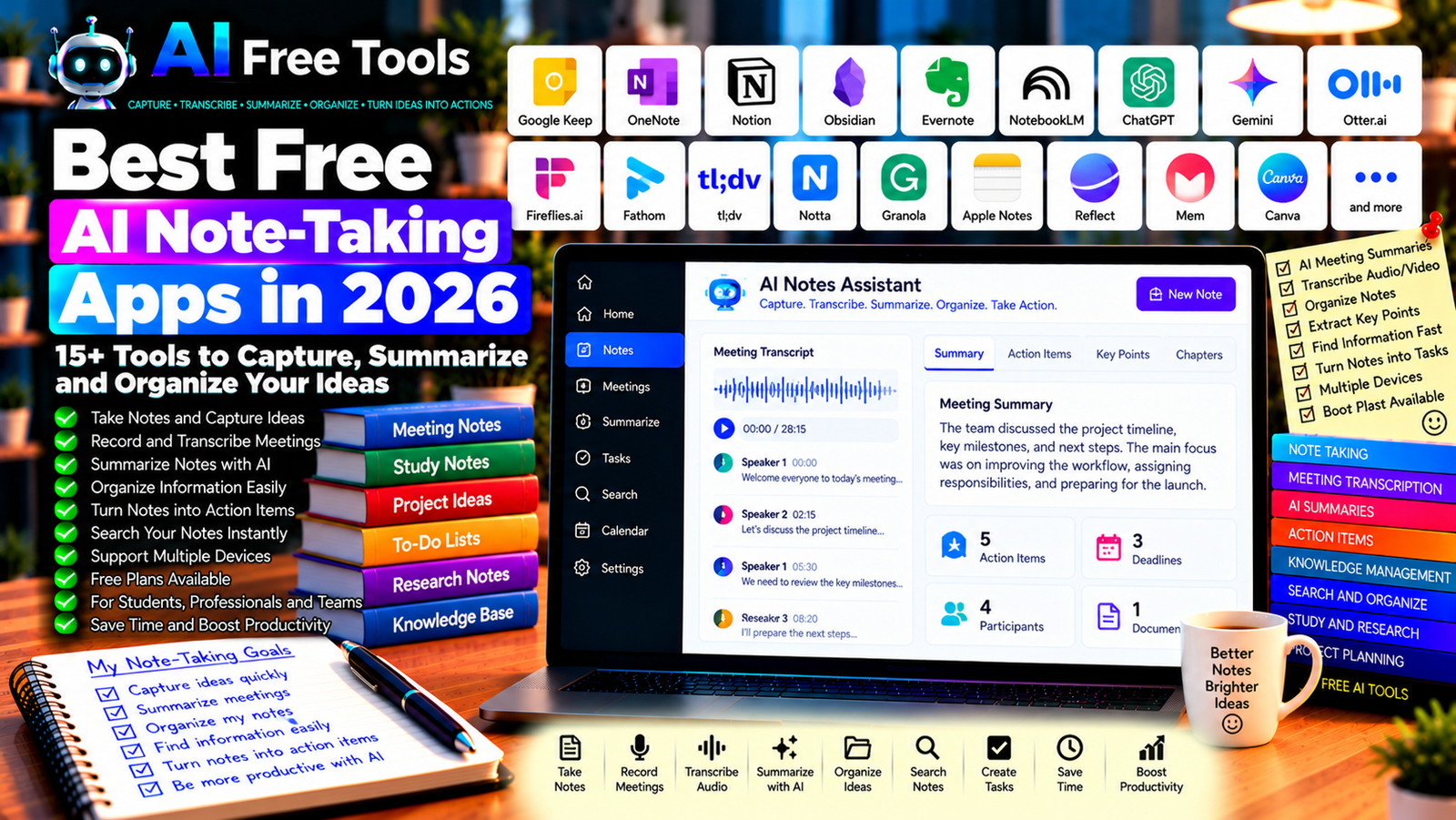
Best Free AI Note-Taking Apps in 2026: 15+ Tools to Organize Your Ideas
Free AI note-taking apps can help you capture ideas, organize information, summarize meetings, and turn scattered notes into useful action plans. Instead of manually rewriting every discussion or searching through pages of notes, you can use AI-assisted features to find important details and organize your work.
These apps are useful for students, professionals, freelancers, entrepreneurs, researchers, and remote teams. Some focus on traditional notes and knowledge management, while others specialize in meeting transcription, audio recording, automatic summaries, or AI-powered search.
In this guide, we compare 17 note-taking applications and AI assistants in 2026. You will discover what each tool does best, which free options are worth exploring, and how to choose an app for your daily workflow.
Important: Not every app listed here includes AI features in its free plan. Some are traditional note-taking tools that can be combined with AI assistants, while others limit transcription minutes, AI queries, storage, or meeting summaries. Check the current plan and privacy terms before relying on a tool for regular work.
Quick Comparison: Best Free AI Note-Taking Apps
| Tool | Best For | Free Access |
|---|---|---|
| Google Keep | Quick notes and reminders | Core features generally free |
| Microsoft OneNote | Organized notebooks | Core features available free |
| Notion | Notes, databases, and project organization | Free plan with limits |
| Obsidian | Local notes and knowledge management | Core app free for personal use |
| Evernote | Traditional note organization | Free access with restrictions |
| Google NotebookLM | Research notes and source summaries | Free access with limits |
| ChatGPT | Turning notes into summaries and action lists | Free tier with limits |
| Google Gemini | Summarizing and organizing information | Free tier with limits |
| Otter.ai | Meeting transcription and summaries | Free plan with limits |
| Fireflies.ai | Meeting notes and searchable transcripts | Free plan with limits |
| Fathom | Meeting recordings and summaries | Free plan; terms may change |
| tl;dv | Meeting recordings and highlights | Free plan with limits |
| Notta | Audio transcription and meeting notes | Free access with limits |
| Granola | AI-assisted meeting notes | Free access and limits may vary |
| Apple Notes | Notes across Apple devices | Core features generally free |
| Reflect | Connected notes and AI-assisted writing | Current pricing should be checked |
| Mem | AI-assisted note organization | Current free access should be checked |
1. Google Keep — Best for Quick Notes and Reminders
Google Keep is a simple note-taking service for capturing ideas, checklists, reminders, and short pieces of information. It is not primarily an AI note-taking app, but you can combine it with an AI assistant to organize or summarize notes when needed.
Best features:
- Capture short notes quickly.
- Create checklists and reminders.
- Organize notes with labels and colors.
- Access notes across supported devices.
- Share selected notes with others.
Free access: Core Google Keep features are generally free with a Google account.
Best for: Students, busy professionals, and anyone who needs a simple place to save quick ideas.
Official website: https://keep.google.com/
2. Microsoft OneNote — Best for Organized Digital Notebooks
Microsoft OneNote organizes information into notebooks, sections, and pages. It can be useful for class notes, project documentation, research, and personal knowledge management.
You can use an AI assistant separately to summarize your notes, create action items, or rewrite rough ideas into a more structured format.
Best features:
- Organize notes into notebooks and sections.
- Combine text, lists, and supported media.
- Search saved notes.
- Synchronize notes across supported devices.
- Work with eligible Microsoft applications.
Free access: OneNote is available free in supported versions. Storage, collaboration, and some Microsoft 365 AI features may depend on your account or subscription.
Best for: Students, office workers, and users who prefer a notebook-style structure.
Official website: https://www.onenote.com/
3. Notion — Best for Notes, Databases, and Projects
Notion combines note-taking with pages, databases, task management, and team documentation. It is useful when your notes need to connect to projects, calendars, content plans, or company information.
AI features can help with supported writing and summarization tasks, but access depends on the current plan.
Best features:
- Organize notes in pages and databases.
- Create task lists and project boards.
- Build a personal or team knowledge base.
- Connect notes with project workflows.
- Explore available AI writing and summarization features.
Free access: Notion offers a free plan with limits. AI features and usage may require a paid plan or be subject to specific restrictions.
Best for: Freelancers, students, creators, and teams that want notes and project management in one workspace.
Official website: https://www.notion.so/
4. Obsidian — Best for Personal Knowledge Management
Obsidian is a note-taking application built around local Markdown files and linked notes. It is particularly useful for building a personal knowledge base in which ideas, research, and project information connect to each other.
Obsidian does not require a built-in AI subscription to be useful. You can write notes locally and use a separate AI assistant to summarize or organize selected text.
Best features:
- Store notes as Markdown files.
- Link related notes together.
- Explore connections between ideas.
- Customize the workspace with supported plugins.
- Keep local control over your notes.
Free access: Obsidian’s core app is free for personal use. Optional services and some commercial uses may have separate terms.
Best for: Researchers, writers, developers, and people building a long-term knowledge base.
Official website: https://obsidian.md/
5. Evernote — Best for Traditional Note Organization
Evernote provides note-taking and information organization features, including search and tools for capturing information. It can be useful for collecting research, reference material, documents, and personal notes in one place.
Best features to investigate:
- Capture and organize notes.
- Search saved information.
- Store supported attachments.
- Use tags and notebooks.
- Explore available AI-related features.
Free access: Evernote has offered free access with restrictions, which can include device, usage, or feature limits. Check the current plan before moving a large note collection.
Best for: Users who want a traditional note-taking environment with search and organization tools.
Official website: https://evernote.com/
6. Google NotebookLM — Best for Research Notes and Source Summaries
Google NotebookLM is an AI research assistant that works with supported source materials. It is useful when your notes need to be grounded in documents, reports, articles, or other reference materials.
Instead of simply storing notes, you can ask questions about the sources you have added and use the answers to organize your research.
Best features:
- Summarize supported source documents.
- Ask questions about your sources.
- Organize research material.
- Generate study or briefing notes through supported features.
- Review source references where available.
Free access: NotebookLM offers free access with usage limits. Source limits, available features, and quotas may change.
Best for: Students, researchers, consultants, and professionals working with several documents.
Official website: https://notebooklm.google.com/
7. ChatGPT — Best for Turning Rough Notes into Action Plans
ChatGPT can transform unstructured notes into summaries, task lists, meeting minutes, project plans, or organized outlines. It is especially useful when your notes contain incomplete sentences, repeated ideas, or a mixture of decisions and questions.
Best features:
- Summarize pasted notes.
- Extract action items and deadlines.
- Organize ideas into headings.
- Rewrite notes into clear meeting minutes.
- Identify unanswered questions and follow-up tasks.
Free access: ChatGPT offers a free tier with usage and feature limits.
Best for: Entrepreneurs, freelancers, students, and professionals who want to turn raw notes into useful outputs.
Official website: https://chatgpt.com/
Example prompt:
“Organize these rough meeting notes into four sections: Summary, Decisions Made, Action Items, and Open Questions. For each action item, include the responsible person and deadline only if they are explicitly mentioned. Do not invent missing details. Highlight any unclear information that needs confirmation.”
8. Google Gemini — Best for Summarizing and Organizing Information
Google Gemini can help summarize notes, reorganize ideas, and produce structured outlines. Depending on the account and current integrations, it may also assist with eligible Google Workspace workflows.
Best features:
- Summarize notes and supported content.
- Organize ideas into categories.
- Create outlines and checklists.
- Rewrite rough notes into clear prose.
- Support eligible Google Workspace workflows.
Free access: Gemini offers a free tier with usage limits. Advanced capabilities and integrations depend on the current account and plan.
Best for: Students, professionals, and users who work with Google applications.
Official website: https://gemini.google.com/
9. Otter.ai — Best for Meeting Transcription
Otter.ai focuses on transcription and meeting notes. Its supported workflows can help users capture spoken discussions, generate transcripts, and review meeting summaries.
Best features to investigate:
- Transcribe supported meetings or audio.
- Generate meeting summaries.
- Search transcripts.
- Identify key discussion points.
- Extract action items where supported.
Free access: Otter.ai offers a free plan with restrictions, which may include transcription minutes, import limits, or feature availability. Check the current plan before recording frequent meetings.
Best for: Remote teams, students, journalists, and professionals who attend many meetings.
Official website: https://otter.ai/
10. Fireflies.ai — Best for Searchable Meeting Notes
Fireflies.ai is a meeting assistant that can record or process supported meetings, create transcripts, and help users search conversations. It may be useful when you need to revisit what was discussed across multiple calls.
Best features to investigate:
- Create meeting transcripts.
- Generate summaries.
- Search meeting conversations.
- Identify discussion topics and action items.
- Integrate with supported meeting and productivity applications.
Free access: Fireflies.ai offers a free plan with limits on storage, AI features, transcription, or integrations. Confirm current quotas and recording requirements before use.
Best for: Sales teams, project managers, consultants, and remote workers.
Official website: https://fireflies.ai/
11. Fathom — Best for Meeting Summaries
Fathom is an AI meeting assistant designed to help users capture and review online meetings. Supported features may include recordings, summaries, highlights, and action items.
Best features to investigate:
- Capture supported online meetings.
- Generate meeting summaries.
- Save important moments.
- Review transcripts or highlights where available.
- Share meeting information with teammates.
Free access: Fathom has offered a free plan, but features and limits can change. Check the current conditions and supported meeting platforms.
Best for: Professionals, consultants, salespeople, and teams that need meeting records.
Official website: https://fathom.video/
12. tl;dv — Best for Meeting Highlights and Team Collaboration
tl;dv is a meeting recording and note-taking tool that helps users review conversations and identify important moments. It can be useful when a full recording is too long to review manually.
Best features to investigate:
- Record supported online meetings.
- Generate transcripts and summaries.
- Find important discussion moments.
- Share clips or meeting notes where supported.
- Explore team collaboration and integrations.
Free access: tl;dv offers a free plan with restrictions that may apply to AI features, integrations, or advanced workflows. Verify the current limits.
Best for: Distributed teams, customer-facing professionals, and project managers.
Official website: https://tldv.io/
13. Notta — Best for Audio Transcription and Meeting Notes
Notta provides transcription and meeting-related tools for supported audio and video sources. It can help users convert spoken information into searchable text and summaries.
Best features to investigate:
- Transcribe supported audio and meetings.
- Generate summaries.
- Review searchable transcripts.
- Explore language support.
- Export or share notes through available features.
Free access: Notta offers free access with limits that may include transcription time, file length, or AI features. Check the current plan before processing large amounts of audio.
Best for: Students, journalists, researchers, and professionals who work with recordings.
Official website: https://www.notta.ai/
14. Granola — Best for AI-Assisted Meeting Notes
Granola is designed to help users take and organize notes during meetings, with AI assistance for turning notes into more complete summaries. Its workflow may differ from tools that rely on full meeting recordings or bot participants.
Best features to investigate:
- Capture personal meeting notes.
- Improve notes with AI assistance.
- Organize discussion summaries.
- Review action items and decisions.
- Check supported devices and meeting platforms.
Free access: Granola’s plan structure and AI usage limits may change. Check the current offer and privacy terms before using it for work meetings.
Best for: Professionals who want structured meeting notes with minimal manual effort.
Official website: https://www.granola.ai/
15. Apple Notes — Best for Notes Across Apple Devices
Apple Notes is a built-in note-taking application for supported Apple devices. It is useful for quick ideas, checklists, document scans, and personal organization. Some advanced AI-related features may depend on device compatibility, language, region, and software version.
Best features:
- Create notes and checklists.
- Organize information into folders.
- Search saved notes.
- Scan supported documents.
- Use available system-level writing features where supported.
Free access: Core Apple Notes functionality is included with supported Apple devices. Storage and certain AI features may depend on account settings, device compatibility, and other requirements.
Best for: iPhone, iPad, and Mac users who want a built-in notes application.
Official website: https://www.apple.com/notes/
16. Reflect — Best for Connected Notes
Reflect is a note-taking application focused on linking ideas and organizing personal knowledge. It may be useful for people who want to connect meeting notes, reading notes, and thoughts over time.
Best features to investigate:
- Organize connected notes.
- Link related ideas.
- Search personal notes.
- Explore AI-assisted writing or summarization.
- Check available integrations and synchronization options.
Free access: Reflect’s current pricing and trial arrangements should be verified directly before committing to the service.
Best for: Writers, researchers, and professionals who prefer a connected knowledge system.
Official website: https://reflect.app/
17. Mem — Best for AI-Assisted Note Organization
Mem has focused on AI-assisted note organization and retrieval. Its goal is to help users capture information and find relevant notes without relying entirely on a rigid folder structure.
Best features to investigate:
- Capture and organize notes.
- Search for relevant information.
- Explore AI-assisted retrieval.
- Connect ideas across notes.
- Review current integrations and export options.
Free access: Mem’s current availability, pricing, and AI features should be checked directly, as product plans can change.
Best for: Professionals and knowledge workers who accumulate many notes and want easier retrieval.
Official website: https://mem.ai/
How to Choose the Best Free AI Note-Taking App
The right app depends on whether you mainly capture quick ideas, manage research, organize projects, or record meetings.
| Your Main Goal | Recommended Starting Tools |
|---|---|
| Capture quick ideas and reminders | Google Keep or Apple Notes |
| Organize digital notebooks | OneNote |
| Connect notes with projects | Notion |
| Build a personal knowledge base | Obsidian |
| Summarize research documents | NotebookLM |
| Turn rough notes into action lists | ChatGPT or Gemini |
| Transcribe meetings | Otter.ai or Notta |
| Search meeting conversations | Fireflies.ai or tl;dv |
| Keep notes during meetings | Granola |
| Connect personal ideas | Reflect or Mem |
Best Free AI Note-Taking Apps for Students
Students often need to manage lecture notes, readings, assignments, and revision materials. OneNote and Google Keep are useful for capturing notes, while Notion can organize tasks and course information.
NotebookLM can help students explore supported reading materials and build study notes. ChatGPT or Gemini can also turn rough notes into flashcards, quizzes, or summaries.
Always verify generated study material against the original sources and follow your institution’s rules about AI-assisted work.
Best AI Note-Taking Apps for Business
Businesses can use note-taking apps to record meeting decisions, track project tasks, and organize customer or supplier information.
Notion and OneNote can help structure internal documentation. Meeting assistants such as Otter.ai, Fireflies.ai, Fathom, and tl;dv may help capture discussions and produce summaries, subject to their supported platforms and plans.
Before recording a meeting, ensure that recording is permitted and that participants receive any required notice or consent. Avoid placing confidential business information into tools that have not been approved for that purpose.
Best Note-Taking Apps for Research
Researchers often collect papers, links, observations, and notes from many sources. Obsidian can help connect ideas in a personal knowledge base, while NotebookLM can help explore a collection of supported source documents.
For research involving multiple references, record where each important claim came from. AI-generated notes can simplify a source, but they may omit qualifications or misinterpret a result.
How to Use AI to Organize Notes in Five Steps
Step 1: Capture Information Consistently
Choose a primary place for notes and use a simple structure. For meetings, include the date, topic, participants when appropriate, decisions, and follow-up tasks.
Step 2: Remove Unnecessary Clutter
Correct obvious transcription errors, remove duplicate notes, and separate unrelated topics. Clear source material generally produces more useful summaries.
Step 3: Ask AI to Structure the Notes
Request a summary, key points, decisions, action items, and unresolved questions. Tell the assistant not to invent names, deadlines, or commitments that are missing from the notes.
Step 4: Verify Important Details
Check names, dates, numbers, decisions, and deadlines against the original notes or recording. If a transcript is inaccurate, correct it before treating the summary as authoritative.
Step 5: Save the Result in Your Note System
Place the cleaned summary in your chosen app, add relevant tags or links, and assign tasks through your normal workflow. Avoid storing the same information in many disconnected locations.
Example AI Prompt for Meeting Notes
Copy and adapt this prompt:
“Turn these rough meeting notes into a clear record with the following sections: Meeting Summary, Decisions, Action Items, Deadlines, and Open Questions. Only include a person’s name or deadline when it appears in the notes. Do not invent missing details. Mark unclear statements for review and keep the summary concise.”
Are Free AI Note-Taking Apps Worth Using?
Yes. They can reduce the time spent rewriting notes, searching through meeting records, and organizing scattered ideas.
For simple note capture, start with Google Keep, Apple Notes, or OneNote. For project organization, explore Notion. For personal knowledge management, consider Obsidian. For research, NotebookLM can help you work with supported source materials. For meetings, compare Otter.ai, Fireflies.ai, Fathom, and other transcription tools.
The best option is not necessarily the one with the most AI features. Choose a tool that fits your workflow, lets you find information easily, and offers appropriate privacy and export options.
Are AI Note-Taking Apps Safe for Confidential Information?
Notes may contain customer information, meeting discussions, financial figures, project plans, or personal details. Meeting assistants may also process recordings and transcripts, making privacy especially important.
Review the provider’s data-retention practices, privacy policy, access controls, and AI data-use terms. For recordings, follow applicable laws and workplace policies. Use approved tools for sensitive information and avoid collecting data that is not necessary.
Frequently Asked Questions
What is the best free AI note-taking app in 2026?
The best choice depends on the task. Google Keep is useful for quick notes, OneNote for notebooks, Notion for project organization, Obsidian for connected knowledge, and NotebookLM for source-based research. Meeting assistants such as Otter.ai and Fireflies.ai are worth exploring for transcription, subject to their free-plan limits.
Can AI automatically summarize meetings?
Some meeting assistants can generate summaries and action items from supported recordings or transcripts. Accuracy depends on audio quality, speaker clarity, language support, and the tool’s capabilities. Verify decisions and deadlines before sharing the summary.
Can I use AI to organize handwritten notes?
Some tools can process supported images or scanned documents, but handwriting recognition varies. You may need to scan the notes, extract text with OCR, and correct recognition errors before asking AI to summarize them.
Are free AI note-taking apps really free?
Many apps offer free core features, but AI summaries, meeting transcription, storage, integrations, and advanced search may have usage limits or require a paid plan. Review the current terms before relying on a tool for daily work.
Which note-taking app is best for students?
OneNote, Google Keep, and Notion are practical starting points for organizing classes and assignments. NotebookLM can help analyze supported study materials. Choose based on how you prefer to organize notes and check your institution’s AI policy.
Can AI note-taking apps work offline?
Some traditional note-taking apps support offline use, but cloud-based AI features generally require an internet connection. Offline availability and synchronization depend on the application, device, and subscription.
Do AI meeting assistants record everyone automatically?
Capabilities differ by tool and meeting platform. Some assistants use a meeting bot, while others rely on local or personal note-taking workflows. Check the recording behavior, permissions, and consent requirements before use.
Final Verdict
The best free AI note-taking apps in 2026 can help you capture ideas, summarize meetings, organize research, and turn information into useful tasks.
For quick notes, start with Google Keep or Apple Notes. For structured notebooks, try OneNote. For projects and documentation, explore Notion. For personal knowledge management, consider Obsidian. For research, investigate NotebookLM, and for meeting transcription, compare Otter.ai, Fireflies.ai, and Notta.
Check free-plan limits, privacy settings, and export options before committing to a tool. Most importantly, verify AI-generated summaries against the original notes whenever decisions, deadlines, or important facts are involved.
Explore more guides on AI Free Tools:
Leave a Reply