
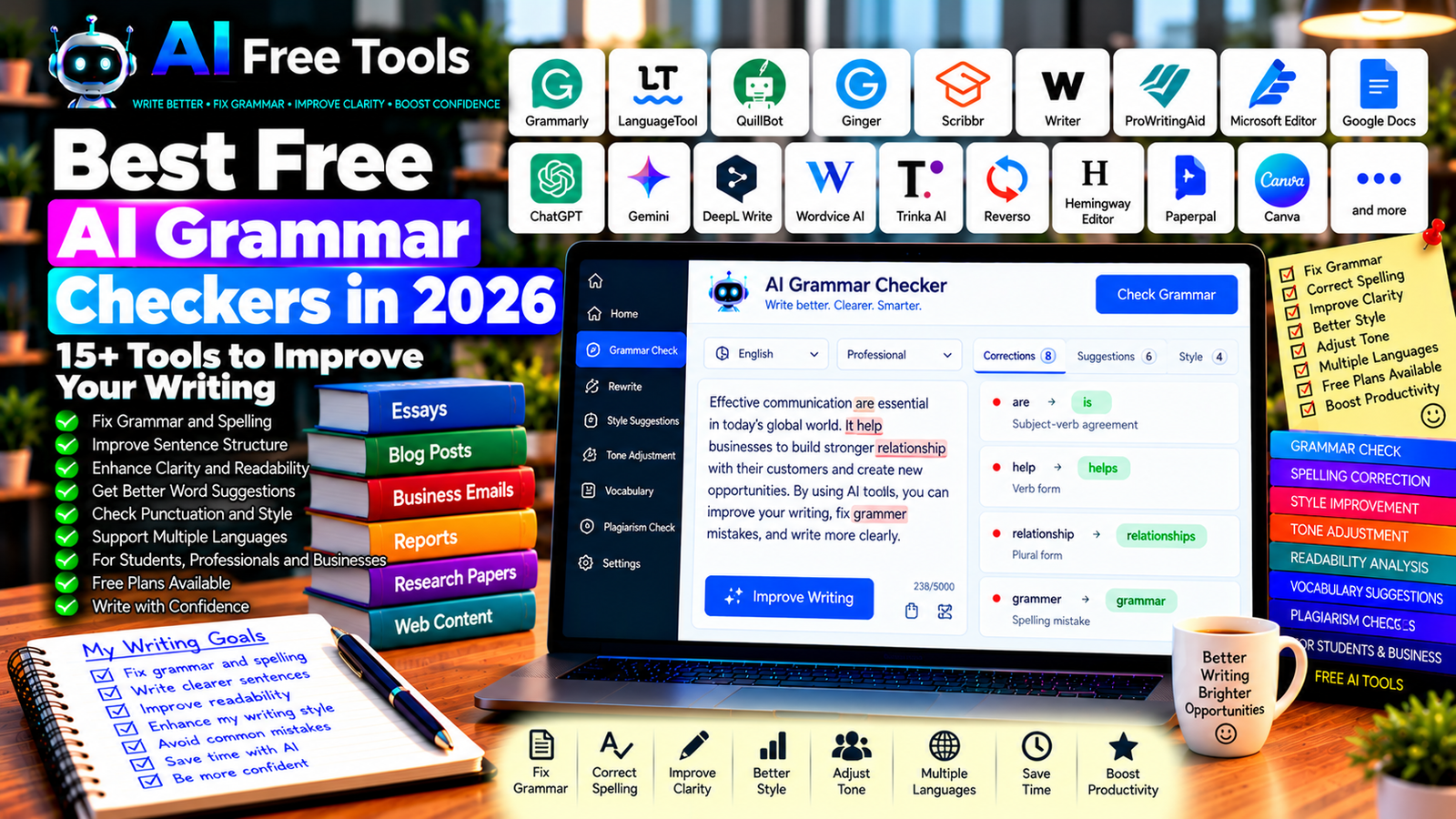
Best Free AI Grammar Checkers in 2026: 15+ Tools to Improve Your Writing
Free AI grammar checkers can help you correct spelling mistakes, improve punctuation, identify awkward sentences, and make your writing clearer. Whether you are preparing a business email, writing a blog post, completing an assignment, or editing website content, these tools can help you catch errors before publishing.
Modern writing assistants do more than identify basic grammatical mistakes. Depending on the tool, they can suggest clearer wording, adjust tone, improve sentence structure, and help you maintain a consistent writing style. Some work directly in your browser, while others integrate with word processors or offer dedicated editing applications.
In this guide, we compare 17 grammar checkers and AI writing assistants in 2026. You will learn what each tool is best for, how to evaluate its free features, and how to choose the right option for your writing needs.
Important: Free plans, language support, word limits, and advanced AI features can change. Some tools offer free grammar correction but reserve tone suggestions, plagiarism checking, or advanced rewriting for paid plans. Check current terms before choosing a tool for regular professional use.
Quick Comparison: Best Free AI Grammar Checkers
| Tool | Best For | Free Access |
|---|---|---|
| Grammarly | Everyday English grammar and spelling | Free plan with limits |
| LanguageTool | Multilingual grammar and spelling | Free plan with limits |
| QuillBot Grammar Checker | Quick grammar corrections | Free features available |
| Ginger | Grammar and sentence correction | Free access with restrictions |
| Scribbr Grammar Checker | Academic proofreading | Free checking options |
| Writer | Business writing consistency | Current free access may vary |
| ProWritingAid | Detailed writing feedback | Free usage limits |
| Microsoft Editor | Writing in Microsoft applications | Basic features available |
| Google Docs | Grammar and spelling in documents | Core features generally free |
| ChatGPT | Grammar explanations and rewriting | Free tier with limits |
| Google Gemini | Editing and improving text | Free tier with limits |
| DeepL Write | Improving clarity and phrasing | Free access with limits |
| Wordvice AI | Academic and professional editing | Free access or limits vary |
| Trinka AI | Academic and technical writing | Free access with restrictions |
| Reverso | Grammar, context, and language learning | Free features with restrictions |
| Hemingway Editor | Readability and sentence clarity | Free web editor; AI features vary |
| Paperpal | Academic writing assistance | Free access with limits |
1. Grammarly — Best for Everyday English Writing
Grammarly is a widely used writing assistant that checks grammar, spelling, punctuation, and aspects of clarity. It can help improve emails, documents, messages, and online content.
Depending on the application and plan, Grammarly may also suggest alternative wording or help adjust the tone of a message.
Best features:
- Detect spelling and grammar mistakes.
- Suggest punctuation corrections.
- Identify some unclear or wordy sentences.
- Help improve writing clarity.
- Work through supported browser extensions and applications.
Free access: Grammarly offers a free plan with core writing corrections. Advanced suggestions and some AI features may require a paid subscription.
Best for: Students, professionals, bloggers, and anyone who writes frequently in English.
Official website: https://www.grammarly.com/
2. LanguageTool — Best for Multilingual Grammar Checking
LanguageTool checks spelling, grammar, punctuation, and style in multiple languages. It is useful for people who write in more than one language and want a single tool for different documents.
Best features:
- Check grammar and spelling in supported languages.
- Detect punctuation errors.
- Suggest style improvements.
- Use browser extensions and supported editors.
- Explore options for personal dictionaries and writing preferences.
Free access: LanguageTool offers a free version with restrictions on text length and advanced suggestions. Premium features may provide more detailed corrections.
Best for: Multilingual writers, students, freelancers, and professionals.
Official website: https://languagetool.org/
3. QuillBot Grammar Checker — Best for Quick Corrections
QuillBot provides a grammar checker alongside writing tools such as paraphrasing and summarization. You can paste text into the checker to identify errors and review suggested corrections.
Best features:
- Check grammar and spelling.
- Correct punctuation.
- Review suggested edits.
- Use related writing tools.
- Improve text before rewriting or paraphrasing.
Free access: QuillBot provides free grammar-checking features, while other tools and usage allowances may have limits.
Best for: Students, bloggers, and people who want a simple editing workflow.
Official website: https://quillbot.com/grammar-check
4. Ginger — Best for Sentence Correction
Ginger is a writing assistant focused on grammar correction, spelling, and sentence improvement. Its tools can help identify errors and suggest alternative wording for clearer writing.
Best features to investigate:
- Correct grammar and spelling.
- Review sentence structure.
- Explore rephrasing suggestions.
- Check available browser and desktop support.
- Use supported language-learning features.
Free access: Ginger offers access options with restrictions that may apply to correction limits and advanced features. Check current pricing before relying on it for extensive editing.
Best for: English learners, students, and users who want help improving sentence structure.
Official website: https://www.gingersoftware.com/
5. Scribbr Grammar Checker — Best for Academic Proofreading
Scribbr provides academic writing resources and proofreading tools, including grammar-checking options. It can be useful when reviewing essays, reports, and other formal documents.
Best features to investigate:
- Check spelling and grammar.
- Review punctuation and sentence structure.
- Identify errors in academic writing.
- Explore citation and proofreading resources.
- Improve clarity before submitting a document.
Free access: Scribbr offers free checking options, but advanced proofreading services and other features may have separate costs or limitations.
Best for: Students, researchers, and academic writers.
Official website: https://www.scribbr.com/
6. Writer — Best for Business Writing Consistency
Writer provides writing assistance and style-related tools designed for professional and business communication. Depending on the current product and plan, it can help teams maintain consistent terminology and writing standards.
Best features to investigate:
- Review grammar and wording.
- Apply style and terminology guidance.
- Support consistent brand communication.
- Explore team writing workflows.
- Check available AI editing features.
Free access: Writer’s available plans and features can change. Verify current free access, trial conditions, and team requirements before choosing it.
Best for: Businesses, marketing teams, and organizations with formal writing guidelines.
Official website: https://writer.com/
7. ProWritingAid — Best for Detailed Writing Feedback
ProWritingAid offers writing analysis tools that go beyond basic grammar correction. It can help identify repeated words, readability problems, sentence-length patterns, and other issues affecting a longer piece of writing.
Best features:
- Check grammar and spelling.
- Identify repeated words and phrases.
- Review readability and sentence structure.
- Explore style reports.
- Edit longer documents through supported integrations.
Free access: ProWritingAid offers free access with usage restrictions. Advanced reports, larger documents, and other features may require payment.
Best for: Bloggers, authors, editors, and writers working on long-form content.
Official website: https://prowritingaid.com/
8. Microsoft Editor — Best for Microsoft Office Users
Microsoft Editor provides spelling, grammar, and writing assistance through supported Microsoft applications and browser workflows.
It can be a convenient option if you already use Microsoft Word, Outlook, or other compatible products.
Best features:
- Check spelling and grammar.
- Review punctuation.
- Improve clarity in supported applications.
- Receive writing suggestions while editing.
- Explore additional features included with eligible Microsoft subscriptions.
Free access: Basic Editor capabilities are available in supported Microsoft workflows, while advanced suggestions may depend on your subscription and application.
Best for: Office workers, students, and professionals using Microsoft applications.
Official website: https://www.microsoft.com/microsoft-365
9. Google Docs — Best for Free Document Editing
Google Docs includes spelling and grammar tools that help users correct common writing errors. It is not exclusively an AI grammar checker, but it provides a convenient editing environment for documents and collaborative writing.
Best features:
- Check spelling and grammar.
- Edit documents online.
- Collaborate with other users.
- Suggest and review edits.
- Explore eligible AI writing assistance where available.
Free access: Core Google Docs features are generally free with a Google account. Advanced AI capabilities may depend on the current account and plan.
Best for: Students, teams, and users who want a free online writing environment.
Official website: https://docs.google.com/
10. ChatGPT — Best for Grammar Explanations and Rewriting
ChatGPT can correct grammar, explain why a sentence is incorrect, and rewrite text in a specified tone. It is especially useful when you want to understand a mistake rather than simply accept an automatic correction.
You can ask it to preserve your meaning, make a paragraph more professional, or identify errors without rewriting the entire document.
Best features:
- Correct grammar and punctuation.
- Explain individual mistakes.
- Improve sentence clarity.
- Adapt tone for different audiences.
- Suggest alternative versions of a paragraph.
Free access: ChatGPT offers a free tier with usage and feature limits.
Best for: Students, professionals, bloggers, and non-native English writers.
Official website: https://chatgpt.com/
Example prompt:
“Correct the grammar, spelling, and punctuation in the text below. Preserve my original meaning and writing style. Do not add new information. First provide the corrected version, then list the most important mistakes and briefly explain how to avoid them.”
11. Google Gemini — Best for Editing and Improving Text
Google Gemini can help review written content, correct grammatical errors, and suggest clearer ways to express an idea. You can specify the target audience and tone to make the result more appropriate for your purpose.
Best features:
- Review grammar and spelling.
- Rewrite unclear sentences.
- Adjust tone and formality.
- Explain difficult language choices.
- Support eligible Google Workspace workflows.
Free access: Gemini offers a free tier with usage limits. Advanced capabilities and integrations depend on the current account and plan.
Best for: Students, office workers, and writers who want editing support alongside other AI tasks.
Official website: https://gemini.google.com/
12. DeepL Write — Best for Natural Phrasing
DeepL Write focuses on improving written text, including wording, grammar, and style. It can be useful when a sentence is grammatically correct but sounds awkward or unnatural.
Best features:
- Suggest alternative phrasing.
- Improve clarity and fluency.
- Review grammar and punctuation.
- Explore tone and style options where supported.
- Work with supported languages.
Free access: DeepL Write offers free access with limits that may apply to text length or available features. Advanced usage may require a paid plan.
Best for: Professionals, writers, and people editing text in supported languages.
Official website: https://www.deepl.com/write
13. Wordvice AI — Best for Academic and Professional Editing
Wordvice AI offers writing tools for proofreading and improving text. It can be useful for reviewing formal documents, research writing, and professional communication.
Best features to investigate:
- Check grammar and spelling.
- Improve sentence clarity.
- Review academic wording.
- Explore paraphrasing and proofreading tools.
- Check supported languages and text limits.
Free access: Wordvice AI provides access options with possible usage limits. Verify current features and pricing before editing large documents.
Best for: Students, researchers, and professionals who need polished writing.
Official website: https://wordvice.ai/
14. Trinka AI — Best for Academic and Technical Writing
Trinka AI focuses on grammar and language improvement for academic, technical, and formal writing. It may be useful when ordinary grammar checkers do not provide enough guidance for specialized documents.
Best features to investigate:
- Review grammar in formal writing.
- Identify language issues in academic text.
- Improve technical phrasing.
- Check consistency and style.
- Explore supported document and browser integrations.
Free access: Trinka offers free access options with limits. Advanced checks, document processing, and other capabilities may require payment.
Best for: Researchers, academics, technical writers, and students.
Official website: https://www.trinka.ai/
15. Reverso — Best for Grammar and Language Learning
Reverso combines translation, contextual examples, and language-learning resources. It can help users understand how words and expressions work in real sentences, making it useful when learning a language or checking unfamiliar phrasing.
Best features:
- Explore translations in context.
- Review example sentences.
- Check conjugations and grammar-related information.
- Build vocabulary.
- Compare alternative expressions.
Free access: Reverso offers free features, with certain advanced tools or usage allowances subject to restrictions.
Best for: Language learners, students, and multilingual writers.
Official website: https://www.reverso.net/
16. Hemingway Editor — Best for Readability and Clarity
Hemingway Editor focuses on readability rather than traditional grammar correction alone. It highlights complex sentences, excessive adverbs, and other writing patterns that may make a text difficult to read.
Best features:
- Highlight complex sentences.
- Identify passive voice in supported analysis.
- Improve readability.
- Reduce unnecessary words.
- Help make paragraphs more direct.
Free access: The web editor has offered free readability analysis, while desktop and AI-related features may have different pricing or availability.
Best for: Bloggers, content writers, marketers, and anyone who wants clearer prose.
Official website: https://hemingwayapp.com/
17. Paperpal — Best for Academic Writing Assistance
Paperpal focuses on academic writing and can help users improve grammar, clarity, and formal expression. It may be useful when preparing research papers, essays, and manuscripts.
Best features to investigate:
- Review academic grammar and language.
- Improve sentence clarity.
- Suggest formal wording.
- Explore academic writing support.
- Check available citation or research-related features.
Free access: Paperpal offers free features with possible limits on editing and AI usage. Advanced capabilities may require a paid plan.
Best for: Researchers, university students, and academic writers.
Official website: https://paperpal.com/
How to Choose the Best Free AI Grammar Checker
The right tool depends on the type of text you write and how much feedback you need.
| Your Main Goal | Recommended Starting Tools |
|---|---|
| Correct everyday English | Grammarly or QuillBot |
| Check multiple languages | LanguageTool |
| Improve natural phrasing | DeepL Write |
| Understand grammar mistakes | ChatGPT or Gemini |
| Edit long-form writing | ProWritingAid |
| Improve readability | Hemingway Editor |
| Proofread academic papers | Scribbr, Trinka AI, or Paperpal |
| Edit documents in Microsoft applications | Microsoft Editor |
| Collaborate on documents | Google Docs |
Best Free AI Grammar Checkers for Students
Students can use grammar checkers to identify spelling mistakes, improve sentence structure, and make essays easier to understand.
LanguageTool, Grammarly, QuillBot, and Google Docs are useful starting points. For academic writing, Scribbr, Trinka AI, and Paperpal may provide more specialized assistance.
Always check your institution’s rules on AI use. Grammar correction is not the same as generating an assignment, and you should ensure that the final work reflects your own understanding and follows the applicable academic guidelines.
Best AI Grammar Checkers for Bloggers
Bloggers need clear, readable content that is easy to scan on a screen. Grammarly and LanguageTool can help catch common mistakes, while Hemingway Editor and ProWritingAid can help improve readability and sentence flow.
For an article intended for search engines, check more than grammar. Make sure the content answers the reader’s question, uses descriptive headings, provides accurate information, and avoids repetitive paragraphs.
You can also consult our guide to Best Free AI Writing Tools for tools that help with drafting and editing content.
Best Grammar Checkers for Business Emails
Business emails should be correct, concise, and appropriate for the recipient. Grammarly, Microsoft Editor, DeepL Write, and ChatGPT can help you improve clarity and formality.
Before sending a message, verify names, dates, prices, attachments, and commitments. An email can be grammatically perfect and still contain a serious factual mistake.
How to Use an AI Grammar Checker in Five Steps
Step 1: Choose Your Tool
Select a checker that supports your language and the type of document you are editing. If you write in several languages, confirm that the tool supports the specific language pair or language variety you need.
Step 2: Paste or Open Your Text
Enter your text in the checker or use its supported browser extension or editor integration. Avoid uploading confidential documents to services that have not been approved for your work.
Step 3: Review the Suggestions
Do not automatically accept every change. Some tools may alter the meaning, remove necessary technical terms, or change your writing style.
Step 4: Check Meaning and Tone
Read the corrected version from beginning to end. Confirm that the wording is natural, the intended tone is preserved, and the text still communicates your original message.
Step 5: Proofread the Final Version
Check names, dates, numbers, links, quotations, and formatting. For important academic or professional documents, consider a second review by a qualified human editor.
Example AI Prompt for Grammar Correction
Copy and adapt this prompt:
“Proofread the following text for grammar, spelling, punctuation, and clarity. Preserve my meaning, tone, terminology, and level of formality. Do not add facts or rewrite correct sentences unnecessarily. Return the corrected text first, followed by a short list of significant changes. If a sentence is ambiguous, flag it instead of guessing.”
Are Free AI Grammar Checkers Worth Using?
Yes. Free grammar checkers can catch common errors and make writing easier to understand. They are particularly useful for emails, blog articles, assignments, reports, and everyday professional communication.
For general English correction, start with Grammarly, LanguageTool, or QuillBot. For natural phrasing, explore DeepL Write. For readability, try Hemingway Editor. For academic documents, compare Trinka AI, Paperpal, and Scribbr.
However, automated correction is not a substitute for careful editing. A tool may overlook an error, suggest an inappropriate change, or alter the meaning of a sentence. Review every important correction before publishing or sending your text.
Are AI Grammar Checkers Safe for Confidential Writing?
Grammar checkers may process your text on external servers, depending on the tool and how you use it. Your documents might contain client information, internal business plans, personal data, or unpublished research.
Before submitting sensitive content, review the provider’s privacy policy, data-retention rules, and terms of use. For confidential work, use a tool approved by your organization and remove information that is not needed for proofreading.
Frequently Asked Questions
What is the best free AI grammar checker in 2026?
The best option depends on your needs. Grammarly and QuillBot are worth trying for everyday English, LanguageTool is useful for multilingual writing, DeepL Write helps improve phrasing, and Hemingway Editor focuses on readability. Check current free-plan restrictions before choosing.
Are free AI grammar checkers accurate?
They can catch many common spelling, grammar, and punctuation mistakes, but they are not perfect. They may miss contextual errors or suggest changes that alter your meaning. Review important edits before using the final text.
Can AI grammar checkers correct text in multiple languages?
Some tools support multiple languages, including LanguageTool and Reverso. Language coverage and correction quality vary. Test the checker with your language and writing style before relying on it for a large project.
Is Grammarly better than LanguageTool?
Neither tool is best for every situation. Grammarly is popular for English writing assistance, while LanguageTool supports a broad range of languages. Compare their free features using a sample of your own writing.
Can I use a grammar checker for academic papers?
Yes, grammar checkers can help identify language errors in academic writing. However, follow your institution’s AI policy, preserve the accuracy of citations and research claims, and do not allow the tool to change the meaning of your findings.
Can AI improve readability as well as grammar?
Yes. Some tools identify long sentences, wordiness, passive constructions, and unclear wording. Hemingway Editor and ProWritingAid are worth exploring for readability and style, while grammar checkers can help with correctness.
Do I need to pay for an AI grammar checker?
Not necessarily. Free versions are often sufficient for occasional proofreading. Paid plans may offer longer text limits, more detailed feedback, advanced rewriting, or additional integrations. Choose a paid plan only if you regularly need those features.
Final Verdict
The best free AI grammar checkers in 2026 can help you write more clearly, catch mistakes, and reduce the time spent proofreading.
For everyday English, start with Grammarly or QuillBot. For multilingual writing, try LanguageTool. For natural phrasing, explore DeepL Write. For readability, consider Hemingway Editor. For academic writing, compare Scribbr, Trinka AI, and Paperpal.
Choose a tool that fits your language, writing style, and free-plan requirements. Review suggested edits carefully, preserve your intended meaning, and proofread the final version before publishing or sending it.
Explore more guides on AI Free Tools:
Leave a Reply