
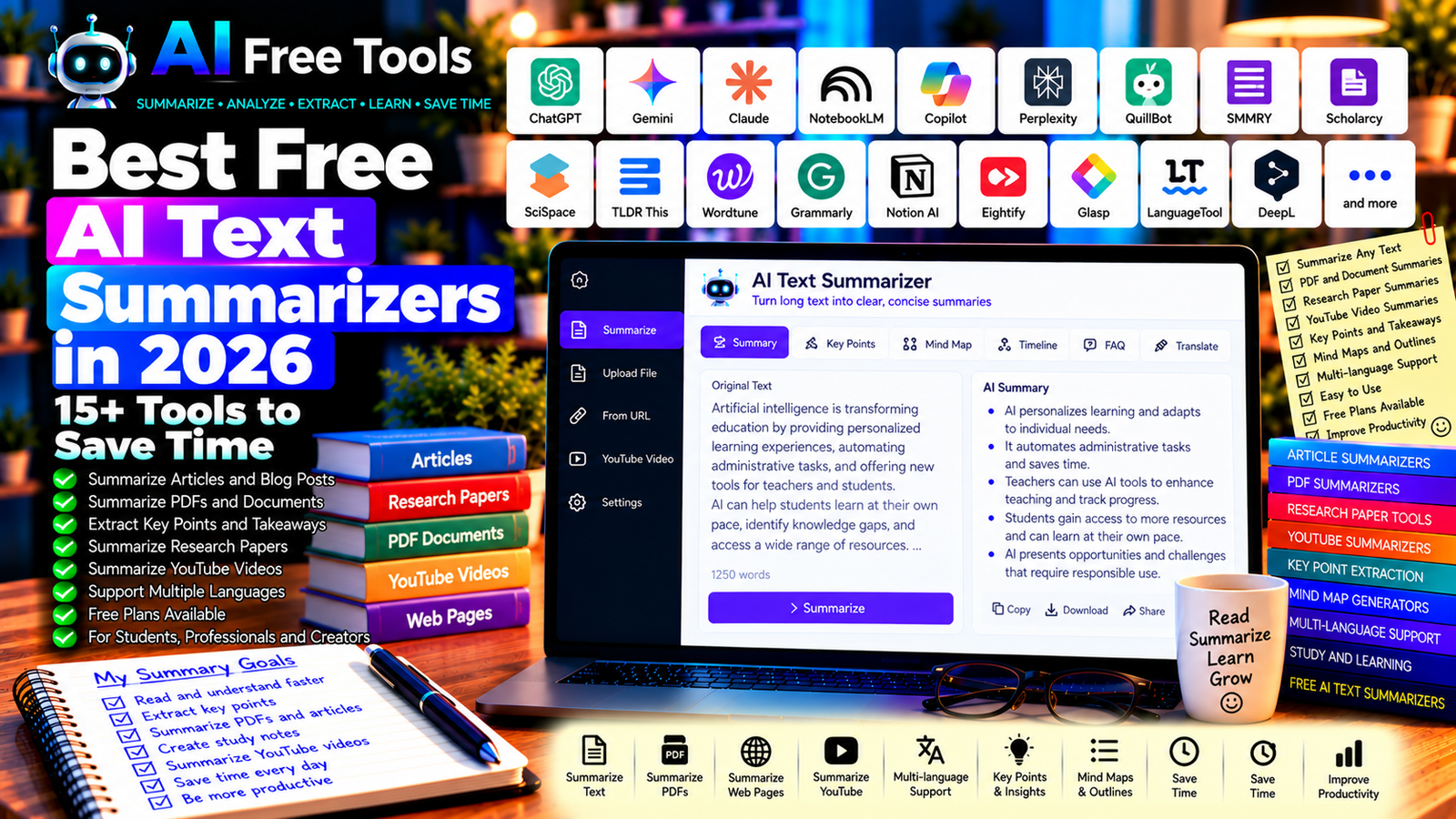
Best Free AI Text Summarizers in 2026: 15+ Tools to Save Time
Free AI text summarizers can help you understand long articles, research papers, reports, and documents without reading every sentence at once. They identify important ideas and present them in a shorter format, making it easier to review information, prepare notes, and organize research.
Students can use summarizers to review course materials, professionals can extract key points from reports, and content creators can quickly understand background information before writing. Some tools summarize pasted text, while others can work with supported documents, web pages, videos, or collections of sources.
In this guide, we compare 17 AI assistants and summarization tools in 2026. You will learn what each tool does, which free options are worth trying, and how to choose a summarizer for your particular workflow.
Important: Not every tool listed here is a dedicated text summarizer. Some are general-purpose AI assistants, research tools, or writing applications with summarization capabilities. Free plans may restrict document size, file uploads, daily usage, or advanced features. Check the current terms before choosing a tool.
Quick Comparison: Best Free AI Text Summarizers
| Tool | Best For | Free Access |
|---|---|---|
| ChatGPT | Custom summaries and explanations | Free tier with limits |
| Google Gemini | Summarizing text and supported documents | Free tier with limits |
| Claude | Long-form text and document analysis | Free tier with limits |
| Google NotebookLM | Summarizing collections of sources | Free access with limits |
| Microsoft Copilot | Summarizing information and web content | Free access with limits |
| Perplexity | Research summaries with source discovery | Free tier with limits |
| QuillBot Summarizer | Shortening pasted text | Free use with limits |
| SMMRY | Simple text summarization | Free access may be available |
| Scholarcy | Research papers and academic reading | Free features with restrictions |
| SciSpace | Understanding scientific papers | Free features with limits |
| TLDR This | Summarizing articles and web pages | Free features and limits vary |
| Wordtune | Summarizing and rewriting text | Free tier with limits |
| Grammarly | Summarizing and improving writing | Free and paid features vary |
| Notion AI | Summarizing notes and workspace content | AI access depends on plan |
| SummarizeBot | Text and supported content summaries | Availability and limits vary |
| Eightify | Summarizing supported YouTube videos | Free access and limits vary |
| Glasp | YouTube summaries and learning notes | Free features; limits may apply |
1. ChatGPT — Best for Custom Text Summaries
ChatGPT can summarize articles, reports, notes, and other text according to your preferred length and format. You can request a short overview, a detailed outline, bullet points, or a list of the most important facts.
It can also explain difficult concepts after producing the summary. For important documents, ask it to distinguish information explicitly stated in the source from interpretation or additional context.
Best features:
- Summarize long passages into shorter text.
- Extract main arguments and key takeaways.
- Create bullet-point notes and outlines.
- Adjust summaries for different audiences.
- Explain difficult ideas in simpler language.
Free access: ChatGPT offers a free tier with usage and feature limits. File uploads and other advanced capabilities may be restricted.
Best for: Students, professionals, researchers, and content creators.
Official website: https://chatgpt.com/
Example prompt:
“Summarize the following text in 10 concise bullet points. Preserve the main arguments, important facts, names, dates, and numerical information. Do not introduce information that is not in the original. After the summary, list three important details that a reader should not overlook. Text: [PASTE TEXT].”
2. Google Gemini — Best for Summarizing Text and Documents
Google Gemini can help condense information, identify major themes, and explain the contents of supplied material. Depending on current capabilities and account settings, it can also work with supported files and Google productivity workflows.
Best features:
- Summarize supplied text.
- Extract key points and action items.
- Organize information by topic.
- Explain complex passages.
- Work with supported files and integrations.
Free access: Gemini offers a free tier with usage limits. File support, advanced models, and integrations depend on the current account and plan.
Best for: Students, office workers, and users who want summaries with additional explanations.
Official website: https://gemini.google.com/
3. Claude — Best for Detailed Summaries
Claude can help analyze long passages and summarize complex material. It is useful when you need a structured overview of an article, report, or supported document rather than a simple one-sentence summary.
Best features:
- Produce structured summaries.
- Extract arguments and supporting evidence.
- Organize lengthy material into sections.
- Compare themes across supplied text.
- Identify questions that require further investigation.
Free access: Claude offers a free tier with usage limits. The amount of text you can process and available features depend on the current plan and account.
Best for: Researchers, writers, students, and professionals reviewing lengthy documents.
Official website: https://claude.ai/
4. Google NotebookLM — Best for Summarizing Multiple Sources
Google NotebookLM is an AI research assistant that works with supported source materials. It can help summarize a collection of documents and answer questions based on those sources.
This is particularly useful when you need to understand several readings about the same subject instead of summarizing each one separately.
Best features:
- Summarize supported source documents.
- Ask questions about supplied sources.
- Organize information from multiple materials.
- Generate study-oriented notes using available features.
- Trace answers back to source references where supported.
Free access: NotebookLM offers free access with usage limits. Supported sources, quotas, and features can change.
Best for: Students, researchers, and professionals working with multiple documents.
Official website: https://notebooklm.google.com/
5. Microsoft Copilot — Best for Everyday Summaries
Microsoft Copilot can help condense information, explain unfamiliar topics, and summarize supported content. It can be useful for quickly understanding a long passage before deciding whether to read it in full.
Best features:
- Summarize supplied text.
- Extract important points.
- Organize information into lists.
- Explain complicated passages.
- Support eligible Microsoft productivity workflows.
Free access: Copilot offers free access options, but usage limits and available features may change.
Best for: Students, professionals, and users working with Microsoft services.
Official website: https://copilot.microsoft.com/
6. Perplexity — Best for Research Summaries
Perplexity is an AI-powered search and research tool that can help summarize information discovered online. It is useful when you want a quick overview of a topic alongside links to potential sources.
Best features:
- Explore topics through web search.
- Summarize information from available sources.
- Discover sources for further reading.
- Compare explanations from different pages.
- Ask follow-up questions about a subject.
Free access: Perplexity offers a free tier with limits on certain searches and advanced features.
Best for: Researchers, students, and writers who need a starting point for further investigation.
Official website: https://www.perplexity.ai/
Important: Open the original sources and verify that they support the summary. A generated overview should not replace source checking.
7. QuillBot Summarizer — Best for Shortening Pasted Text
QuillBot provides writing tools, including summarization features designed to condense text. It can be useful when you want to turn a long passage into a shorter version while retaining its central ideas.
Best features:
- Summarize supplied text.
- Create shorter overviews.
- Review key information.
- Use related paraphrasing and grammar tools.
- Refine text as part of a writing workflow.
Free access: QuillBot offers free tools with limits on certain features and text length. Check the current limits before processing lengthy material.
Best for: Students, writers, and people who regularly work with articles and notes.
Official website: https://quillbot.com/
8. SMMRY — Best for Simple Text Summarization
SMMRY has been known as a straightforward summarization service focused on reducing text to its main ideas. It is worth checking if you want a simple workflow without the broader capabilities of a conversational AI assistant.
Best features to investigate:
- Condense supplied text.
- Produce shorter summaries.
- Focus on main ideas.
- Use a simple summarization workflow.
- Review the result before reusing it.
Free access: Current availability, limits, and features should be verified directly because lightweight web tools can change over time.
Best for: Users who want a basic summary rather than an extended conversation with AI.
Official website: https://smmry.com/
9. Scholarcy — Best for Academic Papers
Scholarcy focuses on helping readers process research papers and academic material. Its features may include structured summaries and extraction of important information from supported documents.
Best features to investigate:
- Summarize research papers.
- Extract key points from academic text.
- Organize information for literature reviews.
- Identify important sections of a paper.
- Create study or research notes using available features.
Free access: Scholarcy offers limited free features, with other functions potentially requiring a subscription.
Best for: University students, researchers, and readers of academic literature.
Official website: https://www.scholarcy.com/
10. SciSpace — Best for Understanding Scientific Research
SciSpace provides tools designed to help users explore scientific papers and research literature. Depending on the available features, it can help explain technical passages and make academic material easier to understand.
Best features to investigate:
- Explore scientific papers.
- Summarize research material.
- Ask questions about supported documents.
- Clarify technical terminology.
- Support literature-review workflows.
Free access: SciSpace offers free features with possible limits on AI queries, document processing, and advanced tools.
Best for: Researchers, university students, and people reading technical or scientific material.
Official website: https://scispace.com/
11. TLDR This — Best for Summarizing Articles and Web Pages
TLDR This has been designed to condense lengthy text and online articles into shorter, easier-to-read summaries. It is worth exploring if your main task is to extract the key ideas from web content.
Best features to investigate:
- Summarize supplied text.
- Process supported article URLs.
- Extract main ideas.
- Reduce reading time.
- Review summaries before saving them.
Free access: Available features and limits can change. Check the current website before relying on it for frequent or large-scale use.
Best for: Readers, students, and professionals who regularly review online articles.
Official website: https://www.tldrthis.com/
12. Wordtune — Best for Summarizing and Rewriting
Wordtune offers writing assistance that can help users summarize and rewrite text. It may be useful when you want a shorter version of a passage or need to make a summary clearer.
Best features:
- Summarize supported text.
- Rewrite sentences and passages.
- Improve clarity and readability.
- Explore alternative phrasing.
- Support eligible writing workflows.
Free access: Wordtune offers a free tier with limits on certain features and usage.
Best for: Students, writers, and professionals who need both summaries and editing assistance.
Official website: https://www.wordtune.com/
13. Grammarly — Best for Summarizing and Improving Writing
Grammarly is primarily a writing assistant, but its AI features can support summarization and rewriting where available. It can be useful when you want to turn source material into a more concise draft and then refine the wording.
Best features to investigate:
- Summarize or rewrite text using eligible AI features.
- Improve grammar and spelling.
- Refine clarity and tone.
- Review written drafts.
- Work in supported writing applications.
Free access: Grammarly offers free writing assistance, while some advanced AI and editing capabilities may require payment.
Best for: Students, business writers, and people preparing reports or written summaries.
Official website: https://www.grammarly.com/
14. Notion AI — Best for Summarizing Notes and Workspace Content
Notion combines documents, databases, notes, and project organization. Its AI capabilities can help summarize supported content within a workspace, making it useful when you already keep research notes or meeting records in Notion.
Best features to investigate:
- Summarize notes and documents.
- Extract action items from supported content.
- Organize information in a workspace.
- Refine written notes.
- Connect summaries with tasks and projects.
Free access: Notion has a free plan, but AI access and usage allowances depend on the current plan and terms.
Best for: Teams, students, and professionals who manage notes and projects in Notion.
Official website: https://www.notion.so/
15. SummarizeBot — Best to Check for Specialized Summarization
SummarizeBot has been associated with AI-assisted summarization of text and supported digital content. Before adopting it, verify the current service status, supported input formats, and privacy terms.
Best features to investigate:
- Summarize supported text.
- Check available document or link processing.
- Extract key information.
- Review supported integrations.
- Confirm current service availability.
Free access: Current availability, pricing, and free usage should be checked directly rather than assumed.
Best for: Users exploring specialized summarization services who want to compare current capabilities.
16. Eightify — Best for Summarizing YouTube Videos
Eightify focuses on AI-assisted summaries of supported YouTube videos. It can help viewers identify the main ideas of a video before deciding whether to watch the entire recording.
Best features to investigate:
- Generate summaries of supported videos.
- Extract main points.
- Review key sections where available.
- Save time when researching video content.
- Explore supported browser or mobile workflows.
Free access: Free usage and available features can change and may be restricted by the current plan.
Best for: Students, researchers, content creators, and people who learn through videos.
Official website: https://eightify.app/
17. Glasp — Best for YouTube Summaries and Learning Notes
Glasp is a social highlighting and learning tool that has offered workflows for saving highlights and working with online content, including supported YouTube summaries.
It can be useful when you want to keep notes from videos and connect those notes to a broader research workflow.
Best features to investigate:
- Save highlights from supported web pages.
- Organize learning notes.
- Explore YouTube summary features.
- Review saved information.
- Share or export supported notes.
Free access: Glasp provides free features, but availability and limits for particular AI workflows may change.
Best for: Learners, readers, and researchers who collect information from online sources.
Official website: https://glasp.co/
How to Choose the Best Free AI Text Summarizer
The right tool depends on the source material and the type of summary you need.
| Your Main Goal | Recommended Starting Tools |
|---|---|
| Summarize a short text | ChatGPT or QuillBot |
| Understand a long document | Claude or Gemini |
| Summarize several sources | NotebookLM |
| Research a topic online | Perplexity |
| Review academic papers | Scholarcy or SciSpace |
| Summarize web articles | TLDR This or ChatGPT |
| Summarize supported YouTube videos | Eightify or Glasp |
| Summarize notes and workspace content | Notion AI |
| Improve a written summary | Grammarly or Wordtune |
Best Free AI Text Summarizers for Students
Students often need to review lecture notes, textbook passages, and academic articles. ChatGPT, Gemini, and NotebookLM can help organize supplied material into summaries and revision notes.
For research papers, investigate tools designed for academic literature, such as Scholarcy or SciSpace. Always read the original source when you need to understand an argument in detail, and verify quotations, references, and technical facts.
Best AI Summarizers for Business Reports
Professionals can use AI summarizers to extract key findings from reports, meeting notes, and internal documents. ChatGPT, Claude, Gemini, and suitable workspace tools can help organize findings into executive summaries or action lists.
Before uploading internal information, check your organization’s approved tools and the service’s privacy terms. Do not assume that a free consumer account is appropriate for confidential documents.
Best AI Summarizers for YouTube Videos
Video summarizers can help you decide whether a video contains information relevant to your research. Tools such as Eightify and Glasp are worth investigating for supported YouTube workflows.
Summaries may omit demonstrations, visual details, qualifications, or important context. For tutorials and technical instructions, watch the relevant sections and verify the steps before following them.
How to Summarize Text with AI in Five Steps
Step 1: Choose the Right Source
Use the original article, document, transcript, or research paper whenever possible. If you only provide a short excerpt, the summary cannot accurately cover information outside that excerpt.
Step 2: Specify the Desired Length
Tell the tool whether you need a one-paragraph overview, five bullet points, a detailed outline, or a longer executive summary.
Step 3: Identify What Must Be Preserved
Ask the tool to retain important figures, dates, names, arguments, limitations, and conclusions. For research, you can also request a separation between findings and the author’s interpretation.
Step 4: Check the Summary Against the Source
Compare the result with the original. Look for missing qualifications, incorrect numbers, unsupported claims, or conclusions that are stronger than the source supports.
Step 5: Adapt the Summary to Your Purpose
A study summary may need definitions and examples, while a business summary may need decisions and action items. Format the result for the task instead of using the same structure every time.
Example AI Prompt for Accurate Summaries
Copy and adapt this prompt:
“Summarize the following text for [AUDIENCE AND PURPOSE]. Produce [NUMBER] bullet points and a short concluding paragraph. Preserve the main arguments, important facts, numbers, dates, and limitations. Do not add external information or invent details. Distinguish the author’s conclusions from supporting evidence, and identify any important uncertainty. Text: [PASTE TEXT].”
Are Free AI Text Summarizers Worth Using?
Yes. They can help reduce the time needed to review large amounts of information, organize research, and prepare notes. They are particularly useful when you need a first overview before reading a source in detail.
For general-purpose summaries, start with ChatGPT, Gemini, or Claude. For collections of documents, explore NotebookLM. For academic literature, investigate Scholarcy and SciSpace. For videos, compare supported workflows from Eightify and Glasp.
However, a summary is not a substitute for understanding the source. Always check the original when accuracy, nuance, citations, or detailed reasoning matters.
Are AI Text Summarizers Safe for Private Documents?
A summarization service may process the text or files you upload. Before submitting confidential reports, personal records, contracts, or unpublished research, review the provider’s privacy policy, retention practices, and business terms.
For sensitive work, use an organization-approved service with appropriate security controls. Avoid including personal information that is not necessary for the summary.
Frequently Asked Questions
What is the best free AI text summarizer in 2026?
The best tool depends on the task. ChatGPT and Gemini are flexible options for general summaries, NotebookLM is useful for working with supplied sources, and Scholarcy or SciSpace can support academic reading. Check current free-plan limits before choosing.
Can AI summarize a PDF for free?
Some AI assistants and document tools support PDF uploads on free plans, but file size, page limits, and usage quotas may apply. Check the current capabilities of the service before uploading a long document.
Can AI summarize an entire website?
Some tools can summarize supported web pages or URLs, while others require you to paste the text or upload a supported file. Access restrictions and page structure may affect the result.
Are AI-generated summaries accurate?
They can be useful, but they may omit context, misstate a fact, or present an uncertain conclusion too confidently. Compare important claims with the original source before relying on the summary.
Can I use AI summaries for academic research?
AI summaries can help you explore papers and organize notes, but you should read the original research when developing an argument. Follow your institution’s rules for AI use and citation, and never cite a paper you have not verified.
Can AI summarize YouTube videos?
Yes, certain tools support summaries of YouTube videos, often using available transcripts or related content. They may miss visual demonstrations or information not captured in the transcript, so check the original video when details matter.
What is the difference between a summarizer and a paraphrasing tool?
A summarizer reduces a source to its main ideas. A paraphrasing tool rewrites text in different wording while generally retaining more of the original information. Some AI tools can do both, but the intended task should be stated clearly.
Final Verdict
The best free AI text summarizers in 2026 can help you review articles, research papers, reports, and learning materials more efficiently.
For everyday summaries, explore ChatGPT, Google Gemini, or Claude. For multiple source documents, consider NotebookLM. For academic research, investigate Scholarcy or SciSpace. For web research, compare Perplexity. For supported video summaries, explore Eightify or Glasp.
Choose a tool that supports your content type, verify the current free-plan limits, and check the original material before relying on important conclusions.
Explore more guides on AI Free Tools:
Leave a Reply