
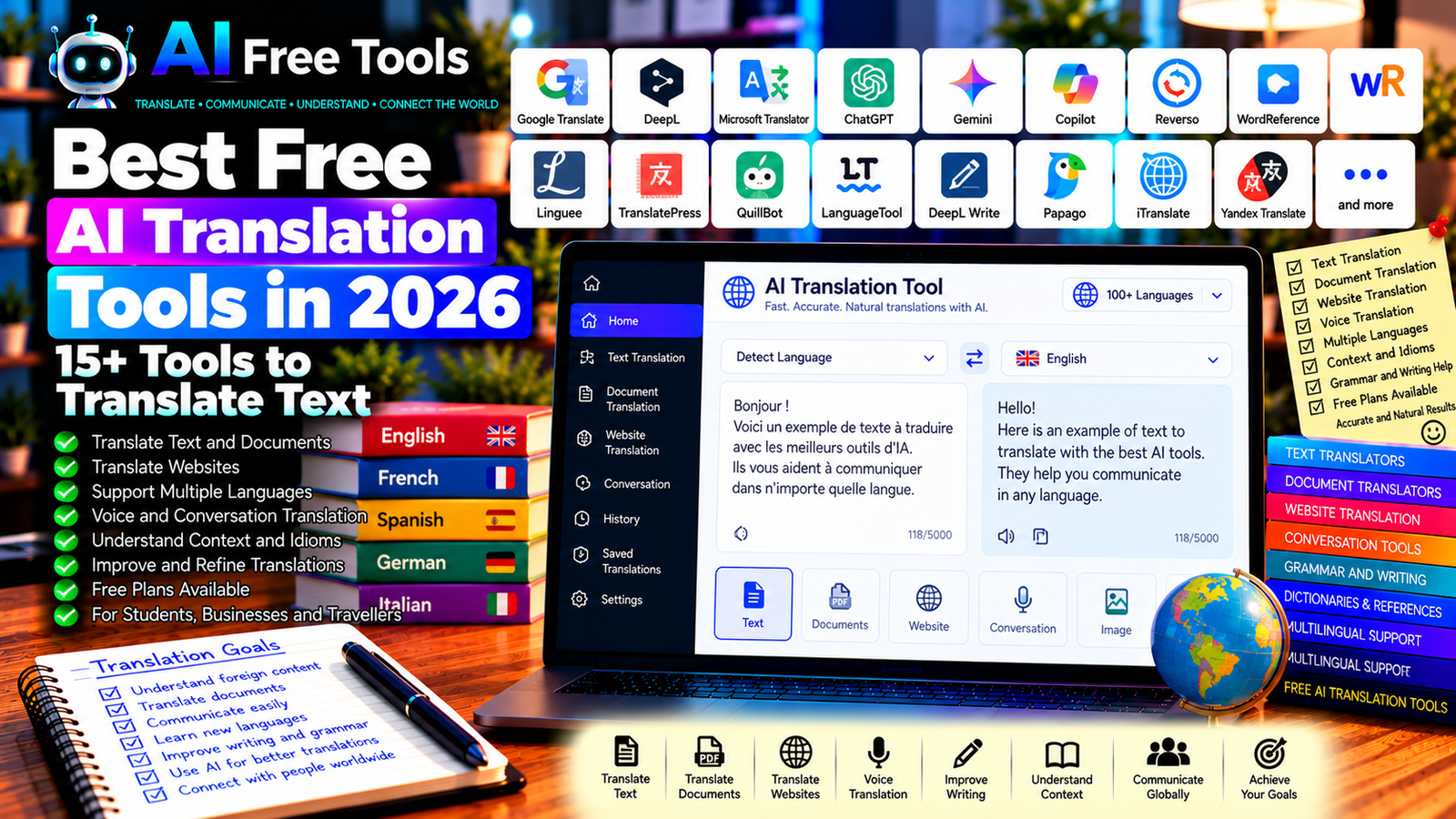
Best Free AI Translation Tools in 2026: 15+ Tools to Translate Text
Free AI translation tools make it easier to understand foreign languages, communicate with international customers, translate documents, and create multilingual content. Modern translation services can process individual words, long passages, websites, and, in some cases, files or spoken conversations.
However, choosing the right translator involves more than finding a tool that produces fluent sentences. Language coverage, context, document formatting, privacy, and free usage limits all matter. A translation that sounds natural can still misunderstand a technical term, cultural reference, or legal expression.
In this guide, we compare 17 translation tools and AI assistants in 2026. You will learn what each tool does, which free options are worth exploring, and how to choose the right solution for personal, educational, or business use.
Important: Not every tool below is a dedicated translation engine. Some are general-purpose AI assistants, dictionaries, or writing tools that can support translation workflows. Free limits, supported languages, file sizes, and advanced features may change. Verify current terms before using a service for large projects or sensitive documents.
Quick Comparison: Best Free AI Translation Tools
| Tool | Best For | Free Access |
|---|---|---|
| Google Translate | Everyday text and website translation | Free core features |
| DeepL Translator | Natural-sounding translations for supported languages | Free plan with limits |
| Microsoft Translator | Text and conversation translation | Free features available |
| ChatGPT | Context-aware translation and rewriting | Free tier with limits |
| Google Gemini | Translation with explanations and context | Free tier with limits |
| Microsoft Copilot | Translation and language assistance | Free access with limits |
| Reverso Context | Understanding expressions in context | Free features with limits |
| WordReference | Dictionary lookup and language reference | Core features generally free |
| Linguee | Translation examples and bilingual references | Free access |
| TranslatePress AI | Website translation workflows | Paid features or credits may apply |
| QuillBot Translator | Translating text for writing workflows | Free access with limits |
| LanguageTool | Checking translated text for grammar | Free plan with restrictions |
| DeepL Write | Improving phrasing after translation | Free access with limits |
| Papago | Translation involving supported Asian languages | Free features available |
| iTranslate | Mobile translation and conversation features | Free features with paid options |
| Yandex Translate | Text, website, and supported media translation | Free access; limits may apply |
| Amazon Translate | Translation for software and business workflows | Free tier or trial conditions vary |
1. Google Translate — Best for Everyday Translation
Google Translate is one of the most widely used translation services. It supports many languages and provides convenient tools for translating text, websites, and supported documents. Its mobile applications also offer features such as camera or conversation translation, depending on the device and language.
Best features:
- Translate text between supported languages.
- Translate websites and supported documents.
- Use mobile translation features.
- Listen to pronunciations for supported languages.
- Copy and share translations quickly.
Free access: Google Translate provides its core consumer translation features free of charge. Specific limits and capabilities can vary by input type, device, and language.
Best for: Everyday communication, travel, quick translations, and understanding foreign-language websites.
Official website: https://translate.google.com/
2. DeepL Translator — Best for Natural-Sounding Translations
DeepL is a machine translation service known for producing fluent translations in supported languages. It is particularly useful when translating paragraphs, emails, and business text where sentence structure and tone matter.
The quality depends on the language pair and the subject. Always review technical terminology and specialized expressions.
Best features:
- Translate text between supported languages.
- Compare alternative translations where available.
- Translate supported documents.
- Preserve formatting in eligible workflows.
- Use related writing tools for refinement.
Free access: DeepL offers free translation with usage and feature limits. Document translation, text length, and other capabilities may depend on the current plan.
Best for: Business communication, professional writing, and longer passages in supported language pairs.
Official website: https://www.deepl.com/translator
3. Microsoft Translator — Best for Conversations and Everyday Use
Microsoft Translator supports text translation and, through eligible applications, conversation and speech-related translation. It can be useful for travel, multilingual communication, and understanding short messages.
Best features:
- Translate text between supported languages.
- Explore conversation translation features.
- Use supported speech and mobile functions.
- Check translations for common expressions.
- Integrate with eligible Microsoft workflows.
Free access: Consumer translation features are available free in supported experiences. Availability and functionality may vary by app, device, and language.
Best for: Travellers, students, and people who need quick translations during conversations.
Official website: https://translator.microsoft.com/
4. ChatGPT — Best for Context-Aware Translation
ChatGPT can translate text while considering tone, audience, and context. You can ask it to produce a formal email, a natural conversational translation, or a version adapted for a specific market.
It can also explain ambiguous expressions and provide alternative phrasings. However, it may occasionally misunderstand a source sentence or introduce information that was not present in the original.
Best features:
- Translate text with a specified tone.
- Explain idioms and ambiguous phrases.
- Compare formal and informal versions.
- Adapt wording for a target audience.
- Review a translation and identify uncertain passages.
Free access: ChatGPT offers a free tier with usage and feature limits.
Best for: Emails, marketing copy, general documents, and translations that require contextual explanation.
Official website: https://chatgpt.com/
Example prompt:
“Translate the following text from [SOURCE LANGUAGE] into [TARGET LANGUAGE]. Preserve the original meaning and all names, numbers, dates, and technical terms. Use a natural [FORMAL / INFORMAL / BUSINESS] tone. Do not add information or omit details. If a sentence is ambiguous, flag it instead of guessing. Text: [PASTE TEXT].”
5. Google Gemini — Best for Translation with Explanations
Google Gemini can translate text and help explain expressions, grammar, and differences between possible translations. This can be useful when you want to understand a translation rather than simply copy the result.
Best features:
- Translate text between supported languages.
- Explain idioms and expressions.
- Compare alternative phrasings.
- Adapt text to different audiences.
- Help review multilingual content.
Free access: Gemini offers a free tier with usage limits. Available capabilities and integrations depend on the current account and plan.
Best for: Students, writers, and users who want both translation and explanation.
Official website: https://gemini.google.com/
6. Microsoft Copilot — Best for Translation and Language Assistance
Microsoft Copilot can help translate messages, explain unfamiliar expressions, and adjust wording for different audiences. It is a general-purpose AI assistant rather than a dedicated translation engine.
Best features:
- Translate messages and paragraphs.
- Explain expressions and terminology.
- Rewrite translations in a chosen tone.
- Suggest alternatives for awkward wording.
- Support eligible Microsoft productivity workflows.
Free access: Copilot offers free access options, although usage limits and features can change.
Best for: Office users, students, and professionals who need flexible language assistance.
Official website: https://copilot.microsoft.com/
7. Reverso Context — Best for Understanding Expressions in Context
Reverso Context helps users explore translations alongside example sentences. This is valuable when a word has multiple meanings or when a literal translation does not explain how an expression is used naturally.
Best features:
- Explore translations with contextual examples.
- Compare expressions across languages.
- Check common phrases and idioms.
- Use available conjugation tools.
- Build vocabulary from examples.
Free access: Reverso offers free features, while some tools or usage allowances may be restricted.
Best for: Language learners, translators, and writers who need to understand phrase usage.
Official website: https://context.reverso.net/
8. WordReference — Best for Dictionaries and Language Reference
WordReference offers dictionaries, translation references, conjugation tools for supported languages, and forums where users discuss language usage.
It is not a generative AI translation service, but it can help you verify a word’s meaning and avoid mistakes caused by choosing the wrong translation.
Best features:
- Look up words and definitions.
- Compare possible translations.
- Explore verb conjugations.
- Review discussions about usage.
- Investigate differences between similar words.
Free access: Core reference features are generally free, with availability depending on the language and service.
Best for: Students, language learners, translators, and writers checking terminology.
Official website: https://www.wordreference.com/
9. Linguee — Best for Translation Examples and Bilingual References
Linguee combines dictionary-style information with bilingual text examples. It can help you investigate how words and expressions appear in real translation contexts.
Best features:
- Search bilingual examples.
- Compare translations of individual expressions.
- Review possible meanings in context.
- Investigate technical or professional terminology.
- Use it alongside a primary translation tool.
Free access: Linguee’s core reference features are available free.
Best for: Translators, students, and professionals who need additional context for terminology.
Official website: https://www.linguee.com/
10. TranslatePress AI — Best for Website Translation Workflows
TranslatePress is a WordPress translation plugin that supports multilingual website workflows. Its AI-related translation options can help website owners translate site content, depending on the current product setup and plan.
This is different from translating a single paragraph in a browser: website translation must account for pages, navigation, metadata, and the way translated content is displayed.
Best features to investigate:
- Translate WordPress website content.
- Manage multilingual pages.
- Review and edit translated text.
- Work with supported translation engines.
- Configure language switching and multilingual presentation.
Free access: TranslatePress has a free plugin version, while some advanced multilingual and AI translation capabilities may require a paid plan or translation credits. Verify current pricing and integrations.
Best for: WordPress site owners, bloggers, and businesses building multilingual websites.
Official website: https://translatepress.com/
11. QuillBot Translator — Best for Translation and Writing Workflows
QuillBot provides writing tools, including translation functionality for supported languages. It can be useful when you want to translate a passage and then refine the wording as part of an editing workflow.
Best features to investigate:
- Translate supported text.
- Review alternative wording.
- Use related grammar and writing tools.
- Refine text for clarity.
- Work with eligible writing workflows.
Free access: QuillBot offers free tools with limits on certain features and usage. Check current language support and text limits before translating longer documents.
Best for: Students, writers, and users who combine translation with proofreading.
Official website: https://quillbot.com/
12. LanguageTool — Best for Checking Translated Text
LanguageTool is a grammar, spelling, and style checker for multiple languages. It does not replace a full translation engine, but it can help identify mistakes after you translate text into a supported language.
Best features:
- Check grammar and spelling.
- Identify punctuation problems.
- Improve readability and phrasing.
- Review supported languages.
- Use browser and editor integrations where available.
Free access: LanguageTool offers a free plan with restrictions on text length and advanced suggestions.
Best for: Students, professionals, and multilingual writers who want to proofread translations.
Official website: https://languagetool.org/
13. DeepL Write — Best for Refining Translated Text
DeepL Write helps users improve grammar, clarity, and phrasing in supported languages. After translating a paragraph, you can use a writing assistant to make it more natural or appropriate for its intended audience.
Best features:
- Improve sentence structure.
- Explore alternative wording.
- Refine tone and clarity.
- Make writing more concise.
- Check supported language varieties.
Free access: DeepL Write offers free access with possible limits. Language support and usage allowances can change.
Best for: Business writers, students, and content creators editing translated text.
Official website: https://www.deepl.com/write
14. Papago — Best for Supported Asian Language Pairs
Papago is a translation service from Naver that focuses on supported language pairs, including several Asian languages. It can be worth comparing with general translation tools when translating Korean, Japanese, Chinese, or other supported languages.
Best features:
- Translate text between supported languages.
- Use supported image and voice translation features.
- Explore mobile translation functions.
- Compare translations for everyday phrases.
- Review supported conversation tools.
Free access: Papago provides consumer translation features free, but supported languages and capabilities vary by feature.
Best for: Travellers, students, and users translating between supported Asian languages.
Official website: https://papago.naver.com/
15. iTranslate — Best for Mobile Translation
iTranslate provides mobile translation features for supported languages. Depending on the current application and subscription, it may support text, voice, and other translation workflows.
Best features to investigate:
- Translate text on mobile devices.
- Explore supported voice translation.
- Use available dictionary features.
- Check offline translation options.
- Review conversation features where supported.
Free access: iTranslate offers some free features, while advanced functions and offline capabilities may require a paid subscription.
Best for: Travellers and people who need translation tools on their phones.
Official website: https://www.itranslate.com/
16. Yandex Translate — Best for Text and Website Translation
Yandex Translate offers translation for supported languages and content types. It can serve as an additional option when comparing translations or working with a language pair for which you want another result.
Best features:
- Translate text between supported languages.
- Translate supported websites.
- Explore available image or document features.
- Compare alternative translations.
- Use supported mobile functions.
Free access: Consumer features are generally available free, but limits and capabilities depend on the service and input type.
Best for: Users who want an additional translation option for everyday text and websites.
Official website: https://translate.yandex.com/
17. Amazon Translate — Best for Business and Software Workflows
Amazon Translate is a machine translation service from Amazon Web Services. It is designed for applications and business workflows that need to translate text at scale, rather than only for occasional manual translation.
Best features:
- Translate text through supported cloud workflows.
- Integrate translation into applications.
- Process eligible multilingual content.
- Support certain business translation use cases.
- Configure translation as part of a software system.
Free access: AWS pricing and free-tier eligibility can depend on account status, region, service usage, and current offers. Usage beyond eligible allowances may incur charges. Check the official pricing page before using it at scale.
Best for: Developers, software teams, and businesses integrating translation into applications.
Official website: https://aws.amazon.com/translate/
How to Choose the Best Free AI Translation Tool
The right translator depends on the language pair, content type, and level of accuracy required.
| Your Main Goal | Recommended Starting Tools |
|---|---|
| Translate everyday text quickly | Google Translate or Microsoft Translator |
| Translate professional paragraphs | DeepL or ChatGPT |
| Understand idioms and phrases | Reverso Context or WordReference |
| Research bilingual terminology | Linguee or WordReference |
| Translate and explain text | ChatGPT or Gemini |
| Translate a WordPress website | TranslatePress |
| Proofread translated writing | LanguageTool or DeepL Write |
| Translate supported Asian languages | Papago |
| Translate within software applications | Amazon Translate |
Best Free AI Translation Tools for Business
Businesses often translate emails, product descriptions, quotations, customer messages, and website content. The right tool depends on the importance of the document and the number of languages involved.
DeepL, Google Translate, and AI assistants can help with everyday communication. For website content, consider a dedicated multilingual workflow. For high-volume software translation, investigate an API-based service such as Amazon Translate.
For contracts, financial documents, technical specifications, and other high-stakes material, use qualified human review when accuracy is essential.
Best AI Translation Tools for Students
Students may need to translate reading material, understand unfamiliar vocabulary, or compare sentence structures while learning a language.
Google Translate and DeepL can provide initial translations. Reverso Context and WordReference can help clarify specific expressions. ChatGPT or Gemini can explain grammar and why one translation may be more suitable than another.
Follow your institution’s rules on translation assistance and academic work, and make sure you understand the content you submit.
Best Free AI Translation Tools for Websites
Website translation requires more than translating individual paragraphs. Navigation, buttons, metadata, internal links, and page layouts may also need attention.
WordPress users can investigate TranslatePress and other multilingual plugins. Before choosing one, check supported translation engines, language limits, SEO options, and whether translated URLs and metadata are handled correctly.
Always review translated pages manually, particularly product descriptions and pages where a small wording error could affect a purchase or customer expectation.
How to Get Better Results from AI Translation in Five Steps
Step 1: Identify the Audience and Purpose
Decide whether the text is a casual message, business email, technical document, marketing page, or academic passage. The intended audience influences tone and terminology.
Step 2: Provide Context
A short explanation can help the translation tool understand ambiguous words. For example, state whether a term refers to construction, software, finance, or everyday conversation.
Step 3: Preserve Important Details
Ask the tool to keep names, figures, dates, product codes, units, and technical terms unchanged unless translation is specifically required.
Step 4: Compare Important Phrases
For difficult sentences, compare a second translation or consult a dictionary and contextual examples. Pay particular attention to idioms, negations, legal terms, and technical expressions.
Step 5: Review the Final Text
Read the translation in the target language. Check that it conveys the original meaning, sounds natural, and contains no invented details or missing information.
Example AI Prompt for Accurate Translation
Copy and adapt this prompt:
“Translate the following text from [SOURCE LANGUAGE] into [TARGET LANGUAGE] for [AUDIENCE AND PURPOSE]. Preserve the original meaning, names, dates, numbers, units, and technical terms. Use natural language and the appropriate tone. Do not summarize, add information, or omit details. Flag ambiguous expressions and provide alternatives where necessary. Text: [PASTE TEXT].”
Are Free AI Translation Tools Worth Using?
Yes. They can make multilingual communication faster, help you understand foreign-language content, and support the creation of multilingual documents and websites.
For everyday translations, start with Google Translate or Microsoft Translator. For supported language pairs and professional prose, compare DeepL. For context-sensitive rewriting, explore ChatGPT or Gemini. For terminology, use Reverso Context, WordReference, or Linguee. For proofreading, consider LanguageTool or DeepL Write.
However, no translation tool is perfect. Review important content, particularly when it includes specialized terminology, cultural references, or legal and financial details.
Are AI Translation Tools Safe for Confidential Documents?
Translation services may process the text you submit. Before uploading confidential contracts, customer data, internal reports, or personal records, review the provider’s privacy policy, data retention practices, and business terms.
For sensitive business information, use a service approved by your organization and confirm whether its privacy and security controls meet your requirements. Do not assume that a free consumer tool provides the same protections as an enterprise service.
Frequently Asked Questions
What is the best free AI translation tool in 2026?
The best option depends on the language pair and the type of text. Google Translate is convenient for everyday use, DeepL is worth comparing for supported professional text, and ChatGPT can help with context and tone. Check current free-plan limits before choosing.
Is DeepL better than Google Translate?
Neither is best for every language pair or document. Compare both using representative sentences from your actual text, then check terminology and meaning. Translation quality can vary by language, topic, and context.
Can AI translate a whole document?
Some services support document translation, but file types, size limits, formatting preservation, and free allowances vary. Check the current capabilities before uploading a large document.
Can AI translate an entire website?
Yes, with an appropriate website translation workflow or plugin. The process may require translating page content, navigation, metadata, and other elements. Review the result before publishing.
Are free AI translations accurate enough for business?
They can be suitable for many routine communications, but the risk depends on the content. Contracts, legal documents, technical specifications, and other high-stakes materials should receive qualified review.
Can AI translate slang and idioms?
AI tools can often suggest contextual translations, but slang and idioms depend on region, audience, and tone. Compare examples and ask for an explanation if a phrase has multiple meanings.
Should I use AI translation for SEO content?
AI can help draft multilingual content, but direct translation may not match the search intent or vocabulary used by people in the target market. Review keywords, local terminology, cultural context, and the quality of the final text before publishing.
Final Verdict
The best free AI translation tools in 2026 can help you translate text, understand foreign-language content, and communicate across language barriers.
For everyday use, start with Google Translate or Microsoft Translator. For professional prose in supported languages, compare DeepL. For translations that require context and explanations, explore ChatGPT or Google Gemini. For expressions and terminology, use Reverso Context, WordReference, or Linguee. For proofreading, consider LanguageTool or DeepL Write.
Choose the tool that suits your language pair and document type, verify its current free-plan limits, and review important translations before relying on them.
Explore more guides on AI Free Tools:
Leave a Reply