
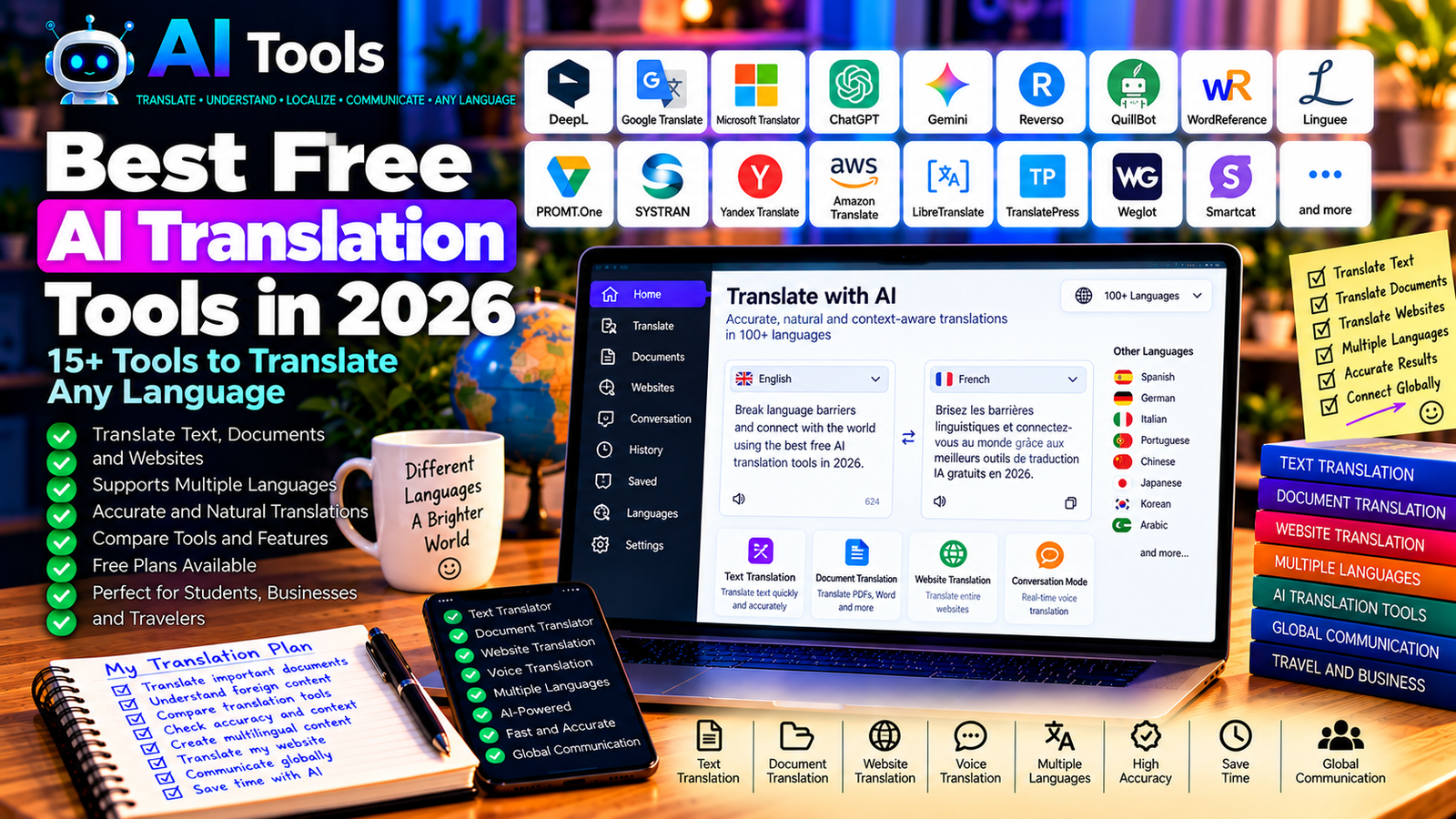
Best Free AI Translation Tools in 2026: 15+ Tools to Translate Any Language
Translating content into another language is easier than ever. Whether you need to translate an email, understand a foreign website, prepare a business document, or publish multilingual content, AI translation tools can help you work faster.
Modern translation services use machine learning and language models to interpret sentences, recognize context, and produce translations in many languages. However, different tools have different strengths. Some are excellent for everyday translations, while others are better for professional writing, documents, or multilingual communication.
In this guide, we compare 17 free or freemium AI translation tools in 2026. You will discover their main features, limitations, and the situations in which each tool may be useful.
Important: Free access, supported languages, document limits, and advanced features can change. Some tools offer free translation with usage restrictions, while others require a paid subscription for professional features. Always check the current terms on the official website.
Quick Comparison: Best Free AI Translation Tools
| Tool | Best For | Free Access |
|---|---|---|
| Google Translate | Everyday translations | Free core service |
| DeepL | Natural-sounding translations | Free version with limits |
| Microsoft Translator | Multilingual communication | Free core service |
| ChatGPT | Context-aware translation and rewriting | Free tier with limits |
| Google Gemini | Translation with explanations and context | Free tier with limits |
| Reverso Context | Examples and contextual translations | Free features with limits |
| QuillBot Translator | Quick text translation | Free access may have limits |
| WordReference | Dictionary and language usage | Free core service |
| Linguee | Translation examples and terminology | Free website |
| PROMT.One | Text and specialized translations | Free features with restrictions |
| SYSTRAN Translate | Professional and specialized translation | Free online access may be limited |
| Yandex Translate | Text, websites, and supported media | Free core service with conditions |
| Amazon Translate | Translation APIs for applications | AWS pricing and eligibility apply |
| LibreTranslate | Open-source translation API | Free self-hosting; public instances vary |
| TranslatePress | Translating WordPress websites | Free plugin with feature limits |
| Weglot | Website translation and multilingual SEO | Limited free plan, subject to current terms |
| Smartcat | Translation and localization workflows | Free and paid features vary |
1. Google Translate — Best for Everyday Translations
Google Translate is one of the most widely used translation services. It is suitable for translating short texts, understanding foreign websites, and communicating across many languages.
Depending on the language and device, it also supports features such as camera translation, voice input, conversation translation, and document translation.
Best features:
- Translate text between supported languages.
- Translate supported documents and web pages.
- Use voice input and pronunciation features.
- Access mobile apps for translation on the go.
- Translate selected content using camera features.
Free access: The core service is free, although supported features and limits vary by platform.
Best for: Students, travelers, casual users, and people who need quick translations.
Official website: https://translate.google.com/
2. DeepL — Best for Natural-Sounding Translations
DeepL is known for producing fluent translations in its supported languages. It is particularly useful for emails, articles, business communication, and other texts where natural phrasing matters.
The free version is suitable for many everyday tasks, but document limits, file sizes, and advanced features may require a paid plan.
Best features:
- Translate text between supported languages.
- Produce natural-sounding sentences.
- Translate supported documents.
- Offer alternative wording in supported workflows.
- Support professional translation tasks.
Free access: DeepL provides a free translator with restrictions. Advanced document translation, terminology controls, and other features may require a subscription.
Best for: Professionals, writers, students, and businesses that value fluent translations.
Official website: https://www.deepl.com/translator
3. Microsoft Translator — Best for Multilingual Communication
Microsoft Translator supports text translation and multilingual communication across supported languages and applications.
It can be useful when communicating with international colleagues, understanding foreign text, or translating everyday messages.
Available features depend on whether you use the website, mobile app, or a Microsoft product that integrates translation.
Best features:
- Translate supported languages.
- Access translation through web and mobile interfaces.
- Use conversation features where supported.
- Integrate translation into compatible Microsoft workflows.
- Help users communicate across language barriers.
Free access: Core consumer translation features are available for free. Developer APIs and certain business integrations have separate conditions and pricing.
Best for: Travelers, students, remote teams, and Microsoft users.
Official website: https://www.bing.com/translator
4. ChatGPT — Best for Context-Aware Translation
ChatGPT can translate text while taking its intended meaning, audience, and tone into account.
Instead of asking only for a translation, you can specify whether the result should sound formal, friendly, technical, persuasive, or natural. You can also ask it to explain ambiguous expressions or offer multiple versions.
For example, you could ask it to translate a business email into French while preserving a professional tone, or adapt English marketing copy for a specific audience.
Best features:
- Translate and rewrite text.
- Adapt tone and style.
- Explain idioms and ambiguous expressions.
- Offer alternative translations.
- Help localize marketing and website content.
Free access: ChatGPT offers a free tier with usage and feature limits.
Best for: Writers, marketers, students, freelancers, and business owners.
Official website: https://chatgpt.com/
5. Google Gemini — Best for Translation with Explanations
Google Gemini can help translate text and explain language choices. It is useful when you want more than a direct translation, such as understanding a phrase, comparing alternative expressions, or adapting text for a particular audience.
You can also ask it to preserve formatting or explain why a literal translation sounds unnatural.
Best features:
- Translate supported languages.
- Explain expressions and context.
- Compare alternative translations.
- Adjust formality and tone.
- Assist with multilingual writing.
Free access: Gemini offers a free tier with usage limits. Available features can vary by account and region.
Best for: Students, professionals, and users who want to understand the meaning behind a translation.
Official website: https://gemini.google.com/
6. Reverso Context — Best for Examples and Context
Reverso Context helps users understand how words and expressions are translated in context. It is especially useful when a word has several possible meanings or when you need to see how a phrase is used in real sentences.
It can complement a general-purpose AI translator by helping you check idioms, vocabulary, and alternative expressions.
Best features:
- Search contextual translation examples.
- Compare expressions in sentences.
- Explore conjugations and vocabulary.
- Improve language learning.
- Access additional language tools.
Free access: Many core features are free, while some advanced functions may have restrictions or require a subscription.
Best for: Language learners, translators, students, and writers.
Official website: https://context.reverso.net/
7. QuillBot Translator — Best for Quick Text Translation
QuillBot is known for writing and paraphrasing tools, and it also provides translation functionality for supported languages.
It can be useful if your workflow combines translation with editing or rewriting. However, translation and paraphrasing are different tasks: a paraphrased text may change wording and structure, so do not treat it as a verified translation.
Best features:
- Translate supported text.
- Combine translation with writing workflows.
- Edit and improve wording using separate tools.
- Support multilingual content preparation.
- Offer a simple browser-based interface.
Free access: Free access and usage limits depend on the current tool and plan. Some advanced writing features require payment.
Best for: Students, writers, and people preparing multilingual content.
Official website: https://quillbot.com/
8. WordReference — Best for Dictionaries and Language Usage
WordReference is a dictionary and language reference service rather than a general-purpose AI translator. It is nevertheless a valuable companion when you need to check a word’s meaning, grammatical usage, or possible translations.
It can be especially helpful when an automatic translation produces a word that seems incorrect in context.
Best features:
- Search bilingual dictionaries.
- Compare possible meanings.
- Review conjugations in supported languages.
- Explore community discussions about usage.
- Check vocabulary and grammatical distinctions.
Free access: Core dictionary features are available for free.
Best for: Students, language learners, translators, and anyone checking word choice.
Official website: https://www.wordreference.com/
9. Linguee — Best for Translation Examples and Terminology
Linguee combines dictionary functionality with examples of how words and phrases appear in translated texts.
It can help you compare terminology and understand how a phrase is used in a particular context. This is especially valuable for technical or professional writing.
Because examples can come from different sources and contexts, always check whether a suggested translation fits your own document.
Best features:
- Search bilingual terminology.
- Compare translated phrases.
- Review example sentences.
- Investigate specialized vocabulary.
- Support terminology research.
Free access: The core website is available for free.
Best for: Translators, researchers, students, and professionals working with specialized language.
Official website: https://www.linguee.com/
10. PROMT.One — Best for Specialized Translation
PROMT.One provides translation tools for supported language pairs and text types. Depending on the available service, it may offer specialized translation options or features intended for particular subject areas.
It can be worth testing when a general-purpose translator struggles with terminology or technical wording.
Best features to investigate:
- Translate supported languages.
- Explore specialized translation options.
- Check alternative wording.
- Use available dictionaries and language tools.
- Compare results with other translators.
Free access: The service offers free features, but limits and advanced capabilities depend on current terms.
Best for: Users translating specialized or technical text in supported languages.
Official website: https://www.online-translator.com/
11. SYSTRAN Translate — Best for Professional Translation Workflows
SYSTRAN provides machine translation technology for individuals and organizations. It is particularly relevant to businesses that need to translate recurring content or explore specialized translation workflows.
The exact features available to individual users differ from those offered through enterprise products and APIs.
Best features to investigate:
- Translate supported text.
- Explore terminology-related capabilities.
- Evaluate specialized language support.
- Support professional translation workflows.
- Integrate translation into compatible systems.
Free access: Online access and trial options may be available, while advanced professional services generally have separate terms.
Best for: Businesses, technical teams, and users with recurring translation needs.
Official website: https://www.systransoft.com/
12. Yandex Translate — Best for Text and Website Translation
Yandex Translate offers translation services for supported languages and content types. Depending on the platform and language pair, it may support text, websites, and selected media-related features.
It can be useful as a second opinion when comparing translations, especially for languages where different services produce different results.
Best features:
- Translate supported text.
- Translate web pages through supported features.
- Explore language-specific tools.
- Compare translation alternatives.
- Access translation on supported devices.
Free access: Core consumer features are available without a standard subscription, subject to the service’s current terms and limits.
Best for: Travelers, language learners, and users comparing translations.
Official website: https://translate.yandex.com/
13. Amazon Translate — Best for Developers and Applications
Amazon Translate is a machine translation service designed for integrating translation into applications and workflows.
Unlike a simple consumer translation website, it is primarily useful when developers or businesses need to translate text programmatically.
Best features:
- Translate supported text through an API.
- Integrate translation into applications.
- Process content in automated workflows.
- Support multilingual business systems.
- Scale translation according to service configuration.
Free access: AWS pricing, free-tier eligibility, and usage conditions can change. Do not assume the service is permanently free or that all usage is covered by a free tier.
Best for: Developers, SaaS providers, and businesses building multilingual applications.
Official website: https://aws.amazon.com/translate/
14. LibreTranslate — Best for Open-Source Translation
LibreTranslate is an open-source machine translation API. It can be useful for developers who want to integrate translation into their own applications or operate a self-hosted translation service.
Public instances may impose limits or have different policies, so check the terms of the instance you use.
Best features:
- Provide translation through an API.
- Support automated translation workflows.
- Allow self-hosting.
- Offer an open-source alternative.
- Integrate with compatible applications.
Free access: The software is open source. Hosting, server resources, and access to third-party public instances may involve costs or restrictions.
Best for: Developers, privacy-conscious technical users, and organizations with self-hosting capabilities.
Official website: https://libretranslate.com/
15. TranslatePress — Best for Translating WordPress Websites
TranslatePress is a WordPress plugin for translating website content and building multilingual websites.
It is different from a standalone text translator: its purpose is to help website owners manage translations directly on their WordPress site.
Automatic translation options may depend on integrations, API usage, and paid features.
Best features:
- Translate WordPress page content.
- Manage multilingual website versions.
- Edit translations through a visual interface.
- Support website localization workflows.
- Combine manual translation with supported automatic translation services.
Free access: A free plugin version is available with limitations. Some advanced features and integrations require paid plans.
Best for: WordPress bloggers, website owners, and small businesses.
Official website: https://translatepress.com/
16. Weglot — Best for Multilingual Website Localization
Weglot helps website owners translate and manage multilingual website content. It can be useful when you want visitors to access your site in multiple languages without manually rebuilding every page.
Its features, supported platforms, word limits, and language limits depend on the current plan.
Best features:
- Add multilingual functionality to supported websites.
- Generate and edit translations.
- Manage translated content centrally.
- Support multilingual navigation and SEO workflows.
- Combine automatic translation with manual review.
Free access: Weglot has offered limited free access, but current word, language, and feature restrictions should be checked before use.
Best for: Website owners, online stores, and businesses targeting international audiences.
Official website: https://www.weglot.com/
17. Smartcat — Best for Translation and Localization Workflows
Smartcat provides tools for translation and localization workflows, particularly for teams managing multilingual documents, projects, and business content.
It is more than a simple text translator: its platform is designed to support collaboration and translation management alongside available AI capabilities.
Best features to investigate:
- Manage multilingual translation projects.
- Collaborate on translated content.
- Use supported AI translation features.
- Organize terminology and review workflows.
- Manage business localization tasks.
Free access: Available features and pricing depend on the current account and product offering.
Best for: Businesses, localization teams, and professionals managing recurring translation projects.
Official website: https://www.smartcat.com/
How to Choose the Best Free AI Translation Tool
The right tool depends on the type of content you need to translate, your language pair, and the level of accuracy required.
| Your Main Goal | Recommended Starting Tools |
|---|---|
| Translate everyday text | Google Translate |
| Produce natural-sounding translations | DeepL |
| Translate and adapt tone | ChatGPT |
| Understand expressions in context | Reverso Context or WordReference |
| Research terminology | Linguee |
| Translate professional content | DeepL or SYSTRAN, depending on requirements |
| Translate website pages | TranslatePress or Weglot |
| Integrate translation into an application | LibreTranslate or Amazon Translate |
| Manage multilingual projects | Smartcat |
Best Free AI Translation Tools for Students
Students can start with Google Translate, DeepL, and ChatGPT.
Use a translation tool to understand unfamiliar text, then compare important vocabulary with a dictionary or contextual resource. For academic assignments, verify quotations and terminology against the original source and follow your institution’s rules about AI assistance.
Best AI Translation Tools for Businesses
Businesses should select tools based on the type of content, language pairs, confidentiality requirements, and review process.
For everyday emails, a consumer translator may be sufficient. For product catalogs, technical documentation, legal material, or customer-facing marketing, use a more controlled workflow with terminology checks and human review.
Best AI Translation Tools for Websites
If you want to publish a website in several languages, a website translation plugin or localization platform may be more suitable than translating every paragraph manually.
WordPress users can investigate TranslatePress, while Weglot supports multilingual workflows for compatible websites. Compare language limits, translated-word allowances, URL handling, and SEO features before choosing a plan.
How to Translate Text More Accurately with AI
Step 1: Identify the Audience
Decide who will read the translated text. A business proposal, a casual message, and a technical manual require different styles.
Step 2: Provide Context
When using a conversational AI assistant, explain the subject, intended audience, and desired tone. Include relevant terminology when necessary.
Step 3: Request a Faithful Translation
For example, you can use this prompt:
“Translate the following text from English into French. Preserve the original meaning, numbers, names, and formatting. Use natural professional French, do not add new information, and flag any ambiguous expressions rather than guessing.”
Step 4: Compare Important Passages
For critical content, compare the result with a second translation tool or consult a qualified translator. Different tools may interpret ambiguous expressions differently.
Step 5: Proofread Before Publishing
Check dates, prices, units, names, technical terms, and formatting. Pay special attention to negations and legal or financial wording, where a small mistake can change the meaning.
Are Free AI Translation Tools Accurate?
AI translation can be very effective for many common language pairs and everyday texts. However, quality varies according to the language, context, subject matter, and complexity of the original text.
Idioms, regional expressions, dialects, technical terminology, and ambiguous sentences can be difficult to translate correctly.
For important documents, use AI as an aid rather than a guarantee of accuracy. Review the translation and obtain professional assistance when mistakes could have serious consequences.
Are Free AI Translation Tools Safe?
Before uploading a document, consider whether it contains confidential business information, customer data, personal records, or sensitive material.
- Read the service’s privacy and data-retention policies.
- Avoid uploading confidential documents to unfamiliar services.
- Check whether submitted content may be used to improve AI systems.
- Use approved enterprise or self-hosted tools when appropriate.
- Review the output before sending it to clients or publishing it.
A free service is not automatically unsafe, and a paid service is not automatically secure. Evaluate the actual provider and your requirements.
Frequently Asked Questions
What is the best free AI translation tool in 2026?
Google Translate is a convenient starting point for everyday translations, while DeepL is worth testing when natural phrasing is important. ChatGPT is useful when you need translation combined with explanations or tone adjustments.
Which free AI translator produces the most natural translations?
Translation quality depends on the language pair and type of text. Compare DeepL, Google Translate, and ChatGPT using representative passages from your own content before choosing a regular workflow.
Can AI translate PDF documents?
Some services support document translation, while others require you to copy and paste the text or use a separate document tool. Check file-size limits, formatting preservation, and plan restrictions before uploading a long PDF.
Can AI translate an entire website?
Yes. Website translation platforms can help create multilingual versions of supported sites. However, translation quality, translated-word limits, URL structures, and SEO settings should be checked before publishing.
Can AI translate Arabic and French?
Several tools support Arabic and French translation. Results can vary depending on whether the text uses Modern Standard Arabic, Tunisian dialect, specialized terminology, or informal expressions. Review dialect-specific content carefully.
Should I use AI for legal or medical translation?
AI can help you understand the general meaning of a document, but important legal, medical, or official translations should be reviewed by a qualified professional. Do not rely on an unverified automated translation for consequential decisions.
Final Verdict
The best free AI translation tools in 2026 can help you understand foreign text, communicate internationally, and prepare multilingual content more efficiently.
For most users, start with Google Translate for everyday tasks, DeepL for natural-sounding translations, and ChatGPT for context-aware rewriting and explanations. Use Reverso Context or WordReference when you need to check expressions, and consider website localization tools if you manage multilingual pages.
Choose a tool based on your language pair and actual needs, verify free-plan limits, and review important translations before publishing or sending them.
Explore more guides on AI Free Tools:
Leave a Reply