
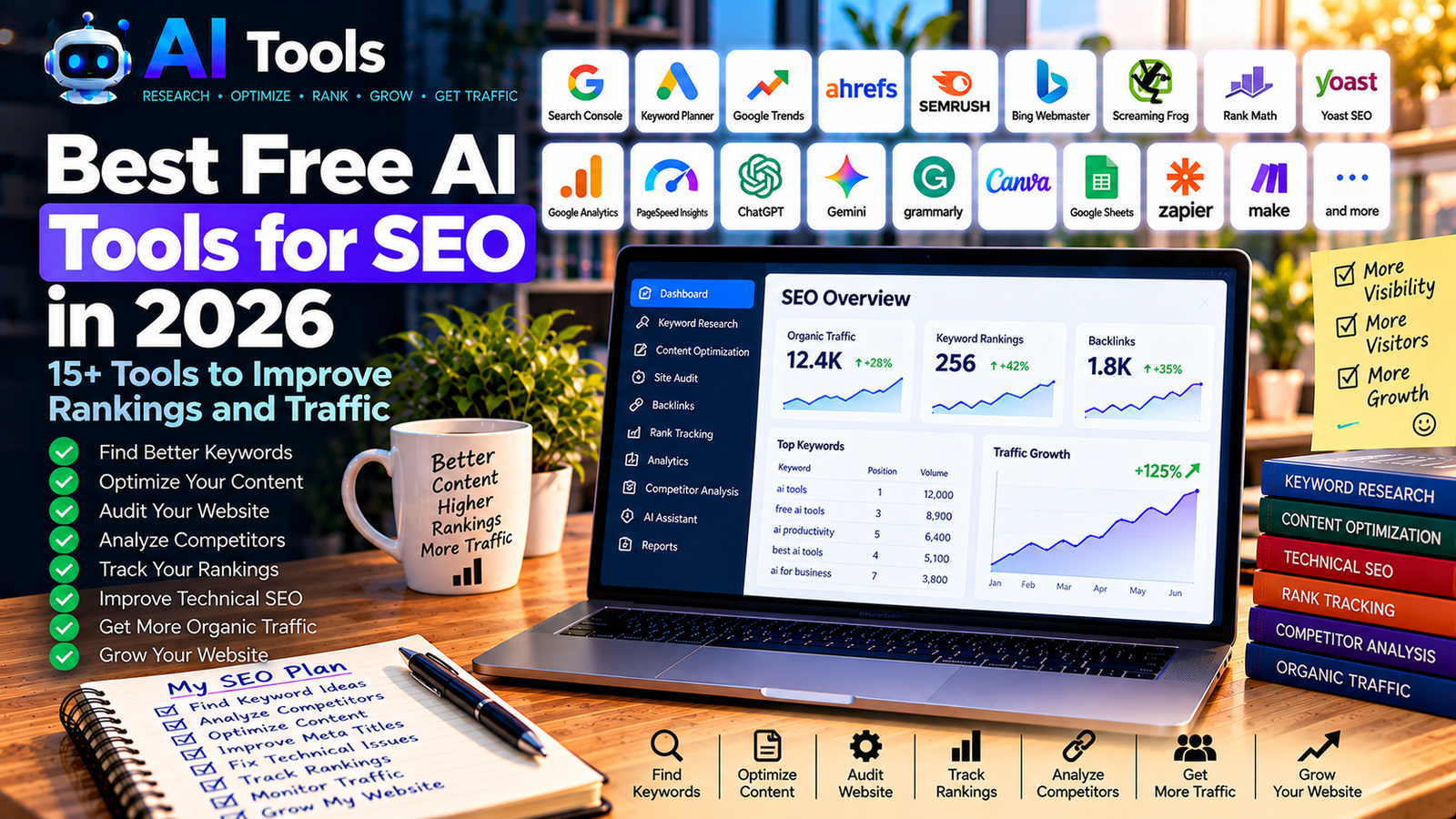
Best Free AI Tools for SEO in 2026: 15+ Tools to Improve Rankings and Traffic
Search engine optimization (SEO) helps websites attract visitors from Google and other search engines. However, finding the right keywords, improving articles, checking technical issues and monitoring performance can take a lot of time.
Fortunately, free AI tools for SEO can make many of these tasks easier. They can help you brainstorm content ideas, improve titles and descriptions, identify technical problems and analyze your website’s performance.
In this guide, we explore more than 15 free and freemium SEO tools for bloggers, website owners, marketers and small businesses. Some use AI directly, while others provide essential search data that helps you make better SEO decisions.
Important: A free tool cannot guarantee first-page rankings. Search positions depend on many factors, including search intent, content quality, competition, technical accessibility and the authority of your website. Free plans also have different limits, so verify current features before relying on a tool.
Quick Comparison: Best Free AI Tools for SEO
| Tool | Best For | Free Access |
|---|---|---|
| Google Search Console | Search performance and indexing | Free |
| Google Keyword Planner | Keyword research | Free with a Google Ads account |
| Google Trends | Search interest and trends | Free |
| Ahrefs Free | Website audits and backlink insights | Free for verified sites, with limits |
| Semrush Free SEO Tools | SEO checks and keyword ideas | Selected tools are free |
| Bing Webmaster Tools | Search performance and SEO diagnostics | Free |
| Screaming Frog SEO Spider | Technical website audits | Free crawl up to a URL limit |
| Rank Math | WordPress on-page SEO | Free plugin with paid upgrades |
| Yoast SEO | WordPress SEO guidance | Free plugin with paid upgrades |
| Google Analytics 4 | Website traffic analysis | Free |
| PageSpeed Insights | Page speed and Core Web Vitals | Free |
| ChatGPT | SEO content planning and editing | Free access with usage limits |
| Google Gemini | Content ideas and research assistance | Free access with usage limits |
| Grammarly | Grammar and readability | Free writing assistance |
| Canva | SEO content visuals | Free features and templates |
| Google Sheets | Keyword organization and reporting | Free with a Google account |
| Semrush Keyword Magic Tool | Keyword discovery | Limited access may be available |
Some tools are AI assistants, while others provide data or technical checks. Combining them is often more useful than relying on a single platform.
1. Google Search Console — Best for Measuring Google Search Performance
Google Search Console is one of the most important free tools for anyone managing a website. It shows how a site performs in Google Search and helps identify indexing and search visibility issues.
Key features:
- Search queries that generate impressions and clicks
- Click-through rate and average position
- Indexing reports
- Sitemap submission
- URL inspection
- Alerts for certain website issues
Best for: Bloggers and website owners who want to understand which pages are appearing in Google and which queries bring visitors.
Free access: Completely free.
Website: https://search.google.com/search-console/
SEO tip: Once your site has enough data, identify pages that receive impressions but relatively few clicks. Consider improving their titles and meta descriptions when doing so would better match search intent.
2. Google Keyword Planner — Best for Keyword Research
Google Keyword Planner helps users discover keyword ideas and examine estimated search demand. It was designed for Google Ads, but it can also support organic keyword research.
Key features:
- Keyword suggestions
- Search volume estimates
- Related keyword ideas
- Historical search trends
- Location and language targeting
Best for: Finding topic ideas and comparing keyword variations.
Free access: Available through a Google Ads account. Search volume detail can depend on account conditions and advertising activity.
Website: https://ads.google.com/home/tools/keyword-planner/
SEO tip: Research the language and country of your intended audience. A keyword’s popularity can vary considerably between countries.
3. Google Trends — Best for Identifying Trending Topics
Google Trends helps you compare search interest over time and explore related topics. It is particularly useful for deciding whether a topic is growing, seasonal or declining.
Key features:
- Search interest over time
- Comparison of search terms
- Regional interest
- Related topics and queries
- Seasonal trend discovery
Best for: Bloggers and content creators who want to prioritize relevant topics.
Free access: Completely free.
Website: https://trends.google.com/
SEO tip: Compare several keyword variations before choosing an article title. Remember that Trends shows relative interest rather than exact monthly search volumes.
4. Ahrefs Free — Best for Website Audits and Backlink Insights
Ahrefs offers a free account with selected SEO tools for verified websites. It can help website owners examine backlink information, organic keyword data and technical issues.
Key features:
- Website audit
- Backlink insights
- Organic keyword reports for verified sites
- Technical SEO issue detection
- Selected website analytics features
Best for: Website owners who want to understand their site’s SEO health and backlink profile.
Free access: The free account has usage limits. Some competitor research and advanced keyword features require a paid plan.
Website: https://ahrefs.com/free
SEO tip: Start by auditing your own website. Fixing important technical problems can be more useful than analyzing competitors before your own pages are accessible and indexable.
5. Semrush Free SEO Tools — Best for SEO Checks and Ideas
Semrush offers a collection of free SEO tools for tasks such as website checks, keyword research, title previews and competitor discovery.
Key features:
- Website SEO checks
- Keyword and topic ideas
- Search result previews
- Website authority checks
- Selected competitor analysis features
Best for: Bloggers and marketers who need several SEO utilities without immediately purchasing a full subscription.
Free access: Some tools can be used for free, while other features have account, query or daily limits. A paid trial is not the same as a permanent free plan.
Website: https://www.semrush.com/free-tools/seo/
6. Bing Webmaster Tools — Best for Bing Search Insights
Bing Webmaster Tools provides information about how your website performs in Bing Search and includes SEO diagnostic features.
Key features:
- Search performance reports
- Keyword research
- Backlink insights
- Site scanning and SEO reports
- Sitemap submission and indexing tools
Best for: Website owners who want to monitor visibility beyond Google.
Free access: Completely free.
Website: https://www.bing.com/webmasters/
SEO tip: Submit your sitemap and verify your website. Bing data can provide an additional perspective on how your content is discovered.
7. Screaming Frog SEO Spider — Best for Technical SEO Audits
Screaming Frog SEO Spider crawls websites and identifies many technical and on-page SEO issues.
It can help you find broken links, missing titles, duplicate metadata, redirect chains and other problems.
Key features:
- Website crawling
- Broken link detection
- Title and meta description analysis
- Redirect checking
- Duplicate content and metadata checks
- XML sitemap generation in supported workflows
Best for: Website owners who want to inspect their site’s structure and technical health.
Free access: The free version has a crawl limit of up to 500 URLs, with some features restricted.
Website: https://www.screamingfrog.co.uk/seo-spider/
8. Rank Math — Best for WordPress SEO
Rank Math is a WordPress SEO plugin that helps you configure page titles, meta descriptions, focus keywords and other on-page SEO settings.
Since AI Free Tools uses WordPress and Rank Math, this is particularly relevant to your publishing workflow.
Key features:
- SEO titles and meta descriptions
- Focus keyword checks
- XML sitemap functionality
- Schema markup features
- On-page SEO recommendations
- Additional AI and advanced features on eligible plans
Best for: WordPress bloggers who want to manage basic SEO settings directly in the editor.
Free access: The core plugin is free, with paid upgrades for additional features.
Website: https://rankmath.com/
SEO tip: Use the Rank Math score as a checklist, not as a guarantee of ranking. A useful, accurate article that satisfies search intent is more important than forcing every score to 100/100.
9. Yoast SEO — Best for On-Page SEO Guidance
Yoast SEO is another popular WordPress plugin. It provides guidance on SEO titles, meta descriptions, readability and other optimization tasks.
Key features:
- SEO title and meta description controls
- Readability analysis
- SEO analysis
- XML sitemap support
- Structured data features
Best for: WordPress users who prefer guided on-page optimization.
Free access: A free plugin is available, with premium upgrades.
Website: https://yoast.com/wordpress/plugins/seo/
Tip: Rank Math and Yoast SEO are alternatives for many overlapping tasks. Avoid installing both for the same core SEO functions unless you understand how their features interact.
10. Google Analytics 4 — Best for Understanding Website Visitors
Google Analytics 4 helps you understand how people interact with your website. It complements Search Console, which focuses on performance in Google Search.
Key features:
- Traffic sources
- Landing page performance
- Engagement reports
- Events and conversions
- Audience and device insights
Best for: Bloggers who want to understand what visitors do after reaching their site.
Free access: A standard Google Analytics 4 property is free.
Website: https://analytics.google.com/
SEO tip: Use Analytics to discover which landing pages engage visitors and which pages might need better navigation, clearer introductions or more relevant internal links.
11. PageSpeed Insights — Best for Page Speed and User Experience
PageSpeed Insights analyzes a page’s loading performance and reports on user experience metrics where field data is available.
Key features:
- Performance diagnostics
- Core Web Vitals information
- Mobile and desktop analysis
- Recommendations for improving loading speed
- Technical performance opportunities
Best for: Website owners who want to diagnose slow pages.
Free access: Completely free.
Website: https://pagespeed.web.dev/
SEO tip: Test important pages individually. A score is a diagnostic signal, not a ranking guarantee, and some improvements may require technical work.
12. ChatGPT — Best for SEO Content Planning
ChatGPT can help with brainstorming topics, structuring articles, generating title variations, improving explanations and creating content briefs.
It should be used as an assistant, not as a substitute for real keyword data or fact-checking.
Key features:
- Article outlines
- Search intent brainstorming
- Title and meta description drafts
- FAQ suggestions
- Content editing and rewriting
- Internal linking plans
Example prompt:
“Create a content brief for an article targeting the keyword [YOUR KEYWORD]. Identify the likely search intent, propose a useful outline, suggest related questions and explain what information I need to verify. Do not invent search volume or keyword difficulty data.”
Best for: Bloggers who want to accelerate planning and editing.
Free access: A free version is available with usage limits.
Website: https://chatgpt.com/
SEO tip: Validate keyword ideas with search results and keyword tools. AI-generated search volumes, difficulty scores and ranking predictions should not be treated as verified data.
13. Google Gemini — Best for Content Research and Ideas
Google Gemini can assist with outlining articles, organizing research and generating alternative explanations for complex topics.
Key features:
- Content brainstorming
- Article outlines
- Topic clustering ideas
- Writing and editing assistance
- Research support
Best for: Content creators who want help organizing ideas before writing.
Free access: Free access is available with current usage and feature limits.
Website: https://gemini.google.com/
SEO tip: Verify factual claims and use reliable sources. Do not publish AI-generated information simply because it sounds convincing.
14. Grammarly — Best for Improving Content Clarity
Grammarly helps writers improve grammar, spelling, clarity and tone. Clear writing makes articles easier to understand and more professional.
Key features:
- Grammar and spelling checks
- Clarity suggestions
- Tone recommendations
- Writing improvements
- Editing assistance
Best for: Bloggers who publish in English and want to polish their writing.
Free access: Basic writing assistance is available, while some advanced features require payment.
Website: https://www.grammarly.com/
SEO tip: Prioritize natural, useful writing over repeating the target keyword unnecessarily.
15. Canva — Best for SEO-Friendly Visual Content
Canva can help you create original illustrations, diagrams, social media graphics and article images.
Visual content can make a page more useful, especially when it explains a process or comparison that is difficult to communicate through text alone.
Key features:
- Blog graphics
- Infographics
- Custom illustrations
- Image templates
- Visual content editing
Best for: Bloggers who want to improve the presentation of their articles.
Free access: Many templates and design features are available free, while some elements and AI features require payment.
Website: https://www.canva.com/
SEO tip: Use descriptive file names and relevant alt text. Alt text should explain the image’s content, not merely repeat a list of keywords.
16. Google Sheets — Best for Organizing Keyword Research
Google Sheets is not an SEO tool by itself, but it is useful for organizing keyword ideas and planning articles.
Key features:
- Keyword lists
- Content calendars
- Search intent classification
- Internal linking plans
- Performance tracking tables
Best for: Bloggers managing multiple articles or several websites.
Free access: Available free with a Google account.
Website: https://sheets.google.com/
SEO tip: Create columns for the target keyword, search intent, article title, URL, publication date, category and Search Console performance. This helps you avoid publishing too many articles targeting the same query.
17. Semrush Keyword Magic Tool — Best for Expanding Keyword Ideas
Semrush Keyword Magic Tool helps users explore related keywords and group opportunities by topic.
It can be useful for identifying variations and related subtopics before planning a content cluster.
Key features:
- Related keyword suggestions
- Keyword grouping
- Search intent indicators where available
- Keyword metrics
- Topic discovery
Best for: Bloggers who want to expand a topic into a structured series of articles.
Free access: Access and search limits depend on the current Semrush account and plan.
Website: https://www.semrush.com/analytics/keywordmagic/
How to Use Free AI SEO Tools to Improve a Website
You do not need every tool in this list. Start with a small collection that covers research, publishing and measurement.
Step 1: Find a Useful Topic
Use Google Trends, Keyword Planner and keyword research tools to explore relevant topics.
Look for queries that match your site’s subject and that you can answer thoroughly. Do not select a topic only because an AI assistant suggests it.
Step 2: Check Search Intent
Search the target phrase on Google and study the results. Determine whether people want a tutorial, comparison, product list, definition or solution to a problem.
Your article should satisfy the same underlying need while providing original value.
Step 3: Build a Content Brief
Use ChatGPT or Gemini to organize your research into headings, questions and subtopics. Verify facts and gather reliable sources before writing.
Step 4: Write a Helpful Article
Explain the topic clearly, include practical examples and answer likely reader questions. Use AI to assist with drafting, but edit the result for accuracy, originality and usefulness.
Step 5: Optimize the Page
Use Rank Math to configure the title, meta description, URL and relevant SEO settings. Include your main keyword naturally and use descriptive headings.
Step 6: Add Internal Links
Link to relevant articles on your website when the links genuinely help readers discover related information.
Avoid adding links simply to increase their number.
Step 7: Check Technical Issues
Use Search Console, PageSpeed Insights or a site crawler to identify indexing problems, broken links and performance issues.
Step 8: Measure Results
Monitor impressions, clicks, queries and page performance in Search Console. Use Analytics to understand how visitors interact with your content.
Review performance regularly and improve articles when you have enough data to identify a meaningful opportunity.
Best Free SEO Tool Combinations
You can build a useful SEO workflow without purchasing a large software subscription.
- For a new WordPress blog: Search Console + Rank Math + Google Trends + ChatGPT.
- For keyword research: Keyword Planner + Google Trends + Semrush’s available free tools.
- For technical SEO: Search Console + PageSpeed Insights + Screaming Frog’s free version.
- For backlinks and site audits: Ahrefs Free for verified websites.
- For traffic analysis: Search Console + Google Analytics 4.
- For a large content calendar: Google Sheets + ChatGPT + Search Console.
- For English article editing: Grammarly + a careful manual review.
For a growing blog, start with Google Search Console, Rank Math and Google Trends. Add more tools when you have a specific question that the existing tools cannot answer.
Frequently Asked Questions
What are the best free AI tools for SEO in 2026?
A useful starting combination is Google Search Console, Google Trends, Rank Math and an AI assistant such as ChatGPT. Add Ahrefs Free or Semrush’s free tools when you need more detailed analysis.
Can AI tools help a website rank on Google?
AI can help with research, planning, editing and technical workflows. It does not guarantee rankings. Search performance depends on the usefulness of the content, search intent, competition, website accessibility and many other factors.
Can I do SEO without paying for expensive software?
Yes. Google’s free tools cover important tasks such as search performance, keyword exploration, trends, traffic analysis and speed diagnostics. Free tiers from other providers can add useful audits and keyword insights, although they may impose limits.
Is Rank Math enough for WordPress SEO?
Rank Math can help manage many on-page SEO settings and technical basics. You still need useful content, keyword research, a logical site structure, internal links, indexing checks and ongoing performance analysis.
Can ChatGPT find search volume and keyword difficulty accurately?
Do not rely on ChatGPT alone for exact search volume or keyword difficulty. Use dedicated keyword tools for metrics and treat AI suggestions as ideas to investigate.
How long does SEO take to produce results?
There is no guaranteed timeline. New pages may take time to be discovered, indexed and evaluated, and competitive queries can take longer to gain visibility. Monitor Search Console rather than assuming that a fixed number of articles will automatically produce traffic.
Should I publish hundreds of AI-generated articles?
Publishing more articles does not automatically improve rankings. Focus on accurate, original, useful content that serves real search intent. Review every article, avoid near-duplicate pages and prioritize quality over volume.
Final Thoughts
Free AI tools for SEO can help you research topics, improve articles, identify technical issues and understand your website’s performance. The most effective approach is to combine AI assistance with reliable search data and careful human review.
Start with a small toolkit, publish useful content consistently and use real performance data to decide what to improve next.
Explore more AI resources on AI Free Tools:
Leave a Reply