
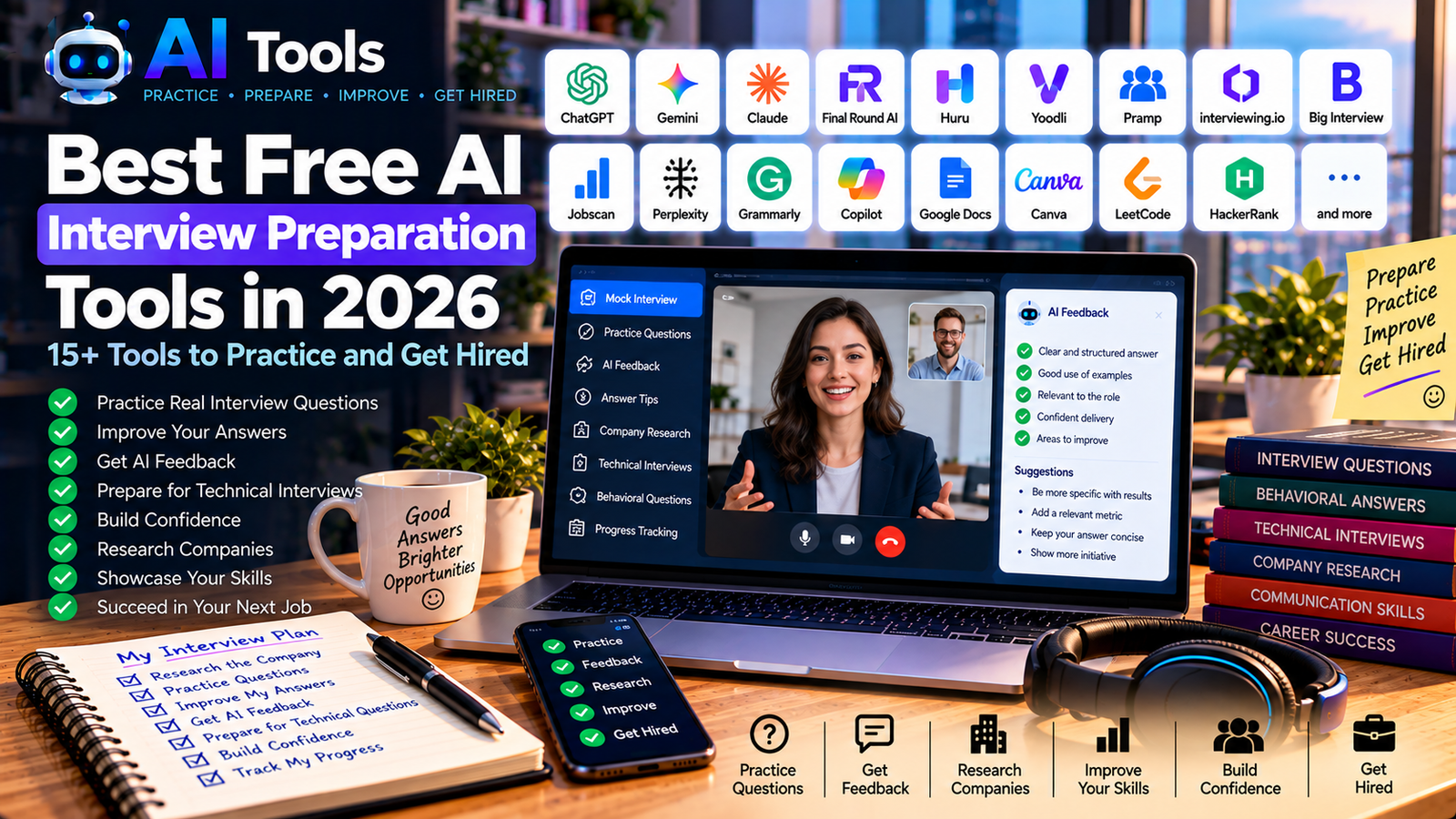
Best Free AI Interview Preparation Tools in 2026: 15+ Tools to Practice and Get Hired
Preparing for a job interview can be stressful. You need to explain your experience clearly, answer difficult questions, demonstrate your skills and convince an employer that you are the right candidate.
Fortunately, free AI interview preparation tools can help you practice before the big day. They can simulate interview questions, improve your answers, help you research companies and prepare you for behavioral, technical and video interviews.
In this guide, we explore 17 AI-powered tools and useful resources for job seekers, students, graduates, freelancers and experienced professionals.
Whether you are preparing for your first interview or applying for a senior position, these tools can help you become more confident and organized.
Important: Some tools offer free plans, limited sessions or free access to selected features. Others require payment for advanced coaching. Check each provider’s current pricing and usage limits before getting started.
Quick Comparison: Best Free AI Interview Preparation Tools
| Tool | Best For | Free Access |
|---|---|---|
| ChatGPT | Mock interviews and answer practice | Free access with limits |
| Google Gemini | Interview simulations and preparation | Free access with limits |
| Claude | Behavioral answers and communication | Free access with limits |
| Final Round AI | Specialized interview preparation | Selected features; check limits |
| Huru | Mock interview practice | Check current free access |
| Yoodli | Speaking and communication feedback | Limited free roleplays may apply |
| Pramp / Aced Practice | Practice with another candidate | Check current booking allowance |
| interviewing.io | Technical interview practice | Selected free coding practice |
| Big Interview | Structured interview training | Access may depend on plan or institution |
| Jobscan | Resume and job-description matching | Limited free features |
| Perplexity | Company and industry research | Free search features with limits |
| Grammarly | Grammar and communication | Free writing assistance |
| Microsoft Copilot | Research and interview preparation | Free access with limits |
| Google Docs | Organizing interview notes | Free with a Google account |
| Canva | Interview presentations and portfolios | Free templates and features |
| LeetCode | Technical and coding interviews | Free problems available |
| HackerRank | Coding assessments and technical practice | Free practice resources available |
Free access is not identical across these services. Some tools are designed specifically for interviews, while others are general-purpose AI assistants or supporting resources.
1. ChatGPT — Best for Mock Interviews
ChatGPT is a flexible option for practicing interviews across many professions. You can ask it to act as a recruiter, hiring manager or technical interviewer.
It can generate questions based on a job description, review your answers and suggest ways to communicate your experience more clearly.
Key features:
- Simulated job interviews
- Behavioral interview questions
- Feedback on written answers
- Cover letter and resume preparation
- Practice with the STAR method
- Interview follow-up email drafts
Example prompt:
“Act as a hiring manager interviewing me for a digital marketing specialist position. Ask one question at a time. After each answer, evaluate my clarity, relevance and use of concrete examples. Do not invent experience on my behalf.”
Best for: Candidates who want flexible, personalized practice for different types of jobs.
Free access: A free version is available, subject to current usage limits.
Website: https://chatgpt.com/
2. Google Gemini — Best for General Interview Preparation
Google Gemini can help you understand a job description, prepare answers and practice explaining your skills.
You can also use it to organize your research about an employer and generate questions to ask at the end of an interview.
Key features:
- Interview question generation
- Job-description analysis
- Practice answers
- Company research assistance
- Interview preparation plans
Best for: Job seekers who want help with research, preparation and communication in one place.
Free access: Availability and usage limits depend on the current Google plan.
Website: https://gemini.google.com/
3. Claude — Best for Behavioral Interview Answers
Claude can help you structure answers about teamwork, leadership, problem-solving and professional challenges.
It is particularly useful when your answers are too long, vague or difficult to follow.
Key features:
- Behavioral interview practice
- Answer editing and simplification
- STAR-method guidance
- Professional communication
- Practice questions based on your experience
Best for: Professionals who want to explain complex projects and achievements clearly.
Free access: A free version is available with usage limits.
Website: https://claude.ai/
4. Final Round AI — Best for Specialized Interview Preparation
Final Round AI provides interview-focused tools intended to help candidates prepare for different interview formats.
Depending on the current plan, its features may include mock interviews, preparation resources and feedback.
Key features:
- Interview practice
- Preparation based on job requirements
- Interview question support
- Feedback and review features
- Resources for different interview formats
Best for: Candidates looking for a specialized interview preparation platform rather than a general chatbot.
Free access: Features and allowances may be restricted. Review the current pricing details before relying on a particular feature.
Website: https://www.finalroundai.com/
5. Huru — Best for Mock Interview Practice
Huru focuses on helping job seekers rehearse interview questions. It is worth exploring if you want a more structured practice experience.
Key features:
- Mock interview sessions
- Practice questions
- Interview rehearsal
- Feedback on responses where supported
- Preparation for different job roles
Best for: Candidates who want to practice answering questions before a real interview.
Free access: Check the current offer, session limits and available feedback features.
Website: https://www.huru.ai/
6. Yoodli — Best for Speaking and Communication Practice
Knowing what to say is only part of an interview. You also need to communicate confidently and avoid answers that are difficult to follow.
Yoodli provides AI-powered speaking practice and communication feedback.
Key features:
- AI roleplay exercises
- Speaking practice
- Communication feedback
- Identification of repetitive language and filler words in supported sessions
- Practice for professional conversations
Best for: Candidates who feel nervous speaking aloud or want to improve their delivery.
Free access: A limited free allowance may be available. Check the current plan for the number of sessions.
Website: https://yoodli.ai/
7. Pramp / Aced Practice — Best for Practicing with Another Candidate
Practicing with another person can help you experience the pressure of answering questions in real time.
Pramp’s practice offering has been associated with Exponent and Aced Practice. Check the current platform and booking conditions before registering.
Key features:
- Peer-to-peer mock interviews where available
- Practice with another candidate
- Technical interview rehearsal
- Real-time question and answer sessions
- Opportunities to practice explaining your reasoning
Best for: Candidates who want human interaction rather than practicing only with AI.
Free access: Availability, credits and session conditions may change.
Website: https://www.pramp.com/
8. interviewing.io — Best for Technical Interviews
Technical candidates often need to demonstrate problem-solving, coding and communication under pressure.
interviewing.io offers technical interview practice resources, including AI-based practice for coding and system design.
Key features:
- Coding interview practice
- Technical problem-solving
- System design preparation
- Interview-style exercises
- Practice for software engineering roles
Best for: Software developers and technical candidates preparing for demanding engineering interviews.
Free access: Some practice resources may be free, while other sessions and services can be paid.
Website: https://interviewing.io/
9. Big Interview — Best for Structured Interview Training
Big Interview combines interview training resources with practice exercises. It is useful if you prefer a structured learning path instead of creating your own preparation plan.
Key features:
- Interview training lessons
- Common interview question guidance
- Practice exercises
- Video interview preparation
- Resources for different career stages
Best for: Beginners and job seekers who want organized interview training.
Free access: Availability may depend on your plan, educational institution or career service. Confirm access before signing up.
Website: https://biginterview.com/
10. Jobscan — Best for Matching Your Resume to a Job
Your resume and your interview preparation should support each other. Jobscan can help you compare your resume with a job description and identify relevant skills or terminology that may deserve attention.
Key features:
- Resume and job-description comparison
- Keyword analysis
- ATS-related guidance
- Job application preparation
- Resume improvement suggestions
Best for: Candidates who want to ensure that the experience they present during an interview matches their written application.
Free access: Free scans or other features may be limited.
Website: https://www.jobscan.co/
11. Perplexity — Best for Company Research
Before an interview, it helps to understand what the company does, who its customers are and what challenges its industry faces.
Perplexity can help you research an employer and locate sources to investigate further.
Key features:
- Web research
- Source-linked answers
- Industry and competitor research
- Background research on companies
- Preparation of questions for recruiters
Best for: Candidates who want to prepare informed questions and demonstrate knowledge of the employer.
Free access: Free search features are available, with possible limits on advanced capabilities.
Website: https://www.perplexity.ai/
Tip: Verify important company facts using the employer’s official website and other reliable sources.
12. Grammarly — Best for Clear Professional Communication
Grammarly can help you improve written communication before and after an interview.
It is useful for preparing recruiter emails, checking follow-up messages and refining written answers to application questions.
Key features:
- Grammar and spelling checks
- Clarity suggestions
- Tone improvements
- Professional email assistance
- Writing refinement
Best for: Candidates who want their written communication to be clear and professional.
Free access: Basic writing assistance is available; advanced features may require payment.
Website: https://www.grammarly.com/
13. Microsoft Copilot — Best for Interview Research and Preparation
Microsoft Copilot can assist with interview preparation by helping you summarize information, brainstorm questions and organize your research.
Key features:
- Interview question ideas
- Professional writing assistance
- Research and summaries
- Practice answer drafts
- Preparation checklists
Best for: Candidates who want a general AI assistant for research and preparation.
Free access: Availability and usage limits depend on the current service and account.
Website: https://copilot.microsoft.com/
14. Google Docs — Best for Organizing Interview Notes
Google Docs is not a dedicated AI interview simulator, but it is a practical way to organize your preparation.
Create a document for each job application and keep your research, questions and practice answers together.
Key features:
- Interview preparation notes
- Editable answer templates
- Company research summaries
- Checklists
- Document sharing and collaboration
Best for: Candidates who want a simple and accessible preparation system.
Free access: Google Docs is available free with a Google account.
Website: https://docs.google.com/
15. Canva — Best for Interview Presentations and Portfolios
Some interviews require you to present a project, portfolio or case study. Canva can help you prepare professional slides and visual materials.
Key features:
- Presentation templates
- Portfolio layouts
- Visual case studies
- Resume and project presentation designs
- Design assistance
Best for: Designers, marketers, consultants and candidates who need to present work samples.
Free access: Many templates and design tools are available free, while some elements and AI features are premium.
Website: https://www.canva.com/
16. LeetCode — Best for Coding Interview Practice
LeetCode is widely used by candidates preparing for programming interviews. It focuses on coding problems rather than general behavioral interviews.
Key features:
- Programming challenges
- Algorithm practice
- Data structure exercises
- Coding problem discussions
- Preparation for technical assessments
Best for: Software engineers and candidates applying for programming roles.
Free access: Many coding problems are available free; some content and features require a paid subscription.
Website: https://leetcode.com/
17. HackerRank — Best for Technical Assessments
HackerRank provides coding challenges and technical practice resources that can help candidates prepare for software development assessments.
Key features:
- Coding challenges
- Programming exercises
- Technical assessment practice
- Problem-solving tasks
- Practice across supported programming languages
Best for: Developers preparing for coding assessments and technical interviews.
Free access: Free practice resources are available, although features vary.
Website: https://www.hackerrank.com/
How to Prepare for a Job Interview with Free AI Tools
You do not need to subscribe to every platform. Start with a few tools that cover your most important needs.
Step 1: Analyze the Job Description
Identify the required skills, responsibilities, qualifications and experience. Highlight the requirements that genuinely match your background.
You can ask ChatGPT, Gemini or Claude to summarize the job description and generate likely interview questions.
Step 2: Research the Employer
Use Perplexity or another research tool to learn about the company’s products, customers, industry and recent developments.
Verify important details through reliable sources before using them in your answers.
Step 3: Prepare Your Main Stories
Prepare real examples that demonstrate your skills, teamwork, leadership, problem-solving and ability to learn.
Use the STAR method:
- Situation: Explain the context.
- Task: Describe your responsibility.
- Action: Explain what you did.
- Result: Describe the outcome, using accurate details.
Step 4: Run a Mock Interview
Ask an AI assistant to act as an interviewer for your target role. Request one question at a time so you can practice responding naturally.
For example:
“Conduct a mock interview for a customer service representative position. Ask one question at a time, wait for my answer and then give specific feedback on clarity, relevance and structure.”
Step 5: Practice Speaking Out Loud
Use a speaking practice tool such as Yoodli where available, or record yourself answering questions.
Pay attention to your pace, clarity, filler words and whether your answers actually address the question.
Step 6: Prepare Technical Questions
If you are applying for a technical role, use relevant coding or technical practice resources such as LeetCode, HackerRank or interviewing.io.
Choose exercises that match the requirements of the position.
Step 7: Prepare Questions for the Employer
Good questions can help you understand the role and demonstrate that you have researched the opportunity.
Examples include:
- What would success look like in the first three months?
- What are the team’s main priorities?
- How is performance evaluated in this role?
- What are the next steps in the hiring process?
Step 8: Review and Practice Again
Repeat the questions that were difficult. Improve your answers using specific examples rather than memorizing generic AI-generated scripts.
Best Free AI Interview Tools by Need
- For general mock interviews: ChatGPT, Gemini or Claude.
- For speaking and delivery: Yoodli, subject to its current free allowance.
- For specialized interview practice: Final Round AI or Huru, after checking current limits.
- For technical interviews: LeetCode, HackerRank and interviewing.io.
- For company research: Perplexity.
- For resume alignment: Jobscan.
- For interview notes: Google Docs.
- For presentations and portfolios: Canva.
The best combination depends on your target job. A software engineer needs different preparation from a sales representative, a designer or a recent graduate.
Frequently Asked Questions
What is the best free AI interview preparation tool in 2026?
There is no single best tool for every candidate. ChatGPT, Gemini and Claude are flexible starting points for question practice. Specialized platforms may offer more structured mock interviews or speaking feedback, depending on their current plans.
Can AI help me pass a job interview?
AI can help you practice, organize your examples and communicate more clearly. It cannot guarantee a job offer. Your actual experience, preparation, communication and suitability for the role remain important.
Can I practice a complete mock interview for free?
Yes, you can simulate an interview using a free AI assistant by asking it to act as a recruiter and ask questions one at a time. Dedicated platforms may also offer free sessions, although their limits vary.
How should I answer behavioral interview questions?
Use the STAR method to structure a real example. Explain the situation, your responsibility, the action you took and the result. Focus on your own contribution and avoid inventing achievements.
Can AI prepare me for a technical interview?
AI can generate practice questions and explain technical concepts. You should also solve coding problems yourself and practice explaining your reasoning. Tools such as LeetCode, HackerRank and interviewing.io can support this process.
Is it safe to upload my resume to an AI tool?
Review the provider’s privacy policy before uploading a resume. Avoid sharing unnecessary sensitive information such as your full home address, identification numbers or confidential employer data. You can replace personal details with placeholders during practice.
Should I memorize AI-generated interview answers?
No. Use AI-generated answers as examples and preparation aids, then adapt them to your actual experience. Memorized responses can sound unnatural and may not address follow-up questions.
Final Thoughts
Free AI interview preparation tools can help you practice more effectively, improve your answers and approach interviews with greater confidence.
You can start with a free AI assistant, a simple document for your notes and a few targeted practice exercises. Add a specialized platform only if you need extra support with speaking, technical questions or structured mock interviews.
The most effective preparation combines AI feedback with honest examples from your experience and repeated practice.
Explore more resources on AI Free Tools:
Leave a Reply