
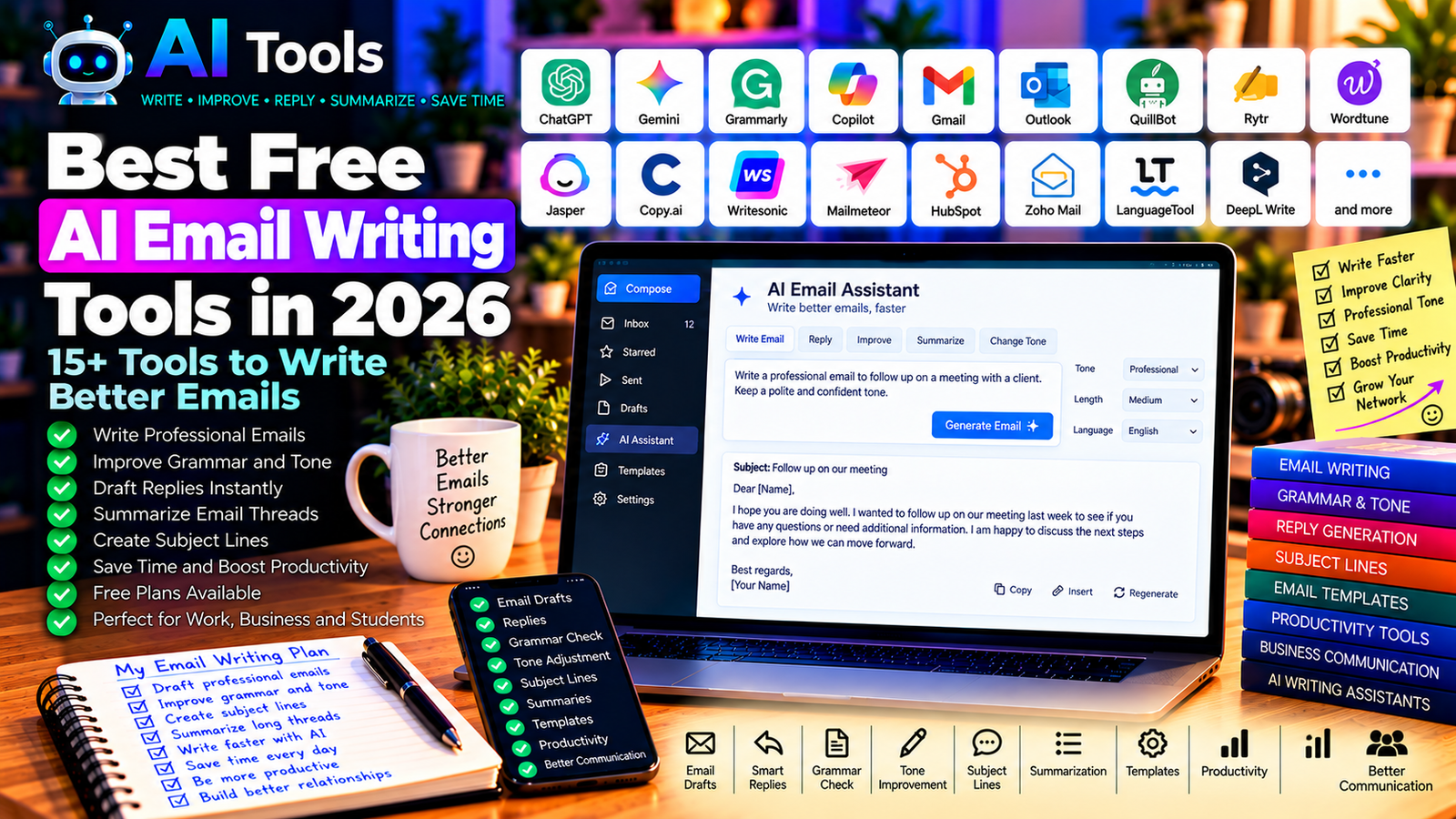
Best Free AI Email Writing Tools in 2026: 15+ Tools to Write Better Emails
Writing professional emails takes time. You need to choose the right words, organize your message, correct mistakes, and make sure your tone is appropriate for the recipient.
Free AI email writing tools can help you draft messages, improve grammar, summarize long conversations, and prepare replies more efficiently. Whether you are applying for a job, contacting a client, following up on a business proposal, or managing daily communication, these tools can simplify your workflow.
In this guide, we compare 17 AI assistants, writing tools, and email platforms that can help you write better emails in 2026. We explain their main uses, free-access options, and limitations so you can choose the right solution.
Important: Free plans, AI features, usage limits, and integrations can change. Some tools provide a free writing assistant, while others reserve email-specific automation or advanced features for paid plans. Check the official website for current terms.
Quick Comparison: Best Free AI Email Writing Tools
| Tool | Best For | Free Access |
|---|---|---|
| ChatGPT | Drafting and rewriting emails | Free tier with limits |
| Google Gemini | Email drafts and tone adjustments | Free tier; integrations vary |
| Grammarly | Grammar, clarity, and tone | Free plan with limitations |
| Microsoft Copilot | Email assistance in Microsoft workflows | Availability depends on plan |
| Gmail with Gemini | Drafting and summarizing emails | AI features depend on account and plan |
| Microsoft Outlook | Email management and writing assistance | Core features available; AI features vary |
| QuillBot | Rewriting and improving email wording | Free tools with restrictions |
| Rytr | Short email drafts | Free access or limited usage; verify current terms |
| Wordtune | Rewriting and tone adjustments | Free usage limits may apply |
| Jasper | Marketing and business email copy | Paid plans or trial options; verify current offer |
| Copy.ai | Sales and marketing copy | Current free access and limits vary |
| Writesonic | Marketing and email content | Free access or trial terms may change |
| Mailmeteor | Personalized email campaigns | Free sending limits may apply |
| HubSpot | Sales email writing and CRM workflows | Free CRM tools; AI features vary |
| Zoho Mail | Business email and productivity | Plan and AI availability vary |
| LanguageTool | Grammar and proofreading | Free plan with limitations |
| DeepL Write | Clearer and more natural wording | Free access with feature limits |
1. ChatGPT — Best for Writing Professional Emails
ChatGPT is a versatile AI assistant that can help you write almost any type of email. You can describe the situation, identify the recipient, and specify the tone you want.
For example, you can ask it to draft a polite follow-up after sending a quotation, respond to a supplier, request a meeting, or explain a delay to a customer.
It can also transform a rough message into a clear, professional email without changing your main point.
Best features:
- Draft emails from simple instructions.
- Rewrite messages in a professional or friendly tone.
- Correct grammar and improve clarity.
- Create follow-up and reminder emails.
- Shorten long messages and suggest subject lines.
Free plan: ChatGPT offers a free tier with usage and feature limits.
Best for: Freelancers, business owners, job seekers, students, and office workers.
Official website: https://chatgpt.com/
2. Google Gemini — Best for Email Drafts and Context
Google Gemini can help generate email drafts, rewrite messages, and suggest more appropriate wording for different situations.
It can be useful when you need to explain a complicated issue clearly, write a polite response, or adapt an email for a different audience.
Gemini-related features inside Gmail and other Google products depend on the account, region, and current subscription. Access to the standalone assistant does not automatically mean that all integrated Gmail features are free.
Best features:
- Draft professional emails.
- Adjust formality and tone.
- Summarize information into a concise message.
- Suggest subject lines and alternative wording.
- Assist with multilingual communication.
Free plan: Gemini offers free access with usage limits. Integrated email features may require an eligible plan.
Best for: Gmail users, professionals, students, and people who regularly write emails in multiple languages.
Official website: https://gemini.google.com/
3. Grammarly — Best for Grammar and Clarity
Grammarly helps users improve spelling, grammar, punctuation, and writing clarity. It is particularly useful when you have already written an email and want to make it more polished before sending it.
Depending on the current product and plan, Grammarly may also offer AI-assisted rewriting, drafting, or tone-related features.
Best features:
- Correct grammar and spelling.
- Improve sentence clarity.
- Identify potentially awkward wording.
- Review tone in supported workflows.
- Assist with writing across compatible applications.
Free plan: Grammarly offers a free plan, while some advanced writing and AI features may require payment.
Best for: Professionals, students, job applicants, and non-native English writers.
Official website: https://www.grammarly.com/
4. Microsoft Copilot — Best for Microsoft Email Workflows
Microsoft Copilot can assist with writing and productivity tasks across supported Microsoft products. It may be especially useful for people who use Outlook and other Microsoft 365 applications every day.
Depending on your account and license, eligible features may help draft messages, summarize email threads, or improve wording.
Before choosing it for a business workflow, confirm that your version of Outlook and your subscription include the specific AI features you need.
Best features to investigate:
- Draft or rewrite emails in eligible applications.
- Summarize supported email conversations.
- Improve clarity and tone.
- Assist with Microsoft 365 productivity tasks.
- Support business communication workflows.
Free access: Some Copilot experiences are available without a paid subscription, but integrated Outlook and Microsoft 365 features may require an eligible paid plan.
Best for: Office workers, corporate teams, and businesses using Microsoft 365.
Official website: https://www.microsoft.com/microsoft-copilot
5. Gmail with Gemini — Best for Gmail Users
Gmail is a widely used email service, and Google offers AI-assisted email features in eligible accounts and plans.
Depending on current availability, these features may help users draft messages, refine wording, or summarize conversations. They can be useful when managing a busy inbox, although not every feature is included with a standard free Gmail account.
Best features to investigate:
- Help draft email messages.
- Refine wording and tone.
- Summarize supported email threads.
- Improve productivity within Gmail.
- Work within Google’s email environment.
Free access: Gmail’s core email service is free. Gemini-powered features depend on the current account, plan, and regional availability.
Best for: Individuals, freelancers, and businesses that use Gmail.
Official website: https://mail.google.com/
6. Microsoft Outlook — Best for Managing Professional Email
Microsoft Outlook is an email and calendar platform rather than a standalone AI writing tool. However, it can be part of an effective email workflow, especially when combined with eligible Microsoft AI features or an external writing assistant.
You can use Outlook to organize conversations, schedule meetings, manage contacts, and keep business communication in one place.
Best features:
- Manage email conversations and folders.
- Organize calendars and meetings.
- Search and filter messages.
- Use supported writing assistance where available.
- Integrate with compatible Microsoft productivity tools.
Free access: Outlook offers free email access, but advanced AI features depend on the relevant product and subscription.
Best for: Professionals, teams, and users who want email and calendar management together.
Official website: https://outlook.live.com/
7. QuillBot — Best for Rewriting Email Messages
QuillBot is known for paraphrasing and writing assistance. It can help you rewrite an email so it sounds clearer, more concise, or more professional.
For example, if your first draft sounds too direct, you can use a rewriting tool to explore a more diplomatic version. Always check that the revised text preserves your original meaning.
Best features:
- Rewrite email sentences.
- Improve phrasing and readability.
- Explore alternative wording.
- Correct selected writing issues.
- Support English-language writing workflows.
Free access: QuillBot offers free tools with restrictions; advanced features and higher usage limits may require a subscription.
Best for: Students, professionals, and anyone who wants to improve existing email drafts.
Official website: https://quillbot.com/
8. Rytr — Best for Short Email Drafts
Rytr is an AI writing assistant associated with generating short-form content, including business and marketing copy.
It can be useful when you need a starting draft for a customer response, a professional introduction, or a short outreach message.
The quality of the result depends on the detail you provide. Include the purpose, recipient, desired tone, and essential information to get a more relevant draft.
Best features to investigate:
- Generate short-form text.
- Draft business and marketing messages.
- Explore different writing tones.
- Produce alternative versions.
- Speed up repetitive writing tasks.
Free access: Check the current official website for free-plan availability, usage allowances, and supported features.
Best for: Freelancers, small businesses, and users who write recurring short messages.
Official website: https://rytr.me/
9. Wordtune — Best for Rewriting and Tone Adjustments
Wordtune focuses on helping users improve their writing through alternative phrasings and rewriting suggestions.
It can be useful when your email is understandable but does not sound quite right. You can explore different ways to express the same idea and select the wording that best fits your recipient.
Best features:
- Rewrite sentences.
- Improve clarity and flow.
- Explore alternative wording.
- Adjust phrasing for different contexts.
- Support everyday professional writing.
Free access: Wordtune has offered limited free usage, while additional features and higher usage allowances may require a paid plan.
Best for: Professionals and non-native English writers who want clearer emails.
Official website: https://www.wordtune.com/
10. Jasper — Best for Marketing and Business Email Copy
Jasper is an AI writing platform focused on business and marketing content. It may be useful for teams that need consistent messaging across sales emails, promotional campaigns, newsletters, and other marketing materials.
It is more relevant to structured marketing workflows than to occasional personal emails.
Best features to investigate:
- Generate marketing email drafts.
- Develop promotional messages.
- Adapt content to a brand’s writing style.
- Create alternative campaign copy.
- Support content workflows for teams.
Free access: Jasper’s plans and trial availability can change. Check the current pricing and conditions before relying on it as a free tool.
Best for: Marketing teams, agencies, and businesses that create email campaigns regularly.
Official website: https://www.jasper.ai/
11. Copy.ai — Best for Sales and Outreach Emails
Copy.ai is associated with AI-powered sales and marketing content workflows. It can help users create first drafts for outreach messages, product introductions, and promotional communication.
The tool is most useful when you have a clear audience and purpose. Generic prompts often produce generic emails, so provide specific information about the recipient and desired outcome.
Best features to investigate:
- Draft sales outreach messages.
- Generate marketing email copy.
- Create alternative opening lines.
- Support repeatable content workflows.
- Assist with business communication.
Free access: Current free access, credits, and plan limits should be checked on the official website.
Best for: Sales professionals, marketers, agencies, and small businesses.
Official website: https://www.copy.ai/
12. Writesonic — Best for Marketing Email Content
Writesonic is an AI writing platform designed for content and marketing workflows. Depending on the current product, it may support email drafts, promotional copy, and other business writing tasks.
It can be useful when your email needs to align with a wider campaign, such as a product launch, newsletter, or customer offer.
Best features to investigate:
- Draft marketing emails.
- Create promotional copy.
- Generate alternative subject lines.
- Adapt messaging for different audiences.
- Support content creation workflows.
Free access: Free access and trial conditions vary over time. Check the current plan before choosing it for regular use.
Best for: Marketers, content creators, and businesses preparing promotional campaigns.
Official website: https://writesonic.com/
13. Mailmeteor — Best for Personalized Email Campaigns
Mailmeteor is an email outreach and mail-merge tool designed to help users send personalized messages. It is not simply a general-purpose AI writing assistant, but it can complement one when you need to prepare messages for multiple recipients.
For example, you could use a spreadsheet containing recipient names and company details to personalize a business outreach campaign.
Best features:
- Personalize messages using recipient data.
- Support mail-merge workflows.
- Send campaigns through supported email services.
- Track selected campaign metrics where available.
- Reduce repetitive manual email preparation.
Free access: Mailmeteor has offered free usage with sending limits. Current limits and features depend on the plan.
Best for: Freelancers, recruiters, sales professionals, and small businesses.
Official website: https://mailmeteor.com/
14. HubSpot — Best for Sales Email Workflows
HubSpot provides CRM, marketing, and sales tools. It can help businesses organize contacts, manage sales pipelines, and coordinate communication with prospects and customers.
Its AI writing features and usage limits depend on the current product and account. The free CRM is useful for organizing sales activity, but not every advanced AI or automation feature is free.
Best features to investigate:
- Manage contacts and sales activity.
- Organize customer communication.
- Create and track supported email workflows.
- Explore AI-assisted writing where available.
- Connect email activity with CRM records.
Free access: HubSpot offers free CRM tools, while advanced automation, AI features, and other capabilities may require paid plans.
Best for: Sales teams, startups, agencies, and small businesses.
Official website: https://www.hubspot.com/
15. Zoho Mail — Best for Business Email Management
Zoho Mail is a business email service with productivity and administration features. It can be useful for companies that want email associated with their own domain.
Although it is not solely an AI email writer, it can serve as the foundation for a professional communication workflow. Available AI assistance depends on the product, account, and eligible integrations.
Best features:
- Manage business email.
- Use a professional email environment.
- Organize messages and folders.
- Support collaboration and administration.
- Explore compatible productivity integrations.
Free access: Zoho Mail’s available plans and eligibility depend on the current offer and account requirements. Verify whether the free option supports your domain and user count.
Best for: Small businesses, freelancers, and organizations managing business email.
Official website: https://www.zoho.com/mail/
16. LanguageTool — Best for Email Proofreading
LanguageTool is a writing assistant that checks grammar, spelling, punctuation, and style in supported languages.
It is useful when you want to review a message before sending it, especially if you write in a language that is not your first language.
LanguageTool supports multiple languages, although the depth of correction and available suggestions can vary by language.
Best features:
- Check spelling and grammar.
- Identify punctuation problems.
- Improve selected style issues.
- Support multiple languages.
- Work through supported browser and application integrations.
Free access: LanguageTool offers a free plan with limits. Advanced suggestions and additional features may require payment.
Best for: Multilingual professionals, students, and anyone who wants to proofread emails.
Official website: https://languagetool.org/
17. DeepL Write — Best for Clearer and More Natural Emails
DeepL Write helps users improve written text by suggesting alternative wording and clearer expressions. It can be useful when you have already written an email but want to make it more natural or professional.
It is a writing improvement tool rather than a complete email management platform. You can draft your message separately, refine it with DeepL Write, and then paste the final version into your email application.
Best features:
- Improve phrasing and clarity.
- Explore alternative expressions.
- Refine professional writing.
- Make sentences more natural.
- Support selected language and style workflows.
Free access: DeepL Write offers free access with limitations; available languages and advanced features may vary.
Best for: Professionals, students, and users who want to improve the quality of their written communication.
Official website: https://www.deepl.com/write
How to Choose the Best Free AI Email Writing Tool
The best choice depends on whether you need to generate an email from scratch, improve a draft, manage an inbox, or send personalized messages at scale.
| Your Main Goal | Recommended Starting Tools |
|---|---|
| Write a professional email from a prompt | ChatGPT |
| Draft or refine messages in a Google workflow | Gemini and eligible Gmail features |
| Improve grammar and spelling | Grammarly or LanguageTool |
| Rewrite an existing email | QuillBot, Wordtune, or DeepL Write |
| Write marketing emails | Jasper, Copy.ai, or Writesonic |
| Send personalized outreach | Mailmeteor |
| Manage sales communication | HubSpot |
| Manage business email | Outlook or Zoho Mail |
Best Free AI Email Tools for Business Owners
Business owners often need to contact suppliers, respond to customers, send quotations, follow up on invoices, and arrange meetings.
A practical workflow is to use ChatGPT to draft the message, a proofreading tool to check the language, and your normal email platform to send it.
Always confirm prices, dates, delivery conditions, names, and other business details before sending. AI should improve the wording without inventing commitments.
Best AI Email Writing Tools for Job Seekers
Job seekers can use AI tools to draft application emails, contact recruiters, request interviews, and send thank-you messages.
Provide accurate information about your experience and the position. Ask the assistant to highlight relevant qualifications without adding achievements or skills that you do not have.
Review the final message so it sounds personal rather than generic.
Best Tools for Email Marketing
Email marketing requires more than good writing. You may also need contact management, permission-based lists, personalization, campaign analytics, and unsubscribe handling.
AI writing tools can help draft subject lines and message variations, while platforms such as HubSpot or dedicated email campaign tools may support the wider workflow.
Follow applicable privacy and anti-spam rules, and do not use AI-generated personalization to mislead recipients.
How to Write a Professional Email with AI in Five Steps
Step 1: Define the Purpose
Decide what the email needs to accomplish. Are you requesting information, responding to a complaint, sending a quotation, or following up with a potential client?
Step 2: Provide the Essential Details
Tell the AI assistant who the recipient is, what information must be included, and what action you want the recipient to take.
Do not include unnecessary confidential information.
Step 3: Generate the First Draft
Try this prompt:
“Write a concise, professional email to a business client. The purpose is to follow up on a quotation sent last week. Use a polite and confident tone, mention that I am available to answer questions, and invite the client to discuss the next steps. Do not invent prices, dates, or commitments.”
Step 4: Improve the Wording
Ask the assistant to make the message shorter, more diplomatic, or more direct if necessary. Use a grammar checker to identify language mistakes.
Step 5: Verify Before Sending
Check the recipient, subject line, attachments, dates, prices, links, and all factual statements. Read the message once as if you were the recipient.
Are Free AI Email Writing Tools Worth Using?
Yes. Free AI writing tools can help reduce the time spent drafting routine messages, correcting mistakes, and adapting tone.
However, not every tool offers the same capabilities. A general AI assistant can write a message, while an email platform may manage your inbox, and a mail-merge tool may personalize messages for multiple recipients.
Start with one general-purpose writing assistant and one proofreading tool. Add automation only when you have a clear recurring task that justifies it.
Are AI Email Writing Tools Safe?
Email content can contain sensitive business and personal information. Before using an online AI service, review its privacy policy and understand how submitted text may be stored or processed.
- Avoid sharing passwords, financial credentials, or unnecessary personal data.
- Remove confidential customer information from prompts when possible.
- Review your organization’s approved AI tools and policies.
- Check every generated email before sending it.
- Never rely on AI to make unverified promises or factual claims.
The safest workflow uses AI to improve language while keeping the sender responsible for the final message.
Frequently Asked Questions
What is the best free AI email writing tool in 2026?
ChatGPT is a flexible starting point for generating emails, while Grammarly and LanguageTool can help with proofreading. The best option depends on whether you need drafting, rewriting, grammar correction, or inbox integration.
Can AI write professional emails for free?
Yes. Free AI assistants can draft professional emails, subject lines, and follow-up messages, subject to usage limits. You should review the output before sending it.
Can AI reply to emails automatically?
Some email platforms and automation tools can help draft or automate replies. Availability depends on the platform, plan, permissions, and setup. For important customer communication, review automated responses and avoid sending unverified information.
Which AI tool is best for correcting email grammar?
Grammarly and LanguageTool are useful starting points for grammar and spelling. DeepL Write can help improve phrasing and clarity. Language support and advanced features vary.
Can AI write sales and marketing emails?
Yes. General assistants and marketing-focused tools can help create sales outreach, promotional messages, and follow-ups. Provide accurate product details and avoid misleading claims or unwanted bulk messaging.
Can I use AI to write emails in French or other languages?
Yes. ChatGPT, Gemini, DeepL, and other multilingual tools can help draft or translate emails in supported languages. Review regional expressions, professional terminology, and tone before sending.
Final Verdict
The best free AI email writing tools in 2026 can help you communicate more clearly and spend less time on repetitive writing.
For most users, start with ChatGPT for drafting, Grammarly or LanguageTool for proofreading, and DeepL Write for improving phrasing. If you need email-specific integration, check the current capabilities of Gmail with Gemini or Microsoft Outlook with eligible Copilot features.
Choose tools based on your real needs, verify their free-plan limits, and always review important messages before sending them.
Explore more guides on AI Free Tools:
Leave a Reply