
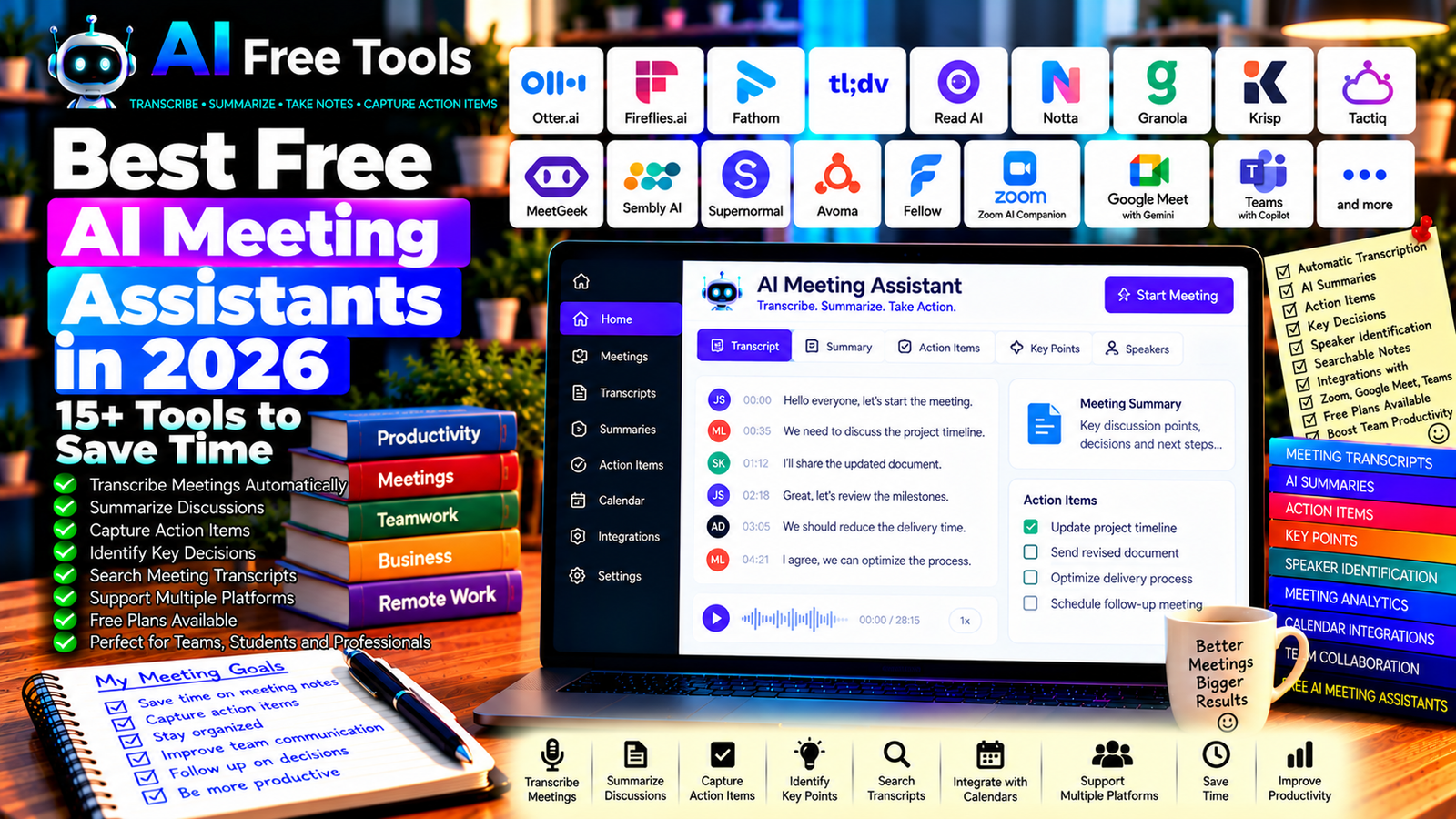
Best Free AI Meeting Assistants in 2026: 15+ Tools to Save Time
Free AI meeting assistants can help you capture conversations, create transcripts, summarize discussions, and turn meeting notes into actionable tasks. Instead of spending hours writing minutes after every call, you can use AI-powered tools to organize important information and make follow-ups easier.
These tools are useful for remote teams, freelancers, students, sales professionals, consultants, and small businesses. Some join online meetings automatically, while others record audio, transcribe conversations, or generate notes from recordings. Certain platforms also identify speakers, extract action items, and integrate with calendars or project management applications.
In this guide, we compare 17 AI meeting assistants and meeting-related tools in 2026. You will learn what each tool offers, which options are worth exploring, and how to choose a solution for your meetings.
Important: Free plans and features change frequently. Some tools provide limited transcription minutes, a restricted number of AI summaries, or a free trial rather than permanent free access. Features in Zoom, Google Meet, and Microsoft Teams may depend on your subscription. Always check current pricing, recording permissions, and privacy settings before using a tool.
Quick Comparison: Best Free AI Meeting Assistants
| Tool | Best For | Free Access |
|---|---|---|
| Otter.ai | Meeting transcription and summaries | Free plan with limits |
| Fireflies.ai | Transcription and searchable meeting notes | Free plan with limits |
| Fathom | AI summaries for online meetings | Free access; conditions may apply |
| tl;dv | Meeting recordings and highlights | Free plan with limits |
| Read AI | Meeting analytics and summaries | Free access or limits vary |
| Notta | Transcription and meeting notes | Free plan with limits |
| Granola | AI-enhanced meeting notes | Free access and limits may change |
| Krisp | Noise cancellation and meeting assistance | Free features with restrictions |
| Tactiq | Meeting transcripts and AI notes | Free plan with limits |
| MeetGeek | Meeting recording and summaries | Free plan with limits |
| Sembly AI | Meeting notes and action items | Free access with limits |
| Supernormal | Automated meeting notes | Free access and limits vary |
| Avoma | Meeting intelligence for teams | Trial or paid access may apply |
| Fellow | Meeting agendas, notes, and follow-ups | Free features with restrictions |
| Zoom AI Companion | AI assistance inside Zoom | Depends on eligible Zoom plan |
| Google Meet with Gemini | AI meeting features in Google Meet | Depends on eligible Google plan |
| Microsoft Teams with Copilot | Meeting summaries and assistance | Depends on eligible Microsoft plan |
1. Otter.ai — Best for Meeting Transcription
Otter.ai is an AI meeting assistant designed to transcribe conversations and help users review what was discussed. It can be useful when you need searchable meeting notes rather than relying on memory or handwritten notes.
Best features:
- Transcribe supported meetings and conversations.
- Create summaries of discussions.
- Identify speakers where supported.
- Search meeting transcripts.
- Extract important points and follow-up items through available features.
Free access: Otter.ai offers a free plan with restrictions that may include transcription minutes, import limits, and AI features. Check the current allowance before using it for frequent meetings.
Best for: Professionals, students, and teams that need searchable meeting records.
Official website: https://otter.ai/
2. Fireflies.ai — Best for Searchable Meeting Notes
Fireflies.ai helps teams record, transcribe, and review meetings through supported integrations. It can make it easier to retrieve information from past conversations and identify decisions or action items.
Best features:
- Transcribe supported online meetings.
- Generate AI meeting summaries.
- Search conversations and transcripts.
- Organize notes and meeting information.
- Integrate with eligible productivity and collaboration tools.
Free access: Fireflies.ai offers a free plan with usage or storage restrictions. Certain integrations and advanced AI features may require payment.
Best for: Teams that hold frequent meetings and need a searchable record of discussions.
Official website: https://fireflies.ai/
3. Fathom — Best for Meeting Summaries
Fathom is an AI meeting assistant that focuses on capturing online meetings and turning them into summaries and useful highlights. It can help reduce the time spent preparing notes after a call.
Best features:
- Record supported online meetings.
- Generate summaries and key takeaways.
- Create highlights from important moments.
- Review transcripts where available.
- Share meeting information with supported workflows.
Free access: Fathom has offered free access to core meeting features, but current limits, team features, and AI capabilities should be checked before choosing it.
Best for: Freelancers, consultants, and professionals who need quick summaries of online conversations.
Official website: https://fathom.video/
4. tl;dv — Best for Meeting Recordings and Highlights
tl;dv helps users record and review supported online meetings. Its summaries and timestamped highlights can make it easier to revisit important parts of a conversation without watching the entire recording again.
Best features:
- Record supported video meetings.
- Create summaries and highlights.
- Review transcripts and important moments.
- Share selected sections with colleagues.
- Support eligible integrations with productivity tools.
Free access: tl;dv offers a free plan, but recording, AI, and integration limits may apply.
Best for: Remote teams, researchers, sales professionals, and anyone who frequently reviews online meetings.
Official website: https://tldv.io/
5. Read AI — Best for Meeting Insights
Read AI provides meeting-related analysis and summaries designed to help users understand conversations and organize follow-up work. Its capabilities may include engagement or meeting analytics, depending on the current product and plan.
Best features to investigate:
- Summarize supported meetings.
- Review transcripts and key moments.
- Extract follow-up information.
- Explore meeting analytics.
- Connect with eligible collaboration workflows.
Free access: Availability and free-plan limits can vary. Review current pricing, supported meeting platforms, and privacy settings before using it.
Best for: Professionals who want meeting summaries alongside additional meeting insights.
Official website: https://www.read.ai/
6. Notta — Best for Transcription and Meeting Notes
Notta offers transcription and AI-assisted note-taking for supported audio, video, and meeting workflows. It can be useful when you need to turn spoken discussions into text that can be reviewed later.
Best features:
- Transcribe supported audio and meetings.
- Generate summaries.
- Organize conversation notes.
- Review transcripts and key information.
- Work with supported languages and integrations.
Free access: Notta offers free access with limits that may apply to transcription time, file length, or other features.
Best for: Multilingual teams, students, interviewers, and professionals who work with recorded conversations.
Official website: https://www.notta.ai/
7. Granola — Best for AI-Enhanced Personal Notes
Granola is an AI note-taking tool designed to help users create structured notes from meetings. Its approach can be useful if you prefer to keep your own notes and use AI to improve or organize them.
Best features to investigate:
- Organize meeting notes.
- Combine personal notes with AI assistance.
- Summarize discussions.
- Extract key decisions and follow-up items.
- Review supported desktop and meeting workflows.
Free access: Check the current plan, supported operating systems, and usage limits, as product features and pricing can change.
Best for: Individuals who want to improve the quality of their meeting notes without managing a complex team platform.
Official website: https://www.granola.ai/
8. Krisp — Best for Clearer Meeting Audio
Krisp is known for AI-powered noise cancellation and meeting audio enhancement. It is not primarily a meeting transcription service, but clearer audio can improve the quality of online conversations and recordings.
Best features:
- Reduce background noise.
- Improve audio clarity in supported applications.
- Explore available microphone and speaker enhancements.
- Support compatible meeting applications.
- Investigate available transcription or meeting-related features.
Free access: Krisp has offered free features with restrictions. Current limits and included AI capabilities depend on the plan.
Best for: Remote workers, freelancers, and professionals who attend meetings in noisy environments.
Official website: https://krisp.ai/
9. Tactiq — Best for Meeting Transcripts and AI Notes
Tactiq provides meeting transcription and AI-assisted notes for supported video-conferencing workflows. It can be useful if you want a text record of a discussion and a short summary of its key points.
Best features:
- Capture transcripts in supported meetings.
- Generate summaries and action items.
- Review important statements.
- Export or share notes through available features.
- Integrate with eligible productivity tools.
Free access: Tactiq offers a free plan with limits on AI credits or monthly usage. Check current allowances before using it for frequent meetings.
Best for: Professionals who want meeting notes without maintaining a separate manual transcript.
Official website: https://tactiq.io/
10. MeetGeek — Best for Automated Meeting Documentation
MeetGeek is designed to help teams record meetings, generate notes, and organize information from conversations. It can be useful when meetings generate decisions or tasks that need to be shared afterward.
Best features:
- Record supported online meetings.
- Create meeting summaries.
- Identify important discussion points.
- Organize notes and follow-ups.
- Integrate with supported collaboration tools.
Free access: MeetGeek offers free access options with usage, storage, or feature limits. Confirm the current plan before using it across a team.
Best for: Small teams and professionals who want consistent meeting documentation.
Official website: https://meetgeek.ai/
11. Sembly AI — Best for Action Items and Meeting Records
Sembly AI focuses on meeting documentation and AI-assisted analysis. Depending on the current plan, it can help users turn conversations into structured notes and follow-up tasks.
Best features to investigate:
- Transcribe supported meetings.
- Generate meeting summaries.
- Identify action items.
- Organize decisions and discussion points.
- Review supported integrations.
Free access: Sembly offers access options with limits that may depend on transcription, storage, or AI usage.
Best for: Teams that need meeting records and clearer follow-up responsibilities.
Official website: https://www.sembly.ai/
12. Supernormal — Best for Automated Meeting Notes
Supernormal provides AI-assisted meeting notes and documentation for supported meeting platforms. It can help users focus on the conversation while reducing the effort required to write a summary afterward.
Best features to investigate:
- Generate meeting notes.
- Summarize important discussion points.
- Organize action items.
- Work with supported conferencing tools.
- Share notes through available integrations.
Free access: Free availability and limits may change. Verify the current plan and supported meeting platforms before relying on it.
Best for: Individuals and teams looking for automated meeting documentation.
Official website: https://www.supernormal.com/
13. Avoma — Best for Sales and Customer-Facing Meetings
Avoma offers meeting intelligence and conversation-management features designed for professional teams. It may be particularly useful for sales, customer success, and other roles that need to review conversations and improve follow-up processes.
Best features to investigate:
- Record and analyze supported meetings.
- Generate meeting notes.
- Review conversation highlights.
- Support sales and customer-facing workflows.
- Connect meeting insights to eligible business systems.
Free access: Avoma’s availability may include trials or limited features rather than a permanent free plan. Check the current pricing and terms.
Best for: Sales teams and businesses that need structured conversation records.
Official website: https://www.avoma.com/
14. Fellow — Best for Agendas and Follow-Up Tasks
Fellow is a meeting-management platform that combines agendas, notes, and action items. Depending on the current plan, AI features may assist with meeting preparation, documentation, or follow-up.
Best features:
- Prepare meeting agendas.
- Record decisions and notes.
- Assign follow-up tasks.
- Organize recurring meetings.
- Explore available AI-assisted features.
Free access: Fellow offers free features, with collaboration, storage, and AI capabilities varying by plan.
Best for: Managers, project teams, and organizations that want meetings to lead to clear actions.
Official website: https://fellow.app/
15. Zoom AI Companion — Best for Eligible Zoom Users
Zoom AI Companion provides AI assistance within supported Zoom services. Depending on the subscription and current feature availability, it may help summarize meetings, organize discussions, and identify next steps.
Best features to investigate:
- Generate meeting summaries where supported.
- Capture key discussion points.
- Help organize follow-up tasks.
- Integrate with eligible Zoom workflows.
- Use available AI assistance across supported services.
Free access: AI Companion availability and included features depend on the current Zoom plan and product terms. Do not assume all AI features are included in every free Zoom account.
Best for: Teams already using Zoom who want meeting assistance within their existing platform.
Official website: https://www.zoom.com/
16. Google Meet with Gemini — Best for Google Workspace Users
Google Meet and Gemini can provide AI-assisted meeting features for eligible Google accounts and subscriptions. Depending on the plan, these may include meeting notes, summaries, or other productivity capabilities.
Best features to investigate:
- Use available AI meeting notes.
- Summarize supported discussions.
- Organize meeting information.
- Work with eligible Google Workspace applications.
- Review account-specific AI capabilities.
Free access: Availability depends on the current Google plan, region, account type, and feature rollout. Some AI meeting features require a paid Workspace subscription.
Best for: Businesses and teams that already use Google Meet and Google Workspace.
Official website: https://meet.google.com/
17. Microsoft Teams with Copilot — Best for Microsoft 365 Teams
Microsoft Teams and Copilot can support meeting summaries and AI-assisted follow-up in eligible environments. Features may include recaps, action items, or answers based on supported meeting information.
Best features to investigate:
- Summarize eligible meetings.
- Extract decisions and action items.
- Review meeting recaps.
- Work with supported Microsoft 365 applications.
- Organize follow-up information.
Free access: Copilot meeting capabilities depend on the current Microsoft Teams and Microsoft 365 plan, license, and organizational settings. Some features require paid licenses.
Best for: Organizations that already use Microsoft Teams for collaboration.
Official website: https://www.microsoft.com/microsoft-teams/
How to Choose the Best Free AI Meeting Assistant
The right choice depends on whether you need transcription, automatic notes, audio improvement, or meeting management.
| Your Main Goal | Recommended Starting Tools |
|---|---|
| Transcribe online meetings | Otter.ai, Fireflies.ai, or Notta |
| Create quick meeting summaries | Fathom, tl;dv, or MeetGeek |
| Search previous conversations | Fireflies.ai or Otter.ai |
| Capture notes with minimal manual work | Granola or Supernormal |
| Improve audio quality | Krisp |
| Capture transcripts through a browser workflow | Tactiq |
| Organize agendas and action items | Fellow |
| Support sales conversations | Avoma |
| Keep AI assistance inside your meeting platform | Zoom AI Companion, Google Meet with Gemini, or Teams with Copilot |
Best Free AI Meeting Assistants for Small Businesses
Small businesses need tools that save time without adding unnecessary subscriptions. Start by checking whether your existing meeting platform already includes transcription or AI summaries.
If it does not, compare free plans from tools such as Fathom, Fireflies.ai, Otter.ai, and tl;dv. Evaluate monthly recording limits, integrations, storage, and whether the assistant must join meetings as a separate participant.
For customer calls, also consider whether transcripts need to be stored, shared, or linked to customer records.
Best AI Meeting Assistants for Remote Teams
Remote teams often need reliable meeting records, shared notes, and clear task ownership. A tool that only produces a transcript may not be enough.
Look for summaries that identify decisions, owners, and deadlines. Check whether team members can access notes, whether meetings can be searched later, and whether the platform integrates with your existing project-management system.
Best AI Meeting Assistants for Students
Students can use transcription and summarization tools to organize permitted lectures, study groups, and interviews. The most useful tool is one that helps turn a conversation into structured notes that can be reviewed later.
Always check your institution’s recording policy and obtain any required permission before recording a lecture or another person’s conversation.
How to Use an AI Meeting Assistant in Five Steps
Step 1: Define Your Meeting Needs
Decide whether you need live transcription, post-meeting summaries, searchable recordings, action items, or improved audio. Avoid paying for features your team will not use.
Step 2: Check Platform Compatibility
Confirm that the tool supports your meeting platform, operating system, language, and required integrations. Some assistants work through a browser extension, while others join a meeting or process an uploaded recording.
Step 3: Review Recording and Privacy Requirements
Inform participants when required and obtain the necessary consent before recording or transcribing a meeting. Check how the provider stores, processes, and deletes recordings and transcripts.
Step 4: Generate and Review the Notes
After the meeting, review the transcript and summary. Check names, numbers, decisions, commitments, and deadlines, as automatic transcription can make mistakes.
Step 5: Turn Notes into Actions
Convert agreed decisions into clear tasks with an owner and a deadline. Share the notes only with people who are authorized to access them.
Example Prompt for Better AI Meeting Summaries
If your tool allows you to provide instructions for a summary, use this prompt:
“Create a structured summary of this meeting using only the transcript provided. Include: (1) meeting purpose, (2) key discussion points, (3) decisions made, (4) action items with owners and deadlines when explicitly stated, and (5) unresolved questions. Do not invent names, deadlines, decisions, or commitments. Mark unclear information as ‘Needs verification.’”
Are Free AI Meeting Assistants Worth Using?
Yes. They can reduce the administrative work associated with meetings, make conversations easier to review, and help teams follow up on decisions.
For transcription, compare Otter.ai, Fireflies.ai, and Notta. For summaries, investigate Fathom, tl;dv, and MeetGeek. For audio quality, consider Krisp. If your organization already uses Zoom, Google Meet, or Microsoft Teams, check which AI capabilities are included in your current subscription before buying another service.
The best choice is not necessarily the tool with the longest feature list. It is the tool that fits your workflow, respects your privacy requirements, and produces notes accurate enough to be useful.
Are AI Meeting Assistants Safe for Confidential Meetings?
Meeting assistants may process voices, names, customer information, internal plans, and other sensitive data. Before using one, review the provider’s privacy policy, data retention settings, access controls, and terms concerning AI training.
For confidential business or client meetings, use an organization-approved solution and confirm that the security controls meet your requirements. Follow applicable laws and company policies on recording and consent.
Frequently Asked Questions
What is the best free AI meeting assistant in 2026?
The best option depends on your needs. Otter.ai and Fireflies.ai are worth comparing for transcription, Fathom for summaries, tl;dv for recordings and highlights, and Krisp for noise cancellation. Check current free-plan limits before choosing.
Can AI meeting assistants automatically take notes?
Many tools can generate summaries and notes from supported meetings or recordings. Some require a bot to join the call, while others work through a browser extension or uploaded file. Features vary by service and subscription.
Do free AI meeting assistants have recording limits?
Many free plans limit transcription minutes, recordings, AI summaries, storage, or monthly usage. Review the current pricing page before relying on a tool for frequent or lengthy meetings.
Can AI meeting assistants work with Zoom, Google Meet, and Microsoft Teams?
Several services support one or more of these platforms, but compatibility varies. Check the exact meeting platform, account type, and integration requirements before installing an assistant.
Can AI meeting assistants identify action items?
Some tools extract action items or follow-up tasks from a meeting. However, they may misinterpret who agreed to do something or when it is due. Review the summary and correct errors before assigning tasks.
Do I need to tell participants that a meeting is being recorded?
Recording and transcription requirements depend on applicable law, organizational policy, and the circumstances of the meeting. Inform participants and obtain any required consent before recording or transcribing conversations.
Can AI meeting assistants summarize meetings in different languages?
Some services support multilingual transcription or summaries, but language coverage and accuracy vary. Test the tool with your actual meeting language, including accents and technical terminology, before using it for important conversations.
Final Verdict
The best free AI meeting assistants in 2026 can help you transcribe conversations, create summaries, capture action items, and reduce the time spent writing meeting notes.
For transcription, start by comparing Otter.ai, Fireflies.ai, and Notta. For summaries and highlights, explore Fathom, tl;dv, and MeetGeek. For clearer audio, investigate Krisp. For structured meeting management, consider Fellow. If you already use Zoom, Google Meet, or Microsoft Teams, check the AI capabilities included in your current plan first.
Choose a tool that fits your meeting platform and free-plan requirements, verify the accuracy of its notes, and protect confidential conversations with appropriate privacy and consent practices.
Explore more guides on AI Free Tools:
Leave a Reply