
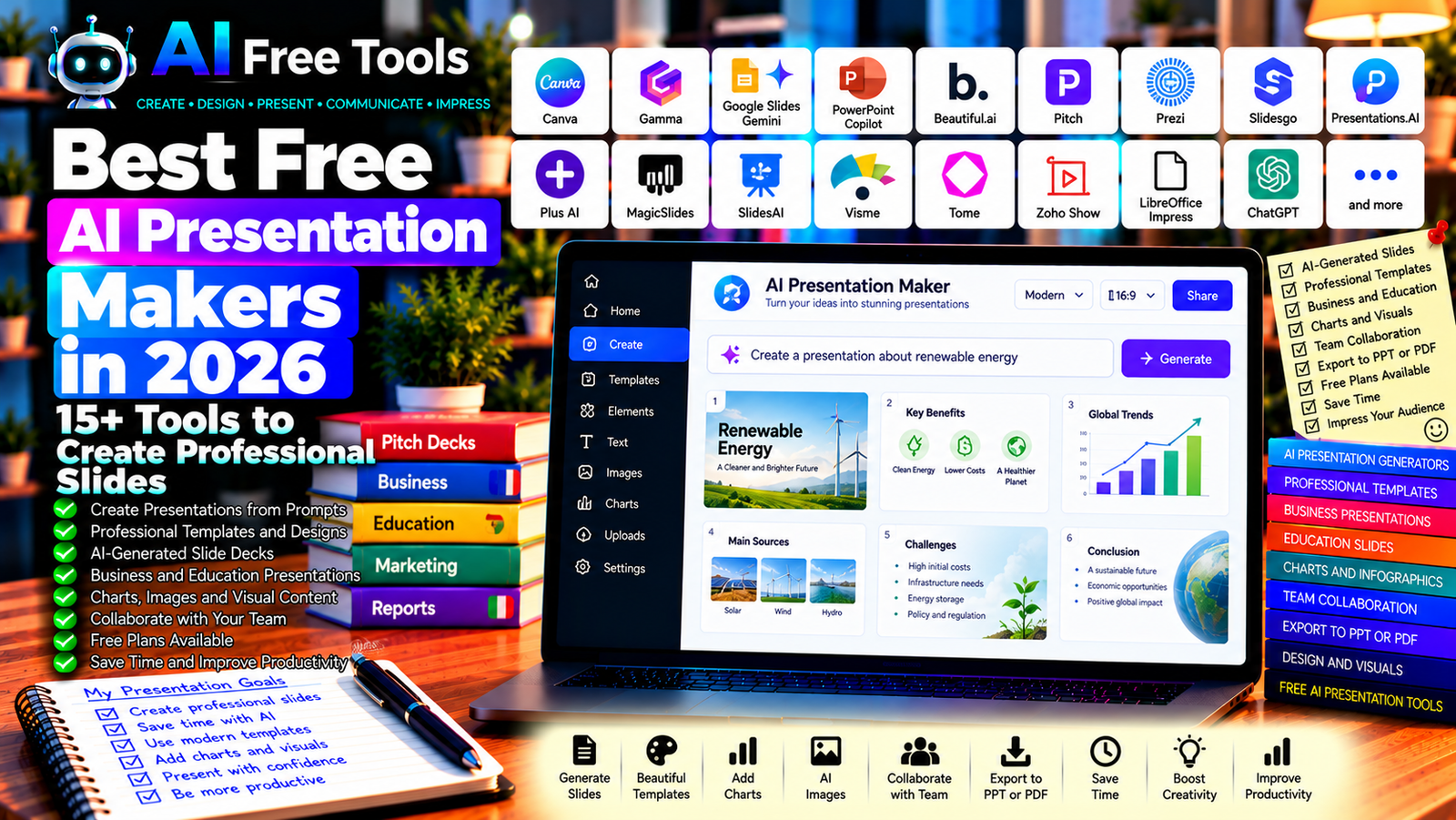
Best Free AI Presentation Makers in 2026: 15+ Tools to Create Professional Slides
Free AI presentation makers can help you turn an idea, document, outline, or topic into a structured slide deck in less time. Instead of starting with a blank presentation, you can use AI-assisted tools to generate a first draft, organize key points, suggest layouts, and improve the visual design.
These tools are useful for students preparing class presentations, entrepreneurs creating pitch decks, marketers presenting campaign results, and professionals preparing business reports. Some platforms generate entire presentations from prompts, while others help with individual slides, images, layouts, or written content.
In this guide, we compare 17 presentation tools and AI assistants in 2026. You will discover what each tool offers, which free options are worth exploring, and how to choose the right solution for your needs.
Important: A free account does not always include unlimited AI-generated presentations. Some services restrict the number of AI credits, slides, exports, templates, or collaboration features. Product capabilities and pricing can change, so check each provider’s current terms before creating a large project.
Quick Comparison: Best Free AI Presentation Makers
| Tool | Best For | Free Access |
|---|---|---|
| Canva | Visually attractive presentations | Free plan; AI usage may be limited |
| Gamma | Generating presentations from prompts | Free plan with AI credits or limits |
| Google Slides with Gemini | Presentations in Google Workspace | AI features depend on account |
| Microsoft PowerPoint with Copilot | Business presentations | Copilot features may require a paid plan |
| Beautiful.ai | Professional slide design | Trial or paid access may apply |
| Pitch | Collaborative presentations | Free plan with restrictions |
| Prezi | Dynamic and visual presentations | Free access and features vary |
| Slidesgo AI Presentation Maker | Quick presentation drafts | Free use and limits may vary |
| Presentations.AI | AI-generated slide decks | Free access or trial limits may apply |
| Plus AI | AI assistance inside presentation workflows | Trial or paid plan may apply |
| MagicSlides | Creating slides from text and other sources | Free usage may be limited |
| SlidesAI | Generating slides from text | Free plan with limits |
| Visme | Business presentations and infographics | Free plan with restrictions |
| Tome | AI storytelling and visual documents | Check current product availability |
| Zoho Show | Online slide creation and collaboration | Free features available |
| LibreOffice Impress | Free desktop presentations | Core software is free |
| ChatGPT | Presentation outlines and slide content | Free tier with limits |
1. Canva — Best for Visually Attractive Presentations
Canva is a visual design platform that includes presentation templates, graphics, charts, and AI-assisted design features. It is useful when you want a polished presentation without having to design every slide from scratch.
You can use AI to help develop presentation content where supported, then customize the result using Canva’s editor.
Best features:
- Choose from presentation templates.
- Create slides using graphics, photos, and icons.
- Customize fonts, colors, and layouts.
- Add charts and other visual elements.
- Explore AI-assisted presentation and design features.
Free access: Canva offers a free plan with many design features. Some premium templates, stock assets, and AI capabilities require payment or have usage limits.
Best for: Students, small businesses, marketers, and content creators.
Official website: https://www.canva.com/
2. Gamma — Best for Generating Presentations from Prompts
Gamma is designed to help users turn ideas and source material into structured visual content. It can generate presentation-style documents from a prompt and help organize information into sections.
Best features:
- Generate presentation drafts from text prompts.
- Organize content into visual sections.
- Adjust layouts and themes.
- Add images and other visual elements.
- Share presentations through supported publishing options.
Free access: Gamma offers free access with restrictions, which may include AI credits or limits on generation and exports. Check the current plan before starting a large project.
Best for: Entrepreneurs, educators, consultants, and users who want to create a first draft quickly.
Official website: https://gamma.app/
3. Google Slides with Gemini — Best for Google Workspace Users
Google Slides is an online presentation editor that supports collaboration and sharing. Gemini features may assist with generating content, creating images, or working with presentations when the user’s account and subscription support those capabilities.
Even without AI features, Google Slides is useful for editing and presenting a deck created with another AI tool.
Best features:
- Create and edit slides in a browser.
- Collaborate with other users.
- Use templates and layouts.
- Insert charts, images, and diagrams.
- Explore eligible Gemini features.
Free access: Core Google Slides functionality is available with a Google account. Gemini features vary by plan, region, and current product availability.
Best for: Students, educators, and teams that use Google Workspace.
Official website: https://slides.google.com/
4. Microsoft PowerPoint with Copilot — Best for Business Presentations
Microsoft PowerPoint is widely used for business reports, training materials, and professional presentations. Copilot can help generate or refine presentation content in eligible Microsoft 365 environments.
The combination can be particularly useful when your organization already uses PowerPoint and needs to maintain existing templates.
Best features:
- Create and edit slide decks.
- Use professional templates and layouts.
- Add charts, diagrams, and media.
- Collaborate through supported Microsoft services.
- Explore AI-assisted slide generation and rewriting.
Free access: PowerPoint has different web, desktop, and subscription options. Copilot presentation features generally depend on eligible paid plans and account settings.
Best for: Business users, consultants, managers, and corporate teams.
Official website: https://www.microsoft.com/microsoft-365/powerpoint
5. Beautiful.ai — Best for Consistent Professional Design
Beautiful.ai focuses on presentation design and layouts that adapt as content changes. It can help users create consistent slides without manually adjusting every element.
Best features:
- Use professionally designed slide layouts.
- Maintain consistent spacing and alignment.
- Create business presentations and pitch decks.
- Customize visual themes.
- Explore AI-assisted presentation creation.
Free access: Availability may include trials or limited access rather than a permanent free plan. Verify current pricing and export options before investing time in a project.
Best for: Business professionals, founders, and teams that prioritize polished slide design.
Official website: https://www.beautiful.ai/
6. Pitch — Best for Collaborative Presentations
Pitch is a presentation platform designed for creating, sharing, and collaborating on slide decks. It is useful when several people need to work on the same presentation.
Best features:
- Create presentations using templates.
- Collaborate with team members.
- Share decks through supported links.
- Organize presentation projects.
- Explore available AI-assisted features.
Free access: Pitch offers free features, with restrictions on certain collaboration, analytics, and advanced capabilities.
Best for: Startups, marketing teams, and businesses preparing presentations together.
Official website: https://pitch.com/
7. Prezi — Best for Dynamic Visual Presentations
Prezi uses a presentation style that can move between ideas and visual sections rather than relying only on traditional linear slides. It can be useful for explaining relationships between concepts or creating a more dynamic presentation experience.
Best features:
- Create visual presentations.
- Organize related ideas spatially.
- Use templates and visual assets.
- Present information through dynamic transitions.
- Explore available AI-assisted tools.
Free access: Prezi offers access options with restrictions. Privacy, export, and advanced features may depend on the current plan.
Best for: Educators, presenters, and people who want a visual storytelling format.
Official website: https://prezi.com/
8. Slidesgo AI Presentation Maker — Best for Quick Presentation Drafts
Slidesgo is known for its presentation templates and educational design resources. Its AI presentation maker can help users create an initial slide deck from a topic or prompt, where the service is available.
Best features to investigate:
- Generate a presentation draft.
- Start from ready-made templates.
- Customize layouts and visual styles.
- Use educational and business design resources.
- Export presentations through supported options.
Free access: Free generation and download limits may apply. Check the current requirements, attribution rules, and export formats.
Best for: Students, teachers, and users who want a fast starting point.
Official website: https://slidesgo.com/
9. Presentations.AI — Best for AI-Generated Slide Decks
Presentations.AI focuses on using AI to transform prompts and ideas into presentation drafts. It may help users organize an initial storyline and establish a consistent visual direction.
Best features to investigate:
- Generate a deck from a text prompt.
- Structure content into slides.
- Apply presentation themes.
- Refine the generated content.
- Review supported sharing and export options.
Free access: Free usage, trial availability, AI credits, and export restrictions can change. Confirm current terms before relying on it for repeated work.
Best for: Entrepreneurs, business professionals, and people who need a quick first draft.
Official website: https://www.presentations.ai/
10. Plus AI — Best for AI Assistance in Existing Presentation Workflows
Plus AI provides AI-assisted presentation creation and editing workflows for supported presentation applications. It may be useful when you want to generate slides while remaining in a familiar tool.
Best features to investigate:
- Generate slides from a prompt.
- Create or revise presentation content.
- Adapt slides to a selected style.
- Work with supported presentation platforms.
- Edit the result after generation.
Free access: Plus AI may offer a trial or limited access depending on the current plan. Check supported applications, pricing, and export requirements.
Best for: Professionals who want AI assistance without switching to a completely different presentation editor.
Official website: https://www.plusai.com/
11. MagicSlides — Best for Turning Text into Slides
MagicSlides provides tools for creating presentations from text and other supported source material. It can be useful when you already have notes or a document and want to convert the main ideas into a slide structure.
Best features to investigate:
- Generate slides from text prompts.
- Convert supported source material into a presentation.
- Organize content into sections.
- Customize the generated deck.
- Explore available integrations and export formats.
Free access: Free usage may be limited by credits, presentation count, or feature availability. Check the current plan before processing long documents.
Best for: Students, teachers, and professionals who already have source material.
Official website: https://www.magicslides.app/
12. SlidesAI — Best for Generating Slides from Text
SlidesAI helps users transform written content into presentation slides through supported workflows. It can be useful for creating a first draft from notes, an outline, or a topic description.
Best features to investigate:
- Generate slide content from text.
- Organize information into a deck.
- Customize presentation styles.
- Work with supported presentation applications.
- Edit generated slides after creation.
Free access: SlidesAI offers access options with usage limits. The number of presentations, AI features, and export options may depend on the current plan.
Best for: Students, educators, and office workers who want to speed up slide preparation.
Official website: https://www.slidesai.io/
13. Visme — Best for Business Presentations and Infographics
Visme is a visual content platform for presentations, infographics, reports, and other business materials. It can be useful when your presentation needs more than text slides, such as data visualizations or branded visual content.
Best features:
- Create presentations and visual reports.
- Use templates and design elements.
- Add charts and infographics.
- Apply branding and visual themes.
- Explore available AI writing and design tools.
Free access: Visme offers a free plan with restrictions on downloads, assets, storage, or other features.
Best for: Marketers, educators, consultants, and small businesses.
Official website: https://www.visme.co/
14. Tome — Check Current Availability Before Choosing
Tome became known for AI-assisted storytelling and presentation-style content. However, products and their focus can change over time, so verify its current status and available presentation features before choosing it for a new project.
What to check:
- Whether the service currently supports your intended presentation workflow.
- Available AI generation features.
- Export formats and download options.
- Free access and pricing.
- Whether your existing content can be imported or exported.
Best for: Users exploring AI storytelling tools who want to confirm that the current product fits their presentation needs.
Official website: https://tome.app/
15. Zoho Show — Best for Online Slide Creation
Zoho Show is an online presentation application that supports creating, editing, and sharing slide decks. It can be a practical option if you need presentation software without purchasing a traditional desktop license.
Best features:
- Create and edit slides online.
- Use templates and layouts.
- Collaborate with other users.
- Share and present slide decks.
- Work with supported file formats.
Free access: Zoho Show offers free presentation capabilities, although certain integrations or business features may depend on the current plan.
Best for: Individuals, educators, and small businesses that want an online slide editor.
Official website: https://www.zoho.com/show/
16. LibreOffice Impress — Best Free Desktop Presentation Software
LibreOffice Impress is a free, open-source presentation application. It is not a built-in AI presentation generator, but it can be used to edit and present slide decks created with AI tools.
Best features:
- Create presentations offline.
- Use templates and slide layouts.
- Add images, charts, and diagrams.
- Export presentations to supported formats.
- Edit compatible PowerPoint files.
Free access: LibreOffice is free to download and use. Some complex formatting may change when exchanging files with other presentation applications.
Best for: Users who want free desktop presentation software without a recurring subscription.
Official website: https://www.libreoffice.org/
17. ChatGPT — Best for Presentation Outlines and Slide Content
ChatGPT can help create the structure and written content for a presentation. You can ask it to define the storyline, divide information into slides, suggest titles, and prepare speaker notes.
It is especially useful when you want to improve the quality of the content before designing the slides in Canva, Google Slides, PowerPoint, or another presentation tool.
Best features:
- Create presentation outlines.
- Draft slide titles and bullet points.
- Generate speaker notes.
- Simplify complex information.
- Suggest charts, diagrams, and visual concepts.
Free access: ChatGPT offers a free tier with usage and feature limits. Do not assume that every account can generate or export a finished PowerPoint file directly.
Best for: Students, consultants, entrepreneurs, and professionals who want to plan a clear presentation.
Official website: https://chatgpt.com/
Example prompt:
“Create a 10-slide presentation about [TOPIC] for [AUDIENCE]. For each slide, provide a short title, no more than five concise bullet points, a suggested visual, and speaker notes. Use a logical storyline, avoid unsupported statistics, and identify any claims that need verification. Finish with a conclusion and three key takeaways.”
How to Choose the Best Free AI Presentation Maker
The best option depends on whether you need AI-generated slides, a design editor, team collaboration, or offline presentation software.
| Your Main Goal | Recommended Starting Tools |
|---|---|
| Generate a presentation from a prompt | Gamma or Presentations.AI |
| Design attractive slides | Canva or Visme |
| Create a business pitch deck | Gamma, Pitch, or Beautiful.ai |
| Work inside Google Slides | Google Slides and eligible Gemini features |
| Work inside PowerPoint | PowerPoint and eligible Copilot features |
| Turn notes into slides | MagicSlides or SlidesAI |
| Collaborate on a presentation | Pitch or Google Slides |
| Create presentations offline | LibreOffice Impress |
| Plan the storyline and speaker notes | ChatGPT |
Best Free AI Presentation Makers for Students
Students often need to turn research and course material into a clear presentation without spending hours designing every slide.
Canva and Slidesgo are worth exploring for templates, while Gamma and other AI presentation tools can help create a first draft. ChatGPT can organize the storyline and suggest speaker notes.
Always verify facts, cite sources, and make sure you understand the material you present. Follow your institution’s rules on AI-generated content and academic work.
Best AI Presentation Makers for Business
Businesses need presentations that are clear, consistent, and aligned with their brand. Canva, Visme, Pitch, and Beautiful.ai are worth comparing for design and collaboration.
If your company already uses PowerPoint or Google Workspace, first check the AI features available through your existing subscription. Maintaining your company’s templates and brand guidelines may be more important than generating a deck from scratch.
Best AI Presentation Makers for Pitch Decks
A pitch deck needs a clear narrative, a credible business case, and concise evidence. Gamma, Pitch, Canva, and presentation-design platforms can help with structure and visual consistency.
AI can draft a storyline, but it cannot guarantee that your financial projections, market size, or business assumptions are accurate. Verify every number and tailor the presentation to your audience.
How to Create a Presentation with AI in Five Steps
Step 1: Define the Audience and Objective
Decide who will see the presentation and what they should understand or do afterward. A sales pitch, academic presentation, and internal report need different structures.
Step 2: Prepare the Source Material
Gather your notes, research, figures, and approved documents. AI tools produce better drafts when the prompt includes accurate information and clear requirements.
Step 3: Generate the First Draft
Ask the tool to create a slide-by-slide outline. Specify the number of slides, desired tone, audience, and main message.
Step 4: Improve the Design and Content
Use a consistent theme, concise text, readable fonts, and relevant visuals. Avoid filling every slide with paragraphs. Replace generic illustrations with charts, screenshots, or diagrams when they communicate information more effectively.
Step 5: Verify and Rehearse
Check every fact, figure, quotation, and chart. Confirm that images are licensed for your intended use, test the exported file, and rehearse the presentation before delivering it.
Example AI Prompt for a Professional Presentation
Copy and adapt this prompt:
“Create a professional presentation about [TOPIC] for [TARGET AUDIENCE]. The objective is to [OBJECTIVE]. Produce [NUMBER] slides with a clear beginning, logical development, and strong conclusion. For every slide, include a title, concise bullet points, a suggested visual, and speaker notes. Use only the source information provided, do not invent statistics, and flag claims that need verification. Recommend a consistent visual style suitable for [INDUSTRY OR PURPOSE].”
Are Free AI Presentation Makers Worth Using?
Yes. They can reduce the time needed to plan slides, organize information, and establish a consistent visual style. They are especially helpful when you need a first draft quickly.
For prompt-based presentation generation, explore Gamma and similar tools. For design flexibility, compare Canva and Visme. For collaboration, investigate Pitch and Google Slides. If you already work in PowerPoint, check whether your Microsoft 365 plan includes the AI features you need.
However, the generated presentation still needs human review. AI can create repetitive slides, incorrect facts, unsuitable images, or a weak narrative. The strongest results usually come from combining AI-generated structure with your own expertise and editing.
Are AI Presentation Makers Safe for Business Documents?
Presentations can contain confidential financial data, client information, internal strategy, or unpublished research. Before uploading source documents, review the provider’s privacy policy, data retention practices, and account controls.
For sensitive projects, use a service approved by your organization. Also check image licensing, attribution requirements, and export restrictions before distributing a deck externally.
Frequently Asked Questions
What is the best free AI presentation maker in 2026?
The best tool depends on your objective. Gamma is worth exploring for prompt-based presentations, Canva for visual design, Google Slides for collaboration, and ChatGPT for outlining and speaker notes. Verify current free-plan limits before choosing.
Can AI create a PowerPoint presentation automatically?
Some tools can generate slide decks and offer exports to PowerPoint or other formats, but availability depends on the platform and plan. Others create a draft that you must edit or transfer into a presentation application.
Are free AI presentation makers really free?
Many offer a free plan, trial, or limited AI credits rather than unlimited generation. Check export options, watermarks, branding, presentation limits, and the cost of additional AI usage.
Can I use AI-generated presentations for business?
Yes, provided you review the content, verify factual claims, respect confidentiality requirements, and check the licensing terms for images and other assets. Do not present AI-generated financial or market figures as verified facts without checking them.
Can AI make presentations from PDFs or documents?
Some platforms support documents as source material, but file types, size limits, and AI credits vary. If direct upload is unavailable, you can prepare an outline from your document and provide it to a presentation generator.
Is Canva better than Gamma?
They serve overlapping but different purposes. Canva is a flexible visual design platform with many templates, while Gamma focuses on generating structured visual content from prompts. Compare them using the same project and check their current free features.
How many slides should an AI presentation have?
There is no universal number. A short update may need five slides, while a detailed training session or business proposal may need more. Choose the length based on the audience, speaking time, and complexity of the topic.
Final Verdict
The best free AI presentation makers in 2026 can help you plan, design, and produce slides more efficiently.
For AI-generated drafts, start by exploring Gamma and similar presentation generators. For visual design, compare Canva and Visme. For collaboration, consider Pitch or Google Slides. For PowerPoint workflows, check eligible Microsoft Copilot features. For free offline editing, LibreOffice Impress remains a useful option, while ChatGPT can help organize your storyline and speaker notes.
Choose a tool that fits your workflow, check the current free-plan restrictions, and review the final presentation carefully before sharing or presenting it.
Explore more guides on AI Free Tools:
Leave a Reply