
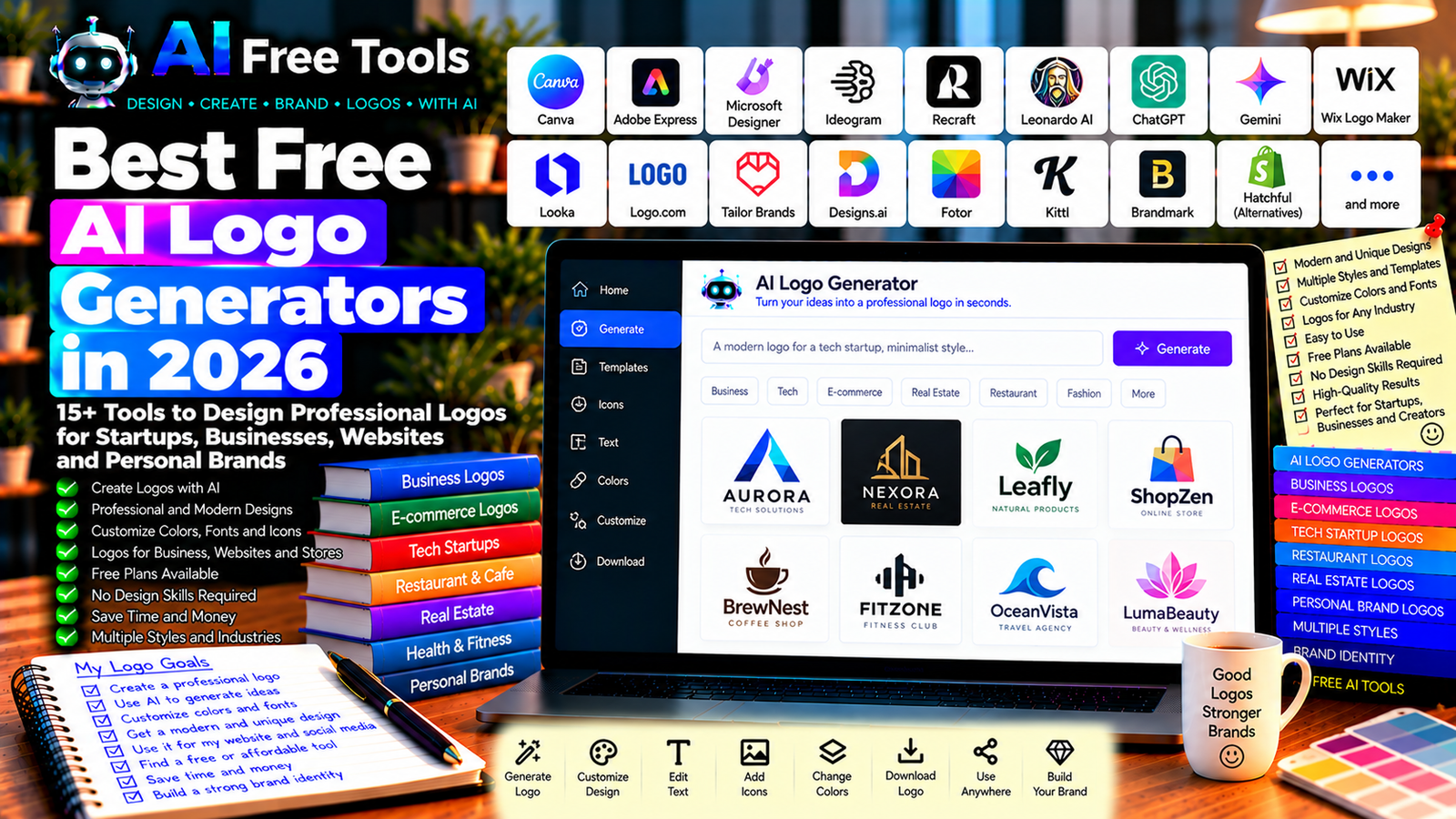
Best Free AI Logo Generators in 2026: 15+ Tools to Design Your Brand
A professional logo helps people recognize a business, website, online store, or personal brand. However, hiring a designer may be expensive, especially when you are launching a new project or testing a business idea.
Free AI logo generators can help you explore logo concepts, choose colors, experiment with typography, and create a visual identity without starting from a blank page. Depending on the platform, you can describe your business, select a style, and customize the proposed design.
In this guide, we compare 17 logo design tools and AI-powered design platforms in 2026. You will discover which tools are worth exploring for startups, bloggers, freelancers, online stores, and small businesses.
Important: A tool may let you generate a logo preview for free but charge for high-resolution downloads, transparent backgrounds, vector files, or commercial usage. AI-generated logos can also resemble existing designs. Always check the current licensing terms and investigate trademark availability before using a logo commercially.
Quick Comparison: Best Free AI Logo Generators
| Tool | Best For | Free Access |
|---|---|---|
| Canva | Customizing logo designs | Free design tools; premium assets may cost |
| Adobe Express | Logo templates and branding | Free plan with some premium features |
| Microsoft Designer | AI-assisted visual concepts | Availability and features may vary |
| Ideogram | AI-generated logo concepts | Free usage may be limited |
| Recraft | Vector-style design and graphics | Free access and usage limits may vary |
| Leonardo AI | Creative logo concepts | Free credits or usage limits may apply |
| ChatGPT | Brainstorming logo ideas and prompts | Free tier with limits |
| Google Gemini | Logo concepts and design directions | Free tier with limits |
| Wix Logo Maker | Guided logo creation | Download and branding options may cost |
| Looka | Automated branding and logo design | Preview may be free; downloads may require payment |
| Shopify Hatchful alternatives | Simple logo concepts for businesses | Availability and download terms should be checked |
| Logo.com | Logo creation and brand assets | Free options and paid features may vary |
| Tailor Brands | Logo creation and business branding | Downloads and services may require payment |
| Designs.ai | Logo and visual branding tools | Free access and export conditions may vary |
| Fotor | Logo templates and AI-assisted design | Free features with possible restrictions |
| Kittl | Typography and graphic design | Free plan with limits |
| Brandmark | Automated logo and brand identity concepts | Preview may be available; downloads may cost |
1. Canva — Best for Customizing Logo Designs
Canva is a visual design platform with logo templates, fonts, shapes, icons, and brand design tools. It is particularly useful when you want to create a logo and then adapt it for a website, social media profile, business card, or marketing material.
Best features:
- Start from editable logo templates.
- Combine icons, shapes, and typography.
- Customize colors and fonts.
- Create matching social media graphics.
- Explore eligible AI-assisted design features.
Free access: Canva offers a free plan, but some templates, images, and advanced features require payment. Check the download format and usage conditions for your selected elements.
Best for: Small businesses, bloggers, freelancers, and online store owners.
Official website: https://www.canva.com/
2. Adobe Express — Best for Quick Branding
Adobe Express helps users create visual content with templates and design tools. It can be useful for producing a simple logo concept and related brand materials without learning complex graphic design software.
Best features:
- Customize logo templates.
- Explore icons and typography.
- Adjust brand colors.
- Create supporting promotional graphics.
- Use eligible AI-assisted design features.
Free access: Adobe Express offers free features, while premium assets and some advanced tools may require a subscription.
Best for: Entrepreneurs, content creators, freelancers, and small businesses.
Official website: https://www.adobe.com/express/
3. Microsoft Designer — Best for AI-Assisted Visual Concepts
Microsoft Designer is an AI-assisted design tool that can help users develop visual ideas from text prompts. It may be useful for exploring possible logo directions before refining a final design in a dedicated editor.
Best features to investigate:
- Generate visual concepts from prompts.
- Explore different styles and compositions.
- Experiment with brand colors.
- Refine designs using available editing tools.
- Check current image generation and download options.
Free access: Availability, generation limits, and editing features depend on the current product and account.
Best for: Users who want to explore visual concepts before creating a finished logo.
Official website: https://designer.microsoft.com/
4. Ideogram — Best for Creative Logo Concepts
Ideogram is an AI image-generation platform known for its work with text in images. It can help explore logo directions, typography treatments, and visual identities, although generated text and symbols still need careful review.
Best features to investigate:
- Generate logo-style concepts from prompts.
- Explore typography and visual styles.
- Compare multiple design directions.
- Experiment with different brand moods.
- Refine concepts through additional prompts.
Free access: Free usage may be limited by generation credits or current plan conditions. Check the licensing terms before using generated assets commercially.
Best for: Creators who want distinctive concepts and visual inspiration.
Official website: https://ideogram.ai/
5. Recraft — Best for Vector-Style Graphics
Recraft is a design-oriented AI platform for creating visual assets, including illustrations and vector-style graphics where supported. It can be useful when you want a clean symbol or icon that can form part of a logo.
Best features to investigate:
- Generate graphic concepts.
- Explore vector-style illustrations.
- Create icons and brand symbols.
- Experiment with color palettes.
- Check export formats and editing options.
Free access: Free usage and commercial terms may vary by plan. Verify whether the available export format suits your intended logo application.
Best for: Designers, startups, and users seeking clean graphic symbols.
Official website: https://www.recraft.ai/
6. Leonardo AI — Best for Exploring Creative Styles
Leonardo AI is an image-generation platform that can help users develop creative visual concepts. It may be useful for exploring emblem ideas, mascots, symbols, or other visual elements that could inspire a logo.
Best features to investigate:
- Generate visual concepts from prompts.
- Explore different art directions.
- Create mascot or emblem ideas.
- Experiment with styles and composition.
- Refine concepts through iterations.
Free access: Free credits or usage limits may apply. Check the current terms for ownership, privacy, and commercial use.
Best for: Creators and businesses looking for visual inspiration before finalizing a logo.
Official website: https://leonardo.ai/
7. ChatGPT — Best for Logo Ideas and Design Prompts
ChatGPT can help you define a brand identity before you create a logo. It can suggest concepts, color palettes, typography directions, symbols, and detailed prompts for an image-generation or design tool.
Best features:
- Brainstorm logo concepts.
- Suggest brand colors and fonts.
- Write prompts for image-generation tools.
- Compare minimalist, modern, classic, and playful styles.
- Develop a consistent brand direction.
Free access: ChatGPT offers a free tier with usage and feature limits. Logo image generation availability may depend on the current account and product limits.
Best for: Entrepreneurs, bloggers, freelancers, and people who are unsure how their logo should look.
Official website: https://chatgpt.com/
Example prompt:
“Act as a professional brand designer. Create five distinct logo concepts for a business named [BRAND NAME] in the [INDUSTRY] sector. The target audience is [AUDIENCE]. The brand should feel [THREE BRAND ATTRIBUTES]. For each concept, suggest a simple symbol, typography direction, two or three brand colors, and a short explanation. Avoid generic stock-style ideas and avoid imitating existing brands. The logo must remain recognizable at small sizes.”
8. Google Gemini — Best for Logo Brainstorming
Google Gemini can help users develop visual identity ideas, write prompts, and explore different creative directions. Where image generation is available, it may also help produce initial concepts for further refinement.
Best features to investigate:
- Suggest logo concepts.
- Develop color palettes.
- Write detailed design prompts.
- Explore visual styles.
- Refine branding ideas through conversation.
Free access: Gemini offers a free tier with usage and feature limits. Image generation capabilities and terms can change.
Best for: Small business owners and creators who want help planning a logo before opening a design editor.
Official website: https://gemini.google.com/
9. Wix Logo Maker — Best for Guided Logo Creation
Wix Logo Maker offers a guided logo creation workflow. Users provide information about their business and preferences, then customize generated design options.
Best features to investigate:
- Generate logo options through a guided process.
- Choose styles and visual preferences.
- Customize typography and colors.
- Explore related branding assets.
- Check available download formats.
Free access: You may be able to explore or preview designs without payment, while high-resolution downloads and some branding services may require payment. Confirm the current conditions before starting.
Best for: Small businesses, freelancers, and entrepreneurs who prefer a guided process.
Official website: https://www.wix.com/logo/maker
10. Looka — Best for Logo and Brand Identity Packages
Looka focuses on logo creation and related branding materials. It can generate design concepts based on a business name, industry, and preferred styles.
Best features to investigate:
- Generate logo variations.
- Explore colors and typography.
- Preview designs on branded materials.
- Create related brand assets.
- Review available file formats and brand packages.
Free access: Logo previews may be available without payment, but downloading and using final logo files commonly requires a purchase or eligible package. Check current pricing.
Best for: Entrepreneurs who want to explore logo concepts and potentially purchase a complete brand package.
Official website: https://looka.com/
11. Logo.com — Best for Simple Business Logos
Logo.com provides logo creation and branding tools for businesses. It can be useful for generating a starting design and exploring related brand assets.
Best features to investigate:
- Create logo concepts.
- Customize colors and fonts.
- Explore logo variations.
- Check available branding assets.
- Verify download formats and commercial usage terms.
Free access: Free options and paid features may vary. Confirm which files are included before committing to a design.
Best for: Startups, local businesses, and freelancers who need a straightforward logo workflow.
Official website: https://logo.com/
12. Tailor Brands — Best for Business Branding
Tailor Brands provides branding and business-related services, including guided logo design. It may be useful if you want to explore a logo alongside other business identity resources.
Best features to investigate:
- Generate logo concepts.
- Customize visual styles.
- Explore brand identity resources.
- Review related business services.
- Check download and ownership terms.
Free access: You may be able to explore concepts before paying, but downloads and other services can require a subscription or purchase. Check the current offer.
Best for: Entrepreneurs and small businesses building a new brand.
Official website: https://www.tailorbrands.com/
13. Designs.ai — Best for Exploring Multiple Branding Tools
Designs.ai offers a collection of creative tools for visual and marketing content. Depending on current availability, its logo-related features may help users generate and customize branding concepts.
Best features to investigate:
- Explore logo creation tools.
- Generate visual branding ideas.
- Customize designs.
- Investigate related marketing assets.
- Check export formats and licensing terms.
Free access: Free access and download conditions may vary by tool and plan. Confirm the current pricing before relying on it for commercial work.
Best for: Small businesses and marketers looking for several creative tools in one platform.
Official website: https://designs.ai/
14. Fotor — Best for Template-Based and AI-Assisted Design
Fotor provides photo editing and graphic design tools, including logo templates and AI-assisted features where available. It can be useful for creating a simple design and related marketing visuals.
Best features:
- Customize logo templates.
- Experiment with fonts and colors.
- Explore AI-generated design concepts.
- Create supporting social media graphics.
- Check export options and resolution limits.
Free access: Fotor offers free features, but some AI functions, assets, and downloads may require payment.
Best for: Beginners, content creators, and small business owners.
Official website: https://www.fotor.com/
15. Kittl — Best for Typography-Focused Logos
Kittl is a graphic design platform with tools for typography, illustrations, and branded artwork. It can be useful for wordmarks, vintage-inspired logos, badge designs, and typography-led identities.
Best features:
- Explore logo and typography templates.
- Customize text and layout.
- Create badge and emblem designs.
- Experiment with visual styles.
- Check export formats and commercial-use conditions.
Free access: Kittl offers a free plan with limits. Some assets, advanced features, and commercial usage options may require a paid plan.
Best for: Creators, apparel brands, small businesses, and users who want distinctive typography.
Official website: https://www.kittl.com/
16. Brandmark — Best for Automated Logo Concepts
Brandmark focuses on automated logo and brand identity generation. It can help users explore symbol, color, and typography combinations based on a business name and description.
Best features to investigate:
- Generate logo concepts.
- Explore brand color palettes.
- Preview logo applications.
- Develop a consistent visual direction.
- Check available file formats and brand assets.
Free access: Concept previews may be available, but final downloads and branding packages can require payment. Verify current pricing and licensing conditions.
Best for: Startups and businesses that want to compare automated branding ideas.
Official website: https://brandmark.io/
17. Shopify Hatchful Alternatives — Best for Exploring Simple Store Logos
Hatchful was a Shopify-associated logo maker that became popular with small online stores. Its current availability and support should be verified before relying on older tutorials. If it is unavailable or does not meet your needs, consider Canva, Adobe Express, or other logo makers in this guide.
What to check:
- Whether the original service is currently available.
- Whether new users can generate and download logos.
- Which file formats are offered.
- Whether commercial use is permitted.
- Whether the design can be customized sufficiently for your brand.
Free access: Do not assume that historical free-download offers or old instructions remain valid. Check the current service status and terms.
Best for: Online sellers who want a simple logo for a new store.
Shopify website: https://www.shopify.com/
How to Choose the Best Free AI Logo Generator
The best choice depends on whether you need an initial concept, an editable logo, a transparent background, or a complete brand identity.
| Your Main Goal | Recommended Starting Tools |
|---|---|
| Customize a logo yourself | Canva or Adobe Express |
| Generate creative concepts | Ideogram or Leonardo AI |
| Create clean graphic symbols | Recraft |
| Brainstorm logo ideas | ChatGPT or Gemini |
| Follow a guided logo workflow | Wix Logo Maker |
| Explore a brand identity package | Looka or Brandmark |
| Design typography-focused logos | Kittl |
| Create related marketing graphics | Canva, Fotor, or Adobe Express |
Best Free AI Logo Generators for Small Businesses
Small businesses usually need a logo that looks professional on a website, social media, invoices, signage, and printed materials.
Canva and Adobe Express are useful starting points if you want to edit the design yourself. Guided logo makers can help you explore concepts quickly, but check whether the final files are included for free.
Before choosing, test the logo at a small size and on both light and dark backgrounds. A design that looks attractive on a large screen may be difficult to recognize as a small profile icon.
Best AI Logo Generators for Online Stores
An online store needs a logo that works in the website header, product packaging, social media, and advertising materials.
Start by choosing a simple symbol or wordmark that fits your store’s audience. Canva, Adobe Express, and other editable design tools can help you create matching graphics.
For an e-commerce brand, also check whether you can download a transparent PNG or a vector file such as SVG. These formats are useful for different website and print applications, but availability and licensing depend on the tool.
Best AI Logo Generators for Bloggers and Website Owners
Bloggers often need a logo that is readable in a website header and recognizable as a favicon or social profile image.
Choose a simple design with legible typography and limited visual detail. Avoid including long slogans in a small logo. If you manage several websites, establish a distinct color palette and identity for each site rather than reusing the same generic design everywhere.
Canva and Adobe Express are practical starting points for creating logos and matching website graphics.
How to Create a Professional Logo with AI in Five Steps
Step 1: Define Your Brand
Write down your business name, industry, target audience, and three qualities you want your brand to communicate. Examples include trustworthy, modern, premium, friendly, or innovative.
Step 2: Choose a Logo Style
Decide whether you want a wordmark, a symbol, a monogram, an emblem, or a combination of text and icon. A simple design is often easier to use across different formats.
Step 3: Generate Several Concepts
Use an AI tool to explore different directions. Compare typography, shapes, and colors rather than choosing the first design that looks attractive.
Step 4: Refine the Best Design
Check spelling, spacing, contrast, and readability. Remove unnecessary details and make sure the logo works in black and white as well as color.
Step 5: Check Licensing and Download the Files
Review the tool’s current terms before commercial use. Download suitable formats and keep a copy of the original editable design if available.
Example AI Prompt for Creating a Business Logo
Copy and adapt this prompt:
“Design a simple, distinctive logo concept for a business named [BRAND NAME], operating in the [INDUSTRY] industry. Its target audience is [AUDIENCE], and its brand personality is [THREE ATTRIBUTES]. Suggest a clean symbol and readable typography using [PREFERRED COLORS]. The logo must remain recognizable at small sizes and work on both light and dark backgrounds. Avoid unnecessary details, long slogans, mockup backgrounds, and similarities to existing well-known brands. Provide several different concept directions for further refinement.”
Use the resulting concepts as starting points. Always inspect generated text and shapes carefully before selecting a final design.
Are Free AI Logo Generators Worth Using?
Yes. They can help you explore visual directions, test brand colors, and create a first logo concept without immediately hiring a designer.
For editable design, explore Canva or Adobe Express. For creative concepts, try Ideogram or Leonardo AI. For vector-style graphics, investigate Recraft. For guided logo creation, compare Wix Logo Maker, Looka, and similar services.
However, “free logo generator” does not always mean that the final logo can be downloaded and used commercially for free. Some services charge for high-resolution files, vector formats, or brand packages.
Before committing to a design, check the export options, ownership terms, and potential conflicts with existing brands.
Can You Use an AI-Generated Logo Commercially?
Possibly, but the answer depends on the tool’s current terms, the assets used, and applicable law. A free preview does not automatically grant every commercial right.
Before using a logo for a business:
- Read the provider’s commercial-use and licensing terms.
- Check the rights associated with icons, fonts, templates, and generated elements.
- Search for visually similar logos in your industry.
- Investigate trademark availability in the countries where you operate.
- Keep records of the final files and relevant license terms.
- Consider professional advice if the logo will be central to a major brand.
AI-generated designs may resemble existing work, and a generated logo is not automatically protected as a registered trademark.
Frequently Asked Questions
What is the best free AI logo generator in 2026?
The best option depends on your goal. Canva and Adobe Express are useful for editable design, Ideogram and Leonardo AI can help explore concepts, and Recraft is worth investigating for graphic assets. Check current free-plan and licensing conditions before deciding.
Can I create a logo with AI for free?
Yes, you can explore and create logo concepts using tools with free access. However, some services charge for final downloads, high-resolution files, transparent backgrounds, vector formats, or commercial-use packages.
Can I use an AI-generated logo for my business?
Potentially, but you must check the provider’s license and the rights attached to every element. Also investigate whether the design is too similar to an existing brand and whether trademark registration is possible.
What file format should I use for a logo?
PNG with a transparent background is useful for many websites and digital applications. SVG is a scalable vector format that can be useful for websites and print, when available and properly prepared. Some tools offer only raster images or restrict vector exports to paid plans.
Are AI-generated logos unique?
Not necessarily. Different users may generate similar concepts, and AI systems can produce designs resembling existing logos. Review your design carefully and perform appropriate trademark and similarity checks before commercial use.
Can I create a logo without design skills?
Yes. Templates, guided workflows, and AI-generated concepts make it easier to start. You should still review typography, spacing, contrast, and small-size readability before using the logo publicly.
Should I use an AI logo maker or hire a designer?
An AI logo maker can be a cost-effective starting point for a new project or a simple brand. A professional designer may be a better choice when you need a distinctive identity, extensive brand guidelines, custom vector artwork, or support with complex commercial requirements.
Final Verdict
The best free AI logo generators in 2026 can help you explore brand ideas and create a starting design for a website, online store, or small business.
For editable designs, start with Canva or Adobe Express. For creative visual concepts, explore Ideogram or Leonardo AI. For graphic symbols, investigate Recraft. For guided logo creation, compare Wix Logo Maker and Looka.
Before using your final logo, verify the spelling, review the license, check the available file formats, and investigate trademark conflicts. A strong logo should not only look good: it should be readable, appropriate for your audience, and usable across all the places where your brand appears.
Explore more guides on AI Free Tools:
Leave a Reply