
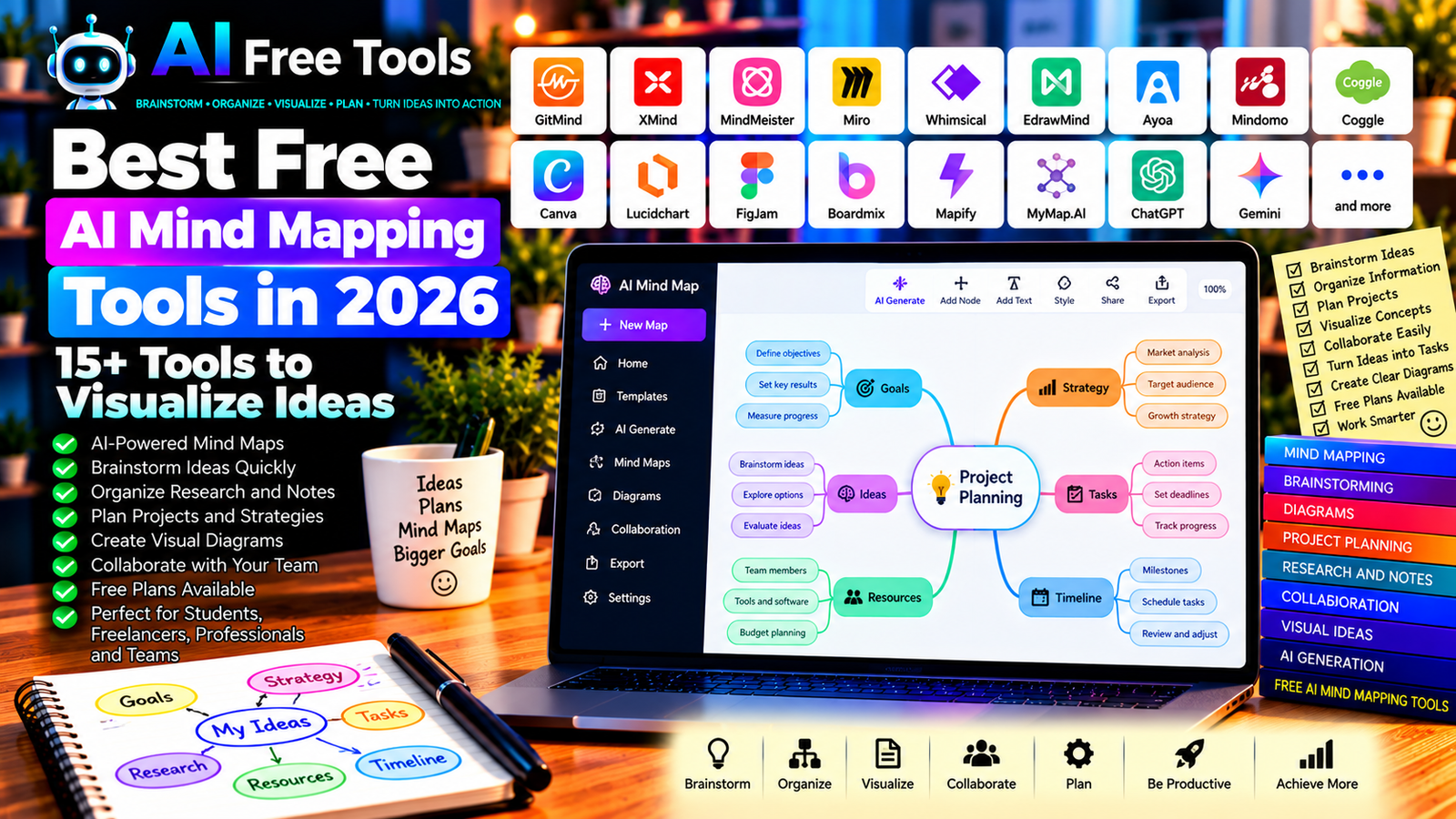
Best Free AI Mind Mapping Tools in 2026: 15+ Tools to Visualize Ideas
Free AI mind mapping tools can help you turn scattered thoughts into organized visual diagrams. Instead of manually arranging every idea, you can use AI-assisted tools to brainstorm topics, create branches, summarize information, and build a clearer structure for your projects.
Mind maps are useful for studying, writing articles, planning businesses, developing products, organizing research, and solving complex problems. The right tool can make it easier to see relationships between ideas and decide what to do next.
In this guide, we compare 17 mind mapping applications and AI-assisted visual planning tools in 2026. You will discover their main features, what to check in their free plans, and which options may suit students, freelancers, professionals, and teams.
Important: Not every tool listed here offers unlimited AI mind map generation for free. Some specialize in traditional mind mapping, while others provide diagrams, whiteboards, or AI-assisted brainstorming. Free-plan limits, export formats, and AI credits can change, so check the current terms before choosing a tool.
Quick Comparison: Best Free AI Mind Mapping Tools
| Tool | Best For | Free Access |
|---|---|---|
| GitMind | AI-assisted mind maps and diagrams | Free access with limits |
| XMind | Structured mind maps | Free features; advanced options may be paid |
| MindMeister | Collaborative mind mapping | Free plan with restrictions |
| Miro | Visual brainstorming and team workshops | Free plan with limits |
| Whimsical | Mind maps, flowcharts, and wireframes | Free plan with restrictions |
| EdrawMind | Mind maps and structured diagrams | Free access with limitations |
| Ayoa | Mind mapping and visual task planning | Free access and AI limits vary |
| Mindomo | Mind maps and concept maps | Free plan with restrictions |
| Coggle | Simple collaborative diagrams | Free plan with limits |
| Canva | Visual diagrams and brainstorming graphics | Free plan; some features are paid |
| Lucidchart | Flowcharts and structured diagrams | Free access with limits |
| FigJam | Collaborative brainstorming boards | Free access with restrictions |
| Boardmix | Online whiteboards and mind maps | Free plan with limits |
| Mapify | AI-assisted maps from supported content | Free credits or usage limits may apply |
| MyMap.AI | Creating maps from prompts | Free access and limits vary |
| ChatGPT | Generating mind map structures | Free tier with limits |
| Google Gemini | Brainstorming and organizing concepts | Free tier with limits |
1. GitMind — Best for AI-Assisted Mind Maps
GitMind is a visual collaboration platform designed for mind maps, flowcharts, and related diagrams. Its AI capabilities can help users organize ideas and generate visual structures from supported inputs.
It is useful when you want to move from a topic or rough outline to a diagram that you can refine manually.
Best features to investigate:
- Create mind maps and flowcharts.
- Organize ideas into branches.
- Explore AI-assisted diagram generation.
- Collaborate on supported projects.
- Export or share diagrams using available options.
Free access: GitMind offers free access with usage or feature limits. Check the current AI credits, export options, and collaboration restrictions.
Best for: Students, teachers, freelancers, and professionals who need visual planning tools.
Official website: https://gitmind.com/
2. XMind — Best for Structured Mind Mapping
XMind is a dedicated mind mapping application for organizing ideas into a central topic with connected branches. It is useful for brainstorming, outlining documents, planning projects, and summarizing complex subjects.
XMind’s core mind mapping workflow does not require AI generation. You can combine it with an AI assistant to produce a structured outline and then recreate or refine the map in XMind.
Best features:
- Create structured mind maps.
- Organize concepts into branches and subtopics.
- Use different diagram structures where supported.
- Present complex information visually.
- Export maps using available formats and plan options.
Free access: XMind offers free features, while advanced capabilities may require payment. Verify current export and AI-related options before choosing it.
Best for: Students, writers, researchers, consultants, and people who prefer structured diagrams.
Official website: https://xmind.app/
3. MindMeister — Best for Collaborative Mind Mapping
MindMeister is an online mind mapping tool that helps individuals and teams organize ideas visually. It can be useful for workshops, project planning, lesson preparation, and collaborative brainstorming.
You can use an AI assistant to generate an initial outline, then organize the ideas into a shared mind map.
Best features:
- Create online mind maps.
- Organize ideas into connected branches.
- Collaborate with other users.
- Share maps using supported options.
- Present ideas in a visual format.
Free access: MindMeister offers a free plan with restrictions. Check the current limits on the number of maps, collaboration, and export options.
Best for: Students, teachers, remote teams, and people working on shared ideas.
Official website: https://www.mindmeister.com/
4. Miro — Best for Visual Brainstorming
Miro is an online visual workspace for brainstorming, diagrams, planning, and team workshops. Its flexible whiteboards let users arrange notes, shapes, connectors, and other elements around a central idea.
AI features may help organize or summarize information, depending on the current plan and product capabilities.
Best features:
- Create visual brainstorming boards.
- Connect ideas using shapes and arrows.
- Build mind maps and flowcharts.
- Collaborate in real time.
- Explore eligible AI-assisted whiteboard features.
Free access: Miro offers a free plan with restrictions on boards and other capabilities. Advanced AI, collaboration, and administration features may require payment.
Best for: Teams, consultants, product managers, teachers, and workshop facilitators.
Official website: https://miro.com/
5. Whimsical — Best for Simple Mind Maps and Flowcharts
Whimsical combines mind maps, flowcharts, wireframes, and visual documentation in one workspace. It is useful when you want to explain a process or connect ideas without using a complicated diagram editor.
Best features:
- Create mind maps and flowcharts.
- Build visual workflows.
- Organize ideas into clear structures.
- Collaborate on supported documents.
- Explore AI-assisted diagram creation where available.
Free access: Whimsical offers free access with limits. AI credits, document limits, and collaboration features may depend on the current plan.
Best for: Product teams, designers, writers, students, and people planning workflows.
Official website: https://whimsical.com/
6. EdrawMind — Best for Mind Maps and Structured Diagrams
EdrawMind is a mind mapping application for organizing information, brainstorming, and creating visual outlines. It provides a dedicated environment for arranging concepts and relationships.
Best features:
- Create mind maps and concept diagrams.
- Organize topics and subtopics.
- Use available templates.
- Present ideas in structured visual formats.
- Explore current AI-assisted mind mapping features.
Free access: EdrawMind offers free access with restrictions. Some AI features, export formats, or advanced functions may require payment.
Best for: Students, researchers, project planners, and professionals who need structured visual notes.
Official website: https://www.edrawsoft.com/edrawmind/
7. Ayoa — Best for Mind Mapping and Visual Task Planning
Ayoa combines mind mapping with visual task management. This can be useful when brainstorming needs to lead directly to action items and project responsibilities.
Best features to investigate:
- Create mind maps.
- Organize ideas into tasks.
- Visualize project activities.
- Collaborate with team members.
- Explore eligible AI-assisted brainstorming features.
Free access: Ayoa’s free features and AI allowances can change. Check the current plan before relying on it for regular AI generation.
Best for: Freelancers, project managers, creative teams, and people who want to turn ideas into tasks.
Official website: https://www.ayoa.com/
8. Mindomo — Best for Mind Maps and Concept Maps
Mindomo supports mind maps, concept maps, and other structured diagrams. It can be useful for learning, research, planning, and organizing complex subjects.
Best features:
- Create mind maps and concept maps.
- Structure information hierarchically.
- Use available templates.
- Collaborate or share maps through supported options.
- Explore AI-related features where currently available.
Free access: Mindomo offers free access with restrictions on maps and features. Verify current limits and AI availability before starting a large project.
Best for: Students, teachers, researchers, and professionals who organize detailed information.
Official website: https://www.mindomo.com/
9. Coggle — Best for Simple Collaborative Diagrams
Coggle is an online diagramming tool focused on creating clear, connected visual structures. It is useful for simple brainstorming sessions, study maps, and outlining information.
Best features:
- Create connected diagrams.
- Add branches and supporting ideas.
- Collaborate on supported maps.
- Share diagrams through available options.
- Keep visual structures simple and readable.
Free access: Coggle offers free access with restrictions. Check the current number of private diagrams, collaboration options, and export features.
Best for: Students, teachers, small teams, and users who want a simple mind mapping interface.
Official website: https://coggle.it/
10. Canva — Best for Attractive Mind Map Graphics
Canva is a visual design platform with templates, diagrams, shapes, and graphics. It is particularly useful when you want a mind map that looks polished enough for a presentation, report, or social media post.
Best features:
- Use mind map and diagram templates.
- Customize colors, typography, and layouts.
- Add icons and illustrations.
- Create visual assets for presentations.
- Explore eligible AI design features.
Free access: Canva offers a free plan. Some templates, premium assets, and AI features may require payment or have usage limits.
Best for: Students, teachers, marketers, content creators, and small businesses.
Official website: https://www.canva.com/
11. Lucidchart — Best for Structured Diagrams and Workflows
Lucidchart is a diagramming application for flowcharts, process maps, system diagrams, and other structured visuals. It can be useful when your mind map needs to explain a workflow or the relationship between multiple processes.
Best features:
- Create flowcharts and diagrams.
- Connect ideas with labeled relationships.
- Organize complex processes.
- Collaborate with supported users.
- Explore eligible AI-assisted diagram features.
Free access: Lucidchart offers free access with restrictions on documents, shapes, and features. Advanced capabilities may require payment.
Best for: Business analysts, project managers, technical teams, educators, and consultants.
Official website: https://www.lucidchart.com/
12. FigJam — Best for Collaborative Brainstorming
FigJam is an online whiteboard for brainstorming, workshops, diagrams, and collaborative planning. It is useful when several people need to contribute ideas to the same visual workspace.
Best features:
- Create brainstorming boards.
- Organize ideas with sticky notes.
- Connect concepts visually.
- Collaborate in supported sessions.
- Explore available AI-assisted tools.
Free access: FigJam offers free access with restrictions. Team features and some advanced capabilities may depend on the current plan.
Best for: Designers, product teams, students, teachers, and workshop facilitators.
Official website: https://www.figma.com/figjam/
13. Boardmix — Best for Online Whiteboards and Mind Maps
Boardmix is an online visual collaboration platform for mind maps, diagrams, and brainstorming boards. It can help teams organize ideas and explain relationships visually.
Best features to investigate:
- Create mind maps and flowcharts.
- Arrange notes and visual elements.
- Collaborate on shared boards.
- Use templates for planning.
- Explore available AI generation features.
Free access: Boardmix offers free access with limits. Check current AI credits, board restrictions, and export options.
Best for: Remote teams, educators, project planners, and users who need an online visual workspace.
Official website: https://boardmix.com/
14. Mapify — Best for Turning Supported Content into Visual Maps
Mapify focuses on converting supported source material into visual summaries or mind maps. Depending on current capabilities, it may work with supplied text, documents, or supported online content.
It can be useful when you need a quick overview of a long source rather than manually extracting every important point.
Best features to investigate:
- Generate visual summaries from supported inputs.
- Organize information into branches.
- Review key concepts in a map format.
- Work with supported source types.
- Export or share results using available options.
Free access: Mapify may offer limited free credits or usage. Verify the current source limits, AI allowance, and export conditions.
Best for: Students, researchers, readers, and professionals summarizing long material.
Official website: https://mapify.so/
15. MyMap.AI — Best for Creating Maps from Prompts
MyMap.AI focuses on turning prompts and ideas into visual maps or related diagrams. It may help users start with a question or topic and organize the generated concepts into a visual structure.
Best features to investigate:
- Generate visual maps from prompts.
- Organize related ideas.
- Refine generated structures.
- Explore supported diagram formats.
- Share or export maps through eligible options.
Free access: Free usage and AI limits may change. Check current credit allowances and available export formats before choosing it for frequent use.
Best for: Students, creators, entrepreneurs, and people brainstorming new ideas.
Official website: https://mymap.ai/
16. ChatGPT — Best for Generating Mind Map Structures
ChatGPT can help you organize ideas into a hierarchical outline that you can transfer into a mind mapping application. It is especially useful when you need help identifying main topics, subtopics, examples, and relationships.
It does not automatically create a native mind map in every workflow, so the output may need to be copied into a diagram tool.
Best features:
- Brainstorm ideas around a central topic.
- Generate main branches and subtopics.
- Summarize long information into key concepts.
- Identify relationships between ideas.
- Prepare outlines for visual diagrams.
Free access: ChatGPT offers a free tier with usage and feature limits.
Best for: Students, writers, business owners, researchers, and project planners.
Official website: https://chatgpt.com/
Example prompt:
“Create a detailed mind map about launching a small online business. Start with the central topic, then organize the main branches into market research, products, suppliers, website, marketing, customer service, budget, and growth. Add relevant subtopics under each branch. Use a clear hierarchical outline that I can transfer into a mind mapping application. Do not invent market statistics.”
17. Google Gemini — Best for Brainstorming and Organizing Concepts
Google Gemini can help generate ideas, compare concepts, summarize information, and structure a topic into a hierarchical outline. You can then transfer that outline into a dedicated mind mapping tool.
Best features:
- Brainstorm related ideas.
- Organize topics and subtopics.
- Summarize supplied information.
- Generate study and project outlines.
- Support eligible Google productivity workflows.
Free access: Gemini offers a free tier with usage limits. Advanced features and integrations depend on the current account and plan.
Best for: Students, teachers, researchers, freelancers, and Google productivity users.
Official website: https://gemini.google.com/
How to Choose the Best Free AI Mind Mapping Tool
The best tool depends on whether you need AI-generated maps, traditional mind mapping, team collaboration, or presentation-ready visuals.
| Your Main Goal | Recommended Starting Tools |
|---|---|
| Generate a mind map with AI | GitMind, Mapify, or MyMap.AI |
| Create structured mind maps | XMind or Mindomo |
| Collaborate with a team | Miro, MindMeister, or FigJam |
| Create attractive visual graphics | Canva |
| Map processes and workflows | Lucidchart or Whimsical |
| Turn research into visual summaries | Mapify or NotebookLM followed by a mind mapping tool |
| Turn ideas into tasks | Ayoa |
| Generate an outline from a prompt | ChatGPT or Google Gemini |
Best Free AI Mind Mapping Tools for Students
Students can use mind maps to prepare for exams, organize reading material, plan essays, and understand complex subjects.
XMind, Mindomo, GitMind, and Coggle are worth exploring for structured diagrams. NotebookLM can help organize information from supported sources, while ChatGPT or Gemini can generate a first outline to transfer into a mind mapping application.
Always verify important facts against original sources. Use AI to support learning rather than replacing your own understanding.
Best AI Mind Mapping Tools for Business
Businesses can use mind maps to plan product launches, analyze customer needs, organize marketing campaigns, and map internal processes.
Miro, Whimsical, MindMeister, and Lucidchart are useful starting points for collaborative planning. Canva can help turn a finished map into a presentation graphic, while an AI assistant can help brainstorm the initial structure.
For confidential business plans, check the provider’s privacy terms and sharing permissions before uploading sensitive information.
Best AI Mind Mapping Tools for Research and Content Planning
Researchers and content creators often need to organize many topics and supporting details before writing.
A practical workflow is to summarize source material, generate a hierarchical outline with an AI assistant, and then move the outline into a mind mapping tool. This helps separate main ideas from supporting evidence and reveals gaps that need further research.
Keep links to original sources so you can verify facts and citations later.
How to Create a Mind Map with AI in Five Steps
Step 1: Choose a Central Topic
Write one clear question or objective. A focused topic usually produces a more useful mind map than a vague request.
Step 2: Generate the Main Branches
Ask an AI assistant to identify the major themes, stages, or questions related to the topic.
Step 3: Add Subtopics and Relationships
Expand each branch with supporting details, examples, tasks, or questions. Remove repeated or irrelevant ideas.
Step 4: Transfer the Outline into a Mind Mapping Tool
Use a dedicated mind mapping application to create the visual structure. Arrange branches so the relationships are easy to understand.
Step 5: Review and Refine
Check the map for missing concepts, incorrect relationships, and unnecessary detail. If it is intended for a presentation, simplify the layout and emphasize the most important ideas.
Example AI Prompt for Mind Mapping
Copy and adapt this prompt:
“Create a mind map about [YOUR TOPIC]. Begin with one central idea and organize the information into 5–8 main branches. Add relevant subtopics under each branch and include examples where useful. Avoid repeating ideas. Separate confirmed facts from suggestions, and identify questions that require further research. Format the result as a clear hierarchical outline suitable for a mind mapping tool.”
Are Free AI Mind Mapping Tools Worth Using?
Yes. They can help you move from an unstructured collection of ideas to a visual outline more quickly. They are particularly useful for brainstorming, studying, planning content, and explaining complex processes.
For dedicated mind mapping, explore XMind, MindMeister, or Mindomo. For AI-assisted visual generation, compare GitMind, Mapify, and MyMap.AI. For team workshops, Miro and FigJam are worth considering.
However, automatically generated maps can contain repetitive ideas or misleading connections. Review the structure before using it for research, business decisions, or educational material.
Are AI Mind Mapping Tools Safe for Business Information?
Mind maps may contain unpublished ideas, product plans, customer information, research notes, or confidential strategy.
Before uploading this information, review the provider’s privacy policy, data-handling terms, and sharing settings. Avoid putting sensitive information into an AI service that has not been approved for that purpose.
For research and professional work, keep a record of the original sources and verify important claims.
Frequently Asked Questions
What is the best free AI mind mapping tool in 2026?
GitMind, Mapify, and MyMap.AI are worth exploring for AI-assisted map generation. XMind and Mindomo are useful for structured mind mapping, while Miro and FigJam support collaborative visual planning. Free features and limits vary.
Can AI create a mind map from a topic?
Yes. Some tools can generate visual maps from prompts, while general AI assistants can prepare a hierarchical outline. You may need to transfer that outline into a dedicated diagram application.
Can I create a mind map from a PDF?
Some AI tools support document-based summarization or visual mapping. Availability depends on the file type, plan, and current features. You can also summarize a document with a compatible AI assistant and use the summary as the basis for a map.
Are free AI mind mapping tools suitable for business?
They can be useful for brainstorming, planning, and explaining processes. Check collaboration, export, privacy, and usage restrictions before adopting a tool for regular business work.
What is the difference between a mind map and a flowchart?
A mind map usually organizes ideas around a central topic and branches into related concepts. A flowchart focuses on steps, decisions, and the order of a process.
Can AI mind maps help students study?
Yes. Mind maps can organize concepts, reveal relationships, and provide a visual overview of a subject. Students should verify facts and use the map to strengthen their understanding.
Do AI mind mapping tools export to PDF?
Some tools support PDF or image exports, while others restrict exports or certain formats to paid plans. Check the current export options before creating a large map.
Final Verdict
The best free AI mind mapping tools in 2026 can help you brainstorm, organize complex information, and turn ideas into visual structures.
For AI-assisted map generation, explore GitMind, Mapify, and MyMap.AI. For structured mind maps, consider XMind or Mindomo. For collaborative brainstorming, try Miro or MindMeister. For presentation-ready visuals, Canva is a useful option, while ChatGPT and Google Gemini can help generate the initial outline.
Choose the tool that matches your workflow, verify its free-plan restrictions, and review AI-generated relationships before relying on them.
Explore more guides on AI Free Tools:
Leave a Reply