
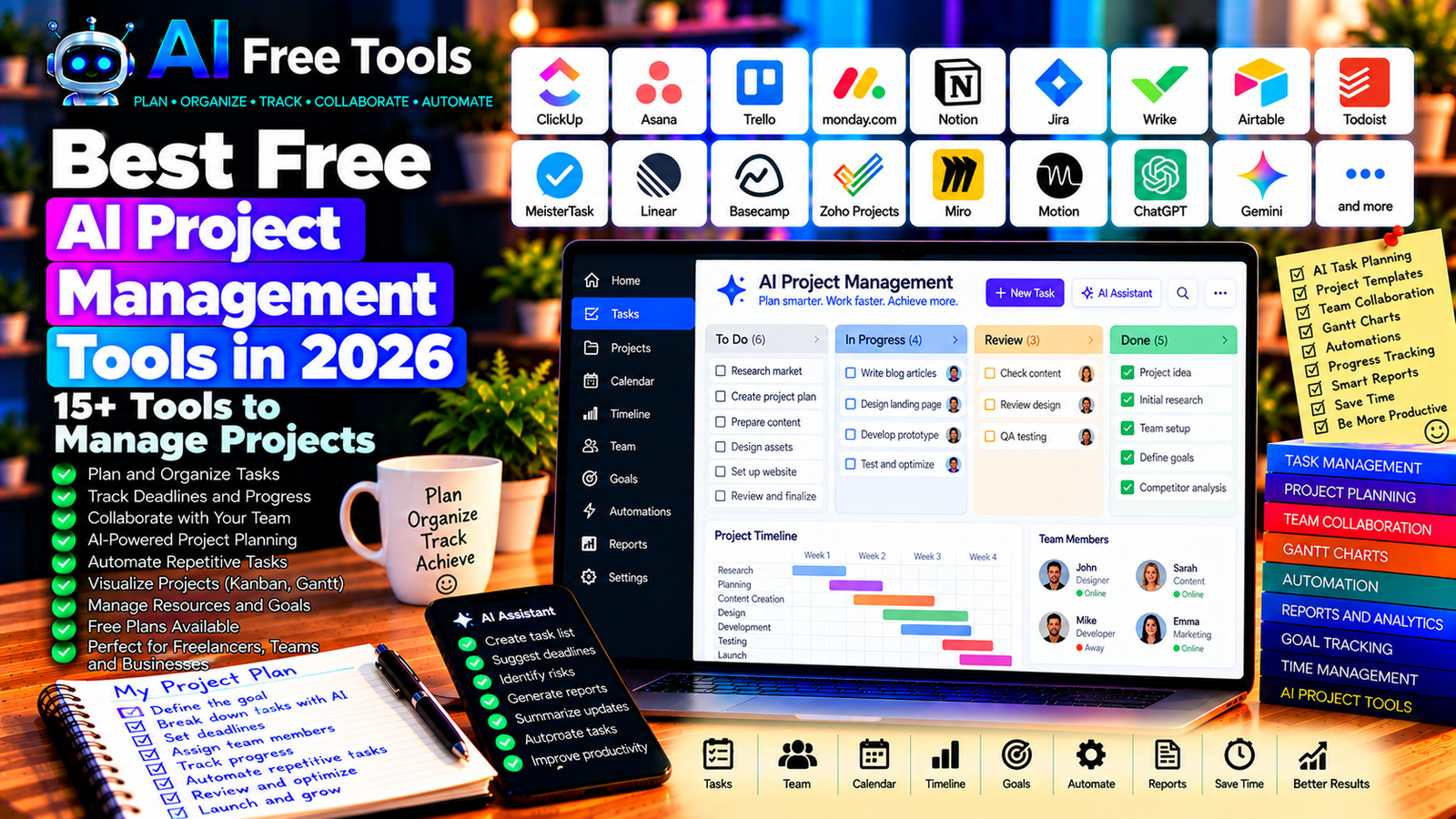
Free AI project management tools can help you organize tasks, coordinate teams, track deadlines, and manage projects more efficiently. Whether you run a small business, work as a freelancer, or coordinate a team, these tools can simplify planning and reduce repetitive work.
Managing a project involves much more than creating a to-do list. You need to assign tasks, coordinate people, monitor deadlines, share information, and respond when plans change. These responsibilities can become difficult when you manage several projects at once.
Free AI project management tools can help simplify this work. Depending on the platform, you can summarize project updates, generate task lists, organize deadlines, automate repetitive processes, and identify potential problems before they become serious.
In this guide, we compare 17 project management platforms and AI assistants in 2026. You will learn what each tool offers, which free options may be available, and how to choose a solution for personal projects, small businesses, and collaborative teams.
Important: Some tools include project management and AI features in the same platform, while others provide task management or AI assistance separately. Free-plan limits, automation allowances, integrations, and AI features can change. Check the current terms before choosing a tool for regular business use.
Quick Comparison: Best Free AI Project Management Tools
| Tool | Best For | Free Access |
|---|---|---|
| ClickUp | Tasks, projects, and team organization | Free plan with restrictions |
| Asana | Team tasks and project coordination | Free personal or team access with limits |
| Trello | Visual Kanban boards | Free plan with restrictions |
| monday.com | Work management and project tracking | Free access depends on current plan |
| Notion | Project documentation and task databases | Free plan; AI access varies |
| Jira | Software development projects | Free plan for eligible teams |
| Wrike | Project planning and collaboration | Free plan with limits |
| Airtable | Projects organized in databases | Free plan with restrictions |
| Todoist | Personal and team task management | Free plan with limits |
| MeisterTask | Visual task management | Free plan with restrictions |
| Linear | Software development planning | Free plan with limits |
| Basecamp | Team communication and project coordination | Free access and plan conditions vary |
| Zoho Projects | Project planning and tracking | Free access depends on current plan |
| Miro | Project brainstorming and visual planning | Free plan with limits |
| Motion | AI-assisted scheduling and planning | Paid access or trial may apply |
| ChatGPT | Project plans, task breakdowns, and summaries | Free tier with limits |
| Google Gemini | Planning, prioritization, and project documentation | Free tier with limits |
1. ClickUp — Best for All-in-One Project Management
ClickUp combines tasks, documents, project views, goals, and collaboration features in one workspace. It is designed to help teams organize work without switching constantly between different applications.
Its AI capabilities depend on the current plan and available features, so verify whether the specific AI functions you need are included.
Best features:
- Create and assign tasks.
- Organize projects using different views.
- Manage deadlines and priorities.
- Document processes and project information.
- Explore eligible AI and automation features.
Free access: ClickUp offers a free plan with restrictions on certain features and usage. Advanced AI capabilities may require payment.
Best for: Freelancers, startups, small businesses, and teams managing several projects.
Official website: https://clickup.com/
2. Asana — Best for Team Tasks and Project Coordination
Asana helps teams organize work into projects, tasks, deadlines, and responsibilities. It is useful when multiple people need to coordinate activities and understand what must happen next.
AI features may assist with summaries, task descriptions, or project workflows, depending on the current plan.
Best features:
- Create projects and tasks.
- Assign responsibilities and deadlines.
- Track progress.
- Organize team workflows.
- Explore available AI-powered features.
Free access: Asana offers free access for eligible users and teams, with restrictions on features and team size. Advanced AI capabilities may require a paid plan.
Best for: Marketing teams, freelancers, project coordinators, and small organizations.
Official website: https://asana.com/
3. Trello — Best for Visual Project Boards
Trello uses boards, lists, and cards to organize work visually. It is particularly useful for tracking projects through stages such as planning, in progress, review, and completed.
You can combine Trello with an AI assistant to generate task lists, break large projects into smaller activities, and write clear task descriptions.
Best features:
- Create visual Kanban boards.
- Organize work into cards and lists.
- Assign tasks and due dates.
- Use automation features available on your plan.
- Connect supported integrations.
Free access: Trello offers a free plan with restrictions on boards, collaborators, automation, and other features.
Best for: Freelancers, small teams, content creators, and people who prefer visual task tracking.
Official website: https://trello.com/
4. monday.com — Best for Work Management and Tracking
monday.com provides configurable boards for tracking projects, tasks, processes, and business activities. Teams can adapt the workspace to their workflows and monitor progress in one place.
Its AI and automation capabilities depend on the current product and subscription.
Best features:
- Organize tasks and projects in boards.
- Track responsibilities and deadlines.
- Customize workflow columns.
- Visualize project progress.
- Explore available AI and automation features.
Free access: Free access and eligible user limits can change. Check the current pricing page to confirm whether the plan supports your team size and required features.
Best for: Small businesses, project coordinators, marketing teams, and operations managers.
Official website: https://monday.com/
5. Notion — Best for Project Documentation and Task Databases
Notion combines documents, databases, notes, and project planning. It is useful when project information, meeting notes, task lists, and reference material need to stay connected.
AI features can help summarize information and improve documentation, but availability may depend on the current plan.
Best features:
- Create project dashboards.
- Build task databases.
- Store project documents and meeting notes.
- Organize tasks with properties and views.
- Explore eligible AI assistance.
Free access: Notion offers a free plan. AI features and usage allowances may vary by plan and account.
Best for: Freelancers, consultants, small businesses, students, and teams that want documentation alongside task management.
Official website: https://www.notion.so/
6. Jira — Best for Software Development Projects
Jira is a project management platform widely used by software teams to organize work, track issues, and plan development cycles.
It supports structured workflows that help teams understand which tasks are waiting, in progress, under review, or completed.
Best features:
- Track tasks and software issues.
- Organize development work.
- Plan and monitor work cycles.
- Create reports and project views.
- Explore eligible AI features in the Atlassian ecosystem.
Free access: Jira offers a free plan for eligible teams, subject to user and feature limits. Some AI capabilities require paid Atlassian products or plans.
Best for: Developers, technical teams, product managers, and software startups.
Official website: https://www.atlassian.com/software/jira
7. Wrike — Best for Project Planning and Collaboration
Wrike helps teams organize projects, assign tasks, monitor progress, and coordinate work across departments.
It can be useful for teams that need visibility into deadlines, dependencies, and project responsibilities.
Best features:
- Create projects and task lists.
- Assign work and deadlines.
- Track progress and dependencies.
- Collaborate on project information.
- Investigate available AI and workflow automation.
Free access: Wrike offers free access with limitations. Advanced reporting, automation, integrations, and AI functions may require payment.
Best for: Agencies, marketing teams, operations managers, and project coordinators.
Official website: https://www.wrike.com/
8. Airtable — Best for Database-Based Project Management
Airtable combines spreadsheet-like tables with database features and customizable views. It is useful when projects depend on structured information such as clients, products, deadlines, content calendars, or supplier records.
Best features:
- Organize projects in structured tables.
- Link related records.
- Create filtered views.
- Build simple workflow systems.
- Explore eligible AI and automation features.
Free access: Airtable offers a free plan with restrictions on records, storage, integrations, and other features. AI availability may depend on the current plan.
Best for: Small businesses, marketing teams, content managers, and operations teams.
Official website: https://airtable.com/
9. Todoist — Best for Personal and Small-Team Task Management
Todoist helps users organize tasks, recurring activities, deadlines, and priorities. It is especially useful for turning a large workload into a manageable list of actions.
An AI assistant can complement Todoist by generating task breakdowns and helping prioritize activities.
Best features:
- Create tasks and subtasks.
- Set due dates and priorities.
- Organize work into projects.
- Manage recurring activities.
- Collaborate using supported features.
Free access: Todoist offers a free plan with limits on projects, reminders, collaboration, or other capabilities depending on the current terms.
Best for: Freelancers, entrepreneurs, students, and individuals managing multiple responsibilities.
Official website: https://todoist.com/
10. MeisterTask — Best for Visual Task Management
MeisterTask offers a visual task management workspace that helps teams track work through project stages.
It can be useful when you need a simple overview of which tasks are planned, underway, or completed.
Best features:
- Create visual task boards.
- Assign tasks to team members.
- Track deadlines and progress.
- Organize work into project sections.
- Explore available integrations and automation.
Free access: MeisterTask offers free access with restrictions. Advanced automation, integrations, and team features may require payment.
Best for: Small teams, freelancers, creative professionals, and project coordinators.
Official website: https://www.meistertask.com/
11. Linear — Best for Product and Software Teams
Linear is designed for planning and tracking software development work. It helps teams manage issues, projects, priorities, and product roadmaps.
Its streamlined interface is useful for technical teams that need a clear overview of development work.
Best features:
- Organize issues and projects.
- Track development tasks.
- Manage priorities and cycles.
- Coordinate product work.
- Explore available AI-assisted features.
Free access: Linear offers free access with limits. Advanced team capabilities and certain features may require payment.
Best for: Software developers, product managers, startups, and technical teams.
Official website: https://linear.app/
12. Basecamp — Best for Team Communication and Project Coordination
Basecamp combines project organization with team communication, shared files, schedules, and task lists.
It can help teams keep discussions and project information together rather than distributing them across multiple channels.
Best features:
- Organize projects and tasks.
- Share documents and files.
- Coordinate team discussions.
- Track schedules and responsibilities.
- Centralize project updates.
Free access: Basecamp’s available plans and trial or free access conditions can change. Verify current pricing and team limits before adopting it.
Best for: Agencies, small businesses, remote teams, and client-facing projects.
Official website: https://basecamp.com/
13. Zoho Projects — Best for Structured Project Planning
Zoho Projects provides tools for planning tasks, managing deadlines, tracking project progress, and coordinating teams.
It can be useful for organizations that want more structure than a simple to-do list.
Best features:
- Create project plans and tasks.
- Track milestones and deadlines.
- Organize task dependencies.
- Collaborate with team members.
- Connect with eligible Zoho applications.
Free access: Zoho Projects has offered free access for smaller projects or teams, but current limits and availability should be checked before use.
Best for: Small businesses, consultants, project managers, and teams using Zoho products.
Official website: https://www.zoho.com/projects/
14. Miro — Best for Project Brainstorming and Visual Planning
Miro is a visual workspace for brainstorming, planning, workshops, diagrams, and team collaboration. It is useful at the beginning of a project, when a team needs to map out ideas and decide how to proceed.
Best features:
- Create visual planning boards.
- Organize ideas with sticky notes.
- Map workflows and dependencies.
- Collaborate in real time.
- Explore eligible AI features for organizing or summarizing board content.
Free access: Miro offers a free plan with restrictions on boards and features. Advanced AI and collaboration options may require payment.
Best for: Consultants, designers, project teams, educators, and remote collaborators.
Official website: https://miro.com/
15. Motion — Best for AI-Assisted Scheduling
Motion focuses on scheduling and planning work around tasks, deadlines, and calendar availability. Its AI-powered approach is designed to help users organize their workload and schedule activities.
It is more specialized than a traditional project management board.
Best features to investigate:
- Organize tasks and deadlines.
- Plan work around calendar availability.
- Schedule activities automatically where supported.
- Coordinate individual workloads.
- Manage projects alongside personal schedules.
Free access: Motion is primarily a paid product, although trial offers or plan conditions may change. Do not assume that it offers a permanent free plan.
Best for: Busy professionals, managers, consultants, and people who need help scheduling their work.
Official website: https://www.usemotion.com/
16. ChatGPT — Best for Creating Project Plans
ChatGPT can help prepare project plans, break large objectives into smaller tasks, draft schedules, identify dependencies, and summarize project updates.
It is not a complete project management platform by itself. You can use it to generate the initial plan and then transfer the tasks into Trello, ClickUp, Asana, or another application.
Best features:
- Break objectives into actionable tasks.
- Draft project timelines.
- Identify dependencies and potential risks.
- Prepare meeting summaries.
- Generate status reports and task descriptions.
Free access: ChatGPT offers a free tier with usage and feature limits.
Best for: Freelancers, small business owners, students, consultants, and project managers.
Official website: https://chatgpt.com/
Example prompt:
“Create a project plan for launching a new website in 30 days. Divide the work into phases, list the tasks in each phase, identify dependencies, suggest realistic deadlines, and flag the tasks that require approval. Present the result as a table that I can import into a project management tool. Clearly label assumptions and do not invent completed work.”
17. Google Gemini — Best for Project Documentation and Prioritization
Google Gemini can help structure project information, draft action plans, summarize supplied notes, and organize tasks by priority.
It can complement Google productivity tools, depending on the account and available integrations.
Best features:
- Draft project plans.
- Organize tasks by priority.
- Summarize meeting notes.
- Prepare project status updates.
- Help create checklists and documentation.
Free access: Gemini offers a free tier with usage limits. Advanced features and integrations may require an eligible plan.
Best for: Small business owners, students, project coordinators, and teams using Google tools.
Official website: https://gemini.google.com/
How to Choose the Best Free AI Project Management Tool
The right choice depends on the size of your team, the complexity of your projects, and whether you need task tracking, collaboration, automation, or AI-assisted planning.
| Your Main Goal | Recommended Starting Tools |
|---|---|
| Manage many tasks in one workspace | ClickUp |
| Coordinate team responsibilities | Asana |
| Visual task tracking | Trello or MeisterTask |
| Manage software development | Jira or Linear |
| Combine documentation and project tasks | Notion |
| Organize structured project data | Airtable |
| Brainstorm and map project workflows | Miro |
| Plan tasks around a calendar | Motion |
| Generate a project plan from a prompt | ChatGPT or Gemini |
| Manage deadlines and personal tasks | Todoist |
Best Free AI Project Management Tools for Small Businesses
Small businesses often need to manage sales activities, website development, marketing campaigns, customer requests, and operational tasks without paying for many separate applications.
ClickUp, Trello, Notion, and Asana are useful starting points, depending on the workflow and free-plan restrictions.
For a simple setup, create one project for each major objective, assign a responsible person to every task, and use clear due dates. Add automation only when the basic process works reliably.
Best AI Project Management Tools for Freelancers
Freelancers often manage several clients, projects, deadlines, and deliverables at the same time.
Todoist or Trello can provide a simple overview, while Notion can store client notes and project documents. ChatGPT can help convert a client brief into tasks, milestones, and a delivery checklist.
Keep client information separate and check privacy requirements before sharing confidential documents with an AI service.
Best AI Project Management Tools for Teams
Teams may need task assignments, permissions, project reports, dependencies, and integrations.
Asana, ClickUp, Jira, Wrike, and Linear are worth comparing based on the type of work you manage. For creative workshops and early planning, Miro can complement a more structured task management platform.
Before adopting a tool, test it with a real project and confirm that the free plan supports your team size and essential features.
How to Manage a Project with AI in Five Steps
Step 1: Define the Objective
Write a clear description of the outcome you want to achieve, along with the deadline and any known constraints.
Step 2: Break the Work into Tasks
Ask an AI assistant to divide the project into phases and actionable tasks. Make sure every task has a clear result.
Step 3: Identify Dependencies
Determine which tasks must be completed before others can begin. Mark tasks that depend on approvals, suppliers, or external resources.
Step 4: Add the Tasks to Your Project Tool
Transfer the tasks into your chosen application. Assign responsibilities, set deadlines, and identify milestones.
Step 5: Review Progress Regularly
Update task statuses, check overdue work, and revise the plan when circumstances change. Use AI-generated summaries as assistance, not as a substitute for verifying actual progress.
Example AI Prompt for Project Planning
Copy and adapt this prompt:
“Help me plan a project to [DESCRIBE YOUR PROJECT]. The target deadline is [DATE], the available team members are [LIST ROLES], and the main constraints are [LIST CONSTRAINTS]. Create phases, tasks, dependencies, milestones, and a weekly review checklist. Distinguish confirmed information from assumptions. Do not assign a person or deadline unless the information is provided or clearly labeled as a proposal.”
Are Free AI Project Management Tools Worth Using?
Yes. They can help organize tasks, clarify responsibilities, prepare project documentation, and reduce repetitive planning work.
For simple projects, a free task manager may be sufficient. For team collaboration, a structured platform can provide better visibility into progress and deadlines. An AI assistant can complement either option by preparing plans, summaries, and checklists.
However, AI-generated schedules can be unrealistic, miss dependencies, or assume resources that are not available. Review the plan with the people responsible for delivering the work before treating it as final.
Are AI Project Management Tools Safe for Business Information?
Project management systems can contain client details, internal budgets, supplier information, employee assignments, and confidential documents.
Review each provider’s privacy policy, account permissions, and data-handling terms before uploading sensitive information. Use appropriate access controls and avoid sharing confidential material with an AI service that has not been approved for that purpose.
For important projects, maintain reliable records of decisions, deadlines, approvals, and changes.
Frequently Asked Questions
What is the best free AI project management tool in 2026?
ClickUp, Trello, Asana, and Notion are worth comparing for general project management. Jira and Linear are more focused on software teams. The best choice depends on the features and team limits included in the current free plan.
Can AI manage a project automatically?
AI can help plan tasks, summarize updates, and support certain scheduling or automation workflows. However, people still need to verify priorities, approve decisions, resolve conflicts, and confirm that work has actually been completed.
Can I use ChatGPT for project management?
Yes. ChatGPT can create project plans, task lists, timelines, risk checklists, and meeting summaries. You will generally need a separate project management application to track assignments and progress over time.
Are free project management tools suitable for businesses?
Yes, especially for freelancers and small teams. However, free plans may restrict the number of users, projects, integrations, automations, or reporting features. Check the current terms before committing to a workflow.
What is the difference between project management and task management?
Task management focuses on individual activities and their completion. Project management coordinates multiple tasks, dependencies, resources, milestones, deadlines, and overall objectives.
Can AI create project timelines?
AI can propose a timeline based on your requirements and constraints. You should review the duration, dependencies, available resources, and external deadlines before using it as the official schedule.
Do I need to pay for AI features in project management software?
Not always. Some platforms offer limited AI features or free integrations, while others reserve advanced AI functionality for paid plans. Check the current plan details for the specific capability you need.
Final Verdict
The best free AI project management tools in 2026 can help you organize work, coordinate people, track deadlines, and prepare clearer project plans.
For an all-in-one workspace, explore ClickUp. For visual task management, try Trello. For documentation and tasks together, consider Notion. For software development, compare Jira and Linear. To prepare project plans and task breakdowns, use ChatGPT or Gemini alongside your preferred project management platform.
Start with a simple workflow, verify the free-plan limits, and add AI features only where they solve a real problem. Review generated plans carefully and keep project status information up to date.
Explore more guides on AI Free Tools:
Leave a Reply