
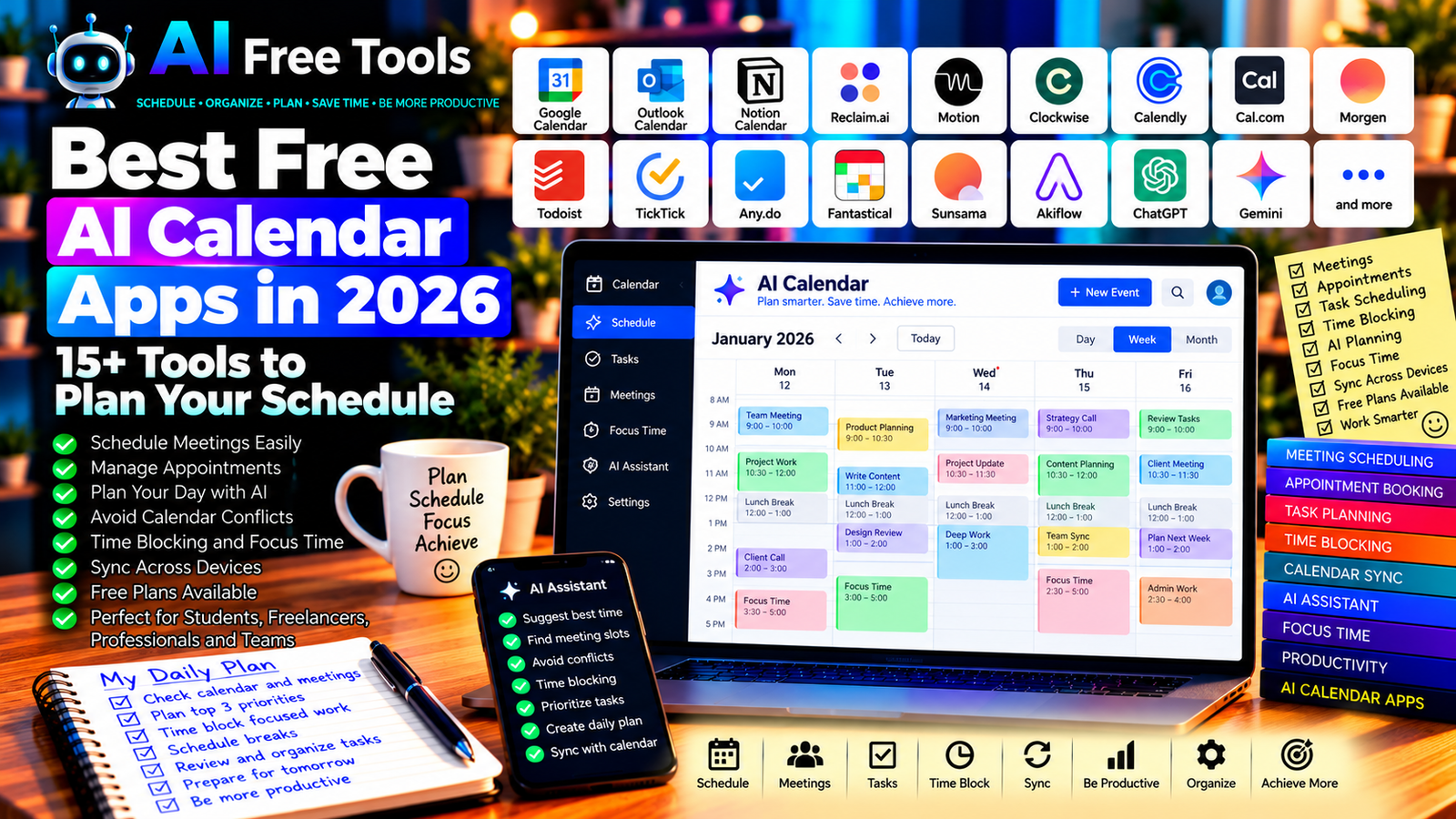
Best Free AI Calendar Apps in 2026: 15+ Tools to Plan Your Schedule
Free AI calendar apps can help you organize meetings, manage appointments, plan your day, and make better use of your time. Instead of manually arranging every activity, you can use calendar tools and AI assistants to structure your schedule, identify conflicts, and prepare a more realistic daily plan.
Whether you are a student, freelancer, business owner, or busy professional, the right calendar app can make it easier to coordinate work and personal commitments. Some tools focus on traditional calendar management, while others use AI to schedule tasks, find meeting times, or protect time for focused work.
In this guide, we compare 17 calendar apps and AI scheduling tools in 2026. You will learn what each tool does, which free options may be available, and how to choose the right solution for your routine.
Important: Not every app in this list provides AI scheduling in its free plan. Some are traditional calendars that work alongside AI assistants, while others offer dedicated automatic scheduling features. Free-plan limits, integrations, and AI capabilities can change, so verify the current terms before signing up.
Quick Comparison: Best Free AI Calendar Apps
| Tool | Best For | Free Access |
|---|---|---|
| Google Calendar | Everyday scheduling and shared calendars | Core features available free |
| Microsoft Outlook Calendar | Meetings and work schedules | Core calendar features available free |
| Notion Calendar | Connecting calendars with workspaces | Core features available free |
| Reclaim.ai | Protecting time for tasks and habits | Free access and plan limits vary |
| Motion | AI-assisted daily scheduling | Paid access or trial may apply |
| Clockwise | Optimizing team calendars | Free access and features vary |
| Calendly | Booking appointments | Free plan with restrictions |
| Cal.com | Appointment scheduling and booking links | Free options available |
| Morgen | Combining calendars and task planning | Free access and limits vary |
| Todoist | Organizing tasks alongside calendar workflows | Free plan with limits |
| TickTick | Tasks, reminders, and calendar views | Free plan with restrictions |
| Any.do | Personal planning and reminders | Free plan with limits |
| Fantastical | Calendar management on Apple devices | Free features; premium options vary |
| Sunsama | Daily planning and time blocking | Trial or paid access may apply |
| Akiflow | Combining tasks and calendar planning | Trial or paid access may apply |
| ChatGPT | Creating schedules and planning routines | Free tier with limits |
| Google Gemini | Calendar-related planning and productivity | Free tier; integrations vary |
1. Google Calendar — Best for Everyday Scheduling
Google Calendar is a popular calendar application for managing appointments, meetings, reminders, and personal events. It is a practical starting point for anyone who wants a reliable calendar without paying for a dedicated scheduling service.
You can use an AI assistant to organize your commitments, prepare a weekly plan, or suggest a better structure for your schedule. Direct AI integration depends on the account, product, and available features.
Best features:
- Create events and reminders.
- Manage personal and shared calendars.
- Schedule meetings with guests.
- View your schedule across supported devices.
- Connect with eligible Google productivity services.
Free access: Core Google Calendar features are available free with a Google account. Some advanced AI features and integrations may require an eligible plan.
Best for: Students, freelancers, families, business owners, and professionals.
Official website: https://calendar.google.com/
2. Microsoft Outlook Calendar — Best for Work Meetings
Microsoft Outlook Calendar combines scheduling with email and other productivity features. It is useful when you manage professional appointments, recurring meetings, and invitations from clients or colleagues.
AI assistance may be available through eligible Microsoft products, but integrated Copilot capabilities depend on the subscription and account.
Best features:
- Schedule appointments and meetings.
- Manage recurring events.
- Send invitations and track responses.
- Coordinate calendars in supported work environments.
- Explore eligible AI-assisted productivity features.
Free access: Outlook offers free access to core email and calendar features. Advanced business integrations and Copilot features may require a paid plan.
Best for: Office workers, consultants, businesses, and teams using Microsoft products.
Official website: https://outlook.live.com/calendar/
3. Notion Calendar — Best for Connecting Calendars and Workspaces
Notion Calendar helps users manage events and coordinate schedules with supported calendar services. It is particularly useful if you already use Notion to manage projects, documents, or task databases.
It is not a complete automatic AI scheduler by itself, but it can complement an AI-powered productivity workflow.
Best features:
- View and manage supported calendar events.
- Coordinate meetings across eligible calendars.
- Connect calendar workflows with Notion.
- Organize time around project commitments.
- Keep scheduling and workspace information easier to access.
Free access: Core Notion Calendar features are available free, subject to current compatibility and account requirements. Notion AI features may require a separate eligible plan.
Best for: Notion users, freelancers, project managers, and people organizing work in one workspace.
Official website: https://www.notion.com/product/calendar
4. Reclaim.ai — Best for Protecting Time for Tasks
Reclaim.ai focuses on scheduling tasks, habits, and meetings around your existing calendar. Its goal is to help users reserve time for important work instead of allowing every available hour to be consumed by meetings.
Its automatic scheduling features can be particularly useful when your priorities change throughout the week.
Best features to investigate:
- Schedule tasks around calendar commitments.
- Reserve time for recurring habits.
- Protect blocks of focused work.
- Help find time for priorities.
- Coordinate supported calendar workflows.
Free access: Reclaim.ai has offered free access with limitations, but current plan names, features, and usage allowances may change. Verify whether the scheduling features you need are included.
Best for: Freelancers, managers, remote workers, and professionals with busy calendars.
Official website: https://reclaim.ai/
5. Motion — Best for AI-Assisted Daily Scheduling
Motion focuses on combining tasks, projects, and calendar events into a schedule. It is designed to help users determine when work should happen based on deadlines, priorities, and available time.
This can be helpful when you have more tasks than available hours and need to organize your workload realistically.
Best features to investigate:
- Schedule tasks around deadlines.
- Organize daily work.
- Coordinate tasks and calendar events.
- Adjust schedules when priorities change.
- Manage supported project planning workflows.
Free access: Motion is primarily a paid product, although trial offers and plan conditions can change. Do not assume that it provides a permanent free plan.
Best for: Entrepreneurs, consultants, managers, and busy professionals.
Official website: https://www.usemotion.com/
6. Clockwise — Best for Optimizing Team Calendars
Clockwise is designed to improve how teams organize meetings and focus time. It can help identify scheduling opportunities and reduce unnecessary interruptions, depending on the current features and plan.
Best features to investigate:
- Find opportunities for focused work.
- Optimize eligible meeting schedules.
- Coordinate supported team calendars.
- Manage calendar preferences.
- Explore available scheduling automation.
Free access: Clockwise’s current plan availability and feature limits should be checked directly. Team features and advanced scheduling capabilities may depend on the plan.
Best for: Remote teams, managers, consultants, and organizations with many meetings.
Official website: https://www.getclockwise.com/
7. Calendly — Best for Booking Appointments
Calendly allows people to book meetings through a scheduling link instead of exchanging multiple emails to find a suitable time.
It is particularly useful for sales calls, consultations, interviews, and customer appointments. Its core function is appointment scheduling rather than automatic AI planning.
Best features:
- Create booking links.
- Set available appointment times.
- Manage meeting types.
- Connect supported calendars.
- Send scheduling confirmations through eligible workflows.
Free access: Calendly offers a free plan with restrictions on event types and other capabilities. Advanced integrations and team scheduling may require payment.
Best for: Freelancers, consultants, recruiters, sales professionals, and service businesses.
Official website: https://calendly.com/
8. Cal.com — Best for Flexible Appointment Scheduling
Cal.com is a scheduling platform that helps users share availability and allow others to book meetings. It is an alternative to traditional appointment-booking services and offers options for individuals and organizations.
Best features:
- Create scheduling links.
- Define availability and meeting durations.
- Connect supported calendars.
- Configure booking workflows.
- Explore integrations and automation options.
Free access: Cal.com offers free options, although features and terms vary by use case and plan. Check current conditions for team scheduling and advanced integrations.
Best for: Freelancers, developers, consultants, and businesses that need flexible booking workflows.
Official website: https://cal.com/
9. Morgen — Best for Combining Tasks and Calendars
Morgen combines calendar management and task planning in a unified interface. It is designed for people who want to see their commitments and planned work together.
Depending on your setup, it can help you make time for tasks rather than relying only on a list of deadlines.
Best features to investigate:
- Combine supported calendars.
- Organize tasks alongside events.
- Plan focused work blocks.
- Coordinate daily schedules.
- Use supported task integrations.
Free access: Morgen’s free availability and feature limits can change. Verify the current plan and supported integrations before adopting it.
Best for: Freelancers, consultants, knowledge workers, and people with several calendars.
Official website: https://www.morgen.so/
10. Todoist — Best for Tasks and Calendar Workflows
Todoist is primarily a task management application. It helps users organize activities, priorities, deadlines, and recurring tasks. It can complement a calendar by making sure important actions are recorded and tracked.
AI assistance can help convert a goal into smaller tasks or prepare a realistic weekly plan.
Best features:
- Create tasks and subtasks.
- Set deadlines and priorities.
- Organize tasks into projects.
- Manage recurring activities.
- Use supported calendar integrations.
Free access: Todoist offers a free plan with limits on projects, reminders, collaboration, or other features depending on current terms.
Best for: Students, freelancers, entrepreneurs, and people who want to coordinate tasks with their schedule.
Official website: https://todoist.com/
11. TickTick — Best for Tasks, Reminders, and Calendar Views
TickTick combines task management, reminders, and calendar-related planning features. It can help users organize daily responsibilities and review what needs to be completed.
Some advanced calendar views or productivity features may depend on the current plan.
Best features:
- Organize tasks and reminders.
- Set priorities and due dates.
- Manage recurring tasks.
- Review tasks in supported calendar views.
- Use productivity features such as focus timers where available.
Free access: TickTick offers a free plan with restrictions. Advanced calendar and productivity features may require a premium subscription.
Best for: Students, freelancers, professionals, and people who prefer tasks and schedules in one application.
Official website: https://ticktick.com/
12. Any.do — Best for Personal Planning and Reminders
Any.do combines to-do lists, reminders, and calendar-related organization. It is designed to help users keep personal and professional responsibilities visible in one place.
Best features:
- Create tasks and reminders.
- Organize daily priorities.
- Manage recurring activities.
- Coordinate supported calendar events.
- Explore available AI or automation features.
Free access: Any.do offers free access with limitations. Calendar integrations, advanced reminders, and premium capabilities may require payment.
Best for: Individuals, students, families, and busy professionals.
Official website: https://www.any.do/
13. Fantastical — Best for Apple Calendar Users
Fantastical is a calendar and scheduling application designed for Apple devices. It offers calendar views and event-entry workflows intended to make scheduling easier.
Some features may interpret natural-language event descriptions, but capabilities and availability depend on the platform and current version.
Best features to investigate:
- Manage supported calendars.
- Create and review events.
- View schedules in different formats.
- Use supported natural-language event entry.
- Coordinate personal and work calendars.
Free access: Fantastical offers free features, while advanced capabilities may require a premium subscription. Check device compatibility and current plan terms.
Best for: Mac, iPhone, and iPad users who want a dedicated calendar interface.
Official website: https://flexibits.com/fantastical
14. Sunsama — Best for Intentional Daily Planning
Sunsama focuses on daily planning, time blocking, and reviewing your workload. It encourages users to choose realistic priorities and allocate time for work rather than continually adding more tasks.
Best features to investigate:
- Plan a daily workload.
- Allocate time to tasks.
- Review completed and unfinished work.
- Connect supported productivity applications.
- Build a structured daily planning routine.
Free access: Sunsama is primarily a paid product, although trial conditions may change. Confirm current pricing before relying on it as a free solution.
Best for: Professionals, managers, freelancers, and people who want a structured daily planning process.
Official website: https://www.sunsama.com/
15. Akiflow — Best for Combining Tasks and Calendar Planning
Akiflow is a productivity application that brings tasks and calendar events into a unified workflow. It is designed for users who collect tasks from multiple sources and need a central place to organize their day.
Best features to investigate:
- Bring supported tasks into one workspace.
- Plan work around calendar events.
- Organize priorities and deadlines.
- Create focused time blocks.
- Explore available integrations and automation.
Free access: Akiflow is primarily a paid product, though trial availability can change. Check the current plan before adopting it for daily use.
Best for: Consultants, freelancers, entrepreneurs, and professionals managing tasks from several applications.
Official website: https://akiflow.com/
16. ChatGPT — Best for Creating a Realistic Schedule
ChatGPT can help you create a weekly plan, prioritize tasks, estimate time requirements, and identify scheduling conflicts from information you provide.
It is not a full calendar application by itself. Unless a supported integration is available and configured, you will need to transfer the proposed schedule into your calendar manually.
Best features:
- Create daily and weekly schedules.
- Prioritize tasks by importance and deadline.
- Break large goals into smaller activities.
- Prepare meeting agendas and checklists.
- Suggest realistic time blocks based on your constraints.
Free access: ChatGPT offers a free tier with usage and feature limits.
Best for: Students, freelancers, entrepreneurs, and professionals who want help planning their time.
Official website: https://chatgpt.com/
Example prompt:
“Create a realistic weekly schedule based on these commitments: [list fixed meetings and appointments]. My priorities are [list tasks], and I have [number] hours available each day. Include breaks, travel time where relevant, and focused work blocks. Do not schedule two activities at the same time. Mark any task that does not fit into the available hours.”
17. Google Gemini — Best for Calendar-Related Planning
Google Gemini can help organize tasks, summarize information, and prepare schedules from the details you provide. Depending on your account and eligible integrations, it may also support workflows connected to Google services.
Do not assume that every Gemini account can automatically create or modify calendar events. Check the available integrations and permissions first.
Best features:
- Draft daily and weekly schedules.
- Organize tasks by priority.
- Prepare meeting agendas.
- Summarize supplied information.
- Support eligible Google productivity integrations.
Free access: Gemini offers a free tier with usage limits. Advanced features and integrations depend on the account and current plan.
Best for: Google Workspace users, students, freelancers, and professionals.
Official website: https://gemini.google.com/
How to Choose the Best Free AI Calendar App
The best option depends on whether you need a simple calendar, appointment booking, team scheduling, or automatic task planning.
| Your Main Goal | Recommended Starting Tools |
|---|---|
| Manage personal appointments | Google Calendar |
| Schedule work meetings | Outlook Calendar |
| Coordinate calendars with Notion | Notion Calendar |
| Protect time for important tasks | Reclaim.ai |
| Automate daily task scheduling | Motion |
| Reduce unnecessary team meetings | Clockwise |
| Let customers book appointments | Calendly or Cal.com |
| Combine tasks and calendar views | TickTick or Todoist |
| Plan your day with AI assistance | ChatGPT or Gemini |
| Manage calendars on Apple devices | Fantastical |
Best Free AI Calendar Apps for Small Businesses
Small businesses often need to coordinate customer appointments, supplier meetings, employee schedules, and project deadlines.
Google Calendar or Outlook Calendar can provide a solid starting point. If customers need to book appointments themselves, Calendly or Cal.com may be more suitable. For more complex task planning, investigate Reclaim.ai or other scheduling tools, checking which features are included in the free plan.
Keep booking availability accurate and avoid creating overlapping appointments.
Best AI Calendar Apps for Freelancers
Freelancers often need to balance client calls, project work, administrative tasks, and personal commitments.
A simple combination can work well: use Google Calendar for appointments, Todoist for task lists, and ChatGPT to prepare a realistic weekly plan. If you regularly reschedule tasks, consider testing a dedicated AI scheduler.
Review the resulting schedule each day, particularly when client deadlines or priorities change.
Best AI Calendar Apps for Teams
Teams need to coordinate availability, reduce unnecessary meetings, and protect time for focused work.
Outlook Calendar and Google Calendar are useful starting points, depending on the team’s existing tools. Clockwise and similar scheduling services may help optimize team calendars, while Calendly or Cal.com can simplify external appointment booking.
Before connecting calendars, review permissions and confirm that the chosen plan supports your team’s size and workflow.
How to Plan Your Day with AI in Five Steps
Step 1: List Your Fixed Commitments
Record appointments, meetings, deadlines, and other activities that cannot easily move.
Step 2: Identify Your Priorities
Choose the most important tasks for the day. Separate urgent work from activities that can wait.
Step 3: Estimate the Time Required
Give each task a realistic duration. Include preparation, breaks, and transition time between activities.
Step 4: Ask AI to Propose a Schedule
Use an AI assistant to arrange your tasks around fixed commitments. Ask it to identify conflicts and flag tasks that do not fit into your available time.
Step 5: Review and Update Your Calendar
Transfer the approved plan into your calendar. Revisit it when meetings change or unexpected work appears.
Example AI Prompt for Weekly Scheduling
Copy and adapt this prompt:
“Help me plan my week from Monday to Friday. My fixed commitments are [list events and times]. My most important tasks are [list tasks and deadlines]. I work from [start time] to [end time], and I need time for breaks and administrative work. Create a schedule with realistic time blocks, avoid overlaps, and identify tasks that do not fit. Do not invent appointments or claim that calendar events have been created.”
Are Free AI Calendar Apps Worth Using?
Yes. They can make scheduling more organized, reduce the effort of finding meeting times, and help you allocate time to important tasks.
For simple scheduling, Google Calendar and Outlook Calendar are practical options. For appointment booking, compare Calendly and Cal.com. If you want to combine tasks with calendar events, investigate Reclaim.ai, TickTick, or similar tools. ChatGPT and Gemini can also help prepare a schedule when you provide the relevant constraints.
However, AI-generated schedules are only proposals until you review and apply them. Check time zones, travel time, meeting durations, deadlines, and calendar conflicts before relying on a plan.
Are AI Calendar Apps Safe for Business Information?
Calendars can reveal client names, meeting links, business plans, personal appointments, and confidential project details.
Before connecting a calendar to an AI service, review its permissions, privacy terms, and data-handling practices. Give the application only the access it needs, and avoid connecting sensitive work calendars to services that have not been approved for that purpose.
For shared calendars, confirm that event visibility and access permissions match your needs.
Frequently Asked Questions
What is the best free AI calendar app in 2026?
Google Calendar is a practical starting point for everyday scheduling. Reclaim.ai may suit users seeking automatic time blocking, while Calendly and Cal.com are useful for appointment booking. Features and free-plan limits vary.
Can AI automatically schedule my day?
Some dedicated tools can schedule tasks around meetings and deadlines. General AI assistants can also propose schedules, but you may need to transfer the plan into your calendar yourself. Confirm the supported integrations before expecting automatic changes.
Are AI calendar apps free?
Some calendar applications offer free core features, while dedicated AI scheduling tools may restrict automation or require payment. Check the current plan and trial conditions before choosing a tool.
Can AI schedule appointments for my customers?
Scheduling platforms such as Calendly and Cal.com allow customers to book available time slots through supported booking links. The exact features depend on the plan and configuration.
Can I use AI to avoid scheduling conflicts?
AI can help identify conflicts when it has the necessary information. Calendar applications can also display overlapping events. Always check time zones, durations, and availability before confirming an appointment.
Do AI calendar apps work with Google Calendar and Outlook?
Many scheduling tools support one or both services, but compatibility varies. Verify which calendar providers are supported and whether synchronization is included in the free plan.
Is an AI calendar better than a normal calendar?
Not necessarily. A standard calendar may be enough if you only need to record events. AI scheduling is more useful when you manage many tasks, changing priorities, or complex meeting schedules.
Final Verdict
The best free AI calendar apps in 2026 can help you manage appointments, organize work, and plan your time more effectively.
For everyday scheduling, start with Google Calendar or Outlook Calendar. For appointment booking, compare Calendly and Cal.com. For combining tasks and calendar events, investigate Reclaim.ai, TickTick, or Todoist. To create a schedule from your priorities, use ChatGPT or Google Gemini alongside your preferred calendar.
Choose a tool that fits your routine, check its current free-plan limits, and review any AI-generated schedule before applying it. Protect calendar permissions and keep your availability up to date.
Explore more guides on AI Free Tools:
Leave a Reply