
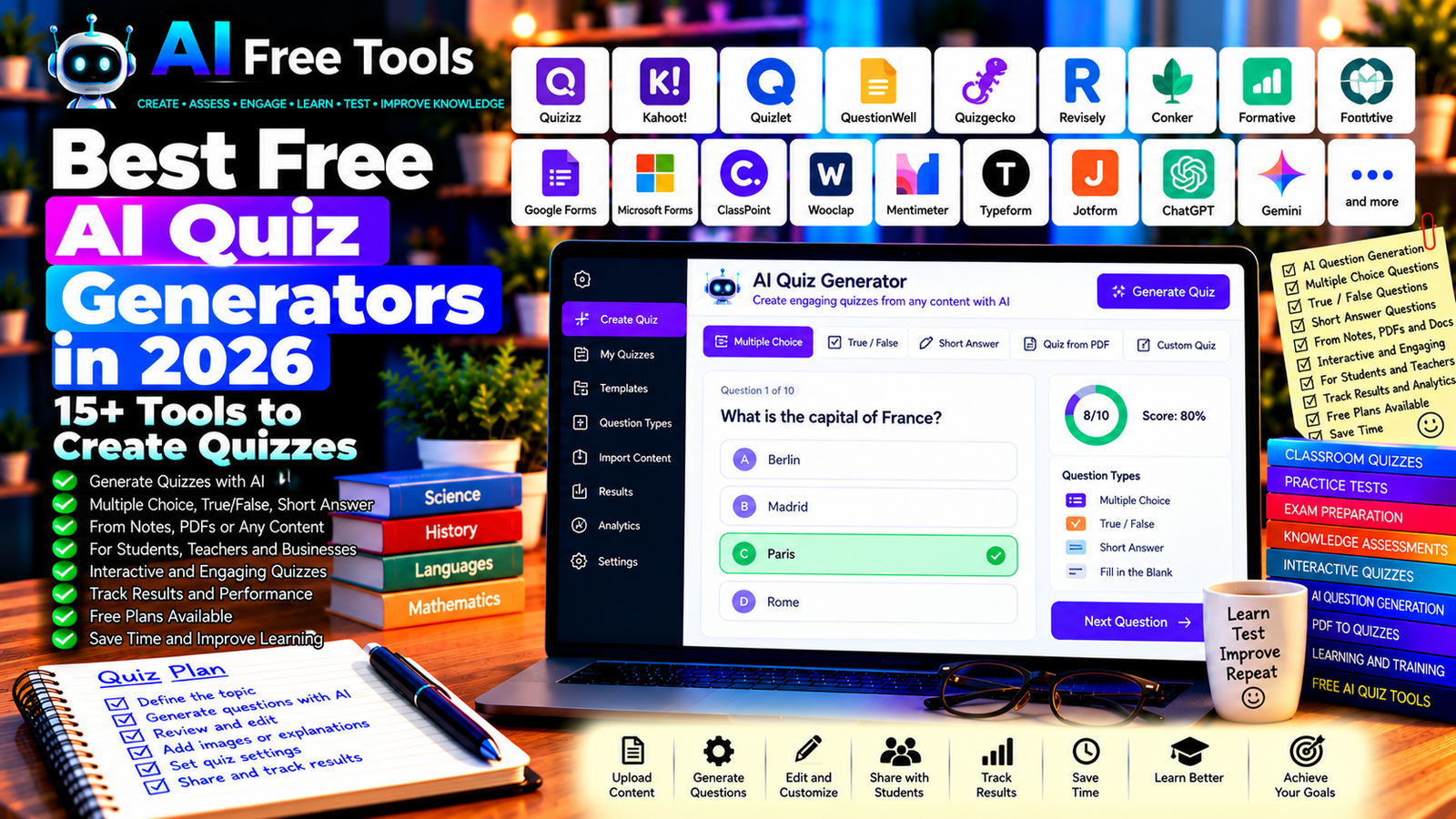
Best Free AI Quiz Generators in 2026: 15+ Tools to Create Quizzes
Free AI quiz generators can help you turn notes, lessons, articles, and training materials into questions for learning and assessment. Instead of writing every question manually, you can use AI-assisted tools to draft multiple-choice questions, true-or-false statements, short-answer questions, and practice tests.
Teachers can use quizzes to check students’ understanding, students can prepare for exams, and businesses can create training assessments for employees. The right tool can reduce preparation time while helping you identify gaps in knowledge.
In this guide, we compare 17 quiz creation platforms and AI assistants in 2026. You will discover what each tool offers, which free options are worth exploring, and how to choose a quiz generator for education, business, or personal learning.
Important: Some platforms generate questions directly with AI, while others focus on interactive quizzes or traditional assessment creation. Free plans may limit AI credits, participants, quiz counts, exports, or advanced reporting. Features and pricing can change, so verify the current terms before choosing a tool.
Quick Comparison: Best Free AI Quiz Generators
| Tool | Best For | Free Access |
|---|---|---|
| Quizizz / Wayground | Interactive classroom quizzes | Free educator features with restrictions |
| Kahoot! | Live quizzes and learning games | Free features with plan limits |
| Quizlet | Flashcards and study practice | Free features with restrictions |
| QuestionWell | Generating questions from learning material | Free access and limits may vary |
| Quizgecko | Quizzes from supplied content | Free usage may be limited |
| Revisely | Study quizzes and revision resources | Free features or limits may apply |
| Conker | AI-assisted educational quizzes | Free access and limits vary |
| Formative | Classroom assessments | Free plan with restrictions |
| Google Forms | Online quizzes and assessments | Core features available free |
| Microsoft Forms | Tests, surveys, and assessments | Availability depends on account |
| ClassPoint | Interactive classroom questions | Free and paid features vary |
| Wooclap | Live polls and knowledge checks | Free plan with restrictions |
| Mentimeter | Interactive presentations and quizzes | Free plan with limits |
| Typeform | Interactive forms and quizzes | Free plan with restrictions |
| Jotform | Forms, tests, and assessments | Free plan with limits |
| ChatGPT | Custom quiz questions from prompts | Free tier with limits |
| Google Gemini | Creating quizzes from study material | Free tier with limits |
1. Quizizz / Wayground — Best for Interactive Learning Quizzes
Quizizz has evolved into Wayground, an educational platform designed to support interactive learning and assessment. It can help teachers create engaging activities, assign quizzes, and review student responses through supported features.
Best features to investigate:
- Create interactive quizzes and assessments.
- Use question formats supported by the platform.
- Assign activities for classroom or independent learning.
- Review student performance where available.
- Explore AI-assisted question creation.
Free access: The platform offers educator access options, but AI features, participant limits, reports, and other capabilities may depend on the current plan.
Best for: Teachers, tutors, schools, and students who enjoy interactive practice.
Official website: https://wayground.com/
2. Kahoot! — Best for Live Quiz Games
Kahoot! turns questions into interactive games that can be used in classrooms, training sessions, and group activities. It is particularly useful when you want participants to answer questions together in a lively format.
Best features:
- Create question-based games.
- Host live quiz sessions.
- Use supported question formats.
- Review results through available reporting.
- Explore AI-assisted quiz creation where available.
Free access: Kahoot! offers free access options, but participant limits, question types, AI capabilities, and hosting features may vary by plan.
Best for: Teachers, trainers, families, and workshop facilitators.
Official website: https://kahoot.com/
3. Quizlet — Best for Study Quizzes and Flashcards
Quizlet helps learners create and review flashcards and study sets. It can also support quiz-based practice through available study modes.
Although it is not exclusively an AI quiz generator, it is useful when your goal is to test your knowledge after studying a topic.
Best features:
- Create digital flashcards.
- Organize terms and definitions.
- Practice using supported study modes.
- Explore existing study sets.
- Use available assessment features.
Free access: Quizlet offers free features, while some study modes and AI-related capabilities may require a paid plan.
Best for: Students, language learners, and exam candidates.
Official website: https://quizlet.com/
4. QuestionWell — Best for Generating Questions from Learning Material
QuestionWell is designed for educators who want to create questions from learning content. It can help transform a topic or supplied material into a draft set of questions for classroom use.
Best features to investigate:
- Generate questions from educational material.
- Create question sets for lessons.
- Prepare content for supported learning platforms.
- Review and edit generated questions.
- Explore available export options.
Free access: Access, AI usage, and export options can change. Check the current plan details before relying on it for large question sets.
Best for: Teachers, tutors, instructional designers, and educational content creators.
Official website: https://questionwell.org/
5. Quizgecko — Best for Creating Quizzes from Text
Quizgecko is an AI-assisted learning tool that can generate questions from supplied content. Depending on current capabilities, it may work with supported text, documents, or online material.
Best features to investigate:
- Generate questions from supplied content.
- Create multiple-choice and other supported question types.
- Turn learning material into practice quizzes.
- Organize assessment resources.
- Share or export quizzes through eligible options.
Free access: Free generations, uploads, and exports may be limited. Check current usage allowances before processing large documents.
Best for: Students, educators, trainers, and people who need quizzes from existing material.
Official website: https://quizgecko.com/
6. Revisely — Best for Quizzes and Revision Resources
Revisely provides learning tools that can help users turn study materials into revision resources. It is worth exploring if you want to create quizzes and practice questions from course content.
Best features to investigate:
- Generate quizzes from supported material.
- Create flashcards and revision resources.
- Practice key concepts.
- Organize study content.
- Review and edit generated questions.
Free access: Free features and AI limits may vary. Check current file support, generation limits, and export conditions.
Best for: Students, teachers, and exam candidates.
Official website: https://www.revisely.com/
7. Conker — Best for AI-Assisted Educational Quizzes
Conker focuses on helping educators create quizzes and assessments. It is designed for educational workflows where questions need to match a subject, grade level, or learning objective.
Best features to investigate:
- Generate quizzes from topics or learning objectives.
- Create questions for classroom activities.
- Adapt assessment content for learners.
- Review and edit generated questions.
- Explore supported integrations and exports.
Free access: Free access and generation limits can change. Verify current account requirements, AI allowances, and supported integrations.
Best for: Teachers, tutors, and educational professionals.
Official website: https://www.conker.ai/
8. Formative — Best for Classroom Assessments
Formative is an assessment platform that helps educators create assignments, check understanding, and review learner responses. It can be useful when quizzes need to be part of a broader classroom assessment workflow.
Best features:
- Create online assessments.
- Use supported question formats.
- Review learner responses.
- Track performance through available reports.
- Explore eligible AI-assisted features.
Free access: Formative offers free access with restrictions. Advanced reporting, integrations, and AI tools may depend on the current plan.
Best for: Teachers, schools, tutors, and instructional teams.
Official website: https://www.formative.com/
9. Google Forms — Best for Free Online Quizzes
Google Forms is a practical tool for creating online quizzes, surveys, and assessments. It supports quiz settings, answer keys, and scoring for suitable question types.
It does not automatically generate all questions with AI by default, but you can use ChatGPT or Gemini to draft questions and then add them to a Google Form.
Best features:
- Create online quizzes and tests.
- Add answer keys and points.
- Collect responses.
- Review scores and response summaries.
- Share quizzes through a link.
Free access: Core Google Forms features are available free with a Google account. Some organizational or advanced integrations depend on the account.
Best for: Teachers, students, small businesses, and anyone who needs a straightforward online quiz.
Official website: https://forms.google.com/
10. Microsoft Forms — Best for Tests and Assessments
Microsoft Forms lets users create quizzes, surveys, and feedback forms. It can be useful for classroom assessments, workplace training, and internal knowledge checks.
Best features:
- Create quizzes with supported question types.
- Set correct answers and scoring.
- Collect responses online.
- Review results and summaries.
- Work within supported Microsoft 365 environments.
Free access: Availability depends on the Microsoft account and organization. Some features may require an eligible Microsoft 365 plan.
Best for: Educators, businesses, trainers, and Microsoft 365 users.
Official website: https://forms.office.com/
11. ClassPoint — Best for Questions Inside Presentations
ClassPoint adds interactive teaching and question activities to supported PowerPoint workflows. It can help educators ask questions during a presentation and receive student responses.
Best features to investigate:
- Add interactive questions to lessons.
- Collect audience responses.
- Use supported quiz formats.
- Review student participation.
- Explore AI-assisted question generation where available.
Free access: ClassPoint offers free and paid features. The current limits on participants, question types, and AI functions should be checked before use.
Best for: Teachers and trainers who teach with PowerPoint.
Official website: https://www.classpoint.io/
12. Wooclap — Best for Live Knowledge Checks
Wooclap is an audience interaction platform for polls, quizzes, and classroom activities. It can help educators and presenters check understanding while a session is taking place.
Best features:
- Create live questions and polls.
- Collect participant answers.
- Use supported question formats.
- Review response summaries.
- Explore available AI-assisted activities.
Free access: Wooclap offers a free plan with restrictions. Question limits, participants, integrations, and advanced reporting may depend on the plan.
Best for: Teachers, university lecturers, trainers, and presenters.
Official website: https://www.wooclap.com/
13. Mentimeter — Best for Interactive Presentations and Quizzes
Mentimeter helps presenters engage audiences with live polls, quizzes, and interactive questions. It is useful when you want to combine a presentation with short knowledge checks.
Best features:
- Create interactive questions.
- Host live quiz sessions.
- Collect audience responses.
- Display results visually.
- Explore available AI-assisted presentation features.
Free access: Mentimeter offers free access with limits. The number of questions, participants, and other features may depend on the current plan.
Best for: Teachers, trainers, presenters, and workshop facilitators.
Official website: https://www.mentimeter.com/
14. Typeform — Best for Interactive Quiz Experiences
Typeform is a form-building platform known for its conversational question flow. It can be used to create quizzes, questionnaires, assessments, and lead-generation experiences.
It is particularly useful when the quiz should feel like a guided interaction rather than a traditional test page.
Best features:
- Create interactive question flows.
- Use supported logic and branching.
- Collect and review responses.
- Customize the quiz experience.
- Explore available AI-assisted form creation.
Free access: Typeform offers a free plan with restrictions. Response limits, branding, and advanced logic may require payment.
Best for: Marketers, trainers, businesses, and creators building interactive quizzes.
Official website: https://www.typeform.com/
15. Jotform — Best for Forms and Knowledge Assessments
Jotform is an online form builder that can be used for quizzes, assessments, registration forms, and surveys. It is useful when the quiz is part of a broader data collection process.
Best features:
- Create online forms and quizzes.
- Add supported question types.
- Collect and organize responses.
- Use templates for different purposes.
- Explore eligible AI-assisted form tools.
Free access: Jotform offers a free plan with limits on forms, submissions, storage, and other features. Check current limits before using it for large audiences.
Best for: Small businesses, teachers, trainers, and organizations that need online assessments.
Official website: https://www.jotform.com/
16. ChatGPT — Best for Custom Quiz Questions
ChatGPT can create questions from notes, lesson plans, articles, or a topic description. You can specify the difficulty, question format, number of questions, and whether explanations should be included.
You can then copy the questions into Google Forms, Microsoft Forms, Kahoot!, or another quiz platform.
Best features:
- Generate multiple-choice questions.
- Create true-or-false and short-answer questions.
- Draft answer keys and explanations.
- Adjust question difficulty.
- Format questions for transfer into another tool.
Free access: ChatGPT offers a free tier with usage and feature limits.
Best for: Teachers, students, trainers, and educational content creators.
Example prompt:
“Create a 20-question quiz about [TOPIC] for [GRADE LEVEL OR AUDIENCE]. Include 12 multiple-choice questions, 4 true-or-false questions, and 4 short-answer questions. Provide the correct answer and a brief explanation for each. Use only the supplied learning material, avoid ambiguous wording, and flag any question that cannot be answered confidently from the source.”
Official website: https://chatgpt.com/
17. Google Gemini — Best for Creating Quizzes from Study Material
Google Gemini can help turn supplied notes or a topic into a structured set of questions. It can also suggest different question formats and provide explanations that help learners understand the answers.
Best features:
- Draft questions from supplied material.
- Generate answer keys and explanations.
- Organize questions by topic.
- Adjust the level of difficulty.
- Support eligible Google productivity workflows.
Free access: Gemini offers a free tier with usage limits. Advanced features and integrations depend on the current account and plan.
Best for: Students, teachers, researchers, and people who use Google services.
Official website: https://gemini.google.com/
How to Choose the Best Free AI Quiz Generator
The right tool depends on whether you need AI-generated questions, a live classroom game, an online assessment, or a quiz embedded in a website.
| Your Main Goal | Recommended Starting Tools |
|---|---|
| Generate questions from notes | QuestionWell, Quizgecko, or ChatGPT |
| Create classroom quizzes | Wayground or Kahoot! |
| Make a simple online test | Google Forms or Microsoft Forms |
| Assess students during a lesson | Formative or ClassPoint |
| Run live polls and knowledge checks | Wooclap or Mentimeter |
| Build an interactive quiz for visitors | Typeform or Jotform |
| Create revision quizzes | Quizlet or Revisely |
Best Free AI Quiz Generators for Teachers
Teachers can use AI quiz tools to prepare lesson reviews, homework activities, formative assessments, and examination practice.
QuestionWell and Conker are worth exploring for question creation. Wayground and Kahoot! can make quizzes more interactive, while Google Forms offers a straightforward way to collect answers and score suitable questions.
Always review the generated questions before giving them to students. Check the answer key, reading level, curriculum alignment, and whether the questions actually assess the intended learning objective.
Best AI Quiz Generators for Students
Students can use AI-generated quizzes to test their understanding after reading notes or watching a lesson. ChatGPT and Gemini can draft questions from supplied material, while Quizlet and other study platforms provide established ways to practice.
A useful method is to answer the questions before viewing the answer key. Review mistakes and create additional questions for the topics you find difficult.
Best AI Quiz Generators for Business Training
Businesses can use quizzes to reinforce onboarding, product knowledge, internal procedures, and compliance training.
Google Forms and Microsoft Forms are practical starting points for simple knowledge checks. Typeform or Jotform may suit interactive workflows, while presentation-based tools can support live training sessions.
For compliance or safety training, have a qualified person review every question and answer before distributing the assessment.
How to Create a Quiz with AI in Five Steps
Step 1: Define the Learning Objective
Decide what participants should know or be able to do after completing the quiz. This helps keep questions focused and relevant.
Step 2: Choose Reliable Source Material
Use course notes, approved training documents, trusted references, or your own lesson content. AI-generated questions are only as reliable as the material used to create them.
Step 3: Generate a Draft
Ask an AI assistant to create questions in the required format. Specify the audience, difficulty, number of questions, and whether explanations are needed.
Step 4: Review the Questions and Answers
Check for incorrect answers, ambiguous wording, duplicate questions, and options that reveal the answer too easily. Make sure each question matches your objective.
Step 5: Publish and Review Results
Transfer the questions into a quiz platform, test the experience, and share it with participants. Use the results to identify topics that may need further explanation.
Example AI Prompt for a Multiple-Choice Quiz
Copy and adapt this prompt:
“Create a 15-question multiple-choice quiz about [TOPIC] for [AUDIENCE]. Use four answer options per question and only one correct answer. After each question, provide the correct option and a concise explanation. Base the questions on the source material below, avoid duplicate concepts, use clear language, and flag any information that needs verification.”
Are Free AI Quiz Generators Worth Using?
Yes. They can reduce the time needed to draft questions, prepare classroom activities, and create practice assessments from existing material.
For AI-assisted question creation, explore QuestionWell, Quizgecko, and ChatGPT. For interactive classroom quizzes, compare Wayground and Kahoot!. For simple online tests, Google Forms and Microsoft Forms are useful starting points.
However, AI-generated questions are not automatically accurate or fair. Review the questions, answer keys, difficulty, and wording before using them in an exam, classroom, or professional training program.
Are AI Quiz Generators Safe to Use?
Quiz content may include student information, employee training materials, or internal business knowledge.
Before uploading documents, review the provider’s privacy terms and data-handling practices. Avoid submitting sensitive personal or confidential information to services that have not been approved for that purpose.
If you collect responses from students or employees, check your organization’s data protection requirements and restrict access to results where appropriate.
Frequently Asked Questions
What is the best free AI quiz generator in 2026?
The best choice depends on your needs. QuestionWell and Quizgecko are worth exploring for AI-assisted question generation, Wayground and Kahoot! support interactive learning, and Google Forms is useful for straightforward online quizzes. Check current free-plan limits before choosing.
Can AI generate multiple-choice questions from a PDF?
Some platforms accept supported documents and generate questions from them. If direct upload is unavailable, you can provide relevant text to an AI assistant and ask for multiple-choice questions based only on that content.
Are AI-generated quiz answers always correct?
No. AI can misunderstand source material or produce an incorrect answer key. Review every question and correct answer against a reliable source before publishing the quiz.
Can I create quizzes for free with Google Forms?
Yes. Core Google Forms features are available free with a Google account, including quiz settings and scoring for supported question types. Some organizational capabilities depend on your account.
What is the difference between an AI quiz generator and a quiz platform?
An AI quiz generator focuses on drafting questions and answers from a prompt or source material. A quiz platform focuses on delivering the assessment, collecting responses, scoring answers, or engaging participants. Some products offer both capabilities.
Can AI quizzes be used for school exams?
They can help draft practice questions, but formal exams require careful review. Teachers should verify the answer key, curriculum alignment, accessibility, difficulty, and assessment rules before using AI-generated content.
Can I embed an AI-generated quiz on my website?
That depends on the quiz platform. Some services provide sharing links or embedding options, while others restrict them to particular plans. Check the current publishing and embedding features before choosing a tool.
Final Verdict
The best free AI quiz generators in 2026 can help you create knowledge checks, classroom activities, and revision questions more efficiently.
For AI-assisted question creation, explore QuestionWell, Quizgecko, and ChatGPT. For interactive classroom learning, compare Wayground and Kahoot!. For simple online assessments, consider Google Forms or Microsoft Forms. For interactive forms and quizzes, investigate Typeform and Jotform.
Choose a tool that matches your audience and workflow, check the current free-plan limits, and verify every question and answer before using the quiz.
Explore more guides on AI Free Tools:
Leave a Reply