
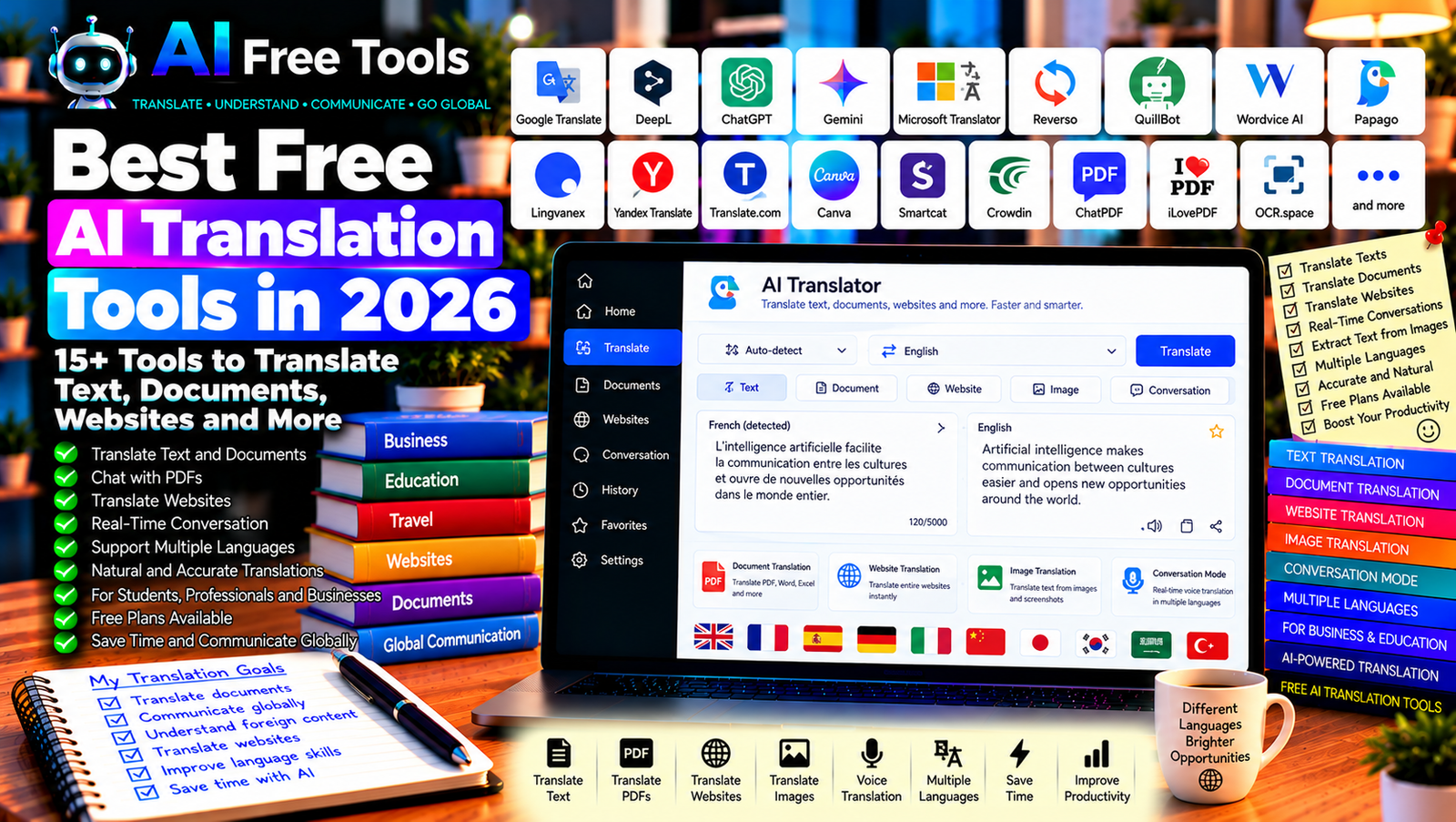
Best Free AI Translation Tools in 2026: 15+ Tools to Translate Text and Documents
Free AI translation tools make it easier to communicate across languages, understand foreign-language documents, and translate text for work, study, travel, and online business. Modern translation tools can do more than replace individual words: many use context to produce more natural sentences and help preserve the meaning of the original message.
These tools are useful for students, freelancers, marketers, international businesses, travelers, and content creators. Some specialize in translating text, while others support documents, websites, images, subtitles, or conversations.
In this guide, we compare 17 translation tools and AI assistants in 2026. You will learn what each option offers, which tools are worth trying for free, and how to choose the right translator for your needs.
Important: Free access, character limits, supported languages, document uploads, and AI features can change. Some tools offer unlimited basic translations but restrict advanced features. Others provide free usage with daily or monthly limits. Always check current terms before processing large volumes of text or confidential documents.
Quick Comparison: Best Free AI Translation Tools
| Tool | Best For | Free Access |
|---|---|---|
| Google Translate | Everyday text and travel translation | Free core service |
| DeepL Translator | Natural-sounding translations | Free access with limits |
| ChatGPT | Context-aware translations and rewriting | Free tier with limits |
| Google Gemini | Translation with explanations and context | Free tier with limits |
| Microsoft Translator | Text and conversation translation | Free core features; limits may apply |
| Reverso Context | Translations with example sentences | Free features with restrictions |
| QuillBot Translator | Quick text translation | Free access; limits may vary |
| Wordvice AI Translator | Academic and professional text | Free access or limits may vary |
| Papago | Asian-language translation | Free core service |
| Lingvanex | Text, document, and other translation workflows | Free access with restrictions |
| Yandex Translate | Text, website, and image translation | Free features; limits may apply |
| Translate.com | Text and document translation services | Free and paid options |
| Canva | Translating design and visual content | Free features; advanced access may vary |
| Smartcat | Document and team translation workflows | Free and paid features |
| Crowdin | Software and website localization | Free and paid plans |
| Mate Translate | Browser and cross-platform translation | Free features with possible restrictions |
| LibreTranslate | Open-source machine translation | Depends on hosting or public API limits |
1. Google Translate — Best for Everyday Translation
Google Translate is one of the most accessible translation services for everyday use. It supports a wide range of languages and can help translate text, web pages, and other supported content. Mobile features may include camera-based translation and conversation tools, depending on the device and language.
Best features:
- Translate text between supported languages.
- Translate websites in supported browsers and workflows.
- Use mobile camera translation where available.
- Listen to translated text in supported languages.
- Access language tools for travel and everyday communication.
Free access: Core Google Translate features are free. Availability and quality vary by language and feature.
Best for: Travelers, students, casual users, and anyone who needs quick translations.
Official website: https://translate.google.com/
2. DeepL Translator — Best for Natural-Sounding Translations
DeepL is known for translation quality in supported language pairs. It can be particularly useful for professional emails, articles, and other text where natural phrasing matters.
Best features:
- Translate text between supported languages.
- Offer alternative wording in eligible workflows.
- Translate supported documents.
- Adjust tone or style where available.
- Use web, desktop, or mobile workflows supported by the service.
Free access: DeepL offers free translation with restrictions that may include text length, document translation, or usage limits. Advanced features may require a paid plan.
Best for: Professionals, writers, students, and businesses translating everyday documents.
Official website: https://www.deepl.com/translator
3. ChatGPT — Best for Context-Aware Translation
ChatGPT can translate text while taking account of tone, audience, context, and intended meaning. This is useful when a direct word-for-word translation sounds unnatural or when you need a message adapted for a particular audience.
You can ask it to translate an email formally, preserve technical terminology, explain ambiguous phrases, or produce several versions for comparison.
Best features:
- Translate text with context.
- Adjust tone for business, academic, or casual use.
- Explain idioms and ambiguous expressions.
- Suggest alternative translations.
- Help localize content for a target audience.
Free access: ChatGPT offers a free tier with usage and feature limits.
Best for: Writers, professionals, students, and content creators who need more than a literal translation.
Official website: https://chatgpt.com/
Example prompt:
“Translate the following text from French into natural professional English. Preserve the original meaning, names, figures, and technical terminology. Do not add information. If a phrase is ambiguous, provide the most likely translation and briefly explain the uncertainty.”
4. Google Gemini — Best for Translation with Explanations
Google Gemini can translate text and help explain phrases, terminology, and cultural context. It can also help adapt a message for a particular audience, depending on the instructions you provide.
Best features:
- Translate text between supported languages.
- Explain idioms and difficult phrases.
- Adjust tone and level of formality.
- Compare alternative translations.
- Help with supported document and Workspace workflows.
Free access: Gemini offers a free tier with usage limits. File support and advanced capabilities depend on the current account and plan.
Best for: Students, professionals, and users who want translation plus explanation.
Official website: https://gemini.google.com/
5. Microsoft Translator — Best for Conversations
Microsoft Translator provides text translation and supported conversation features. It can be useful when communicating with people who speak different languages or when you need quick translations while traveling.
Best features:
- Translate supported text.
- Explore conversation translation features.
- Listen to translations in supported languages.
- Use mobile translation tools where available.
- Integrate with eligible Microsoft products and services.
Free access: Core translation features are available without a subscription, although API usage, integrations, and certain services may have different limits or pricing.
Best for: Travelers, international teams, students, and people who communicate across languages.
Official website: https://www.microsoft.com/translator/
6. Reverso Context — Best for Examples in Context
Reverso Context helps users understand how words and expressions are translated in real sentences. It is particularly useful when a dictionary-style translation does not explain the most appropriate meaning.
Best features:
- Explore translations in example sentences.
- Compare alternative expressions.
- Check usage and context.
- Learn vocabulary through examples.
- Access grammar and language-learning features.
Free access: Reverso provides free features, while some advanced tools may require an account or paid plan.
Best for: Language learners, students, translators, and writers who want to understand usage.
Official website: https://context.reverso.net/
7. QuillBot Translator — Best for Quick Text Translation
QuillBot offers writing tools and a translator for supported languages. It can be useful when you want to translate a short passage and then improve the wording using writing or paraphrasing features.
Best features to investigate:
- Translate supported text.
- Work with writing and paraphrasing tools.
- Improve clarity after translation.
- Explore grammar and writing assistance.
- Check available language pairs and limits.
Free access: QuillBot offers free features with restrictions that may vary by tool, text length, or plan.
Best for: Students, bloggers, and users who translate and edit text in the same workflow.
Official website: https://quillbot.com/translate
8. Wordvice AI Translator — Best for Academic and Professional Text
Wordvice AI offers language-related tools aimed at improving written communication. Its translation features can be useful when preparing academic, professional, or formal documents in supported languages.
Best features to investigate:
- Translate supported text.
- Improve grammar and writing quality.
- Review professional or academic wording.
- Explore related proofreading features.
- Check supported languages and document workflows.
Free access: Free usage and available features may change. Verify the current plan and supported language pairs before relying on it for a large project.
Best for: Students, researchers, and professionals who need polished written translations.
Official website: https://wordvice.ai/
9. Papago — Best for Korean and Selected Asian Languages
Papago is a translation service from Naver that focuses on supported language pairs, including several Asian languages. It can be especially useful for translating everyday text between Korean and other supported languages.
Best features:
- Translate supported text.
- Use mobile translation tools where available.
- Explore image or conversation translation features.
- Listen to translations in supported languages.
- Check supported language pairs before use.
Free access: Core Papago features are available free of charge, although availability depends on the language and feature.
Best for: Travelers, language learners, and people translating between Korean and supported languages.
Official website: https://papago.naver.com/
10. Lingvanex — Best for Multiple Translation Workflows
Lingvanex offers translation tools across supported languages and platforms. Depending on the product, it may support text, documents, websites, and other translation workflows.
Best features to investigate:
- Translate text between supported languages.
- Explore document translation.
- Check desktop, mobile, and browser options.
- Review speech-related features where available.
- Investigate business or API integrations.
Free access: Lingvanex offers different products and plans. Free limits and access vary by feature and platform.
Best for: Individuals and businesses looking for translation options across several workflows.
Official website: https://lingvanex.com/
11. Yandex Translate — Best for Text, Websites, and Images
Yandex Translate provides translation tools for supported languages and content types. Depending on the service and device, it may support text, website, image, and other translation workflows.
Best features to investigate:
- Translate text between supported languages.
- Translate supported websites.
- Explore image translation.
- Use available mobile features.
- Check language coverage and regional availability.
Free access: Many core features are available free of charge, but limits and feature availability can vary.
Best for: Travelers, language learners, and users who need alternative translation coverage.
Official website: https://translate.yandex.com/
12. Translate.com — Best for Translation Services and Documents
Translate.com offers automated translation and additional language services. It may be useful when you need to compare machine translation with professional human translation options.
Best features to investigate:
- Translate supported text.
- Explore document translation workflows.
- Review human translation services.
- Check available language pairs.
- Compare automated and professional options.
Free access: Translate.com provides a mixture of free and paid services. Document limits, human translation, and advanced features may require payment.
Best for: Businesses and individuals who sometimes need professional translation in addition to automated tools.
Official website: https://www.translate.com/
13. Canva — Best for Translating Visual Content
Canva is a visual design platform with translation-related capabilities in eligible workflows. It can help users adapt presentations, social media graphics, and other designs for different languages while retaining the visual layout.
Best features to investigate:
- Translate supported design text.
- Adapt visual content for different audiences.
- Create multilingual presentations and graphics.
- Edit layouts after translation.
- Explore AI-assisted design features.
Free access: Canva offers a free plan, but translation features, AI usage, and some design tools may be limited or require payment.
Best for: Marketers, social media managers, educators, and content creators.
Official website: https://www.canva.com/
14. Smartcat — Best for Document and Team Translation
Smartcat offers translation and localization workflows for individuals and teams. Depending on the plan and current features, it can help coordinate multilingual content, translation projects, and review processes.
Best features to investigate:
- Manage translation projects.
- Work with supported document formats.
- Coordinate translators and reviewers.
- Use translation memory and terminology tools where available.
- Explore AI-assisted translation workflows.
Free access: Smartcat offers a combination of free and paid features. Team workflows, usage, integrations, and advanced capabilities may require a paid plan.
Best for: Businesses, agencies, and teams managing multilingual documents or websites.
Official website: https://www.smartcat.com/
15. Crowdin — Best for Software and Website Localization
Crowdin is a localization platform designed for translating software, websites, applications, and digital content. It is more specialized than a general-purpose translator.
Best features:
- Manage multilingual software content.
- Organize translation projects.
- Coordinate translators and reviewers.
- Integrate with supported development tools.
- Explore machine translation and AI-assisted workflows.
Free access: Crowdin provides plans for different types of projects, including options for eligible open-source or small projects. Current eligibility and limits should be checked.
Best for: Developers, software teams, and businesses that need ongoing localization.
Official website: https://crowdin.com/
16. Mate Translate — Best for Browser-Based Translation
Mate Translate offers translation tools across supported platforms and browser workflows. It can be useful when you frequently encounter foreign-language content while browsing websites or reading documents.
Best features to investigate:
- Translate selected text.
- Explore browser translation workflows.
- Check desktop and mobile support.
- Save vocabulary or translations where available.
- Review current language and platform coverage.
Free access: Access and features may depend on the platform, app version, and current plan. Confirm which functions are free before installing.
Best for: People who read foreign-language websites and want convenient translation access.
Official website: https://www.matetranslate.com/
17. LibreTranslate — Best Open-Source Translation Option
LibreTranslate is an open-source machine translation API. It can be used through supported public services or deployed by users who have the technical skills and infrastructure to host it.
It is different from a consumer translation app: the cost and limits depend on the server or provider you use.
Best features:
- Translate text through an API.
- Use an open-source translation service.
- Integrate translation into supported applications.
- Explore self-hosted deployment.
- Build custom translation workflows.
Free access: The software is open source, but a public API may impose limits or charge for usage. Self-hosting requires infrastructure and maintenance.
Best for: Developers, privacy-conscious technical users, and projects needing a customizable translation workflow.
Official website: https://libretranslate.com/
How to Choose the Best Free AI Translation Tool
The right translator depends on your language pair, content type, and required quality.
| Your Main Goal | Recommended Starting Tools |
|---|---|
| Translate everyday text quickly | Google Translate or Microsoft Translator |
| Produce natural-sounding text | DeepL or ChatGPT |
| Understand idioms and usage | Reverso Context |
| Translate Korean and selected Asian languages | Papago |
| Translate and edit writing | QuillBot or ChatGPT |
| Translate documents | DeepL or an eligible PDF/document tool |
| Translate presentations and graphics | Canva |
| Localize software and websites | Crowdin or Smartcat |
| Build a custom translation workflow | LibreTranslate |
Best Free AI Translation Tools for Students
Students often need to understand foreign-language articles, prepare notes, and improve their language skills. Google Translate and DeepL are useful starting points for direct translation, while ChatGPT and Gemini can explain difficult phrases or compare alternative wording.
Use translations to support learning rather than bypass it. If a task requires writing in a foreign language independently, follow your institution’s rules on translation and AI assistance.
Best AI Translation Tools for Business
Businesses may need to translate emails, product descriptions, supplier documents, quotations, customer support messages, and marketing materials.
For short everyday messages, Google Translate or DeepL may be sufficient. ChatGPT can help adapt the tone for a particular audience, while Smartcat or Crowdin may be more appropriate for ongoing multilingual projects.
For legal, technical, financial, or contractual documents, have important translations reviewed by a qualified person who understands the subject matter.
Best AI Translation Tools for Websites and E-Commerce
Online stores and content websites often need multilingual product descriptions, category pages, help articles, and marketing content.
AI can accelerate the first draft, but direct translation may not match how customers search or speak in the target market. Review product terminology, measurements, currencies, cultural references, and keywords before publishing.
For a large website, use a consistent glossary and a localization workflow to keep product names and technical terms uniform across pages.
How to Get Better Results from AI Translation in Five Steps
Step 1: Identify the Target Audience
A translation for a business contract differs from one for a social media post. Specify whether the text is formal, conversational, technical, academic, or promotional.
Step 2: Provide Context
Include the subject, target audience, and any terminology that must remain consistent. Context helps the tool choose the right meaning when a word has multiple translations.
Step 3: Choose the Right Translation Method
Use a conventional translator for quick everyday text. Use an AI assistant when you need explanations, alternative wording, or tone adaptation. For recurring business content, consider a translation platform with terminology management.
Step 4: Review Names, Numbers, and Technical Terms
Check dates, prices, product specifications, names, measurements, legal terms, and units. These details can be mistranslated or reformatted incorrectly.
Step 5: Proofread Before Publishing
Read the translation in the target language. Confirm that it sounds natural, preserves the original meaning, and fits the intended audience. Have a fluent speaker review high-stakes material.
Example AI Prompt for a Professional Translation
Copy and adapt this prompt:
“Translate the following text from [SOURCE LANGUAGE] into natural [TARGET LANGUAGE] for [TARGET AUDIENCE]. Use a [FORMAL / PROFESSIONAL / CASUAL / MARKETING] tone. Preserve names, numbers, dates, technical terms, and the original meaning. Do not add unsupported information. If a phrase has more than one plausible interpretation, flag it and suggest alternatives. Return only the translation unless a note is necessary.”
Are Free AI Translation Tools Worth Using?
Yes. Free AI translation tools can help you understand foreign-language content, communicate with international contacts, and prepare multilingual documents more quickly.
For everyday translation, start with Google Translate or Microsoft Translator. For natural-sounding text, compare DeepL and ChatGPT. For context and vocabulary, use Reverso Context. For design content, explore Canva, and for ongoing website or software localization, investigate Smartcat or Crowdin.
However, no translator is perfect. Quality varies by language pair, subject matter, and text complexity. Review important translations before publishing them or using them for legal, financial, medical, or contractual purposes.
Are AI Translation Tools Safe for Confidential Text?
Translation tools may process text on external servers. Before uploading confidential contracts, customer details, internal business information, or personal data, review the provider’s privacy policy, data-retention practices, and terms of use.
For sensitive documents, use an approved service and avoid including information that is not needed for the translation. Remember that a free service may not provide the same controls as an enterprise translation platform.
Frequently Asked Questions
What is the best free AI translation tool in 2026?
The best option depends on your needs. Google Translate is useful for everyday translation, DeepL is worth comparing for natural phrasing, ChatGPT can adapt tone and context, and Reverso Context helps explain usage. Check current limits and language coverage before choosing.
Is DeepL better than Google Translate?
Neither is best for every language pair or task. DeepL may produce natural results for supported languages, while Google Translate offers broad language coverage and convenient features. Compare both using the same text and review the result carefully.
Can AI translate an entire PDF document?
Some tools support document translation, while others require you to extract the text first. Availability depends on the service, file format, page count, and plan. Check whether the translated file preserves tables, images, and formatting.
Can AI translate websites automatically?
Some browsers and translation services can translate web pages, while website localization platforms help manage translated content across a site. For business websites, review navigation, product names, keywords, and formatting before publishing translations.
Are free AI translations accurate?
They can be useful for everyday content, but accuracy varies by language, context, and subject. Review technical terms, idioms, names, numbers, and important instructions. Use qualified human review when errors could have serious consequences.
Can I use AI translation for business documents?
Yes, for many routine tasks, provided you review the result and comply with privacy requirements. Legal agreements, technical specifications, and other high-stakes documents should receive appropriate expert review.
Does AI translation work for Arabic and French?
Many major translation services support Arabic and French. However, accuracy can vary with dialect, formality, technical vocabulary, and sentence structure. For Tunisian Arabic or specialized business terminology, provide context and review the output carefully.
Final Verdict
The best free AI translation tools in 2026 can help you translate text, understand foreign-language documents, and create multilingual content more efficiently.
For everyday use, start with Google Translate or Microsoft Translator. For natural-sounding translations, compare DeepL and ChatGPT. For language learning, explore Reverso Context. For design content, consider Canva, and for software or website localization, investigate Crowdin or Smartcat.
Choose a tool that supports your language pair and content type, verify its current free limits, and review important translations before relying on them.
Explore more guides on AI Free Tools:
Leave a Reply