
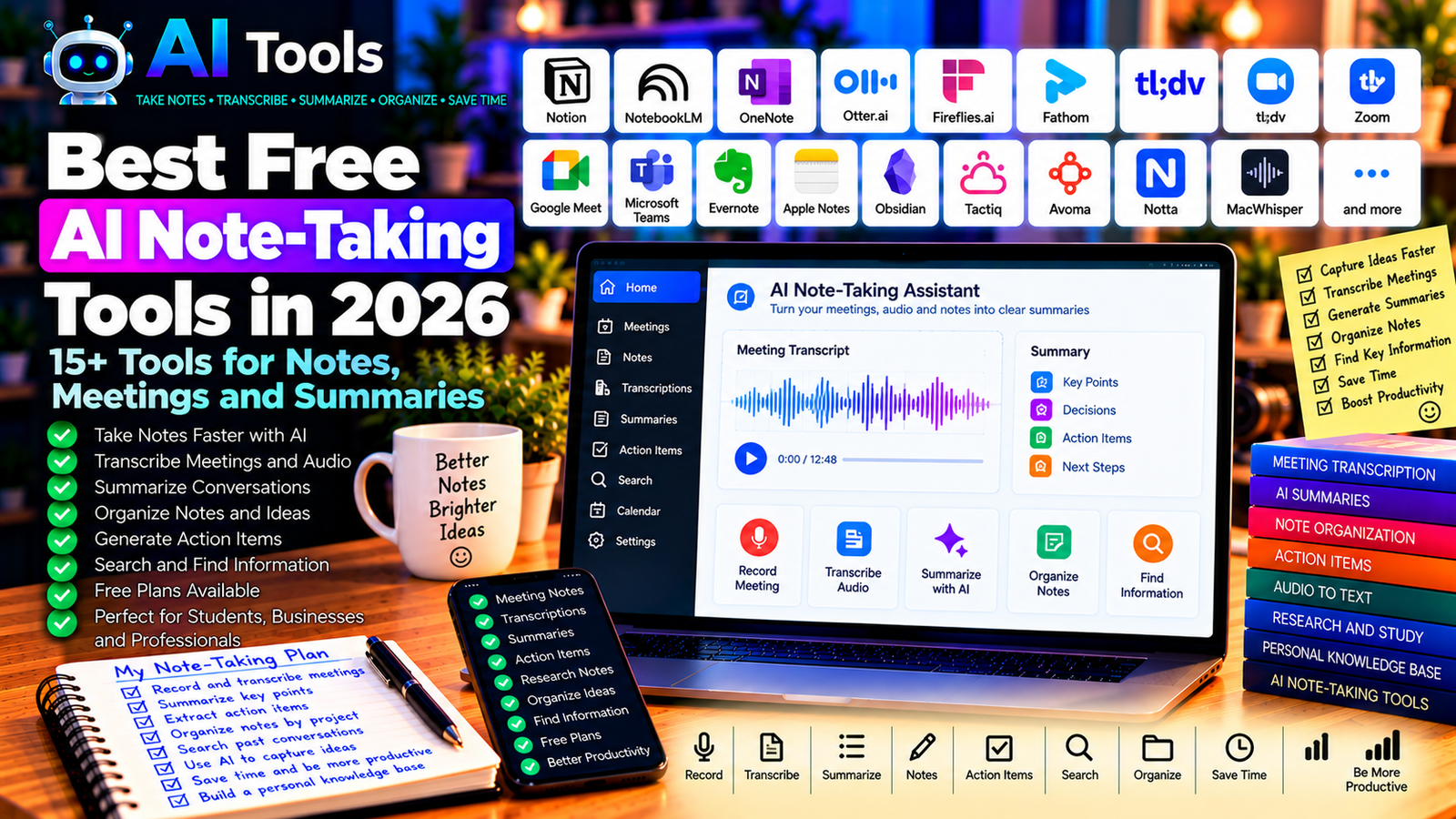
Best Free AI Note-Taking Tools in 2026: 15+ Tools for Notes, Meetings and Summaries
Taking notes can be time-consuming. Whether you are attending an online meeting, studying a course, interviewing a client, or researching a new topic, it is easy to miss important details while trying to write everything down.
Free AI note-taking tools can help you capture information, transcribe audio, summarize conversations, organize ideas, and turn discussions into actionable tasks. Some tools focus on meeting transcription, while others help you manage notes, research documents, and everyday tasks.
In this guide, we compare 17 AI note-taking tools and related productivity platforms in 2026. You will learn what each tool does, where free access is available, and which option may best suit your workflow.
Important: Not every tool provides unlimited AI features for free. Some free plans restrict transcription minutes, meeting duration, storage, or AI summaries. Features and pricing can change, so check each provider’s official website before signing up.
Quick Comparison: Best Free AI Note-Taking Tools
| Tool | Best For | Free Access |
|---|---|---|
| Google NotebookLM | Research notes and source summaries | Free access with limits |
| Microsoft OneNote | Organizing digital notes | Core features available for free |
| Notion | Notes, documents, and project organization | Free plan; AI features may be limited or paid |
| Otter.ai | Meeting transcription and summaries | Free plan with usage limits |
| Fireflies.ai | Meeting notes and action items | Free plan with restrictions |
| Fathom | Online meeting recordings and summaries | Free options; feature conditions apply |
| tl;dv | Meeting recordings and highlights | Free plan with limits |
| Zoom AI Companion | Notes from supported Zoom meetings | Depends on eligible Zoom plan |
| Google Meet with Gemini | Meeting notes and summaries | Depends on eligible Google Workspace plan |
| Microsoft Teams | Meeting collaboration and notes | AI features depend on plan |
| Evernote | Personal notes and organization | Free access with restrictions |
| Apple Notes | Simple notes and organization | Core features available on supported Apple devices |
| Obsidian | Local notes and knowledge management | Free for personal use; AI features require separate tools |
| Tactiq | Meeting transcripts and summaries | Free plan with limits |
| Avoma | Meeting intelligence and notes | Trial or paid-plan conditions may apply |
| Notta | Audio transcription and summaries | Free plan with restrictions |
| MacWhisper | Transcribing audio on a Mac | Free and paid versions vary |
1. Google NotebookLM — Best for Research Notes and Summaries
Google NotebookLM is an AI-powered research assistant that helps you work with documents and other supported sources.
You can add reference material, ask questions about it, and generate summaries that help you understand the main ideas. It is especially useful when your notes come from several reports, articles, or course documents.
Best features:
- Summarize supported source documents.
- Ask questions about your research material.
- Organize information around a topic.
- Identify important ideas from supplied sources.
- Support study and research workflows.
Free access: NotebookLM offers free access with usage limits. Available features and allowances can vary by account and region.
Best for: Students, researchers, educators, and professionals reviewing multiple documents.
Official website: https://notebooklm.google.com/
2. Microsoft OneNote — Best for Organizing Digital Notes
Microsoft OneNote is a digital notebook that helps you organize information into notebooks, sections, and pages.
It is useful for meeting notes, study materials, project documentation, and personal knowledge management. You can combine typed notes with images, lists, and other supported content.
OneNote is not itself a complete AI meeting transcription service, but it can complement AI assistants that generate summaries and action items.
Best features:
- Organize notes into notebooks and sections.
- Create checklists and structured notes.
- Collect information from different sources.
- Search supported notebook content.
- Work alongside compatible Microsoft productivity tools.
Free access: Core OneNote features are available without a standard subscription in supported versions. Advanced AI assistance depends on eligible Microsoft products and plans.
Best for: Students, office workers, business owners, and anyone managing many notes.
Official website: https://www.onenote.com/
3. Notion — Best for Notes and Project Organization
Notion combines notes, documents, databases, and project management in a flexible workspace.
You can create meeting agendas, organize research, maintain project documentation, and convert notes into structured task lists. AI features may help summarize content, rewrite text, or extract action items, depending on the current plan.
Best features:
- Create structured notes and documents.
- Organize projects and tasks.
- Build searchable knowledge bases.
- Use templates for meetings and planning.
- Access AI-assisted writing where available.
Free access: Notion offers a free plan, but AI usage and advanced features may be limited or require payment.
Best for: Freelancers, students, startups, and teams that want notes and tasks in one workspace.
Official website: https://www.notion.com/
4. Otter.ai — Best for Meeting Transcription
Otter.ai specializes in recording and transcribing conversations in supported meeting and audio workflows. It can help you review what was said without having to write every sentence manually.
Depending on the plan and integrations, it can also provide summaries, identify speakers, and help users find information in meeting transcripts.
Best features:
- Transcribe supported conversations.
- Generate meeting summaries where available.
- Search transcripts for important information.
- Review recorded conversations.
- Help capture decisions and follow-up points.
Free access: Otter.ai offers a free plan with limits on transcription, imported files, and other features.
Best for: Students, remote workers, journalists, and professionals who attend frequent meetings.
Official website: https://otter.ai/
5. Fireflies.ai — Best for Meeting Summaries and Action Items
Fireflies.ai is an AI meeting assistant designed to capture, transcribe, and summarize conversations in supported workflows.
It can be useful when a team needs a searchable record of meetings, decisions, and follow-up tasks.
Before using an automated meeting assistant, check how it joins meetings, how recordings are stored, and whether participants have been informed.
Best features:
- Transcribe supported meetings.
- Summarize conversations.
- Identify key topics and action items.
- Search meeting transcripts.
- Integrate with supported collaboration tools.
Free access: Fireflies.ai offers a free plan with restrictions on storage, AI features, and usage.
Best for: Sales teams, project managers, remote teams, and business professionals.
Official website: https://fireflies.ai/
6. Fathom — Best for Online Meeting Summaries
Fathom is an AI meeting assistant that records and summarizes supported online meetings. It is designed to reduce the time users spend writing meeting notes and reviewing long recordings.
Depending on the current plan and integrations, it may provide transcripts, summaries, highlights, and follow-up information.
Best features:
- Capture supported online meetings.
- Generate meeting summaries.
- Highlight important discussion points.
- Review transcripts and recordings.
- Share meeting insights through supported workflows.
Free access: Fathom offers free options, but conditions may apply to team features, integrations, or advanced functionality.
Best for: Consultants, freelancers, sales professionals, and remote workers.
Official website: https://fathom.video/
7. tl;dv — Best for Meeting Recordings and Highlights
tl;dv is an AI meeting assistant focused on recording, transcribing, and summarizing supported online meetings.
It can help you review important moments without watching an entire recording. This is useful for interviews, customer calls, team discussions, and project reviews.
Best features:
- Record supported online meetings.
- Generate transcripts and summaries.
- Mark important moments.
- Share selected meeting highlights.
- Support collaboration through available integrations.
Free access: tl;dv offers a free plan with limits that may apply to AI features, integrations, and usage.
Best for: Distributed teams, recruiters, consultants, and customer-facing professionals.
Official website: https://tldv.io/
8. Zoom AI Companion — Best for Eligible Zoom Meetings
Zoom AI Companion provides AI-assisted productivity features within supported Zoom products and plans.
Depending on your account, it may help summarize meetings, identify action items, or assist with other collaboration tasks. Not every feature is included in every Zoom subscription.
Best features to investigate:
- Summarize eligible meetings.
- Capture important discussion points.
- Assist with follow-up tasks.
- Support supported Zoom collaboration workflows.
- Reduce manual note-taking.
Free access: Availability depends on the Zoom plan, account configuration, and current feature eligibility. Do not assume every AI feature is included in a free Zoom account.
Best for: Teams and professionals who already use Zoom.
Official website: https://www.zoom.com/
9. Google Meet with Gemini — Best for Google Workspace Meetings
Google Meet supports online meetings, while eligible Gemini-powered features may help users record notes or summarize discussions.
These features can be convenient for teams that already work with Google Calendar, Gmail, and Google Workspace.
Best features to investigate:
- Capture meeting notes where supported.
- Summarize discussions.
- Identify decisions and follow-up items.
- Connect meeting workflows with Google Workspace.
- Reduce the need for manual notes.
Free access: AI meeting features depend on the eligible Google Workspace plan, account settings, and regional availability. Basic access to Google Meet does not automatically include every Gemini feature.
Best for: Teams using Google Workspace and professionals who hold frequent online meetings.
Official website: https://meet.google.com/
10. Microsoft Teams — Best for Business Meeting Notes
Microsoft Teams combines meetings, messaging, file sharing, and collaboration. It can be part of an effective note-taking workflow, especially for organizations that already use Microsoft 365.
AI-powered meeting recaps and summaries depend on the specific license, meeting configuration, and eligible features.
Best features to investigate:
- Organize meeting discussions.
- Share notes and files with participants.
- Capture decisions through supported workflows.
- Access eligible meeting recap features.
- Connect meetings with other Microsoft tools.
Free access: Core Teams availability and AI meeting capabilities depend on the product and plan. Advanced AI summaries may require a paid eligible subscription.
Best for: Businesses, project teams, and organizations using Microsoft 365.
Official website: https://www.microsoft.com/microsoft-teams/
11. Evernote — Best for Personal Knowledge Management
Evernote is a note-taking and organization platform for capturing ideas, documents, tasks, and reference material.
It can be useful if you want a searchable collection of notes rather than a tool focused exclusively on meeting transcription.
AI features and access to specific organizational tools depend on the current product and plan.
Best features:
- Create and organize notes.
- Save reference material.
- Search stored information.
- Manage tasks alongside notes.
- Use supported document and productivity features.
Free access: Evernote has offered free access with restrictions. Check the current plan for device, storage, and usage limits.
Best for: Freelancers, students, researchers, and users who maintain a personal knowledge base.
Official website: https://evernote.com/
12. Apple Notes — Best for Simple Notes on Apple Devices
Apple Notes is a built-in note-taking application available on supported Apple devices. It is suitable for everyday notes, checklists, meeting preparation, and collecting information.
On compatible devices and operating systems, Apple Intelligence may provide certain writing or summarization capabilities. Availability depends on the device, language, region, and software version.
Best features:
- Create notes and checklists.
- Organize notes into folders.
- Search supported content.
- Sync notes through supported Apple services.
- Use eligible system-level writing assistance.
Free access: Core Notes features are included with supported Apple devices. AI features require compatible hardware, software, language, and regional availability.
Best for: iPhone, iPad, and Mac users who want simple note organization.
Official website: https://www.apple.com/notes/
13. Obsidian — Best for Personal Knowledge Management
Obsidian is a note-taking application that stores notes as local Markdown files and connects ideas through links.
It is particularly useful when you want to build a long-term knowledge base for research, writing, study, or project planning.
Obsidian is not a built-in AI meeting assistant. You can combine it with separate AI tools or community plugins, but you should evaluate each integration independently.
Best features:
- Store notes in Markdown files.
- Link related ideas and documents.
- Build a personal knowledge base.
- Organize research over time.
- Use supported plugins to extend functionality.
Free access: Obsidian is free for personal use. Some optional services are paid, and AI features may require third-party tools or separate costs.
Best for: Researchers, writers, students, developers, and knowledge-management enthusiasts.
Official website: https://obsidian.md/
14. Tactiq — Best for Meeting Transcripts
Tactiq is a meeting transcription tool designed to capture text from supported online meeting platforms and help users review conversations.
It can be useful when you need a transcript for later reference or want to extract key points from a discussion.
Best features:
- Capture transcripts in supported meetings.
- Review conversation text.
- Generate summaries where available.
- Identify important discussion points.
- Work with supported collaboration integrations.
Free access: Tactiq offers free usage with limits on transcripts, AI requests, or other features. Check current allowances before relying on it for daily meetings.
Best for: Remote workers, interviewers, students, and project teams.
Official website: https://tactiq.io/
15. Avoma — Best for Meeting Intelligence
Avoma provides meeting-related tools for conversation analysis, note-taking, and business workflows. It may be particularly relevant to teams that want to connect meeting notes with sales or customer-facing processes.
Its advanced features and availability depend on the current subscription and product configuration.
Best features to investigate:
- Capture supported meetings.
- Generate summaries and notes.
- Review conversation insights.
- Support sales and customer workflows.
- Integrate with eligible business applications.
Free access: Trial availability and plan limits may change. Verify current pricing and features on the official website.
Best for: Sales teams, customer success teams, and organizations that analyze customer conversations.
Official website: https://www.avoma.com/
16. Notta — Best for Audio Transcription
Notta is a transcription and meeting-notes service that helps turn supported audio or meeting content into text.
It can be useful for interviews, lectures, discussions, and recorded conversations where you need a searchable transcript.
Best features:
- Transcribe supported audio.
- Generate summaries where available.
- Review recorded conversations.
- Organize transcripts.
- Support selected language and meeting workflows.
Free access: Notta offers free access with restrictions that may apply to transcription minutes, file duration, or AI functions.
Best for: Students, interviewers, researchers, and professionals who work with recorded audio.
Official website: https://www.notta.ai/
17. MacWhisper — Best for Local Audio Transcription on Mac
MacWhisper is a transcription application for macOS that uses speech-recognition technology to convert supported audio into text.
Its local processing options can be attractive to users who want to transcribe recordings on their own computer, depending on the selected model and configuration.
It is not a complete meeting-management platform, so you may need another tool to organize notes and generate structured summaries.
Best features:
- Transcribe supported audio files.
- Convert speech into searchable text.
- Process recordings using available speech-recognition models.
- Support local workflows where configured.
- Export transcripts for further analysis.
Free access: MacWhisper offers free and paid versions or features depending on the current release. Verify the available models and limitations before use.
Best for: Mac users, journalists, researchers, and people transcribing recordings.
Official website: https://goodsnooze.gumroad.com/l/macwhisper
How to Choose the Best Free AI Note-Taking Tool
The best option depends on whether you need to capture a live meeting, organize personal notes, or research a collection of documents.
| Your Main Goal | Recommended Starting Tools |
|---|---|
| Summarize research documents | Google NotebookLM |
| Organize notes and tasks | Notion or OneNote |
| Transcribe online meetings | Otter.ai or Fireflies.ai |
| Record and review meetings | Fathom or tl;dv |
| Capture supported meeting transcripts | Tactiq |
| Transcribe audio recordings | Notta or MacWhisper |
| Build a connected knowledge base | Obsidian |
| Take simple personal notes | Apple Notes or OneNote |
Best Free AI Note-Taking Tools for Students
Students can combine NotebookLM with OneNote, Notion, or another note-taking application.
Use an AI assistant to summarize course material, identify key concepts, and generate revision questions. Then compare the results with your original notes and learning materials.
Do not rely exclusively on an AI summary when preparing for exams. Important definitions, exceptions, equations, and examples can be omitted.
Best AI Note-Taking Tools for Business Meetings
For recurring online meetings, tools such as Otter.ai, Fireflies.ai, Fathom, and tl;dv are worth evaluating.
Before selecting a service, confirm which meeting platforms it supports, how long it can record, whether transcripts are included in the free plan, and whether summaries are available without payment.
For confidential business meetings, also review recording consent, data storage, access permissions, and retention policies.
Best AI Tools for Research Notes
NotebookLM is useful when you want to explore several supplied sources, while Obsidian and Notion can help organize the resulting knowledge over time.
A practical workflow is to collect reliable sources, use AI to identify the main points, save your own notes, and record references so you can return to the original material later.
How to Take Better Notes with AI in Five Steps
Step 1: Choose Your Source
Decide whether you are taking notes from a live meeting, an audio recording, a lecture, or existing documents.
Different tools support different sources, so confirm compatibility before starting.
Step 2: Capture the Information
Use a transcription tool for supported audio or a note-taking application for written information. If recording a conversation, inform participants and obtain any required consent.
Step 3: Generate a Structured Summary
Try this prompt with an AI assistant:
“Summarize these notes into five sections: main topics, important decisions, key facts, action items, and unanswered questions. Assign each action item an owner and deadline only when that information is explicitly present. Do not invent missing details.”
Step 4: Verify Important Details
Check names, dates, numbers, decisions, and action items against the original notes or transcript. Speech recognition can misinterpret names, technical terms, accents, and overlapping speech.
Step 5: Organize and Follow Up
Save the summary in your preferred note-taking application. Convert verified action items into tasks, and share the notes only with people who are authorized to access them.
Are Free AI Note-Taking Tools Worth Using?
Yes. They can reduce the time spent typing meeting notes, searching through long transcripts, and organizing research.
However, transcription, summarization, and note management are different tasks. A transcription service may produce accurate text without providing a useful summary, while a knowledge-management application may organize notes but not record meetings.
Start with a tool that solves your biggest problem. Test its free limits using a real workflow before adding more subscriptions or integrations.
Are AI Note-Taking Tools Safe?
Meeting recordings and notes can contain sensitive information, including customer details, business plans, personal conversations, and confidential discussions.
- Inform participants when recording is required or appropriate.
- Check the provider’s privacy and data-retention policies.
- Restrict access to transcripts and summaries.
- Avoid uploading sensitive information to unapproved services.
- Review AI-generated notes before sharing them.
- Use local or approved enterprise solutions when required by your organization.
AI summaries can also contain mistakes. Keep the original recording or source notes when you need to verify important decisions.
Frequently Asked Questions
What is the best free AI note-taking tool in 2026?
NotebookLM is useful for research and source summaries, while Otter.ai and Fireflies.ai are worth exploring for meeting transcription. Notion and OneNote are better starting points for organizing written notes and tasks.
Can AI take notes during a meeting automatically?
Yes, some meeting assistants can capture transcripts and generate notes or summaries for supported platforms. Availability depends on the tool, meeting setup, plan, and permissions. Check recording and consent requirements before using these features.
Are there completely free AI meeting note takers?
Some services offer free plans, but transcription minutes, storage, AI summaries, and integrations may be limited. Check the current terms rather than assuming that a free plan includes unlimited meetings.
Can AI summarize a lecture or audio recording?
Yes, if the tool supports the audio format and language. Some workflows require transcription first. Review the transcript and summary for errors, especially with technical terms or unclear speech.
Which tool is best for organizing personal notes?
Notion and OneNote are useful for structured notes, while Obsidian is attractive for users who want a linked knowledge base stored in Markdown files. The best choice depends on your preferred workflow and synchronization needs.
Can AI note-taking tools work in multiple languages?
Some tools support multilingual transcription and summaries, but accuracy varies by language, accent, recording quality, and technical vocabulary. Test your language before relying on a tool for important meetings.
Can I use AI-generated meeting notes as an official record?
AI-generated notes can be a helpful draft, but verify decisions, deadlines, names, and commitments against the original discussion. Follow your organization’s policies for official records and approvals.
Final Verdict
The best free AI note-taking tools in 2026 can help you capture conversations, summarize documents, organize research, and remember important decisions.
For research, start with Google NotebookLM. For meeting transcription, compare Otter.ai, Fireflies.ai, and Fathom. For organizing your notes, consider Notion, OneNote, or Obsidian.
Choose based on your actual workflow, verify free-plan limits, and review important summaries before relying on or sharing them.
Explore more guides on AI Free Tools:
Leave a Reply